
If you are building a content-driven website, membership platform, directory, or marketplace, allowing users to submit content directly from the frontend is essential. MB Frontend Submission is one of the most powerful tools available for this purpose. Designed to work seamlessly with custom fields and custom post types, this plugin helps you create professional frontend submission forms without complex coding.
In this guide, you’ll learn everything about MB Frontend Submission, including its features, installation steps, and why buying it from Pluginpro.org helps you save up to 95% of your budget.
What is MB Frontend Submission?
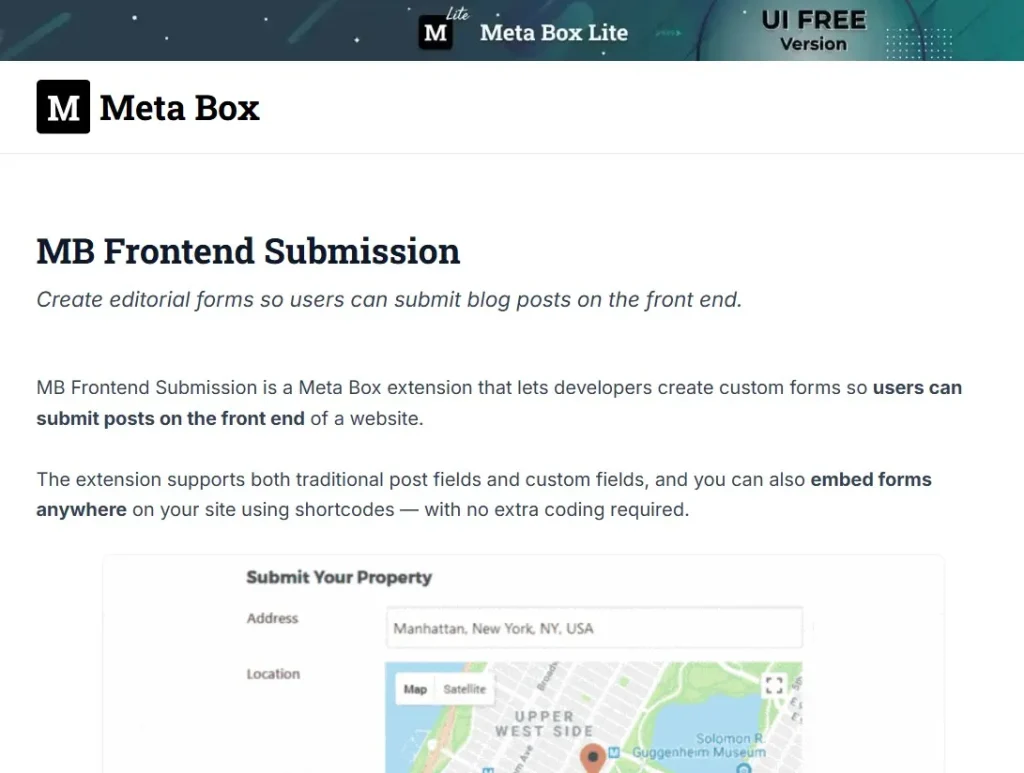
MB Frontend Submission is a premium WordPress extension developed by Meta Box. It allows users to submit posts, pages, and custom post types directly from the frontend of your website.
Instead of giving users access to the WordPress dashboard, you can create clean and secure submission forms that match your website design. This is especially useful for:
- User-generated content websites
- Business directories
- Job boards
- Real estate listing platforms
- Classified ads websites
- Guest post submission systems
- Membership and community platforms
With MB Frontend Submission, you maintain full control over content while providing a smooth and professional user experience.
Why Use MB Frontend Submission?
The default WordPress system requires backend access to create or edit content. This creates several issues:
- Security risks when granting dashboard access
- Complicated UI for non-technical users
- Poor user experience
- Limited control over submission workflow
MB Frontend Submission solves these problems by enabling:
- Secure frontend-only submission
- Custom-designed forms
- Role-based permissions
- Controlled publishing workflow
This plugin is built to integrate deeply with custom fields, making it perfect for advanced WordPress projects.
Key Features of MB Frontend Submission
1. Frontend Post Submission Forms
Create submission forms that allow users to:
- Submit new posts
- Edit existing posts
- Delete their own posts
- Save drafts
- Submit for review
Everything happens on the frontend without exposing the WordPress admin dashboard.
2. Full Custom Post Type Support
You can allow submissions for:
- Blog posts
- Pages
- Products
- Listings
- Portfolios
- Events
- Any custom post type
This flexibility makes MB Frontend Submission ideal for directories and marketplaces.
3. Custom Field Integration
One of the strongest advantages of MB Frontend Submission is its deep compatibility with custom fields.
You can collect:
- Text fields
- Images and file uploads
- Dropdown selections
- Checkboxes and radio buttons
- Date and time fields
- Maps and location data
- Repeater fields
This allows you to build complex submission forms for professional websites.
4. Drag-and-Drop Form Builder
No coding skills are required.
You can visually build forms that:
- Match your website design
- Organize fields easily
- Improve user experience
- Reduce submission errors
5. User Role & Permission Control
Control exactly who can:
- Submit content
- Edit submissions
- Delete posts
- Upload files
This ensures security and protects your content system.
6. Moderation Workflow
You stay in control of content quality.
Submissions can be set to:
- Pending review
- Draft status
- Auto-publish (if trusted users)
This is critical for community and marketplace websites.
7. File & Media Upload Support
Users can upload:
- Featured images
- Galleries
- Documents
- Media files
This is perfect for product listings, resumes, portfolios, and real estate posts.
8. Seamless Theme Integration
Forms generated by MB Frontend Submission automatically inherit your theme styles, ensuring:
- Professional appearance
- Consistent branding
- Better user trust
9. Shortcode-Based Placement
You can display forms anywhere using simple shortcodes:
- Pages
- Posts
- Widgets
- Custom templates
This gives you full layout flexibility.
10. Developer Friendly
For advanced users, MB Frontend Submission offers:
- Hooks and filters
- Template customization
- Flexible configuration
- Clean architecture
Developers can easily extend functionality without conflicts.
How to Install MB Frontend Submission
Installing MB Frontend Submission is quick and simple.
Step 1: Download the Plugin
Download the plugin package from Pluginpro.org after purchase.
Step 2: Upload to WordPress
- Log in to your WordPress dashboard
- Navigate to Plugins → Add New
- Click Upload Plugin
- Choose the ZIP file
- Click Install Now
Step 3: Activate Plugin
After installation:
- Click Activate Plugin
- The plugin is now ready to use
Step 4: Create Submission Forms
- Go to Meta Box settings
- Create a new form
- Select post type
- Add custom fields
- Configure permissions
- Publish the form
Step 5: Display Form on Frontend
Copy the shortcode and paste it into any page where you want the submission form to appear.
Your frontend submission system is now live.
Use Cases for MB Frontend Submission
MB Frontend Submission works perfectly for many website models:
Business Directories
Allow businesses to submit listings with images, descriptions, and contact details.
Job Boards
Employers can post jobs directly from the frontend without admin access.
Real Estate Websites
Agents can submit property listings with galleries and specifications.
Online Marketplaces
Vendors can upload products and manage their listings easily.
Guest Posting Websites
Writers can submit articles without accessing your dashboard.
Membership Platforms
Members can contribute content in a secure environment.
Performance and Security
MB Frontend Submission is built with performance and safety in mind:
- Lightweight and optimized code
- Secure file handling
- Role-based access control
- Spam protection compatibility
- No unnecessary database load
This ensures smooth performance even on high-traffic websites.
Why Buy MB Frontend Submission at Pluginpro.org?
Buying from Pluginpro.org gives you premium benefits at an unbeatable price.
Save Up to 95% of Your Budget
Get the original premium plugin at a fraction of the official cost.
100% Clean Code
Plugins are delivered:
- Without malware
- Without hidden scripts
- Without ads
- Without license locks
Safe for professional websites.
Unlimited Website Usage
Use MB Frontend Submission on:
- Personal sites
- Client websites
- Agency projects
- Unlimited domains
No restrictions.
Easy Updates
Updating is simple and fast:
- Download new version
- Replace old plugin
- No complicated license system
Instant Download
Get immediate access after purchase. No waiting time.
Massive Plugin Library
Access thousands of premium WordPress plugins in one place.
Perfect for Developers & Agencies
Pluginpro.org helps professionals:
- Reduce project costs
- Deliver faster
- Scale client websites
- Maintain high quality
Final Thoughts
If you want a powerful, flexible, and professional frontend submission system, MB Frontend Submission is one of the best tools available for WordPress.
It enables secure user-generated content, supports complex custom fields, and provides full control over your publishing workflow. Whether you run a directory, marketplace, membership site, or content platform, this plugin gives you the tools to scale efficiently.
And when you purchase from Pluginpro.org, you get the same powerful plugin while saving up to 95% of your budget, enjoying clean code, unlimited usage, and hassle-free updates.
MB Frontend Submission is the smart choice for building interactive and scalable WordPress websites.



