
Creating professional, highly functional forms on WordPress can be challenging without the right tools. WS Form PRO is a powerful form builder plugin that allows you to design responsive, advanced forms with ease, making it ideal for businesses, agencies, and website owners.
In this guide, we’ll walk you through how to install WS Form PRO, introduce the plugin, explore its key features, and explain why purchasing from Plugin pro is a smart choice for your WordPress site.
How to Install WS Form PRO
Installing WS Form PRO is quick and straightforward:
- Download the Plugin
Visit Pluginpro.org and download the latest version of WS Form PRO. Ensure you have the premium version to unlock all advanced functionalities. - Upload to WordPress
From your WordPress dashboard, go to Plugins → Add New → Upload Plugin. Select the downloaded ZIP file and click Install Now. - Activate WS Form PRO
After installation, click Activate Plugin. The plugin is now ready for creating advanced forms on your website. - Configure Basic Settings
Navigate to WS Form → Settings. Customize default email notifications, form styling, spam protection, and integrations with services like Mailchimp or Zapier. - Create Your First Form
Go to WS Form → Add New. Use the drag-and-drop builder to add fields, configure validation rules, and set up conditional logic. - Test the Form
Submit a test entry to ensure your form works correctly, including email notifications and any third-party integrations.
Introducing WS Form PRO
WS Form PRO is a comprehensive WordPress form plugin designed to create complex forms effortlessly. Unlike basic form plugins, WS Form PRO offers advanced functionality, responsive designs, and seamless integrations with marketing and CRM platforms.
Key benefits of WS Form PRO include:
- Drag-and-drop form builder: Easily design forms without coding.
- Responsive forms: Mobile-friendly designs that look great on all devices.
- Conditional logic: Show or hide fields based on user input.
- Third-party integrations: Connect to Mailchimp, Zapier, PayPal, Stripe, and more.
Whether you need simple contact forms, complex multi-step surveys, or payment-enabled forms, WS Form PRO has all the tools you need.
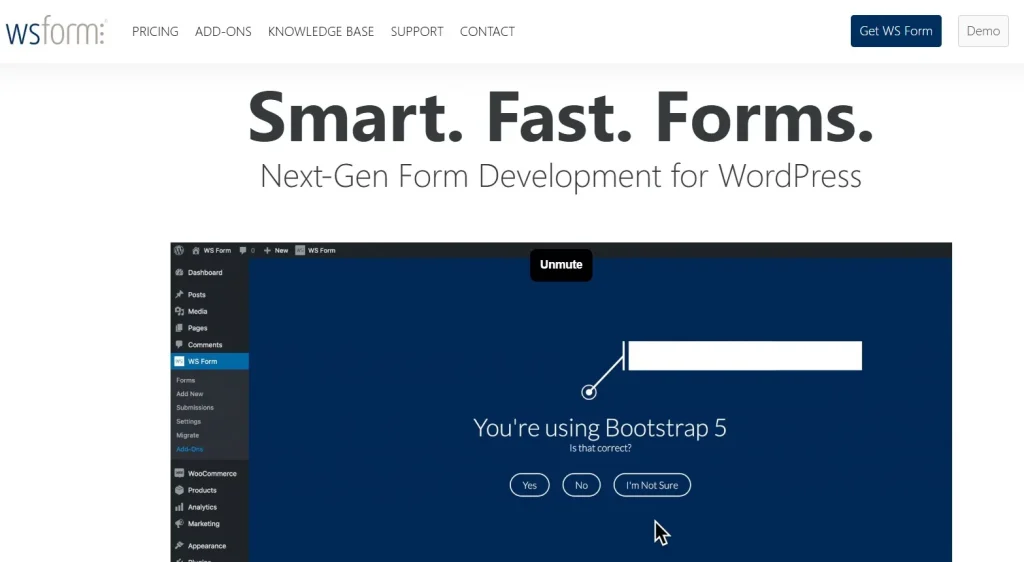
Features and Selling Points of WS Form PRO
1. Drag-and-Drop Form Builder
Create custom forms quickly using an intuitive drag-and-drop interface. Add fields, sections, and advanced components effortlessly.
2. Conditional Logic
Display or hide fields, sections, and pages based on user input to create personalized experiences.
3. Multi-Step Forms
Break long forms into multiple steps to improve completion rates and user experience.
4. Advanced Field Types
Support for text, numbers, dates, file uploads, calculations, payments, and more.
5. Payment Integration
Easily integrate PayPal, Stripe, and other payment gateways to accept online payments directly through your forms.
6. Spam Protection
Built-in CAPTCHA, honeypot fields, and anti-spam measures ensure clean submissions.
7. Third-Party Integrations
Seamlessly connect with marketing platforms, CRM systems, email services, and automation tools.
8. Analytics and Reporting
Track form submissions, conversion rates, and user interactions to optimize forms effectively.
9. Customizable Design
Adjust fonts, colors, layouts, and CSS to match your website’s branding perfectly.
10. GDPR Compliance
Ensure user data privacy with built-in features for consent, data storage, and deletion requests.
Why You Should Buy WS Form PRO from Plugin pro
Purchasing WS Form PRO from Plugin pro offers several advantages:
1. Save Up to 95%
Premium form builder plugins can be expensive. Plugin pro offers WS Form PRO at a fraction of the original price, making it affordable for businesses of any size.
2. 100% Clean Code
WS Form PRO from Plugin pro is built with optimized, secure code, ensuring smooth operation and compatibility with other plugins.
3. Unlimited Website Usage
One purchase allows you to use WS Form PRO on unlimited websites, perfect for agencies or developers managing multiple client sites.
4. Easy Updates
Receive automatic updates to ensure compatibility with the latest WordPress versions and new features.
5. Expert Support
Plugin pro provides professional support for installation, setup, customization, and troubleshooting, ensuring your forms work perfectly.
How WS Form PRO Enhances Your WordPress Site
Implementing WS Form PRO offers multiple benefits:
- Increase Conversions: Multi-step forms and conditional logic improve form completion rates.
- Streamline Processes: Automate workflows with third-party integrations and payments.
- Professional Appearance: Customizable layouts and styling ensure forms match your brand.
- Efficient Data Management: Collect, store, and analyze submissions effortlessly.
- Scalable Solutions: Handle simple contact forms or complex surveys without performance issues.
Step-by-Step Example: Creating a Payment Form
- Add New Form: Navigate to WS Form → Add New.
- Select Form Type: Choose “Payment Form” or “Custom Form.”
- Add Fields: Include name, email, product selection, and payment details.
- Configure Payment Gateway: Connect PayPal or Stripe.
- Enable Conditional Logic: Show product options based on user selection.
- Test Form: Submit a test payment to ensure proper processing and notifications.
This workflow highlights how WS Form PRO can simplify complex form creation for business websites.
Conclusion
WS Form PRO is a versatile and powerful WordPress form builder that allows you to create responsive, professional, and advanced forms effortlessly. Its drag-and-drop interface, conditional logic, payment integrations, and analytics make it perfect for businesses, agencies, and online entrepreneurs.
Purchasing from Plugin pro ensures affordable pricing, unlimited website usage, clean code, automatic updates, and expert support. Start using WS Form PRO today to build highly functional, visually appealing forms and enhance your WordPress site.



