
If you are looking for a powerful and easy-to-use solution to create calculators for your website, Cost Calculator Builder PRO is the plugin you need. Designed for businesses, freelancers, and agencies, this plugin helps you engage users, streamline calculations, and increase conversions with interactive cost calculators. In this article, we will explore how to install Cost Calculator Builder PRO, its features, selling points, and why purchasing from Pluginpro.org is your smartest choice.
How to Install Cost Calculator Builder PRO
Installing Cost Calculator Builder PRO is straightforward, even for beginners. Follow these simple steps to get started:
- Download the Plugin – First, visit Pluginpro.org and download the latest version of Cost Calculator Builder PRO. Ensure that you have purchased the plugin or downloaded it from a verified source.
- Upload to WordPress – Log in to your WordPress dashboard. Navigate to Plugins > Add New > Upload Plugin and select the ZIP file you downloaded. Click Install Now.
- Activate the Plugin – After installation, click Activate Plugin. You will now see the plugin menu in your WordPress dashboard.
- Configure Settings – Go to the plugin settings and configure general options such as currency, default calculation templates, and styling options. You are ready to start building your first cost calculator.
The installation process is smooth, requiring no coding skills, making it perfect for beginners and experienced developers alike.
Introducing Cost Calculator Builder PRO
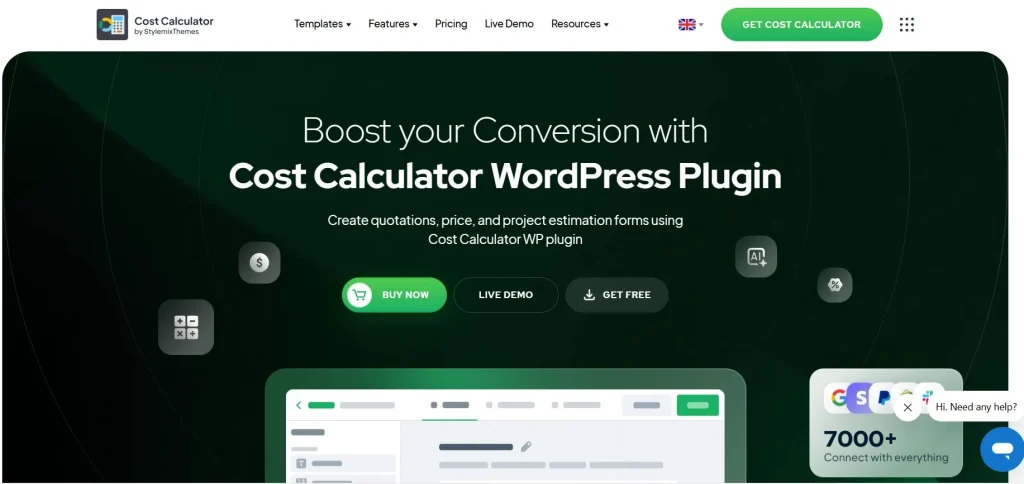
Cost Calculator Builder PRO is a premium WordPress plugin that allows you to create interactive calculators for your website. Whether you need a pricing calculator for services, a quote generator, or a product cost estimator, this plugin offers a flexible and user-friendly solution.
Unlike free alternatives, Cost Calculator Builder PRO provides advanced features that make it stand out:
- Drag-and-Drop Interface: Build calculators visually without writing a single line of code.
- Customizable Fields: Include number fields, dropdowns, checkboxes, sliders, and more to fit your business needs.
- Conditional Logic: Display fields or change results dynamically based on user selections.
- Responsive Design: Calculators are fully mobile-friendly and adapt to any device.
With these capabilities, Cost Calculator Builder PRO empowers businesses to create professional calculators that enhance user experience and increase engagement.
Features and Selling Points
Here are the main features and benefits that make Cost Calculator Builder PRO a must-have plugin:
1. Advanced Calculation Logic
With Cost Calculator Builder PRO, you can set up complex calculations effortlessly. The plugin allows you to add multiple factors, conditional rules, and dynamic pricing structures, making it suitable for industries such as construction, education, e-commerce, and more.
2. User-Friendly Interface
The plugin’s drag-and-drop builder ensures that anyone can create a calculator in minutes. No coding experience is needed. The visual editor shows live previews, allowing you to see exactly how your calculator will appear on your website.
3. Multiple Field Types
Choose from a variety of input fields, including:
- Number and text fields
- Dropdown menus
- Checkboxes and radio buttons
- Sliders and range inputs
This flexibility ensures that your calculator is tailored to your users’ needs.
4. Conditional Logic
Show or hide fields, change prices, or adjust results dynamically based on user inputs. This makes the calculator interactive and more accurate, providing personalized results for your visitors.
5. Integration Options
Cost Calculator Builder PRO integrates with major WordPress page builders such as Elementor, Beaver Builder, and WPBakery. You can easily embed calculators anywhere on your website, including posts, pages, and sidebars.
6. Mobile Responsiveness
All calculators created with this plugin are fully responsive. Whether your visitors access your website on a desktop, tablet, or smartphone, the calculator will display perfectly.
7. Export and Email Options
You can export calculator results or send them directly to users via email. This feature is particularly useful for generating leads, sending quotes, or managing customer inquiries efficiently.
8. Custom Styling Options
The plugin allows you to match the calculator with your website’s branding. Customize colors, fonts, buttons, and layouts to create a seamless user experience.
Why You Should Buy Cost Calculator Builder PRO from Pluginpro.org
Purchasing Cost Calculator Builder PRO from Pluginpro.org comes with several advantages that make it the best choice:
- Save Up to 95% of Your Budget
Pluginpro.org offers premium plugins at a fraction of the regular price, helping you save significantly without compromising on quality. - 100% Clean Code
All plugins provided by Pluginpro.org are fully tested and use clean, secure coding practices. This ensures compatibility with your website and minimizes potential security risks. - Unlimited Website Usage
Unlike some other providers, purchasing from Pluginpro.org allows you to use the plugin on unlimited websites, making it ideal for agencies, freelancers, and developers managing multiple projects. - Easy Updates
Stay ahead with automatic updates. Pluginpro.org ensures that you always have access to the latest features and security patches for Cost Calculator Builder PRO. - Reliable Support
Gain access to professional support to help you with installation, configuration, and troubleshooting. The Pluginpro.org team is dedicated to ensuring your experience is seamless and hassle-free. - Trusted Platform
Pluginpro.org is known for offering authentic premium WordPress plugins. When you buy from here, you avoid the risks of nulled or pirated versions that can harm your website.
Real-World Applications
Businesses across various industries can benefit from Cost Calculator Builder PRO:
- Construction Companies: Estimate project costs for clients.
- E-Commerce Stores: Let customers calculate total product prices including add-ons.
- Service Providers: Offer instant quotes for services like web design, cleaning, or consulting.
- Educational Institutions: Calculate tuition fees or course costs.
- Freelancers and Agencies: Provide clients with accurate project estimates.
With accurate, interactive, and visually appealing calculators, businesses can enhance user engagement, build trust, and increase conversion rates.
Tips to Maximize Cost Calculator Builder PRO
- Use Conditional Logic Wisely: Tailor calculations based on user choices to provide more accurate results.
- Embed Strategically: Place calculators on high-traffic pages or product/service pages to capture leads.
- Customize Design: Ensure your calculator matches your website’s theme to maintain a professional look.
- Promote Results: Encourage users to share or submit their results, helping increase engagement and potential leads.
Conclusion
Cost Calculator Builder PRO is more than just a plugin—it’s a tool to enhance user interaction, streamline calculations, and boost conversions. Its drag-and-drop interface, flexible field types, conditional logic, and mobile responsiveness make it the perfect choice for any WordPress website.
Buying from Pluginpro.org ensures you save money, get clean code, unlimited website usage, and access to reliable updates and support. If you want to elevate your website with interactive calculators that impress and convert, Cost Calculator Builder PRO is the ultimate solution.
Start building your calculators today and transform how users interact with your website.



