The way people explore products, properties, and spaces online has changed dramatically. Standard image galleries are still useful, and videos can certainly add depth, but many users now expect something more interactive before they make a decision. In industries where the physical environment matters, such as real estate, hospitality, tourism, education, architecture, automotive showrooms, museums, and retail, a static presentation often leaves too many unanswered questions. Users want to understand layout, atmosphere, scale, and flow. That is where immersive content becomes far more effective than traditional visuals alone.
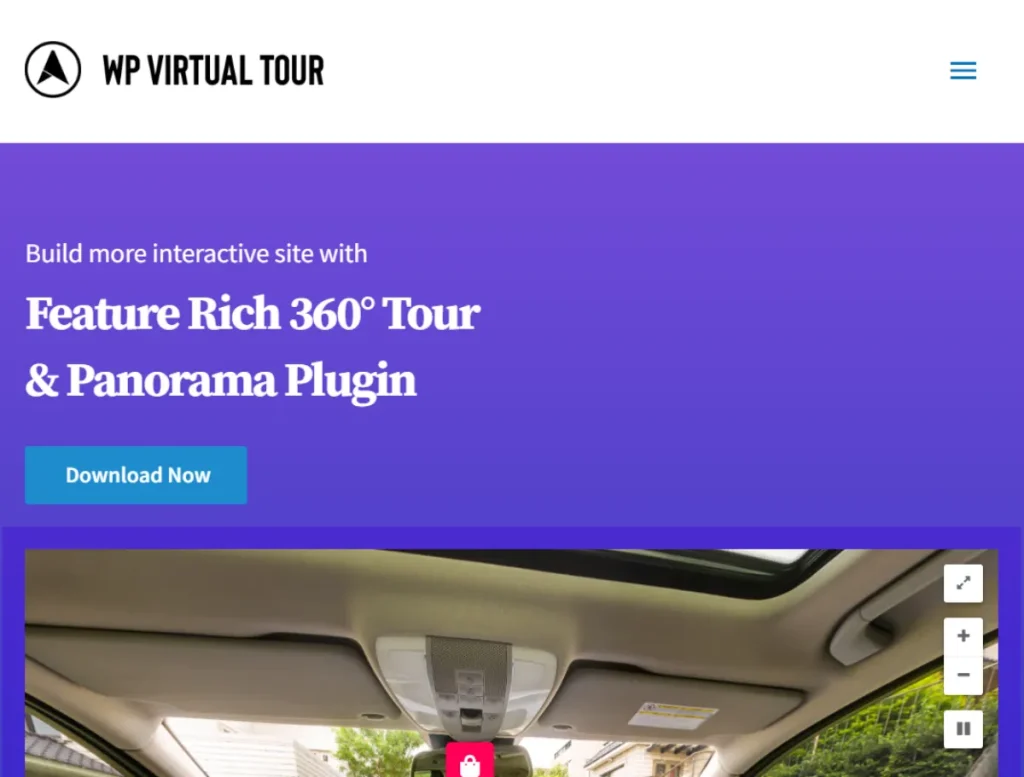
This is exactly why the 360 Virtual Tour, Panorama WordPress Plugin has become such a valuable tool for WordPress website owners. Instead of showing a single angle of a room or location, the plugin allows you to create interactive panoramic experiences that visitors can control themselves. They can rotate the view, inspect details, move between scenes, and gain a much more realistic understanding of a place or environment. That level of interaction does not just improve presentation. It can also increase trust, reduce uncertainty, and help users feel more confident before taking the next step.
Consider a few practical examples. A real estate agency can let buyers walk through a home online before booking an in-person viewing. A hotel can showcase suites, lobbies, restaurants, and amenities in a way that feels far more convincing than a photo slideshow. A university can build a virtual campus tour for international students who cannot visit in person. A travel company can present attractions in a more immersive way, helping customers imagine the experience before they book. Even a business with a showroom, clinic, restaurant, or event venue can use a 360 tour to make the website more engaging and informative.
Another important point is convenience. Users do not always have the time or location flexibility to visit a space physically. A virtual tour solves that problem by making exploration available anytime, from anywhere, on desktop or mobile. This can save time for both the business and the customer while also helping qualify leads. Someone who has already explored the space online is often better informed and more serious when they reach out.
The 360 Virtual Tour, Panorama WordPress Plugin makes this process much easier. Instead of requiring advanced coding, specialized development, or a fully custom solution, it gives WordPress users a manageable way to create immersive tours directly on their site. In this article, we will look closely at what this plugin is, its key features, the benefits it offers, how to install it, and why buying it from Pluginpro.org can be a practical decision.
What is 360 Virtual Tour, Panorama WordPress Plugin?
360 Virtual Tour, Panorama WordPress Plugin is a WordPress plugin built to display interactive panoramic images and turn them into immersive virtual tour experiences. In simple terms, it helps you take 360-degree images of a space and present them on your website in a way that allows visitors to look around freely. Rather than viewing a flat photo, users can drag, swipe, or use controls to explore the scene from multiple angles.
At a technical level, the plugin works by rendering panoramic images inside an interactive viewer. Once uploaded and configured, these panoramas become explorable scenes that users can navigate in real time. Depending on the setup, a site owner can create a single panoramic view or connect multiple scenes together to form a full virtual walkthrough. This makes the plugin suitable for both simple and advanced presentation needs.
The plugin is especially valuable when the experience of being in a space matters. That is why it is so relevant across industries like real estate, travel, hospitality, event venues, education, architecture, interior design, museums, galleries, and retail. For example, a property developer can show buyers how different rooms connect. A resort can allow guests to explore the pool area, room interior, spa, and reception before making a reservation. A wedding venue can present the ceremony area and banquet hall in a way that helps couples visualize their event. These are decisions where space and layout strongly influence trust and interest.
One of the strongest advantages of the plugin is accessibility. You do not need to build an entirely custom immersive website to offer this experience. With the plugin, WordPress users can upload panorama files, create scene links, add information hotspots, and publish the final result directly into pages or posts. That makes it far more practical for everyday business use.
The plugin also helps bridge the gap between online research and offline decision-making. A person browsing a website may not be ready to book, schedule, or purchase right away. But if they can explore the environment in detail, they gain a much clearer picture of what is being offered. That can reduce hesitation and make the decision process smoother. For example, a patient looking at a private clinic may feel more reassured after seeing the reception, treatment rooms, and waiting area in a virtual tour. A parent considering a school may feel more comfortable after viewing classrooms and campus facilities online.
In short, 360 Virtual Tour, Panorama WordPress Plugin is a practical WordPress solution for turning panoramic images into interactive experiences. It helps websites move beyond passive viewing and gives visitors a more engaging and informative way to explore spaces online.
Key Features of 360 Virtual Tour, Panorama WordPress Plugin
The usefulness of this plugin comes from more than just panoramic display. Its real value lies in how it helps website owners create richer, more navigable, and more branded virtual tour experiences. Below are the key features that make it effective in real-world use.
- Interactive 360-degree panorama viewing
The core feature of the plugin is interactive panoramic viewing. Visitors can move around the scene by dragging with a mouse or swiping on mobile, which creates the feeling of standing inside the environment. This is much more engaging than looking at a still photo because the user controls the perspective. For example, when viewing a hotel room, the visitor can look left toward the window, right toward the bed, or down toward the floor details, all in one scene. That interactive control helps communicate space more accurately and keeps users engaged longer. - Multi-scene virtual tour creation
A single panoramic image can be impressive, but many businesses need more than one viewpoint. The plugin allows users to connect multiple scenes together to create a complete tour. This means visitors can move from one room to another or from one area of a venue to the next. For example, a real estate tour might begin in the living room, then let the user move to the kitchen, bedroom, bathroom, and backyard. This scene-to-scene navigation creates a much more realistic and informative experience than showing isolated images. - Hotspots for navigation and information
Hotspots are one of the most practical features in a virtual tour system. A hotspot can be placed on a specific part of the scene and used for different purposes. It may move the visitor to another panorama, open an information box, highlight a product detail, or explain a feature of the space. For example, in a showroom tour, a hotspot on a product display might reveal material specifications or pricing context. In a campus tour, a hotspot could explain what happens inside a building. This makes the tour more than visual. It becomes educational and interactive. - Customizable interface and controls
A virtual tour should feel like part of the website, not a disconnected external tool. The plugin typically offers interface customization such as control styles, color adjustments, button appearance, and viewer layout preferences. This helps businesses align the tour with their website branding. For example, a luxury property brand may want a minimal and elegant control design, while a tourism campaign may prefer more visible and playful navigation cues. These adjustments help the immersive experience feel integrated and professional. - Responsive design for desktop and mobile use
Many website visitors will view virtual tours on smartphones or tablets, especially in industries like travel and real estate where users often browse on mobile. The plugin is built to work across different screen sizes so the tour remains usable and visually effective. This is critical because a tour that works only on desktop misses a major part of modern website traffic. For instance, a user researching hotels while commuting may view the tour entirely on a phone. A responsive experience ensures they can still swipe, rotate, and navigate smoothly. - Zoom and exploration controls
The ability to zoom in and inspect details adds another layer of usefulness. In some environments, users want to look more closely at textures, finishes, furniture, or design details. Zoom tools make that possible. For example, a user exploring a high-end apartment might zoom in to inspect kitchen finishes or window views. In a retail showroom, they may want to look more closely at display arrangements. This supports a more informed user experience. - Easy embedding into pages and posts
The plugin is designed to fit into WordPress workflows. Virtual tours can usually be embedded through shortcodes, blocks, or page builder integration depending on the site setup. This makes it easier to add tours to landing pages, property listings, service pages, about pages, or dedicated portfolio sections. For example, a real estate website can place a specific tour directly inside each property listing, while a university can embed separate tours across admissions pages. - Performance-conscious delivery
Panoramic content can be visually rich, but it also needs to load well. A good virtual tour plugin is not only about appearance. It must also help deliver large image experiences in a manageable way. This is important because slow loading can undermine the entire benefit of immersive content. A plugin built with performance in mind can help website owners offer rich tours without creating a frustrating experience for visitors.
Benefits of Using 360 Virtual Tour, Panorama WordPress Plugin
One of the biggest benefits of using this plugin is stronger user engagement. Interactive content naturally keeps visitors on the page longer than static content. When people can control what they see and explore the environment themselves, they tend to stay more involved. Instead of quickly scrolling past a gallery, they interact with the space. That added time on page can improve not just user experience, but also the perceived professionalism of the website.
Another major benefit is improved decision-making confidence. In many industries, users hesitate because they cannot fully imagine the space or offering. A virtual tour reduces that uncertainty. For example, a person comparing two event venues might struggle to judge atmosphere from photos alone. But if one venue offers an immersive walkthrough, that experience can make the venue feel more transparent and trustworthy. The same principle applies to rental properties, resorts, clinics, schools, showrooms, and restaurants.
The plugin also helps qualify leads more effectively. Someone who has explored a property or space in detail online often contacts the business with more serious intent. They already understand the layout, presentation, and environment better than someone who has only seen a few pictures. That can improve the quality of inquiries and reduce time spent on unqualified prospects.
There is also a convenience benefit for both businesses and users. Virtual tours can reduce the need for unnecessary physical visits, especially in early decision stages. A real estate agent may spend less time arranging showings for people who realize online that the property is not the right fit. A hotel may answer many visual questions before the guest ever calls. A university may reach international students who would otherwise have no way to explore the campus remotely.
Another practical advantage is competitive differentiation. Many websites still rely on traditional photo galleries. By offering immersive tours, a business can stand out immediately. This does not just make the site look more modern. It communicates that the business is willing to invest in a better user experience. That can strengthen brand perception in a meaningful way.
The plugin also supports storytelling. A space is not always just a space. It often represents an experience. A boutique hotel wants to communicate mood and comfort. A museum wants to create curiosity. A restaurant wants to convey atmosphere. A school wants to show community and facilities. Virtual tours give businesses a better medium to express those qualities than flat images alone.
Finally, it is much more cost-effective than commissioning a full custom immersive solution. For businesses already working within WordPress, a plugin-based approach makes advanced presentation features much more attainable.
How to Install 360 Virtual Tour, Panorama WordPress Plugin
Installing the plugin is generally a simple process, especially for users already familiar with WordPress plugins. The first method is through the WordPress dashboard, which is the most common approach.
Begin by downloading the plugin ZIP file. Then log in to your WordPress admin area and go to Plugins > Add New. Click Upload Plugin, choose the ZIP file, and then click Install Now. Once WordPress finishes installing the plugin, click Activate. After activation, the plugin should appear in your dashboard menu or settings area, depending on how it is structured.
The next step is content preparation. Before building a tour, make sure your panoramic images are ready. High-quality 360-degree images are the foundation of the entire experience. Poor image quality can make even a technically sound tour feel unprofessional. For example, blurry panoramas or poorly stitched scenes may reduce trust rather than improve it. So it is worth investing time in preparing strong visuals before configuring the plugin.
Once the plugin is active, create a new virtual tour project. Upload your panorama image or images, then configure each scene. If you are creating a multi-scene tour, define how scenes connect to one another. This is often done through hotspots or directional links. For example, a hotspot in the living room might open the kitchen scene, and another might lead to the hallway.
After that, add informational elements if needed. A property listing might include hotspots for room details. A campus tour might include labels for academic departments. A hotel tour might mark spa, pool, or dining areas. These enhancements help turn the tour into a more informative experience rather than just a visual novelty.
When the tour is ready, embed it into the appropriate WordPress page using the plugin’s shortcode, block, or page builder element. It is wise to test placement carefully. A property tour may belong near the top of the listing page, while a venue tour may work better lower on a service page after introductory content.
Manual installation is also possible if needed. Extract the plugin files on your computer and upload the plugin folder to the wp-content/plugins directory using FTP. Then return to your WordPress dashboard, go to Plugins, find the plugin in the list, and activate it.
After installation and setup, test the virtual tour thoroughly. View it on desktop and mobile, check scene transitions, test hotspot behavior, and confirm load times are acceptable. A good setup process is not only about technical activation. It is about ensuring the final experience feels smooth, informative, and aligned with the website’s purpose.
Why Buy 360 Virtual Tour, Panorama WordPress Plugin at Pluginpro.org
Buying 360 Virtual Tour, Panorama WordPress Plugin at Pluginpro.org offers several practical advantages, especially for users who want strong value for money. One of the most obvious benefits is cost savings. Premium WordPress plugins can become expensive, particularly for agencies, freelancers, or businesses managing multiple websites. Pluginpro.org helps reduce that barrier by offering the opportunity to save up to 95% compared to the original price. For users balancing functionality and budget, that can make a major difference.
Another important advantage is access to 100% clean files. This matters because website security should never be treated lightly. When installing any plugin, users need confidence that the files are free from malware, malicious code, or hidden problems that could harm the site. Clean files help reduce those risks and make the installation process far more trustworthy.
Unlimited website usage is another strong reason to consider Pluginpro.org. Many premium plugin licenses are restricted to one website, which can become expensive over time. Agencies building virtual tours for multiple client sites, or businesses operating across several domains, benefit from the flexibility to use the plugin across more than one project without repeated full-price purchases.
The platform also emphasizes easy updates, which is important for long-term website maintenance. WordPress websites evolve continuously, and plugin compatibility matters. A plugin that is easy to keep current is much more practical than one that becomes outdated quickly. This helps maintain smoother performance and better compatibility with future WordPress versions.
Finally, secure downloads provide added peace of mind. Users need confidence that the files they download are available safely and reliably. That improves the buying and setup experience, especially for those who want to move quickly from purchase to deployment.
For WordPress users who want immersive virtual tour capability without overspending, Pluginpro.org presents a compelling value proposition.
Conclusion
360 Virtual Tour, Panorama WordPress Plugin is a highly useful tool for businesses and website owners who want to present spaces in a more immersive and informative way. Instead of relying only on traditional image galleries, it allows visitors to explore environments interactively, which can improve engagement, build trust, and support better decision-making.
Its feature set makes it practical for many industries. Interactive panoramic viewing, multi-scene tour creation, hotspots, responsive design, zoom controls, and easy WordPress embedding all contribute to a richer online experience. These are not just technical extras. They solve real presentation problems for real estate agents, hotels, schools, travel brands, event venues, and many other businesses.
The benefits are equally strong. The plugin helps websites stand out, qualifies leads more effectively, reduces user uncertainty, and offers a more modern way to communicate space and atmosphere. It can also save time and reduce the need for a fully custom immersive solution.
When purchased through Pluginpro.org, the plugin becomes even more attractive thanks to significant cost savings, clean files, unlimited website usage, easy updates, and secure downloads.
For anyone who wants to make a WordPress website more engaging through immersive panoramic experiences, 360 Virtual Tour, Panorama WordPress Plugin is absolutely worth serious consideration.