
Creating custom, responsive, and visually stunning WordPress websites has never been easier thanks to Beaver Builder Plugin (Agency Version). Designed for agencies, developers, and advanced users, this plugin offers powerful drag-and-drop functionality, pre-designed templates, and advanced features to streamline website creation.
In this article, we’ll guide you on how to install the Beaver Builder Plugin (Agency Version), explore its key features, and explain why purchasing it from Pluginpro.org is the smartest choice.
What is Beaver Builder Plugin (Agency Version)?
Beaver Builder is a premium WordPress page builder plugin that allows users to design responsive, professional websites without touching a single line of code. The Agency Version is specifically tailored for agencies and developers, offering unlimited website usage, advanced modules, and priority support.
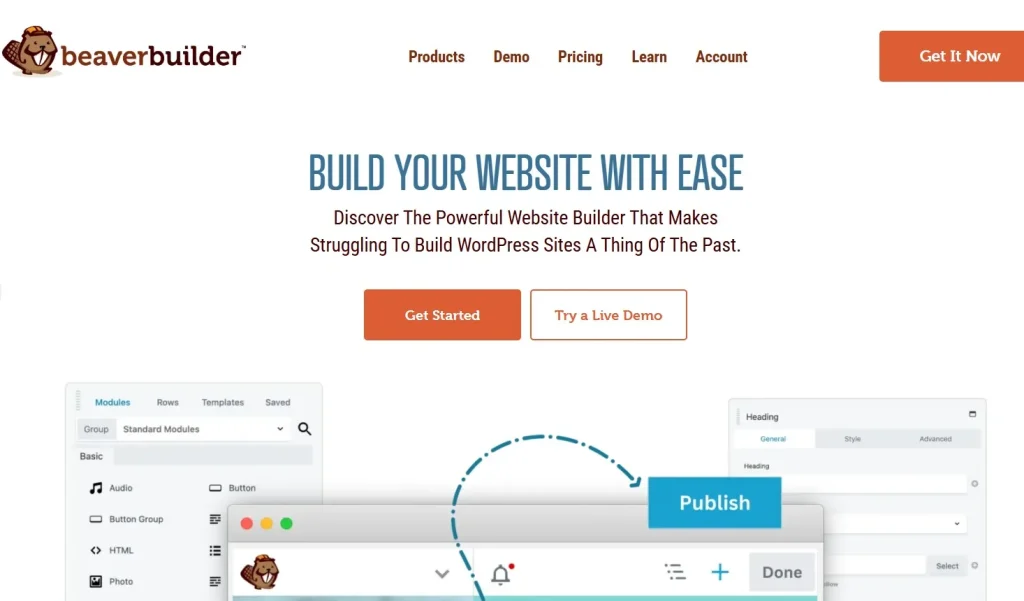
With Beaver Builder, you can create landing pages, blogs, e-commerce sites, and more using a visual drag-and-drop editor. Its focus on performance ensures that your websites remain fast, responsive, and SEO-friendly.
How to Install Beaver Builder Plugin (Agency Version)
Installing the plugin is simple and beginner-friendly. Follow these steps:
Step 1: Purchase and Download
- Visit Pluginpro.org and search for Beaver Builder Plugin (Agency Version).
- Complete the purchase and download the plugin ZIP file.
(Tip: Pluginpro.org offers up to 95% savings compared to other marketplaces.)
Step 2: Upload to WordPress
- Log in to your WordPress dashboard.
- Navigate to Plugins > Add New > Upload Plugin.
- Click Choose File, select the downloaded ZIP file, and click Install Now.
- After installation, click Activate Plugin.
Step 3: Configure Beaver Builder
- Go to Beaver Builder > Settings in the WordPress admin menu.
- Activate your license key to receive updates and support.
- Begin building pages using the drag-and-drop editor.
Your website is now ready to leverage the full power of Beaver Builder.
Key Features of Beaver Builder Plugin (Agency Version)
The Agency Version includes all core features of Beaver Builder plus additional capabilities for professional web development:
1. Drag-and-Drop Page Builder
Design custom layouts with a visual editor, moving modules, rows, and columns easily.
2. Pre-Built Templates
Access a library of professionally designed templates for landing pages, blogs, portfolios, and more.
3. Responsive Design
Every module and layout is fully responsive, ensuring your website looks perfect on desktops, tablets, and smartphones.
4. Advanced Modules
Add functionality such as sliders, forms, buttons, pricing tables, galleries, and testimonials with ease.
5. Theme Builder Integration
Customize headers, footers, and archive pages, allowing full-site design consistency.
6. WooCommerce Compatibility
Create custom e-commerce pages, product layouts, and checkout experiences that match your brand.
7. Multisite and Agency Use
Install Beaver Builder on unlimited websites with the Agency Version, making it ideal for web development agencies.
8. Developer-Friendly
Leverage hooks, filters, and custom modules to extend functionality and create tailored websites for clients.
Selling Points: Why You Should Use Beaver Builder Plugin (Agency Version)
Beaver Builder (Agency Version) is a must-have for agencies, freelancers, and advanced WordPress users:
- Unlimited Site Usage: Build websites for multiple clients without additional costs.
- Professional Design Tools: Access pre-built templates, advanced modules, and full site customization.
- Save Time: Drag-and-drop editor and reusable layouts accelerate website creation.
- SEO-Friendly: Lightweight, clean code ensures fast loading and improved search engine rankings.
- Reliable Support: Agency version users receive priority support for faster issue resolution.
Why Purchase Beaver Builder Plugin (Agency Version) from Pluginpro.org?
Purchasing from Pluginpro.org ensures several advantages:
- Save Up to 95%
Get the Agency Version at a fraction of the cost compared to official sources. - 100% Clean Code
Verified plugins ensure security, performance, and compatibility with WordPress. - Unlimited Website Usage
Use the plugin on as many websites as you need without extra charges. - Easy Updates
Receive lifetime updates and support for hassle-free maintenance. - Trusted Source
Pluginpro.org provides verified, malware-free plugins for safe and professional use.
Tips for Maximizing Beaver Builder Plugin (Agency Version)
- Use Templates to Save Time
Start projects with pre-built templates and adjust to client needs. - Leverage Global Settings
Set global colors, fonts, and styles to maintain consistent branding across sites. - Combine with WooCommerce
Design fully branded online stores with custom product pages and checkout flows. - Experiment with Advanced Modules
Enhance user engagement with sliders, testimonials, pricing tables, and forms. - Test Responsiveness
Preview pages on multiple devices to ensure seamless mobile and tablet experience.
Conclusion
Beaver Builder Plugin (Agency Version) is the ultimate WordPress page builder for agencies, developers, and professionals looking to build unlimited websites quickly and efficiently. With advanced modules, pre-built templates, and full-site customization capabilities, it provides everything needed for professional website creation.
Purchasing it from Pluginpro.org ensures affordability, clean code, unlimited site usage, and hassle-free updates. For agencies and developers aiming to deliver fast, professional, and responsive websites, Beaver Builder Plugin (Agency Version) is an essential tool.



