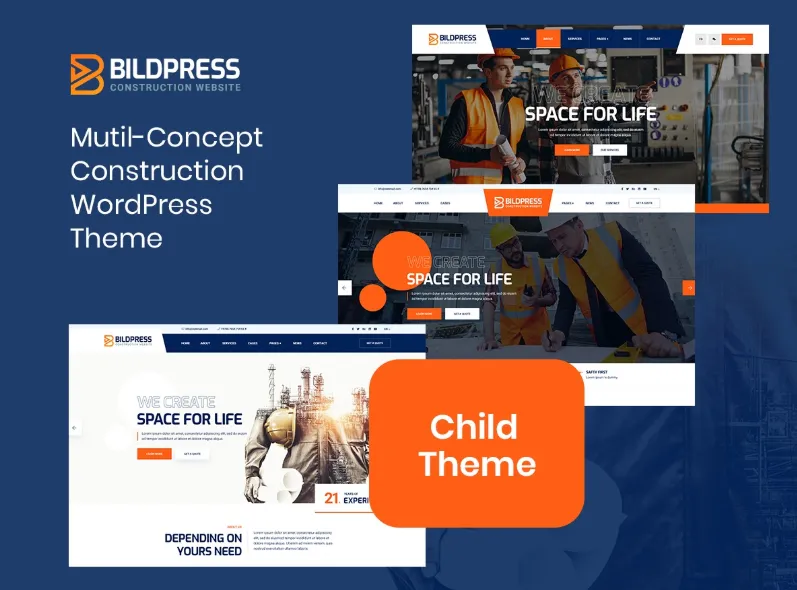
BildPress is a powerful WordPress plugin designed to help website owners manage, optimize, and display images efficiently. In modern websites, images play a crucial role in attracting visitors, improving engagement, and enhancing the overall visual appeal of a site. However, large or poorly optimized images can slow down website performance and negatively affect user experience. BildPress provides an effective solution by offering tools for image optimization, management, and presentation within WordPress.
Many website owners struggle with managing large image libraries, compressing images without losing quality, and ensuring that images load quickly on all devices. BildPress simplifies these tasks by providing a user-friendly interface and advanced features that streamline image handling. Whether you run a blog, eCommerce store, portfolio site, or business website, BildPress can significantly improve how images are stored, optimized, and displayed.
Another important advantage of BildPress is its ability to maintain image quality while reducing file sizes. Faster-loading images contribute to better search engine rankings and improved user satisfaction. By integrating seamlessly with WordPress, BildPress allows users to optimize images automatically and manage their media libraries more efficiently.
In this article, we will explore what BildPress is, its key features, benefits, installation process, and why purchasing BildPress through Pluginpro.org is a smart and cost-effective option.
What is BildPress?
BildPress is a WordPress plugin designed to enhance the way images are handled within a website. It provides tools for optimizing, organizing, and displaying images while maintaining high visual quality and fast loading speeds.
Images are one of the most important components of modern web design. They help communicate ideas, showcase products, and improve user engagement. However, large image files can slow down page loading times, which may lead to higher bounce rates and lower search engine rankings. BildPress addresses this issue by offering image compression and optimization features that reduce file sizes without sacrificing quality.
The plugin is designed to integrate seamlessly with the WordPress media library. This means users can optimize images directly within the WordPress dashboard without using external tools or software. Once installed, BildPress automatically processes images as they are uploaded, ensuring they are properly optimized for web performance.
BildPress is particularly useful for:
- Bloggers who publish image-rich articles
- Photographers and designers with large image portfolios
- Online stores displaying product images
- Businesses showcasing visual content
- Content creators who rely on high-quality graphics
Another advantage of BildPress is its compatibility with modern web standards. It supports responsive image delivery, meaning images automatically adjust to different screen sizes. This ensures that visitors using smartphones, tablets, or desktop computers experience fast loading times and clear visuals.
Overall, BildPress serves as a comprehensive image management solution for WordPress websites that want to balance visual quality with optimal performance.
Key Features of BildPress
BildPress offers several powerful features that help website owners manage and optimize their images efficiently.
Automatic Image Optimization
One of the most important features of BildPress is automatic image optimization.
When users upload images to the WordPress media library, BildPress automatically compresses and optimizes them for web performance.
Key capabilities include:
- Automatic compression on upload
- Reduced image file sizes
- Maintained visual quality
- Faster loading times
This feature saves time and ensures that every image added to the website is optimized.
Advanced Image Compression
BildPress uses advanced compression techniques to reduce image sizes while preserving image clarity.
Compression features include:
- Lossless compression
- Optional lossy compression
- Smart quality adjustments
- Batch image processing
These options give users control over how images are optimized.
Media Library Integration
BildPress integrates directly with the WordPress media library, making image management easier.
This allows users to:
- View optimized images in the dashboard
- Manage image settings easily
- Re-optimize existing images
- Organize large image collections
With this integration, users do not need separate tools to manage images.
Responsive Image Support
Modern websites must support multiple screen sizes. BildPress ensures that images automatically adapt to different devices.
Responsive image features include:
- Mobile-friendly images
- Adaptive resolution delivery
- Improved loading speeds on smartphones
- Optimized images for tablets and desktops
This improves the browsing experience for visitors on any device.
Bulk Image Optimization
For websites with large media libraries, manually optimizing images can be time-consuming. BildPress solves this problem with bulk optimization tools.
Bulk features include:
- Optimize hundreds of images at once
- Automatic processing of old images
- Batch compression tools
- Media library cleanup options
This helps website owners quickly improve site performance.
SEO-Friendly Image Optimization
Search engines evaluate page speed and image optimization when ranking websites. BildPress supports SEO by ensuring images load quickly and efficiently.
SEO benefits include:
- Faster page loading times
- Reduced bandwidth usage
- Improved mobile performance
- Better user experience
Optimized images contribute to improved visibility in search results.
Benefits of Using BildPress
Using BildPress offers many advantages for WordPress website owners who want better performance and image management.
Faster Website Performance
Large image files are one of the main reasons websites load slowly. BildPress reduces image file sizes, allowing pages to load faster.
This results in:
- Improved user experience
- Lower bounce rates
- Faster navigation
- Higher visitor retention
Speed improvements can significantly impact website success.
Improved SEO Rankings
Search engines prioritize fast websites. By optimizing images and improving page speed, BildPress indirectly supports search engine optimization.
Websites using optimized images often achieve better rankings in search results.
Easy Image Management
Managing hundreds or thousands of images can be challenging. BildPress simplifies this process by integrating directly with the WordPress media library.
Users can organize, optimize, and manage images from one central location.
Reduced Hosting Costs
Large images consume more storage space and bandwidth. By compressing images, BildPress reduces server usage and data transfer.
This can help lower hosting costs over time.
Professional Website Appearance
High-quality images are essential for creating professional websites. BildPress maintains visual clarity while optimizing performance, allowing websites to look attractive without sacrificing speed.
This balance is especially important for businesses and creative professionals.
Time-Saving Automation
Manual image optimization can be repetitive and time-consuming. BildPress automates this process by optimizing images automatically during upload.
This allows website owners to focus on content creation instead of technical tasks.
How to Install BildPress
Installing BildPress on your WordPress website is simple and only takes a few minutes.
Step 1: Download the BildPress Plugin
First, download the BildPress plugin file from Pluginpro.org or another trusted source.
Ensure that the file is saved as a ZIP archive on your computer.
Step 2: Log in to Your WordPress Dashboard
Access your WordPress admin panel by visiting:
yourwebsite.com/wp-admin
Enter your login credentials to access the dashboard.
Step 3: Upload the Plugin
Once inside the dashboard:
- Go to Plugins
- Click Add New
- Select Upload Plugin
- Choose the BildPress ZIP file
- Click Install Now
WordPress will begin installing the plugin.
Step 4: Activate BildPress
After installation:
- Click Activate Plugin
- Wait for the activation process to finish
- Confirm that BildPress appears in your active plugins list
Step 5: Configure Plugin Settings
After activation, configure the plugin settings to match your website’s needs.
Typical settings include:
- Compression level selection
- Automatic optimization settings
- Bulk optimization tools
- Image quality preferences
Once configured, BildPress will begin optimizing images automatically.
Why Buy BildPress at Pluginpro.org
Purchasing BildPress from Pluginpro.org provides several important advantages for website owners.
Save Up to 95% Cost
Premium WordPress plugins can be expensive when purchased directly from developers. Pluginpro.org offers BildPress at significantly reduced prices, allowing users to save up to 95% of the original cost.
This makes professional tools affordable for individuals and businesses.
100% Clean Files
Security is critical when installing WordPress plugins. All BildPress files available on Pluginpro.org are 100% clean and free from malware or hidden scripts.
This ensures your website remains secure.
Unlimited Websites Usage
Official licenses often limit the number of websites where a plugin can be installed. BildPress from Pluginpro.org allows unlimited website usage.
This is ideal for developers, agencies, and freelancers managing multiple sites.
Easy Updates
Pluginpro.org provides easy access to updated versions of BildPress whenever they become available.
Regular updates help maintain compatibility, improve security, and introduce new features.
Secure Downloads
All files on Pluginpro.org are delivered through secure servers to guarantee safe and reliable downloads.
Users can download BildPress confidently without worrying about corrupted or unsafe files.
Conclusion
BildPress is an excellent WordPress plugin for managing and optimizing images efficiently. With its automatic image compression, bulk optimization tools, responsive image support, and seamless integration with the WordPress media library, BildPress helps websites maintain high visual quality while improving performance.
Fast-loading images are essential for modern websites. They improve user experience, reduce bounce rates, and contribute to better search engine rankings. By using BildPress, website owners can ensure that their images are properly optimized without sacrificing visual appeal.
The plugin is suitable for bloggers, businesses, photographers, and eCommerce store owners who rely on image-heavy content. Its automation features save time, while its advanced optimization tools help websites run faster and more efficiently.
For the best value, purchasing BildPress from Pluginpro.org offers significant benefits. With up to 95% cost savings, clean files, unlimited website usage, easy updates, and secure downloads, it becomes a practical and affordable solution for WordPress users.
By implementing BildPress on your website, you can enhance performance, improve SEO, and deliver a faster and more engaging experience for your visitors.