Cybox is a modern WordPress plugin designed to create sleek, app-style dashboards and boxed content layouts that enhance user interaction and visual structure across websites. Cybox helps transform traditional page layouts into modular, card-based interfaces that feel more dynamic, organized, and intuitive.
Cybox appears in the first moments of building structured interfaces because it directly addresses a common problem: cluttered layouts that overwhelm users. By organizing content into clearly defined boxes or panels, it becomes easier to guide attention and improve usability.
In practice, many websites struggle with content density. When too much information is displayed without hierarchy, users often leave without engaging. Cybox introduces a structured layout system that separates content into digestible sections, making navigation smoother and more efficient.
Whether you are building a SaaS dashboard, membership portal, or content-heavy platform, Cybox provides the visual framework needed to present information clearly. Instead of relying on long scrolling pages, you can create compact, interactive sections that improve the overall experience.
Another important advantage is flexibility. As websites grow, content becomes more complex. Cybox allows you to reorganize and restructure layouts without rebuilding entire pages, making it ideal for long-term scalability.
In real-world scenarios, developers often need to present multiple types of data on a single screen. Cybox makes it possible to display analytics, user information, and interactive elements within a unified interface, improving both usability and efficiency.
A practical example is a client dashboard where users need to view reports, messages, and account data simultaneously. Without structured layout tools, this becomes difficult to manage. Cybox simplifies the process by organizing each component into clearly defined sections.
Another workflow advantage appears when teams iterate on UI improvements. Instead of redesigning layouts from scratch, developers can adjust individual boxes, test variations, and optimize layouts incrementally. This makes Cybox highly adaptable for continuous product improvement.
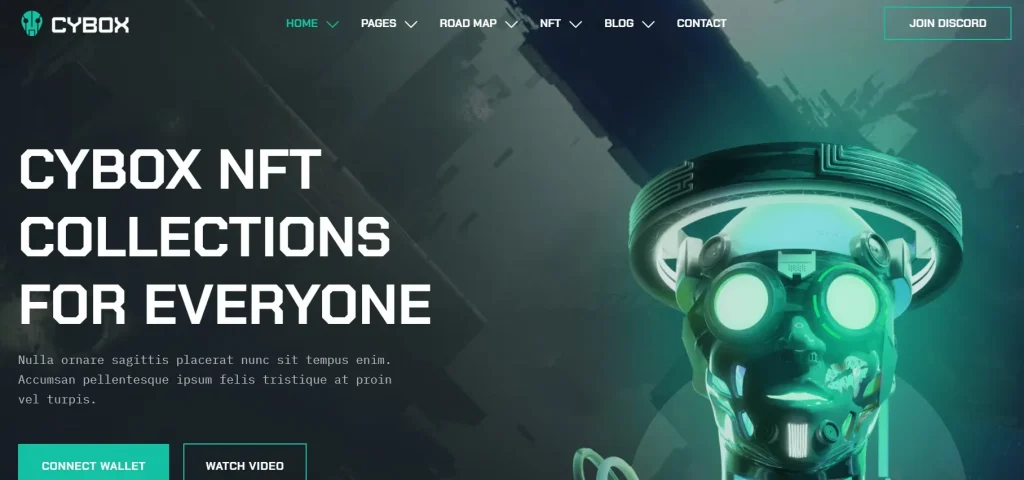
What is Cybox?
Cybox is a WordPress plugin that enables users to build modular, boxed layouts for content presentation, dashboards, and interactive interfaces. It focuses on improving visual organization by breaking down complex pages into manageable components.
At its core, Cybox introduces a card-based design system where each piece of content is placed inside a structured container. These containers can hold text, images, widgets, or dynamic data, allowing for flexible layout configurations.
The plugin is particularly useful for developers, agencies, and businesses that need to present structured information. It is commonly used in dashboards, admin panels, and content platforms where clarity and usability are essential.
A common use case is a SaaS application dashboard. With Cybox, developers can display metrics, charts, and user data in separate boxes, making it easier for users to interpret information quickly.
Another example is a membership website where users access different types of content. Cybox allows content to be grouped into sections such as courses, resources, and account settings, improving navigation.
In advanced workflows, Cybox can be combined with dynamic content plugins to create fully interactive interfaces. For instance, real-time data can be displayed inside boxes, updating automatically based on user actions or system changes.
Additionally, Cybox supports flexible layout adjustments. As new features or content types are added, boxes can be rearranged or resized without affecting the overall structure. This makes it a practical solution for evolving platforms.
In real-world agency environments, Cybox is often used to standardize UI layouts across multiple client projects. Instead of designing unique interfaces from scratch, teams can reuse a consistent boxed layout system, saving time while maintaining quality.
Another practical application is internal business tools where different departments require customized dashboards. Cybox allows each team to view relevant data in a structured layout without affecting other users, improving operational efficiency.
Key Features of Cybox
- Modular Box Layout System
Cybox allows users to create content blocks that function independently within a page.
Each box can contain different types of content, from text to dynamic data.
In practice, this enables flexible design where components can be rearranged easily.
For example, a dashboard can be reorganized based on user priorities without redesigning the entire page.
This is especially useful in iterative development where layouts evolve over time based on user feedback. - Drag-and-Drop Layout Builder
Users can position and resize boxes using intuitive controls.
This simplifies the design process and eliminates the need for coding.
In real-world workflows, this allows rapid prototyping and quick adjustments during development.
Designers can test multiple layout variations within minutes. - Responsive Grid System
Cybox uses a responsive grid that adapts to different screen sizes.
Boxes automatically adjust to fit mobile, tablet, and desktop views.
This ensures consistent usability across devices.
It also reduces the need for separate mobile design workflows. - Dynamic Content Integration
The plugin supports integration with dynamic data sources.
Boxes can display real-time information such as user stats or analytics.
This is particularly useful for dashboards and data-driven applications.
For example, live sales data can be displayed without refreshing the page. - Custom Styling Options
Users can customize colors, spacing, and borders for each box.
This allows full control over visual appearance.
In practice, this helps align layouts with brand identity.
Teams can maintain consistent branding across all pages. - Lightweight Performance Optimization
Cybox is designed to maintain fast loading speeds even with multiple elements.
It ensures that complex layouts do not negatively impact performance.
This is critical for user retention and SEO.
Optimized rendering ensures smooth interactions. - Compatibility with Page Builders
Cybox integrates with popular tools like Elementor and Gutenberg.
This allows users to incorporate boxed layouts into existing workflows.
Designers can enhance layouts without switching platforms.
This reduces friction in development processes. - User Interaction Enhancements
Boxes can include interactive elements such as buttons, toggles, and forms.
This improves engagement and functionality.
It allows users to interact directly with content sections.
For example, users can filter data within a box without leaving the page.
These features create a flexible ecosystem where developers can build highly interactive and organized interfaces without relying on complex custom coding.
Benefits of Using Cybox
Using Cybox improves content organization and usability. By structuring information into boxes, users can quickly scan and understand content without feeling overwhelmed.
From a workflow perspective, Cybox reduces development time. Instead of building custom layouts manually, developers can use predefined structures to create complex interfaces efficiently.
Another major benefit is improved user engagement. Clear layout structures make it easier for users to interact with content, leading to longer session durations and better conversion rates.
In real-world scenarios, websites that implement structured layouts often see lower bounce rates. Users are more likely to stay when content is easy to navigate and visually appealing.
Additionally, Cybox supports scalability. As content grows, layouts can be adjusted without disrupting the overall design. This makes it suitable for long-term projects.
Another practical advantage is consistency. By using a standardized layout system, teams can maintain a cohesive design across multiple pages or projects.
A further benefit is improved collaboration. Designers and developers can work within the same framework, reducing miscommunication and speeding up project delivery.
Another operational benefit is faster onboarding. New team members can quickly understand layout structures because they follow a consistent modular system, reducing training time.
Real Use Cases of Cybox
Cybox is widely used in SaaS dashboards where data visualization is essential. It allows developers to display metrics and analytics in a structured format.
In membership websites, Cybox helps organize user content into accessible sections. This improves navigation and enhances user experience.
Agencies use Cybox to build client dashboards that present project updates, reports, and communication tools in one place.
Another use case is eLearning platforms where courses, progress tracking, and resources are displayed in separate boxes. This creates a more organized learning environment.
Content-heavy websites also benefit from Cybox by breaking down long pages into manageable sections, improving readability.
A more advanced scenario is internal business tools where teams need to monitor performance metrics. Cybox enables clear visualization of data, making decision-making faster and more effective.
Another practical example is marketing dashboards where campaign performance, traffic data, and conversion metrics are displayed in real time. Cybox allows teams to monitor performance efficiently without switching between tools.
How to Install Cybox
Installing Cybox is a straightforward process. Start by downloading the plugin file from a reliable source.
Next, log in to your WordPress dashboard and navigate to the Plugins section. Click “Add New” and then select “Upload Plugin.” Choose the Cybox file and upload it.
Once the upload is complete, click “Install Now” and wait for the installation process to finish. After installation, activate the plugin to enable its features.
After activation, access the plugin settings to configure layout options. Begin creating boxes and arranging them based on your design needs.
In practice, users can start building layouts immediately after installation. The interface is designed to be intuitive and user-friendly.
A recommended workflow is to plan your layout structure before creating boxes. This ensures a more organized and efficient design process.
Another practical step is testing layouts on different devices to ensure responsiveness and usability across platforms.
Additionally, developers often create a template layout first, then duplicate it for other pages. This speeds up production and ensures consistency across the website.
Why Buy Cybox at Pluginpro.org
Buying Cybox at Pluginpro.org provides significant cost and workflow advantages for individuals and agencies. One of the most compelling benefits is the ability to save up to 95 percent compared to purchasing individual licenses. This makes it an attractive option for users managing multiple websites.
In real-world agency scenarios, developers often need to deploy the same plugin across several client projects. Purchasing separate licenses for each site can quickly become expensive. Pluginpro.org eliminates this limitation by allowing usage on unlimited websites, making it easier to scale operations efficiently.
Another important advantage is access to clean and secure files. Pluginpro.org ensures that all downloads are thoroughly checked, reducing the risk of malware or compatibility issues. This is critical for maintaining website stability and protecting sensitive data.
From a workflow perspective, Pluginpro.org simplifies plugin management. Instead of handling multiple accounts and licenses, users can access everything from a single platform. This reduces administrative overhead and speeds up project execution.
Additionally, updates are easier to manage. Users can download updated versions without worrying about multiple subscriptions or renewal dates. This ensures compatibility with the latest WordPress versions and prevents potential conflicts.
Another practical benefit is flexibility in development. Agencies can use Cybox across staging, testing, and production environments without additional costs. This allows for better testing and smoother deployment processes.
For example, a development team building multiple dashboards for different clients can standardize layouts using Cybox without increasing expenses. This improves efficiency and ensures consistent quality across projects.
Over time, the cost savings can be reinvested into design improvements, marketing, or additional tools. This makes Pluginpro.org not just a purchasing option but a strategic resource for scaling operations.
Another key advantage is operational simplicity. Managing multiple licenses often leads to confusion and delays. With Pluginpro.org, teams can centralize plugin access, reducing complexity and improving productivity.
In practical workflows, this also accelerates onboarding for new developers. Instead of navigating different licensing systems, they can start working immediately, which is especially valuable in fast-paced environments.
Is Cybox Worth It?
Yes, Cybox is worth it for anyone building structured, content-rich, or data-driven websites. It is particularly valuable for developers, agencies, and businesses that need flexible and scalable layout solutions.
For example, a SaaS company can use Cybox to create dashboards that display analytics and user data in a clear and organized way. This improves usability and helps users make informed decisions.
Compared to building custom layouts manually, Cybox offers a faster and more efficient solution. It reduces development time while delivering professional results.
In real-world workflows, teams often see improved productivity after implementing Cybox. The ability to reuse layout structures and components simplifies development and reduces repetitive tasks.
Another important factor is scalability. As websites grow, maintaining organized layouts becomes more challenging. Cybox provides the flexibility needed to adapt without major redesigns.
From a long-term perspective, the plugin also supports better user experience. Structured layouts improve navigation, making it easier for users to interact with content.
Additionally, Cybox helps reduce technical complexity. Instead of relying on custom code for layout management, users can use built-in tools to achieve the same results more efficiently.
Another practical consideration is adaptability for different industries. Whether used in SaaS, education, or eCommerce, Cybox provides a consistent framework that can be tailored to different use cases without starting from scratch.
Conclusion
Cybox provides a practical solution for building structured and visually organized layouts within WordPress. By introducing a modular box system, it simplifies the process of creating complex interfaces.
The plugin stands out for its flexibility, ease of use, and scalability. It allows users to design efficient layouts without extensive technical knowledge.
In real-world applications, Cybox improves usability, enhances engagement, and reduces development time. For anyone working with content-heavy or data-driven websites, it offers a reliable and efficient solution.
As digital platforms continue to evolve, the need for structured and user-friendly layouts becomes increasingly important. Cybox helps meet this demand by providing a scalable framework that supports both current needs and future growth.