A law firm website has a very different job from an ordinary business website. It does not just need to look professional. It must also communicate trust, authority, structure, and clarity in a field where potential clients are often making serious decisions under pressure. Someone searching for legal help may be dealing with a divorce, an accident claim, a criminal charge, a business dispute, or an immigration matter. In those moments, a confusing or poorly organized website can quickly push a visitor away. A clear and credible website, on the other hand, can turn that visitor into a consultation request.
That is why a specialized WordPress solution like dLawyers can be so useful. Instead of forcing legal professionals to adapt a generic website setup to a legal niche, dLawyers is designed around the real needs of law firms, attorneys, legal consultants, and legal service providers. It helps organize core website elements such as practice areas, lawyer profiles, legal service pages, and client inquiry flows in a way that feels more appropriate for the legal industry.
For many firms, the challenge is not simply creating content. It is presenting that content in a structured and persuasive format. A firm may offer several practice areas, employ multiple attorneys, and want to communicate different kinds of experience, industries served, or case strengths. Without the right system, this information can become scattered across pages and difficult for both visitors and administrators to manage. dLawyers helps bring more order to that process.
The plugin can be valuable for solo lawyers who want to look more established, mid-sized firms that need better structure across multiple services, and large practices that want consistency in how lawyers and legal services are presented online. It also helps reduce manual work by centralizing the management of legal content.
In this article, we will break down what dLawyers is, which features make it useful, the practical benefits it offers, how to install it correctly, and why buying dLawyers at Pluginpro.org can be a smart decision for WordPress users who want both quality and value.
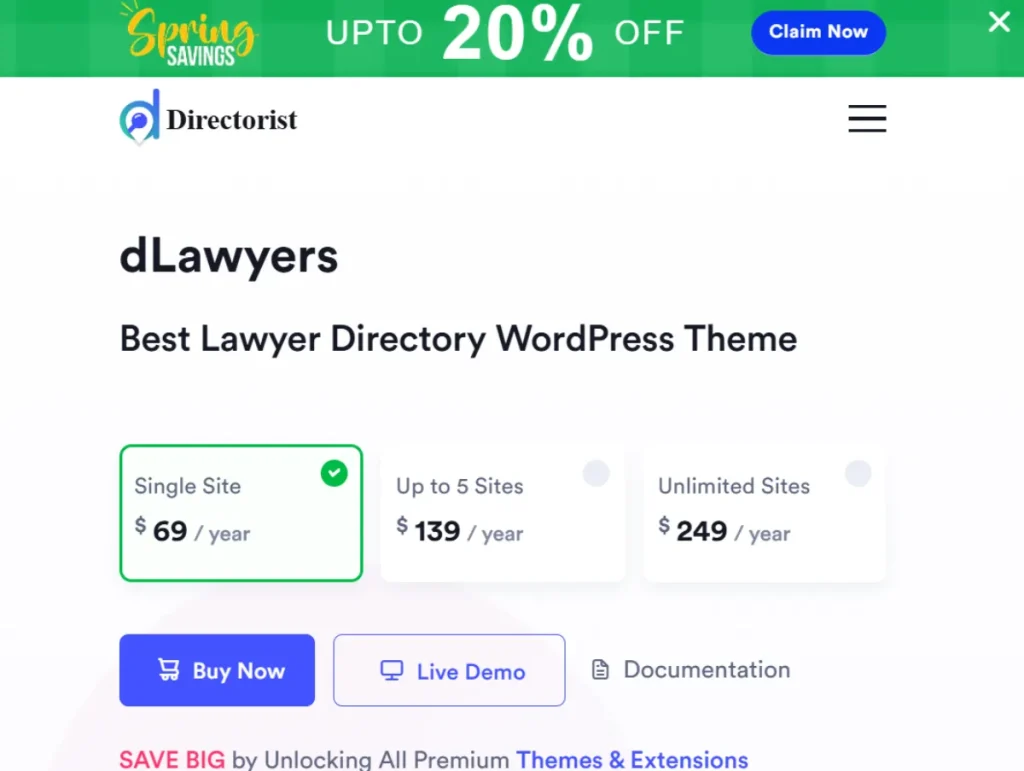
What is dLawyers?
dLawyers is a premium WordPress plugin built to help legal professionals create more structured, professional, and conversion-focused websites. Rather than functioning as a general design plugin with no niche focus, dLawyers is aimed specifically at law firms, attorneys, legal consultants, and related service providers who need website features tailored to the legal field.
At a practical level, dLawyers helps law firms organize the most important parts of their online presence. This usually includes practice area pages, attorney biographies, consultation or contact forms, and supporting content that builds trust. Instead of building all of that manually with disconnected pages and generic layouts, users can create a more systematic setup that is easier to manage and more helpful to site visitors.
This matters because legal websites are information-heavy by nature. A visitor often wants answers to very specific questions. They may want to know whether the firm handles personal injury or corporate law. They may want to see which attorney has experience in immigration matters. They may want to understand the difference between consultation services and full legal representation. If the website is not well organized, those users may leave before contacting the firm. dLawyers helps reduce that friction.
The plugin is suitable for a wide range of legal businesses. A personal injury firm can use dLawyers to build structured pages for car accidents, workplace injuries, slip-and-fall cases, and wrongful death claims. A family law practice can organize divorce, child custody, alimony, and adoption services into separate categories. A business law firm can present company formation, contract drafting, compliance advisory, and dispute resolution more clearly. Even a solo practitioner can benefit by using dLawyers to create a more polished and trustworthy online presence.
Another important advantage is content consistency. Law firms often update attorney credentials, office information, service descriptions, or areas of focus. If those details are spread across different manual pages, maintaining consistency can become difficult. dLawyers helps streamline that process by offering a more centralized structure for legal content.
Think of dLawyers as a legal website management framework inside WordPress. It helps firms do more than just publish pages. It helps them present legal services with stronger clarity, improve navigation for potential clients, and create a site architecture that supports both trust and lead generation. For firms that take their website seriously as a business asset, that kind of functionality can be extremely valuable.
Key Features of dLawyers
Practice Area Management
- dLawyers includes a dedicated system for managing practice areas, which is one of the most important sections of any legal website. Instead of grouping every service under one general legal services page, firms can create individual entries for each practice area. This gives visitors clearer information and helps the website target more specific search intent. Someone searching for estate planning legal help usually wants a focused page, not a vague overview of the entire firm.
- This feature also improves how firms structure information internally. For example, a law firm can separate business law, civil litigation, criminal defense, and real estate law into different categories, with each category containing more targeted services. That creates a better browsing experience and reduces confusion. It also makes the site look more professional because the visitor can immediately see that the firm has organized expertise rather than a random list of offerings.
- Practice area management is equally useful for SEO and future growth. If a firm expands into new legal areas, new practice entries can be added without redesigning the entire site structure. A firm that begins with family law and immigration services may later add employment law or business compliance. dLawyers gives the website a framework that can grow with those changes.
Attorney Profile Management
- Lawyer profiles are often one of the first things potential clients look for before reaching out. People want to know who will represent them, what that lawyer’s background is, and whether the attorney seems credible and experienced. dLawyers makes it easier to build detailed attorney profiles with a consistent layout and stronger presentation.
- A good attorney profile goes beyond listing a name and job title. It should communicate areas of expertise, years of experience, qualifications, professional memberships, education, bar admission details, and sometimes even approach or philosophy. dLawyers helps organize this information so that profiles are more informative and easier to compare. For a potential client, that can make the firm feel more transparent and trustworthy.
- This feature is especially helpful for firms with multiple attorneys. Without a structured profile system, team pages can become inconsistent and difficult to maintain. One lawyer may have a full profile while another has only a short paragraph. dLawyers helps standardize the presentation, which creates a more polished appearance and makes the whole firm look more organized.
Consultation and Contact Management
- Legal websites need strong inquiry pathways because many visitors are looking for help urgently. dLawyers supports consultation and contact management so that users can move from reading about services to submitting a request more easily. This is important because every extra step or moment of confusion can reduce conversions.
- A generic contact form is often not enough for legal websites. Different legal matters require different initial information. Someone requesting help for a personal injury claim may need to describe an incident date and type of injury. A business client may want to outline contract concerns or compliance issues. dLawyers can help firms organize inquiry flows in a way that is more relevant to the service being requested.
- On the admin side, better inquiry structure means better lead handling. When firms receive more specific consultation requests tied to practice areas, intake becomes faster and more efficient. Staff members can route inquiries to the right attorney, prioritize urgent cases more effectively, and follow up with more informed responses.
Case Study and Portfolio Display
- Although legal confidentiality always matters, many law firms still benefit from showing representative case outcomes, legal successes, or general case examples. dLawyers supports structured case study or portfolio-style presentation so firms can demonstrate experience without making the site feel disorganized.
- This is valuable because prospective clients often want proof of competence. They may not be able to assess legal skill directly, but they can understand examples of cases handled, industries served, or types of disputes resolved. A firm that shows clear examples of past work often appears more capable than one that offers only general marketing language.
- For example, a commercial law firm might showcase general examples of contract negotiation success, regulatory advisory work, or dispute resolution support. A personal injury firm might highlight settlement categories or case types handled. Presented properly, this feature can strengthen credibility and reinforce the firm’s authority in its practice areas.
Customizable Legal Service Pages
- Legal services are not all presented the same way, and dLawyers recognizes that by supporting customizable service pages. A criminal defense page, for example, may need urgency, strong reassurance, and clear next steps. A tax advisory page may need more technical clarity and business-focused structure. The plugin helps firms tailor service pages to the type of legal matter being discussed.
- This flexibility improves both communication and conversion. Some firms need long-form pages with FAQs, process explanations, and industry-specific concerns. Others may want shorter pages with strong call-to-action placement and emphasis on consultation booking. dLawyers makes it easier to shape those pages without forcing a rigid one-size-fits-all structure.
- Customizable pages also help legal websites feel more client-centered. Visitors are more likely to trust a page that clearly addresses their situation, explains what the firm does, and presents the next action in a simple way. That makes the plugin useful not just for presentation but also for user experience strategy.
Integration with WordPress Tools
- A plugin becomes far more valuable when it works well with the rest of the WordPress environment. dLawyers is useful because law firms rarely build websites from scratch using only one tool. Most already use a theme, a page builder, an SEO plugin, a caching system, security tools, and contact form solutions. A legal plugin has to fit into that environment smoothly.
- Good integration saves time and reduces technical friction. If a firm already uses Elementor or Gutenberg, for example, it does not want to abandon its workflow to use a niche plugin. dLawyers becomes more practical when it complements those tools rather than competing with them. This helps both technical users and non-technical site owners adopt it more easily.
- Integration also matters for long-term site management. A legal website may evolve over years. Firms may redesign branding, add content marketing pages, improve SEO structure, or add multi-location landing pages. A plugin that fits into a wider WordPress toolkit is more sustainable than one that works in isolation.
Performance and Scalability
- Law firm websites often start small and become more complex over time. A solo attorney may begin with a handful of practice areas, but later expand into a larger team or multiple offices. dLawyers is valuable because it supports a more scalable structure for growth. Instead of rebuilding site architecture later, firms can start with a stronger framework.
- Performance matters as much as structure. If a legal website becomes bloated or difficult to manage as content expands, the user experience can suffer. Slow-loading service pages, cluttered layouts, and inconsistent attorney sections can damage credibility. dLawyers helps maintain better organization as the content library grows.
- Scalability is especially important for firms building out content for SEO. A firm may want to publish location-specific pages, legal guides, attorney pages, and practice-specific content over time. The more structured the foundation is, the easier it becomes to grow the site without losing clarity.
Benefits of Using dLawyers
One of the strongest benefits of using dLawyers is improved organization. Legal websites often have more content complexity than standard business sites. Practice areas, attorney biographies, consultation forms, office details, legal guides, and supporting trust elements all need to work together. Without a structured plugin, that content can become difficult to manage and inconsistent in presentation. dLawyers helps solve that by creating a more systematic framework.
Another major benefit is stronger credibility. Trust is everything in the legal industry. Potential clients want to feel that the firm is experienced, professional, and reliable before they make contact. When a website presents services clearly, showcases attorneys properly, and guides users through the inquiry process logically, the firm appears more competent. dLawyers supports this by improving both content structure and visual consistency.
The plugin also improves user experience. Legal clients often arrive with very specific concerns and limited patience. If they cannot find the relevant service quickly or understand the next step, they may leave the site. dLawyers helps firms reduce that friction by organizing legal information in a more accessible way. That can lead to lower bounce rates, longer engagement, and more consultation requests.
There are also practical business benefits. A multi-practice law firm can manage its expanding content more easily. A solo attorney can present a more complete and trustworthy digital brand. A legal consultancy can clarify service categories and attract better-qualified leads. Firms can save time on updates because they are not manually editing scattered pages every time a service description or lawyer detail changes.
From a marketing perspective, dLawyers may also support better lead quality. When practice areas, lawyer backgrounds, and consultation paths are clearly structured, visitors are more likely to understand what the firm offers before getting in touch. That means inquiries can be more relevant and easier to handle.
Overall, dLawyers benefits legal professionals by helping them build a more organized, trustworthy, scalable, and conversion-friendly website inside WordPress.
How to Install dLawyers
Installing dLawyers is usually a straightforward process, but it is best to approach it carefully, especially if the website is already live and receiving traffic. Before installation, make sure your website is backed up. It is also wise to confirm that your WordPress version, hosting environment, and active theme are compatible with the plugin.
Install via WordPress Dashboard
The easiest method is through the WordPress admin dashboard. First, log in to your WordPress site and go to the Plugins section. Click Add New, then select Upload Plugin. Choose the dLawyers ZIP file from your computer and click Install Now.
Once the file is uploaded and installed, click Activate Plugin. After activation, the plugin will usually appear in the dashboard menu or inside relevant page builder or settings areas. At this point, do not rush. Open the plugin settings and review all available options carefully. This may include practice area settings, attorney profile structures, inquiry form options, and layout controls.
A good next step is to create sample content before launching anything publicly. Add one practice area, one attorney profile, and one test contact flow. Then check how those sections display on desktop and mobile. This allows you to catch formatting issues, theme conflicts, or missing configuration details before real users see the pages.
Manual Installation
Manual installation is useful if your host limits dashboard uploads or if you prefer working through FTP. Start by downloading the dLawyers ZIP file and extracting it on your computer. You should now have a plugin folder ready to upload.
Use an FTP client such as FileZilla to connect to your website server. Navigate to the wp-content/plugins directory and upload the extracted dLawyers folder. When the upload is complete, return to the WordPress dashboard, go to Plugins, locate dLawyers, and click Activate.
This method is often preferred by developers, agencies, or advanced users who manage multiple sites. It can also help avoid file size restrictions that some hosting providers impose on dashboard uploads. After activation, the setup process is the same as with the dashboard method: review settings, create test content, and check front-end display.
Post-Installation Tips
After installation, spend time configuring the plugin properly. Create your legal practice categories, add complete attorney profiles, and make sure inquiry forms are aligned with the services offered. Keep descriptions clear and professional. Test the site on both desktop and mobile devices.
You should also check whether form submissions are being delivered correctly by email. For a law firm, missing an inquiry due to poor configuration can mean losing a valuable lead. Finally, keep the plugin updated over time so that it remains secure and compatible with the latest WordPress environment.
Why Buy dLawyers at Pluginpro.org
Buying dLawyers at Pluginpro.org offers a strong value advantage for WordPress users who want premium legal website functionality without paying full market pricing. One of the clearest benefits is the ability to save up to 95% cost. For solo lawyers, boutique firms, agencies building websites for legal clients, or consultants managing multiple projects, that kind of savings can make a real financial difference.
Affordability matters, but so does quality. Pluginpro.org provides 100% clean files, which is especially important when dealing with legal websites. Law firm sites often collect sensitive inquiries and client contact information, so plugin security and integrity should never be an afterthought. Clean files help reduce the risk of hidden malware, tampered code, or other issues that could affect trust or site stability.
Another major benefit is unlimited websites usage. Many official premium plugin licenses restrict use to one or a few domains. That becomes expensive for agencies or firms running multiple sites, such as separate sites for locations, brands, or campaigns. Pluginpro.org allows users to apply dLawyers across multiple websites, which is a major practical advantage.
Easy updates are equally important. A legal website cannot afford to break because of outdated plugin compatibility. WordPress evolves constantly, and plugins must stay current to remain reliable. Access to easy updates helps firms and developers maintain site health, avoid conflicts, and keep performance stable over time.
Secure downloads also matter. A broken or incomplete plugin package can create unnecessary setup issues and waste time. Pluginpro.org helps users get started faster by providing a more dependable download experience. For agencies working on deadlines, that convenience is valuable.
There is also a broader business case for using Pluginpro.org. Imagine a freelance web developer who builds websites for law offices. If every premium legal plugin must be purchased at full price for every project, profit margins shrink quickly. Pluginpro.org offers a more sustainable purchasing model while still supporting professional-grade results.
Overall, Pluginpro.org makes dLawyers more accessible by combining cost savings, clean files, unlimited usage, easy updates, and secure downloads into one practical package.
Conclusion
dLawyers is a purpose-built WordPress plugin for legal professionals who want a more structured and professional way to present their services online. Rather than relying on generic layouts and scattered pages, law firms can use it to organize practice areas, attorney profiles, consultations, and trust-building content more effectively.
Its value is easy to see in real-world use. A solo attorney can create a stronger personal brand and look more established online. A multi-attorney firm can maintain consistent profile pages and practice area structures. A growing legal consultancy can scale its content more easily and present services in a way that helps clients understand the next step. In each of these cases, dLawyers supports both better website management and a stronger first impression.
The plugin’s key strengths include practice area management, attorney profile handling, consultation support, case display options, customizable legal service pages, WordPress integration, and scalability for long-term growth. These are not just nice-to-have features. They directly support clarity, trust, usability, and lead generation for legal websites.
When paired with Pluginpro.org, dLawyers becomes even more attractive. Users can save up to 95% cost, access 100% clean files, use the plugin on unlimited websites, receive easy updates, and benefit from secure downloads. That combination makes the plugin both practical and economical.
For any lawyer, law firm, or agency building legal websites on WordPress, dLawyers is a strong choice. It helps turn a basic website into a more credible and organized legal platform, which can improve both client confidence and business results.