
When it comes to designing modern WordPress websites without coding, Elementor is one of the most popular tools available. However, to truly unlock its full potential, you need a powerful addon—and that’s where Element Pack Pro comes in.
In this comprehensive guide, we’ll explore everything you need to know about Element Pack Pro, including its features, installation process, benefits, and why buying it from Pluginpro.org is the best choice.
What is Element Pack Pro?
Element Pack Pro is a premium addon for Elementor that significantly enhances your website-building capabilities. It provides an extensive collection of advanced widgets, templates, and design elements to help you create stunning, high-performance websites with ease.
With Element Pack Pro, you don’t need to rely on multiple plugins. It consolidates essential tools into one powerful package, making your workflow faster and more efficient.
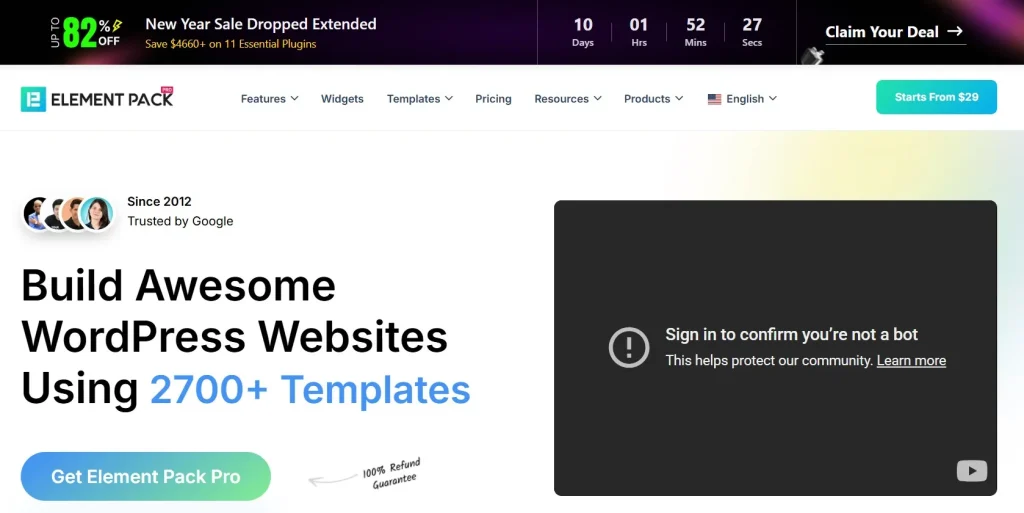
Why Choose Element Pack Pro?
Elementor alone is powerful—but Element Pack Pro takes it to the next level.
Key Advantages:
- Expand Elementor functionality
- Access hundreds of advanced widgets
- Build complex layouts without coding
- Save time using ready-made templates
- Improve design flexibility and creativity
Whether you are a beginner or a professional developer, Element Pack Pro provides everything needed to design high-quality websites.
Core Features of Element Pack Pro
1. 100+ Advanced Widgets
Element Pack Pro includes a massive library of widgets that allow you to design virtually anything.
Popular widgets include:
- Advanced Heading & Animated Text
- Image Gallery & Carousel
- Pricing Tables & Testimonials
- Forms & Call-to-Action blocks
- Social Media integrations
These widgets eliminate the need for additional plugins, simplifying your website setup.
2. 2700+ Ready-Made Templates
One of the biggest selling points of Element Pack Pro is its huge template library.
You can instantly import:
- Landing pages
- Business websites
- Portfolio layouts
- Blog designs
- eCommerce pages
This helps you launch websites faster without starting from scratch.
3. Full Theme Builder Capability
Element Pack Pro allows you to design every part of your website:
- Header & Footer
- Single Post & Pages
- Archive Pages
- Custom Layout Sections
With full control over your website design, you can create a truly unique brand identity.
4. WooCommerce Builder Integration
If you’re running an online store, Element Pack Pro integrates seamlessly with WooCommerce.
Features include:
- Product grids and sliders
- Custom product pages
- Checkout and cart design
- Sales-focused layouts
This helps improve user experience and boost conversions.
5. Dynamic Content Support
Element Pack Pro supports dynamic content, allowing you to display data dynamically from:
- Custom fields
- Custom post types
- External sources
This is especially useful for large or content-heavy websites.
6. Mega Menu Builder
Create powerful navigation systems with:
- Mega menus
- Vertical menus
- Off-canvas navigation
Perfect for eCommerce and large websites with multiple categories.
7. Advanced Animation Effects
Enhance user experience with modern animations:
- Parallax scrolling
- Hover effects
- Motion animations
- Sticky elements
These features make your website more interactive and engaging.
8. Performance Optimization
Despite its powerful features, Element Pack Pro is optimized for performance.
- Enable/disable widgets
- Optimized CSS & JS loading
- Lightweight structure
This ensures fast loading speeds and better SEO performance.
9. Live Copy Paste Feature
Copy elements from one website and paste them directly into your Elementor editor.
- Saves time
- Keeps design consistency
- Easy to reuse layouts
10. User Role Management
Control access for different users:
- Restrict widget usage
- Assign permissions
- Improve site security
How to Install Element Pack Pro
Installing Element Pack Pro is simple and beginner-friendly. Follow these steps:
Step 1: Download the Plugin
- Visit Pluginpro.org
- Search for Element Pack Pro
- Download the plugin ZIP file
Step 2: Install on WordPress
- Log in to your WordPress dashboard
- Navigate to Plugins → Add New
- Click Upload Plugin
- Upload the ZIP file
- Click Install Now
- Activate the plugin
Step 3: Activate and Use
- Open Elementor editor
- You will see new widgets from Element Pack Pro
- Drag and drop widgets into your layout
Practical Use Cases of Element Pack Pro
1. Landing Page Creation
Design high-converting landing pages with:
- Call-to-action sections
- Lead capture forms
- Engaging animations
2. Business Websites
Create professional websites with:
- Service pages
- Team sections
- Testimonials
- Contact forms
3. eCommerce Stores
Build powerful online shops using WooCommerce features integrated into Element Pack Pro.
4. Blog & Magazine Sites
Use advanced post widgets and layouts to create visually appealing blog pages.
Benefits of Using Element Pack Pro
1. All-in-One Solution
Instead of installing multiple plugins, Element Pack Pro provides everything in one package.
2. No Coding Required
Anyone can build professional websites using the drag-and-drop interface.
3. Time-Saving
Templates and widgets significantly reduce development time.
4. Highly Customizable
You can tweak every element to match your brand.
5. Scalable for Any Project
Suitable for:
- Personal websites
- Business sites
- Client projects
- Large-scale platforms
Why Buy Element Pack Pro at Pluginpro.org?
Choosing the right provider is just as important as choosing the plugin itself. Pluginpro.org offers unmatched value.
1. Save Up to 95% Budget
Premium plugins are often expensive. Pluginpro.org allows you to access Element Pack Pro at a fraction of the original price.
2. 100% Clean Code
All plugins are:
- Malware-free
- Virus-free
- Secure for your website
You can use them with confidence.
3. Unlimited Website Usage
Unlike official licenses, you can install Element Pack Pro on unlimited websites.
Perfect for:
- Freelancers
- Agencies
- Developers
4. Easy Updates
Pluginpro.org ensures:
- Regular updates
- Latest versions
- Easy download process
5. Instant Access
Download immediately after purchase and start building your website right away.
6. Excellent Cost Efficiency
You get premium functionality without the high cost—ideal for budget-conscious users.
Tips for Using Element Pack Pro Effectively
To get the most out of Element Pack Pro, follow these tips:
1. Enable Only Needed Widgets
This helps improve website speed.
2. Combine with Caching Plugins
Use tools like LiteSpeed Cache or WP Rocket for better performance.
3. Optimize Images
Use compressed images and modern formats like WebP.
4. Test Before Publishing
Always test layouts and responsiveness across devices.
Conclusion
Element Pack Pro is one of the most powerful Elementor addons available today. It provides everything you need to build modern, responsive, and visually stunning WordPress websites without coding.
By extending the capabilities of Elementor, it allows you to create professional designs faster and more efficiently.
And when you purchase it from Pluginpro.org, you unlock even greater value:
- Save up to 95% cost
- 100% clean and secure code
- Unlimited website usage
- Easy updates
If you’re serious about web design and want to take your Elementor experience to the next level, Element Pack Pro is a must-have plugin.



