
In the visually driven market of 2026, a generic booking form is a conversion killer. If you are offering high-end services, rentals, or appointments, your booking interface needs to match your brand’s aesthetic. Elementor Connector for WooCommerce Bookings is the essential bridge that brings the power of the Elementor visual builder to the industry-standard WooCommerce Bookings extension.
By securing this connector from Pluginpro.org, you gain total design freedom over your reservation system while saving 95% of your budget. Let’s explore how this tool turns a functional booking site into a beautiful one.
Introduce Elementor Connector for WooCommerce Bookings
WooCommerce Bookings is a powerful engine for managing time-based products, but its default layout is often rigid and difficult to style. The Elementor Connector changes the game by introducing a suite of dedicated Elementor widgets specifically for booking data.
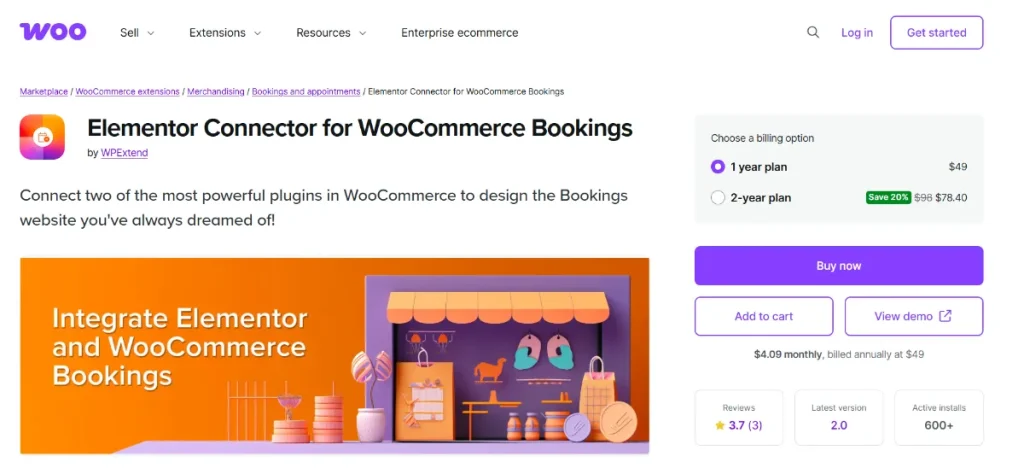
Instead of being stuck with a standard sidebar or a fixed layout, you can now drag and drop booking elements—like the Availability Calendar, Cost Display, and Resource Selectors—anywhere on your custom product page. Whether you are using Elementor Pro’s Theme Builder or just designing a single landing page, this connector ensures your booking process is seamless and stunning.
Key Features & Selling Points
This connector provides the professional “UI/UX” tools needed for a modern booking site:
1. Dedicated Booking Widgets
Access a full library of Elementor widgets designed for WooCommerce Bookings, including:
- Booking Form: Place the date and time picker exactly where it fits your design.
- Booking Cost: Show the dynamically calculated price prominently.
- Booking Resources: Style the dropdowns for specific staff or equipment.
- Booking Persons: Customize the input for the number of guests or attendees.
2. Total Style Control
Forget about complex CSS. Use the Elementor “Style” tab to change colors, typography, borders, and padding for every part of the booking form. Make your calendar match your brand’s color palette perfectly.
3. Mobile-First Booking Layouts
Most bookings in 2026 happen on smartphones. This connector allows you to create responsive booking layouts that are easy to tap and navigate on smaller screens, significantly reducing abandoned carts.
4. Dynamic Content Support
The connector works flawlessly with Elementor’s dynamic tags. You can pull in specific booking information, such as “Next Available Date” or “Duration,” and display it in headings or buttons to create a sense of urgency.
5. Works with Elementor Theme Builder
If you are using Elementor Pro, you can create a single “Single Product Template” for all your booking services. The connector ensures that each service displays its own unique availability and pricing rules within your custom design.
How to Install Elementor Connector for WooCommerce Bookings
Designing your custom booking page is a simple process:
- Requirements: Ensure you have Elementor, WooCommerce, and the core WooCommerce Bookings plugin active.
- Download: Get the Elementor Connector zip file from your Pluginpro.org dashboard.
- Upload: In your WordPress admin, go to Plugins > Add New > Upload Plugin. Select the zip file and click Install Now.
- Activate: Once the installation is finished, click Activate.
- Design: Open any “Booking” product with Elementor. You will see a new category of “WooCommerce Bookings” widgets in the left panel. Drag them onto your page to start styling!
Why Should You Buy at Pluginpro.org?
Smart business owners know that a professional look shouldn’t require a professional-level price tag. Pluginpro.org is your partner in building elite booking websites for less.
Save 95% of Your Budget
Official premium extensions and connectors can quickly add up to a high annual cost. At Pluginpro.org, we offer the Elementor Connector at a 95% discount. This allows you to invest your savings into better imagery or advertising for your services.
100% Clean Code
Security and stability are vital for a booking site. We provide only original, untouched GPL files. Every version of the connector on our site is scanned and verified to be 100% clean, free from malware, backdoors, or “nulled” vulnerabilities.
Unlimited Website Usage
Don’t be restricted by “single-site” licenses. One purchase from Pluginpro.org allows you to use this connector on unlimited websites. This is the perfect solution for agencies building booking portals for multiple clients.
Easy to Update
Elementor and WooCommerce update frequently. We provide easy access to the latest versions of the connector directly through our dashboard, ensuring your booking designs remain functional and secure throughout 2026.
Conclusion
The Elementor Connector for WooCommerce Bookings is the missing piece for anyone who wants to provide a world-class reservation experience. By combining powerful booking logic with world-class design tools, you create a site that builds trust and drives conversions.
Stop settling for generic booking forms. Visit Pluginpro.org today to get the Elementor Connector and start designing your dream booking site while saving 95% of your budget!



