
If you are looking for a complete solution to manage events, sell tickets, and handle attendees directly on your WordPress website, Eventin Pro is one of the best plugins available today. Designed for flexibility and performance, Eventin Pro helps businesses, organizations, and individuals create professional event systems without coding.
In this detailed guide, we will explore everything about Eventin Pro, including how to install it, its key features, and why purchasing from Pluginpro.org is the smartest choice.
What is Eventin Pro?
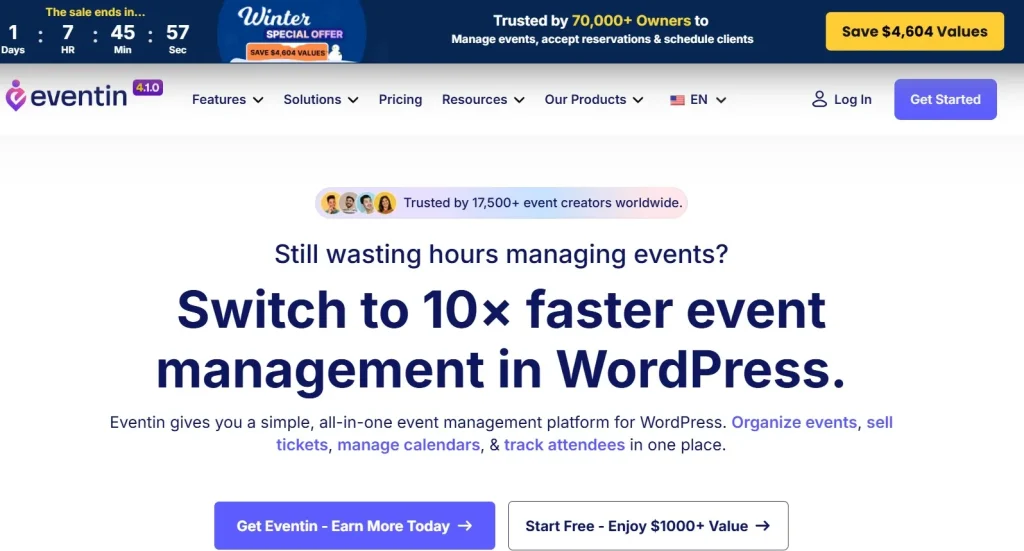
Eventin Pro is a premium WordPress event management plugin that allows you to create, manage, and monetize events effortlessly. It integrates seamlessly with WooCommerce, making it easy to sell tickets and manage payments.
With Eventin Pro, you can organize:
- Webinars and online events
- Offline conferences and workshops
- Hybrid events (online + offline)
- Recurring events
This plugin is ideal for event organizers, educators, marketers, and agencies looking to streamline their workflow.
Why Choose Eventin Pro?
The demand for event management systems is growing rapidly. Eventin Pro stands out because it combines ease of use with powerful features.
Here’s why many users choose Eventin Pro:
- All-in-one event management solution
- Easy ticket selling with WooCommerce
- Advanced attendee management
- Built-in automation tools
- Modern and user-friendly interface
Whether you are hosting a small workshop or a large conference, Eventin Pro provides everything you need.
Key Features of Eventin Pro
1. Easy Event Creation & Management
With Eventin Pro, you can create unlimited events in just a few clicks. The interface is intuitive, allowing you to:
- Add event details (date, time, location)
- Assign speakers and schedules
- Create recurring events
This makes managing multiple events simple and efficient.
2. WooCommerce Ticket Selling Integration
One of the strongest selling points of Eventin Pro is its WooCommerce integration.
You can:
- Sell tickets directly on your website
- Offer multiple ticket types (VIP, Standard, Early Bird)
- Accept payments via PayPal, Stripe, and more
This feature helps you turn your events into a reliable revenue stream.
3. QR Code Check-in System
Eventin Pro includes a smart QR code system for attendees:
- Generate unique QR codes for tickets
- Enable fast check-in at events
- Reduce fraud and duplicate entries
This is especially useful for large-scale events.
4. Online & Hybrid Event Support
With built-in integrations, Eventin Pro supports:
- Zoom meetings
- Google Meet sessions
You can easily host virtual events or combine them with physical events.
5. Drag-and-Drop Event Builder
Creating event pages becomes effortless with the drag-and-drop builder. You can:
- Customize layouts
- Add event elements
- Design professional pages
No coding skills required.
6. Advanced Schedule & Speaker Management
Eventin Pro allows you to:
- Add multiple speakers
- Create detailed event schedules
- Display session timelines
Perfect for conferences and multi-session events.
7. Visual Seat Map
This feature allows users to select seats visually:
- Create seating layouts
- Assign ticket prices by seat
- Improve user experience
Ideal for concerts, seminars, and large venues.
8. Eventin AI Features
A unique advantage of Eventin Pro is its AI capabilities:
- Generate event descriptions
- Create titles and tags
- Automate content creation
This saves time and boosts productivity.
9. Attendee Management
Manage all participants from a single dashboard:
- Track registrations
- Export attendee lists
- Monitor attendance
This helps you stay organized and efficient.
10. Reports & Analytics
Eventin Pro provides detailed insights:
- Ticket sales reports
- Event performance
- Revenue tracking
These analytics help you improve future events.
How to Install Eventin Pro
Installing Eventin Pro is simple and takes only a few minutes. Follow these steps:
Step 1: Download the Plugin
- Visit Pluginpro.org
- Download the Eventin Pro ZIP file
Step 2: Upload to WordPress
- Go to WordPress Dashboard
- Navigate to Plugins → Add New
- Click Upload Plugin
- Select the ZIP file
- Click Install Now
Step 3: Activate the Plugin
- Click Activate after installation
- You will see Eventin in your dashboard menu
Step 4: Configure Settings
- Go to Eventin Settings
- Set up payment options (WooCommerce)
- Create your first event
How to Use Eventin Pro Effectively
After installation, you can start building your event system:
- Create event pages with full details
- Add ticket options and pricing
- Enable QR check-in
- Customize layouts for better UX
Using Eventin Pro, you can manage everything in one place without third-party tools.
Real-Life Use Cases
1. Online Education
- Create paid webinars
- Manage student registrations
- Host live sessions
2. Business Events
- Product launches
- Corporate seminars
- Networking events
3. Community Events
- Workshops
- Meetups
- Local gatherings
4. Event Agencies
- Manage multiple clients
- Create event marketplaces
- Scale business operations
Benefits of Using Eventin Pro
Using Eventin Pro offers several advantages:
- Increase ticket sales revenue
- Automate event management
- Improve attendee experience
- Save time and resources
- Build professional event systems
Why Buy Eventin Pro at Pluginpro.org?
When it comes to purchasing Eventin Pro, Pluginpro.org provides unbeatable value.
1. Save Up to 95% Budget
Why pay full price when you can get Eventin Pro at a fraction of the cost? Pluginpro helps you save significantly.
2. 100% Clean Code
All plugins are thoroughly checked:
- No viruses
- No malware
- Safe and secure
3. Unlimited Website Usage
Unlike official licenses, you can use Eventin Pro on unlimited websites.
Perfect for:
- Developers
- Agencies
- Freelancers
4. Easy Updates
- Access the latest versions
- Download updates anytime
- No complicated process
5. No License Restrictions
You don’t need activation keys. Just install and use Eventin Pro immediately.
Tips to Maximize Eventin Pro
To get the best results from Eventin Pro, consider these tips:
- Use multiple ticket pricing strategies
- Optimize event pages for SEO
- Enable QR check-in for efficiency
- Combine with marketing tools
- Use AI features to save time
Conclusion
Eventin Pro is a powerful and flexible event management plugin for WordPress. From creating events to selling tickets and managing attendees, it offers everything you need in one platform.
Whether you are running webinars, workshops, or large conferences, Eventin Pro helps you streamline your workflow and maximize profits.
And if you want to save up to 95% of your budget while enjoying all premium features, Pluginpro.org is the best place to get Eventin Pro. With clean code, unlimited usage, and easy updates, it’s the smartest investment for your website.



