
Feeds for YouTube Pro Developer is a powerful WordPress plugin built for website owners who want to display YouTube content in a professional, dynamic, and highly customizable way. Video content has become one of the most effective formats for attracting attention, increasing engagement, and building trust online. For many brands, creators, agencies, and educators, YouTube is a core content channel. However, simply uploading videos to YouTube is not enough. To get more value from that content, you also need a reliable way to showcase it on your own website.
That is where Feeds for YouTube Pro Developer becomes especially useful. Instead of manually embedding one video at a time, this plugin allows you to automatically pull videos from a YouTube channel, playlist, live stream, or selected video source and display them in an organized feed. This saves time, keeps your site fresh, and gives visitors more reasons to stay on your pages longer.
The Pro Developer version is particularly valuable because it offers deeper customization and more advanced control than a standard video embed solution. It is suitable for developers building custom WordPress websites, agencies managing multiple client projects, and business owners who want their video sections to match their branding perfectly. From layout and styling to performance and filtering, the plugin is designed to give you flexibility without forcing you to build a custom system from scratch.
For example, a business can show product tutorials on its homepage, a coach can highlight webinar replays on a sales page, and a media site can create a video hub that updates automatically every time a new YouTube video is published. In this article, we will explore what Feeds for YouTube Pro Developer is, its key features, the practical benefits it offers, how to install it, and why buying it from Pluginpro.org is a smart choice.
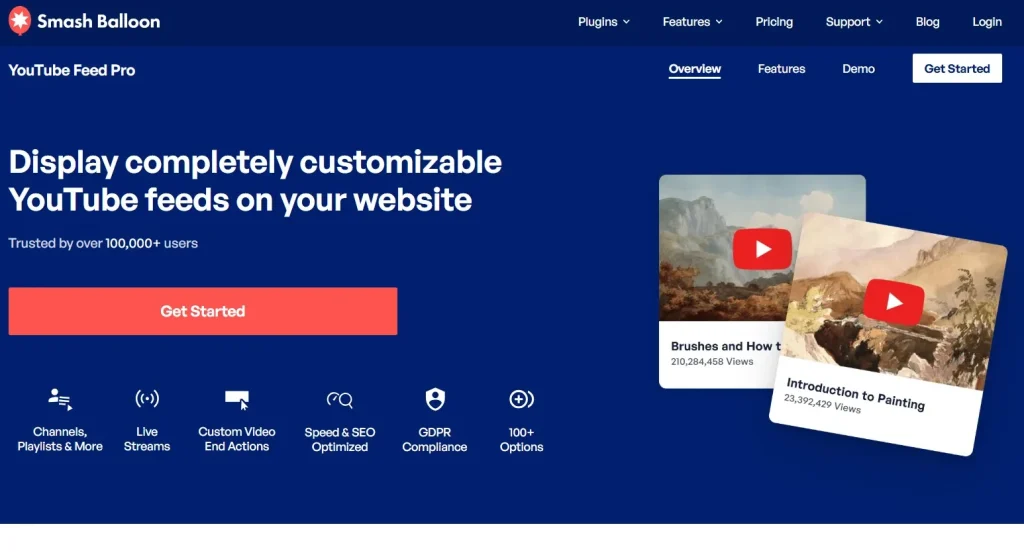
What is Feeds for YouTube Pro Developer?
Feeds for YouTube Pro Developer is an advanced WordPress plugin that lets you connect your website to YouTube and display video feeds in a structured, attractive, and customizable format. Rather than copying and pasting individual embeds into pages or posts, you can generate automated feeds that pull content directly from your YouTube source. This means your site can stay updated with the latest videos without requiring constant manual edits.
At a basic level, the plugin helps transform YouTube content into a more polished website experience. Instead of showing a plain embedded player, you can create video grids, playlists, carousels, galleries, and filtered feed sections that blend naturally into your site’s design. This makes your content easier to browse and more appealing to visitors.
The Pro Developer edition goes further by providing features aimed at users who need more flexibility. If you are a developer, you can fine-tune how the feed behaves, how the markup is rendered, and how it integrates with your custom theme. If you are an agency, you can use the plugin on more complex projects that require unique layouts or advanced branding. If you are a marketer or business owner, you benefit from greater control over how your videos support lead generation, education, and conversions.
This plugin is useful across many industries and website types. A fitness trainer can display workout videos from a playlist on a membership site. A software company can create a knowledge base section with tutorial videos from its YouTube channel. A school or online educator can organize lectures and recorded classes into clean categories. An eCommerce store can show product demonstrations and customer testimonial videos next to relevant items. A local business can highlight promotional videos, event coverage, or behind-the-scenes content to build credibility.
In real-world use, the biggest value of Feeds for YouTube Pro Developer is automation combined with presentation control. You get the convenience of pulling content directly from YouTube while still keeping the user experience inside your own website ecosystem. That helps you make better use of your video content, increase time on site, and strengthen your brand presence across both platforms.
Key Features of Feeds for YouTube Pro Developer
- Dynamic YouTube Feed Integration
One of the most important features of Feeds for YouTube Pro Developer is its ability to automatically connect to YouTube and display videos from channels, playlists, and other supported sources. This removes the need to manually update your site every time a new video is published. If you upload a new product review, tutorial, interview, or livestream replay to YouTube, the plugin can display it in the relevant feed automatically. This is especially useful for active content creators and brands that publish videos regularly and want their website to always reflect the latest content. - Advanced Customization Options
The plugin gives you extensive control over how your YouTube feed looks and behaves on the front end. You can adjust layout settings, spacing, colors, typography, button styles, thumbnail presentation, and more so the feed fits seamlessly into your website design. This matters because generic embeds often look disconnected from the rest of the site. With this plugin, a premium brand can create a clean and elegant video section, while a bold media brand can build a more visual and energetic feed. The end result feels intentional rather than improvised. - Multiple Layout Styles
Feeds for YouTube Pro Developer supports multiple display formats, including grid layouts, list views, carousels, and masonry-style arrangements. Each of these serves different user needs and content goals. A grid layout is ideal for showing a full library of videos in a structured format, while a carousel can work well for featured content on a homepage. A list view may suit tutorial archives or educational content where users want a more direct browsing experience. This variety makes it easier to tailor the feed to the type of content you publish. - Responsive and Mobile-Friendly Design
A large portion of website traffic comes from mobile devices, so a YouTube feed that works only on desktop creates a poor user experience. This plugin is designed to be fully responsive, which means the video feed adjusts automatically to different screen sizes. Visitors on smartphones and tablets can browse and play videos comfortably without layout problems or broken spacing. This is especially important for businesses targeting mobile-first audiences, such as local service providers, online shops, and social-driven brands. - Performance Optimization and Caching
Video-heavy pages can become slow if they are not handled properly. Feeds for YouTube Pro Developer includes caching and optimization features that help reduce load times and minimize unnecessary API calls. This improves site performance while still delivering dynamic content. Faster pages matter for both users and search engines. For example, if a marketing agency builds a client site with a homepage video section, performance optimization helps ensure that the visual appeal of the feed does not come at the cost of speed. - Custom Video Filtering and Sorting
Not every website wants to display every uploaded video in the same way. This plugin allows you to control what appears in a feed using filters and sorting options. You may want to show only videos from a specific playlist, display the newest uploads first, or highlight videos that fit a certain topic. For example, a digital marketing site could create one feed for SEO tutorials, another for paid ads videos, and another for podcast interviews. This makes content more relevant and easier for visitors to explore. - Developer-Friendly Features
The Developer edition is particularly strong because it offers tools that go beyond standard plugin settings. Developers can use custom templates, override styles more easily, and integrate the feed into custom theme structures with greater freedom. This is valuable when building bespoke client sites where design consistency and technical flexibility matter. Instead of fighting against a rigid system, developers can adapt the plugin to fit the project. That saves development time while still delivering a polished result.
Benefits of Using Feeds for YouTube Pro Developer
One major benefit of using Feeds for YouTube Pro Developer is that it helps you maximize the value of the video content you are already creating. Producing YouTube videos often takes significant time and effort, whether you are recording tutorials, product demos, reviews, interviews, or educational content. If those videos live only on YouTube, you are missing an opportunity to use them more strategically across your website. This plugin allows you to extend the reach of your video library without duplicating work.
Another important benefit is improved user engagement. Video naturally encourages visitors to spend more time on a page. When your site displays an attractive and easy-to-browse YouTube feed, users are more likely to continue exploring additional videos rather than leaving after watching only one. For example, someone who lands on a blog post and sees a related video feed may choose to watch three or four videos in a row. This can increase session duration and make your site feel more authoritative.
The plugin also supports brand consistency. Manual YouTube embeds often look basic and disconnected from your website’s design. With a customized feed, your video content becomes part of the overall experience rather than an afterthought. This is especially useful for agencies, SaaS brands, coaches, and eCommerce stores that care about polished presentation.
Automation is another strong benefit. Once the feed is configured, new YouTube uploads can appear automatically on your website. That means less manual maintenance. A business owner who posts weekly videos does not need to edit the homepage every week. An educator uploading class recordings does not need to rebuild lesson pages constantly. Over time, this saves significant effort.
From a marketing perspective, the plugin can also support conversions. Videos often help explain products, reduce objections, and build trust. A product page that includes tutorial videos or customer review videos can perform better than one with text alone. A service business can use a YouTube feed to showcase case studies, FAQs, and success stories in a more persuasive format.
Finally, Feeds for YouTube Pro Developer is useful for agencies and freelancers because it can be used as a repeatable solution across client projects. Instead of custom-coding a YouTube section every time, you can use the plugin as a reliable framework and adapt it to different industries and design needs. That improves efficiency without sacrificing quality.
How to Install Feeds for YouTube Pro Developer
Installing Feeds for YouTube Pro Developer is straightforward, but a proper setup process helps ensure the plugin performs well and displays feeds correctly. Whether you install it through WordPress or upload it manually, the overall workflow is beginner-friendly.
Install via WordPress Dashboard
First, log in to your WordPress admin area. Go to the Plugins section and click Add New. If the plugin is available through the upload or installation method you are using, search for the relevant plugin name or proceed with the version provided. Click Install Now, then Activate. Once activated, the plugin will appear in your dashboard menu.
After activation, the next step is usually connecting the plugin to your YouTube source. In most cases, this involves adding a YouTube API key or authorizing access so the plugin can pull channel and playlist data properly. This step is essential because it allows the plugin to fetch video thumbnails, titles, descriptions, and feed updates.
Once connected, create your first feed. Choose the source type, such as a channel, playlist, or another supported feed source. Then select the layout style you want, including grid, list, or carousel. After that, configure display settings such as number of videos, play behavior, sorting, and design options. Many users start by placing the feed on a homepage, blog sidebar, media page, or course page.
Finally, embed the feed using the provided shortcode, block, or widget option. Preview the page, test responsiveness on mobile, and confirm that the feed loads properly. This method is ideal for users who want a direct and simple setup through the WordPress admin interface.
Manual Installation
Manual installation is often the preferred choice when using a premium or developer version downloaded from a trusted source such as Pluginpro.org. Start by downloading the plugin ZIP file to your computer. Then log in to WordPress and go to Plugins > Add New > Upload Plugin. Select the ZIP file, click Install Now, and then Activate.
After activation, complete the same initial setup process by connecting your YouTube source and configuring feed settings. Manual installation is particularly useful for agencies and developers because it ensures you are working with the exact Pro Developer build you need for the project.
Once the plugin is active, it is a good idea to review any advanced settings related to caching, API limits, styling, and templates. Developers may also test the feed inside staging before deploying it live, especially on more complex websites. This ensures compatibility with the theme, page builder, and any custom CSS or JavaScript already in use.
Why Buy Feeds for YouTube Pro Developer at Pluginpro.org
Buying Feeds for YouTube Pro Developer at Pluginpro.org offers several practical advantages, especially for freelancers, agencies, and WordPress users who want premium tools at a more affordable cost. One of the biggest advantages is the ability to save up to 95% compared to the standard price. For users building multiple websites or managing many client projects, this cost difference can be significant.
Another important reason is value. The Pro Developer edition is designed for advanced flexibility, which means it can be used not only for a single basic site but also for more complex and custom WordPress builds. Getting access to that level of functionality at a reduced cost helps improve return on investment, especially if video content is central to your website strategy.
Pluginpro.org also emphasizes 100% clean files, which is a major concern when downloading WordPress themes and plugins. Clean files reduce the risk of hidden malware, malicious code, or security issues that could damage your site. This is essential for business websites, eCommerce stores, membership platforms, and client projects where reliability matters.
Unlimited website usage is another major benefit. Many official premium licenses restrict usage to one or a few domains. For agencies and developers, those limitations add up quickly. With unlimited usage, you can use the plugin across multiple projects more efficiently, which is especially helpful when building sites for many clients in similar niches such as coaching, eLearning, media, or eCommerce.
Easy updates and secure downloads also make the buying experience more practical. WordPress websites need ongoing compatibility with theme updates, plugin changes, and broader platform evolution. Access to updated versions helps keep your site stable and functional over time. Secure downloads also give peace of mind when working on important live websites.
For users who want premium video feed functionality without overspending, Pluginpro.org provides a cost-effective and practical way to access Feeds for YouTube Pro Developer for real-world WordPress use.
Conclusion
Feeds for YouTube Pro Developer is an excellent WordPress plugin for anyone who wants to integrate YouTube content into a website in a more strategic, professional, and flexible way. Instead of relying on basic manual embeds, the plugin allows you to create dynamic video feeds that automatically update, match your branding, and improve the browsing experience for visitors.
Its combination of automation, customization, responsive design, performance optimization, and developer-friendly tools makes it suitable for a wide range of use cases. Content creators can grow engagement, businesses can use videos to support trust and conversions, educators can organize learning content more effectively, and agencies can build polished client websites more efficiently.
The plugin is especially valuable because it helps you get more mileage out of your existing YouTube content. Videos you already publish can continue working for your brand on your own website, supporting SEO, engagement, and user trust. That makes it more than just a display plugin. It becomes part of a broader content and conversion strategy.
If you want a more advanced and scalable way to showcase YouTube videos on WordPress, Feeds for YouTube Pro Developer is a strong choice. And if you want to access it at a better price while still getting clean files, unlimited usage, and secure downloads, buying it from Pluginpro.org is a smart decision for your next WordPress project.



