
Managing hundreds or thousands of images, videos, and files in WordPress can quickly become overwhelming. That’s where GP Media Library comes in. This powerful plugin allows you to organize, categorize, and filter all your media files efficiently, saving time and improving productivity.
In this article, we’ll guide you through installation, features, and benefits of GP Media Library—and explain why buying it from Pluginpro.org is the smartest choice for WordPress users.
What is GP Media Library?
GP Media Library is a WordPress plugin designed to enhance the default media library functionality. Unlike the standard WordPress media library, GP Media Library offers advanced filtering, folder-like organization, and bulk management options.
Whether you are a blogger, photographer, designer, or agency, GP Media Library makes it easy to manage large volumes of media files with speed and precision.
With its intuitive interface, this plugin ensures your media workflow is clean, efficient, and scalable.
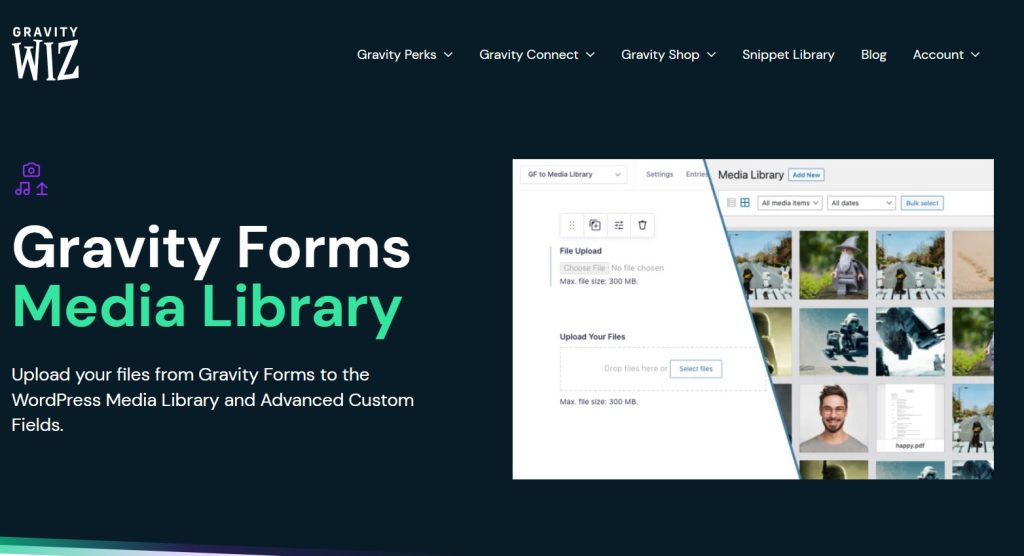
How to Install GP Media Library
Installing GP Media Library is simple and only takes a few steps:
Step 1: Purchase and Download
Buy GP Media Library from Pluginpro.org to get a fully licensed version at a discounted price. Pluginpro.org offers clean code, unlimited website usage, and hassle-free updates.
Step 2: Upload to WordPress
- Log in to your WordPress dashboard.
- Go to Plugins > Add New > Upload Plugin.
- Select the downloaded GP Media Library file and click Install Now.
Step 3: Activate the Plugin
Once installed, click Activate Plugin. A new GP Media Library menu will appear in your dashboard for easy media management.
Step 4: Configure Settings
Navigate to GP Media Library > Settings. Here you can:
- Create folders or categories for media files
- Enable drag-and-drop organization
- Set permissions for user roles
- Configure bulk editing options
Step 5: Organize Your Media
Start moving your images, videos, PDFs, and other files into folders. You can filter media by file type, date, or folder, making it easy to locate and manage your content.
Key Features of GP Media Library
GP Media Library is packed with features designed to simplify media management in WordPress:
1. Folder-Like Organization
Create folders and subfolders to categorize all your media files. This structure mimics desktop file systems, making it easy to manage large media libraries.
2. Bulk Management
Move, delete, or edit multiple files at once. Bulk actions save time when managing hundreds of images or documents.
3. Advanced Filtering
Filter media files by type, upload date, author, or custom taxonomy. This makes finding the right file fast and efficient.
4. Drag-and-Drop Interface
Easily rearrange files and folders with an intuitive drag-and-drop interface. Organization has never been this simple.
5. User Role Permissions
Control which users can access or modify folders. Assign permissions to contributors, editors, or admins to maintain order and security.
6. Integration with WP Editor
Easily select and insert media into posts or pages directly from organized folders, streamlining your content creation process.
7. Compatibility with Popular Plugins
GP Media Library works seamlessly with page builders, WooCommerce, and other WordPress plugins, ensuring no conflicts with your existing setup.
Benefits of Using GP Media Library
Here’s why GP Media Library is a must-have plugin for WordPress sites:
- Time Efficiency: Spend less time searching for media files.
- Improved Organization: Keep your library structured with folders and categories.
- Professional Workflow: Makes content management smoother for teams and agencies.
- Scalability: Handle hundreds or thousands of files without slowing down your workflow.
- Enhanced Productivity: Streamlined media access boosts efficiency in content creation.
Selling Points: Why GP Media Library Stands Out
GP Media Library is more than just a media organizer. Its standout features make it a top choice for WordPress users:
- Intuitive Interface: Easy for beginners while powerful enough for advanced users.
- Flexibility: Organize media in ways that suit your workflow, not a preset system.
- Secure Management: Permissions and role-based access keep your files safe.
- Fully Compatible: Works with any WordPress theme and major plugins.
- Reliable Updates: Frequent updates ensure compatibility with the latest WordPress version.
Why Buy GP Media Library from Pluginpro.org?
Purchasing GP Media Library from Pluginpro.org offers several advantages:
1. Save Up to 95%
Get premium functionality at a fraction of the original cost. Save money while gaining full access to all features.
2. 100% Clean Code
All plugins on Pluginpro.org are tested for malware and unnecessary code, keeping your website secure and fast.
3. Unlimited Website Usage
Use the plugin on as many websites as you want without worrying about license restrictions—perfect for developers and agencies.
4. Easy Updates
Receive automatic updates to keep your plugin compatible with WordPress and other extensions.
5. Dedicated Support
Get expert assistance for installation, setup, or troubleshooting directly from Pluginpro.org support team.
Real-Life Use Cases for GP Media Library
1. Bloggers
Easily organize blog images, graphics, and PDFs in folders for fast access during content creation.
2. Photographers
Manage large photo libraries by year, project, or client without clutter.
3. Agencies
Collaborate efficiently by assigning permissions to team members while keeping media organized.
4. E-Commerce Stores
Organize product images, banners, and downloadable assets for faster editing and management.
5. Educational Websites
Teachers and administrators can organize course materials, videos, and documents efficiently.
Frequently Asked Questions
Q: Can I move media between folders without losing links?
Yes, GP Media Library preserves all links when moving media files.
Q: Does it work with WooCommerce?
Absolutely. Product images and downloadable files can be organized using GP Media Library.
Q: Can I assign folder permissions for different users?
Yes, you can set role-based permissions for editors, authors, or contributors.
Q: Is it compatible with page builders?
Yes, it works with Elementor, WPBakery, and other popular page builders.
Conclusion
GP Media Library is the ultimate solution for managing WordPress media efficiently. From folders and bulk editing to advanced filtering and permissions, it provides everything you need to stay organized and productive.
Buying GP Media Library from Pluginpro.org ensures you get a 100% clean-coded plugin at a discounted price, with unlimited website usage, hassle-free updates, and expert support. Transform your media library today and enjoy a smoother, faster, and more professional workflow.



