
In the modern business landscape, a customer is more than just a name in a database; they are a complex web of social interactions, history, and potential. For businesses that rely on Batchbook—the CRM designed specifically for small businesses to manage meaningful relationships—the Gravity Forms Batchbook Add-On is the ultimate bridge.
By integrating your WordPress forms directly with your CRM, you ensure that every interaction is recorded, every lead is nurtured, and your team has a complete “story” for every contact. In this guide, we will explore the features of the Gravity Forms Batchbook Add-On and why Pluginpro.org is the premier destination for your WordPress development tools.
What is the Gravity Forms Batchbook Add-On?
The Gravity Forms Batchbook Add-On is a professional integration tool that allows you to automatically send data from any Gravity Form directly into your Batchbook CRM account.
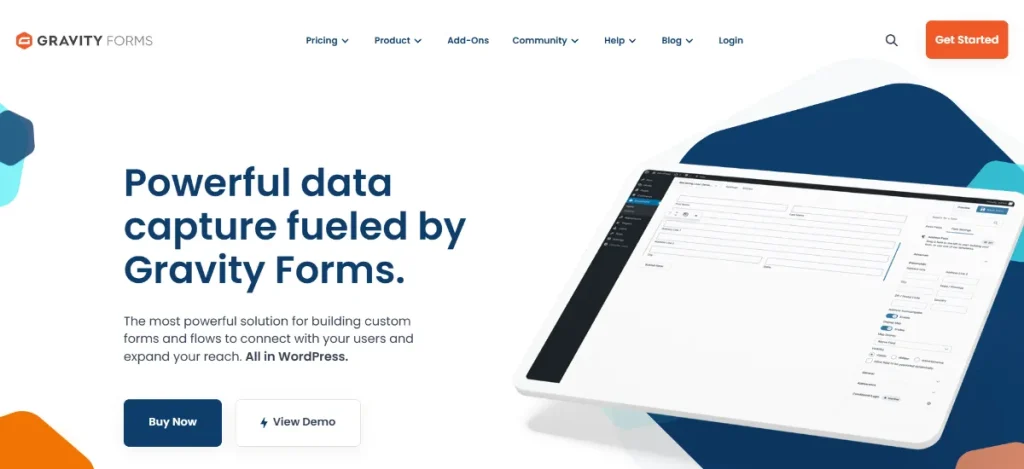
Instead of manually exporting CSV files or copy-pasting customer details, this add-on works in real-time. The moment a user hits “Submit” on your website, a new contact is created in Batchbook, tags are applied, and a history of the interaction is established. It bridges the gap between your marketing (WordPress) and your relationship management (Batchbook), ensuring your sales pipeline is always full and organized.
Key Features & Selling Points of the Batchbook Add-On
Why do small businesses and growing agencies choose the Gravity Forms Batchbook Add-On? It offers a level of automation that manual processes simply cannot match.
1. Automatic Person and Company Creation
Every submission can create a new “Person” or “Company” record in Batchbook. The add-on is smart enough to check for existing contacts based on email addresses, preventing duplicates and keeping your CRM database organized and clean.
2. Custom Field Mapping
You aren’t limited to just “Name” and “Email.” With the Gravity Forms Batchbook Add-On, you can map any field in your form to a corresponding field in Batchbook. This includes:
- Phone numbers and physical addresses.
- Job titles and company names.
- Custom background information.
- Social media profiles and website URLs.
3. Automated Tagging for Better Segmentation
Organization is the key to successful relationship marketing. The add-on allows you to automatically assign “Tags” to contacts based on the form they filled out. For example, if someone fills out a “Whitepaper Download” form, you can tag them as “Inbound Lead.” If they fill out a “Partner Application,” you can tag them as “Potential Partner.”
4. Real-Time Sync and Updates
Data moves at the speed of your business. The Gravity Forms Batchbook Add-On ensures that your CRM is updated the instant a form is submitted. This allows your team to respond to leads while they are still “warm,” significantly increasing your conversion rates.
5. Conditional Logic Integration
This is the “selling point” for advanced users. You can use Gravity Forms’ famous conditional logic to determine when a lead is sent to Batchbook. For instance, you might only want to send leads to the CRM if they have a specific budget or if they are located in a certain geographic region.
How to Install and Configure the Batchbook Add-On
Setting up your CRM automation is a straightforward process. Follow these steps to get connected:
- Download the Add-On: Obtain the Gravity Forms Batchbook Add-On .zip file from your account at Pluginpro.org.
- Upload to WordPress: Navigate to Plugins > Add New > Upload Plugin. Choose the file and click Install Now.
- Activate: Click the Activate Plugin button.
- Connect to Batchbook: * Go to Forms > Settings > Batchbook.
- Enter your Batchbook Account Name and your API Key (found in your Batchbook account under ‘Settings’ > ‘API’).
- Create a Feed: * Go to the specific form you want to link.
- Navigate to Settings > Batchbook.
- Click Add New to create a feed.
- Map your form fields to your Batchbook fields and click Save Settings.
Why Should You Buy From Pluginpro.org?
To build a professional website in 2026, you need access to premium tools. Pluginpro.org makes those tools accessible without the high overhead costs.
1. Save 95% of Your Budget
Official developer licenses for high-end CRM add-ons can cost hundreds of dollars per year. At Pluginpro.org, we provide the exact same professional software while helping you save 95% of your budget. This allows you to scale your business and reinvest those savings into your actual sales efforts.
2. 100% Clean Code
Security is non-negotiable when handling customer data. Every file we provide, including the Gravity Forms Batchbook Add-On, features 100% clean code. Our plugins are original and safe, ensuring that your customer’s data is transmitted securely from your site to your CRM.
3. Unlimited Website Usage
Most official licenses restrict you to a single site or a very limited number of domains. When you shop at Pluginpro.org, you get unlimited website usage. Whether you are managing one site or an entire agency portfolio, our plugins are ready to go.
4. Easy to Update
CRM APIs and WordPress versions are constantly evolving. We make it easy to update your tools. As soon as a new version of the Batchbook Add-On is released, we update our library so you can maintain a seamless connection with your CRM.
Strategic Value: Turning Data into Relationships
The Gravity Forms Batchbook Add-On changes the way you view your website visitors. Instead of anonymous traffic, you start seeing a list of real people with real needs. By automating the data entry into Batchbook, you free up your team to do what they do best: build relationships.
Whether you are a non-profit tracking donors, a small shop tracking customers, or an agency tracking prospects, this integration provides the organized foundation you need to grow.
Final Thoughts: The Professional Choice for CRM Integration
Don’t let your valuable lead data stay trapped in your WordPress database. The Gravity Forms Batchbook Add-On is the professional choice for businesses that want to maximize their efficiency and grow their customer base. It provides the automation you need and the organization your sales team craves.
Stop overpaying for your essential business integrations. Get the Gravity Forms Batchbook Add-On from Pluginpro.org today. Enjoy 100% clean code, unlimited website access, and easy updates while you save 95% of your budget. Connect your forms, grow your CRM, and build better relationships starting now.



