
Streamline your online payments and capture revenue instantly with the Gravity Forms eWAY integration. For businesses operating in Australia, New Zealand, Singapore, Hong Kong, and Macau, combining the world’s leading form builder with eWAY’s secure payment gateway is the ultimate solution for professional transaction management.
At Pluginpro.org, we provide the tools to build a robust e-commerce presence without the traditional overhead. Below is your complete guide to the Gravity Forms eWAY add-on.
Introduction to Gravity Forms eWAY
The Gravity Forms eWAY integration is a powerful add-on that allows you to accept credit card payments directly through your WordPress forms. By connecting Gravity Forms to the eWAY Rapid API, you can transform simple contact forms into high-converting payment portals.
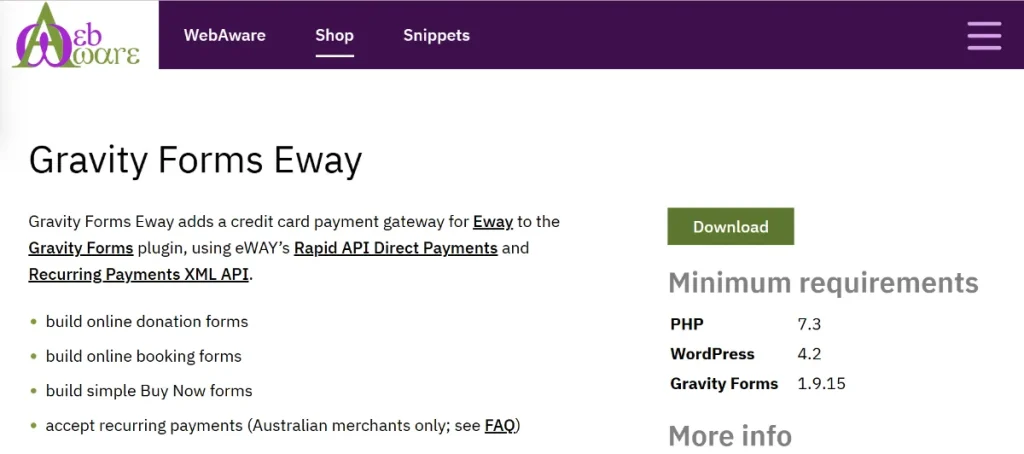
Whether you are selling a single digital product, collecting event registrations, or accepting donations, this integration provides a seamless checkout experience. It handles the heavy lifting of payment processing while giving you full control over the look and feel of your forms.
Key Features & Selling Points
Why is Gravity Forms eWAY a top choice for professional WordPress developers? Here are its core functions:
1. On-Site Payment Processing
With the eWAY Rapid API integration, customers can enter their credit card details directly on your website. This reduces friction and prevents the cart abandonment often caused by redirecting users to external payment pages.
2. Client-Side Encryption
Security is paramount. This add-on supports eWAY’s Client-Side Encryption, which ensures that sensitive card data is encrypted in the user’s browser before it even hits your server. This significantly simplifies your PCI compliance requirements.
3. Support for Recurring Payments
Looking to build a subscription model? Gravity Forms eWAY allows you to set up recurring billing cycles. You can easily charge customers on a weekly, monthly, or yearly basis, making it perfect for memberships and service retainers.
4. Advanced Feed Mapping
You have total control over your data. Gravity Forms allows you to map form fields directly to eWAY fields. You can pass customer names, addresses, and custom metadata into your eWAY dashboard for better reporting and accounting.
5. Conditional Logic for Payments
Use Gravity Forms’ famous conditional logic to determine when a payment is required. For example, you can offer “Pay by Invoice” for corporate clients while requiring immediate “Credit Card” payment for standard users—all within the same form.
How to Install Gravity Forms eWAY
Setting up your payment gateway is straightforward. Follow these steps:
Step 1: Download from Pluginpro.org
Download the Gravity Forms eWAY add-on .zip file from your account area at Pluginpro.org.
Step 2: Upload and Activate
- Log in to your WordPress Dashboard.
- Navigate to Plugins > Add New > Upload Plugin.
- Select the .zip file and click Install Now, then Activate.
Step 3: Connect Your eWAY Account
- Go to Forms > Settings and select the eWAY tab.
- Enter your API Key, API Password, and Client-Side Encryption Key (found in your MYeWAY dashboard).
- Save your settings. You can also enable “Sandbox Mode” here to test transactions before going live.
Step 4: Create a Payment Feed
- Open the form you wish to use for payments.
- Go to Settings > eWAY within the form editor.
- Create a “New Feed” and map your form fields (like Total Amount and Card Details) to the corresponding eWAY fields.
Why Buy from Pluginpro.org?
When you source your Gravity Forms eWAY add-on from Pluginpro.org, you are choosing quality and affordability.
Save 95% Budget
Official developer licenses can be a major expense for growing businesses. We help you save 95% budget by providing access to premium tools at a fraction of the price, allowing you to scale your business faster.
100% Clean Code
Security is non-negotiable for payment forms. Every plugin we offer is 100% clean code. Our files are original, untouched, and strictly scanned to ensure your customers’ financial data remains protected.
Unlimited Website Usage
Don’t be held back by “single-site” restrictions. Your purchase from us allows for unlimited website installation. Use the eWAY integration across your entire portfolio or for all your client projects.
Easy to Update
We make it easy to update your tools. As eWAY or Gravity Forms releases new security patches and features, we update our library so you can download the latest version directly from your Pluginpro.org dashboard.
Final Thoughts
The Gravity Forms eWAY integration is the bridge between a simple website and a professional revenue-generating machine. It provides the security of eWAY with the flexibility of Gravity Forms.
Don’t let high costs or complex setups stop you. Visit Pluginpro.org today to download Gravity Forms eWAY, save 95% budget, and manage your payments across unlimited websites with 100% clean code!



