
Automate your document generation and provide a professional experience for your users with Gravity PDF. By integrating this self-hosted, privacy-focused solution with your Gravity Forms, you can instantly turn form submissions into high-quality PDF documents like invoices, certificates, and contracts.
At Pluginpro.org, we empower you to build sophisticated, automated systems without the premium overhead. Below is your complete guide to Gravity PDF.
Introduction to Gravity PDF
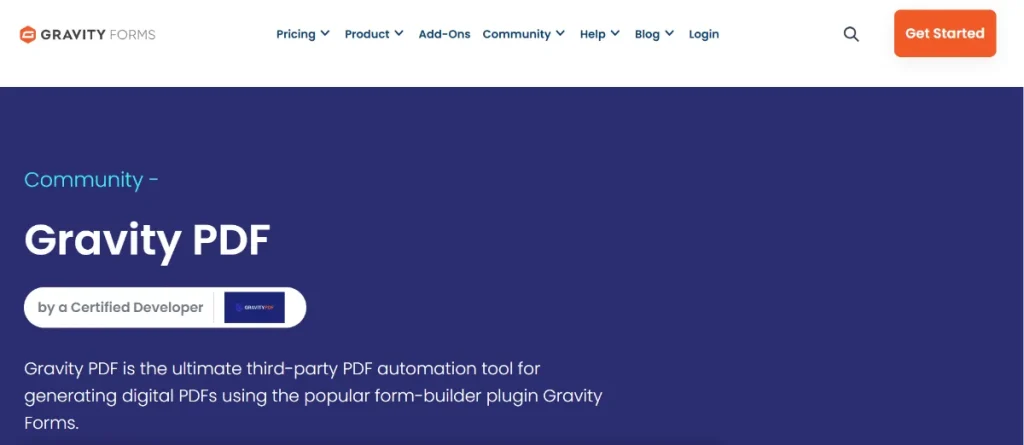
Gravity PDF is the ultimate third-party automation tool for generating digital PDF documents using Gravity Forms. Unlike other solutions that rely on external APIs, Gravity PDF is self-hosted. This means your sensitive form data never leaves your web server, making it a top choice for privacy-conscious businesses and GDPR compliance.
Whether you need to send a receipt to a customer, generate a gift certificate, or create a formal business report, Gravity PDF handles the transformation from entry data to polished document in seconds.
Key Features & Selling Points
Why is Gravity PDF the standard for document automation in WordPress?
1. Self-Hosted Privacy & Security
Security is at the heart of Gravity PDF. Because the PDF generation happens entirely on your own server, no third-party service ever sees your entry data. It also includes robust access control to ensure only authorized users can view or download generated files.
2. Automated Email Attachments
Streamline your communication by automatically attaching generated PDFs to your Gravity Forms notification emails. You can send a copy to the site administrator, the user who filled out the form, or both, immediately upon submission.
3. Highly Customizable Designs
Out of the box, you receive several professionally designed templates. You can easily personalize these by adding your company logo, changing fonts, adjusting colors, and setting the paper size or orientation. For developers, the plugin is fully extensible using HTML, CSS, and PHP.
4. Conditional PDF Logic
You don’t have to generate a PDF for every entry. Use Gravity Forms’ built-in conditional logic to decide exactly when a PDF should be created or emailed—perfect for forms that serve multiple purposes.
5. Seamless Integration Ecosystem
Gravity PDF works beautifully with other elite tools:
- Gravity Flow: Incorporate PDF generation into complex business workflows.
- GravityView: Add PDF download links to your front-end directory listings.
- Payment Gateways: Delay the generation or emailing of a PDF until a payment (via Stripe, PayPal, etc.) has been successfully captured.
How to Install Gravity PDF
Getting your document automation started is a simple process:
Step 1: Download from Pluginpro.org
Download the Gravity PDF .zip file from your account dashboard at Pluginpro.org.
Step 2: Upload and Activate
- Log in to your WordPress Admin.
- Navigate to Plugins > Add New > Upload Plugin.
- Select the .zip file and click Install Now, then Activate.
Step 3: Initial Setup
Upon activation, Gravity PDF will guide you through a quick setup wizard. This usually includes installing the Core Fonts required for PDF generation to ensure your documents look consistent across all devices.
Step 4: Configure Your First PDF
- Navigate to Forms > Forms and select the form you want to use.
- Go to Settings > PDF.
- Click Add New to create a PDF configuration. Choose your template, give the file a name (using merge tags for personalization), and decide which notifications it should be attached to.
Why Buy from Pluginpro.org?
When you choose Pluginpro.org, you get enterprise-grade tools with unbeatable value.
Save 95% Budget
Premium templates and extensions for Gravity PDF can quickly add up. We help you save 95% budget by providing access to these professional tools at a fraction of the cost, making high-end automation accessible to everyone.
100% Clean Code
Your data security is our priority. Every file we provide is 100% clean code, verified and scanned to ensure it is free from malware, hidden scripts, or nulled code. Your server remains secure and your site stays fast.
Unlimited Website Usage
Don’t be held back by restrictive licensing. Your purchase from us allows for unlimited website installation. Use Gravity PDF on your personal site, your niche projects, and all your client builds without extra fees.
Easy to Update
Maintaining compatibility with WordPress and Gravity Forms is essential. We make it easy to update your tools—simply download the latest version from your Pluginpro.org dashboard as soon as it’s available to keep your automation running smoothly.
Final Thoughts
Gravity PDF is the bridge between simple data collection and professional document delivery. It eliminates manual paperwork, protects your data privacy, and provides a polished end-result for your users.
Ready to automate your documents? Visit Pluginpro.org today to download Gravity PDF, save 95% budget, and manage your documents across unlimited websites with 100% clean code!



