
Koad is a modern WordPress theme built specifically for architecture firms, interior design studios, and creative professionals who want to present projects with clarity and visual impact. Koad focuses on structured layouts, refined typography, and high-quality image presentation, making it a strong choice for anyone whose business depends on showcasing design work effectively.
For architecture and design websites, presentation is not just about aesthetics. It directly influences how potential clients perceive expertise, attention to detail, and professionalism. A cluttered or inconsistent website can weaken even the most impressive portfolio. Koad addresses this by offering a clean, structured framework that highlights projects without unnecessary distractions.
In practice, Koad helps users create websites that feel cohesive and intentional. Instead of relying on multiple plugins or fragmented layouts, it provides a unified system that integrates portfolio displays, project details, and navigation. This allows users to focus on their work while maintaining a polished online presence.
Another important aspect is usability. Koad is designed to be flexible without overwhelming users. Whether someone is building a simple portfolio or a full-scale agency website, the theme adapts to different needs while maintaining consistency across pages.
For professionals aiming to build credibility and attract high-value clients, Koad offers a reliable foundation for a visually compelling and functional website.
In real-world workflows, this becomes especially important when multiple stakeholders are involved. For example, an architecture firm often has designers, project managers, and marketing staff contributing content. Koad’s structured layouts ensure that regardless of who uploads a project, the presentation remains consistent. This reduces the need for constant design revisions and maintains a unified brand identity.
Another practical scenario involves client presentations. Many agencies use their websites as part of pitch meetings. With Koad, they can confidently present their portfolio directly from the website, knowing that the layout, image quality, and navigation will support their storytelling rather than distract from it.
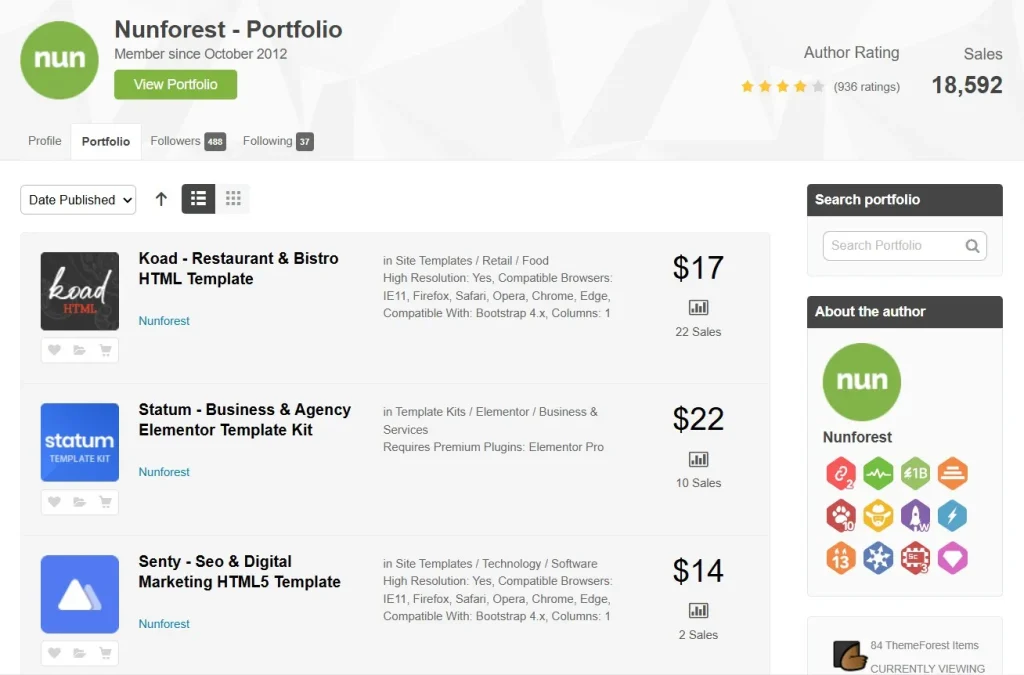
What is Koad?
Koad is a premium WordPress theme designed for architecture, construction, and interior design websites. At its core, it functions as a visual platform that allows users to present projects, services, and company information in a structured and aesthetically consistent way.
Unlike general-purpose themes, Koad is tailored to industries where visual storytelling plays a central role. Every layout and component is built to support the presentation of projects, from large-scale architectural designs to detailed interior concepts. This specialization makes it easier for users to create websites that align with industry standards.
Koad provides a combination of pre-designed templates and customization tools. Users can import demo layouts, adjust design elements, and create pages that reflect their brand identity. This approach reduces the need for custom development while still allowing for flexibility.
The theme is ideal for:
- Architecture firms presenting project portfolios
- Interior designers showcasing design concepts
- Construction companies highlighting completed works
- Creative agencies working with spatial design
A common use case involves an architecture firm that needs to display multiple projects with images, descriptions, and technical details. Koad enables this by offering structured portfolio layouts that maintain consistency across projects.
Another example is an interior design studio that wants to create a visually engaging website. With Koad, they can use image-focused layouts and typography controls to highlight design aesthetics while keeping the site easy to navigate.
Overall, Koad serves as a complete solution for building professional, design-oriented websites that communicate both creativity and expertise.
In practice, Koad also supports multi-stage project storytelling. For instance, an architecture firm can showcase a project from concept sketches to final execution within a single project page. This layered presentation helps potential clients understand the full design process, which often becomes a deciding factor in hiring.
Another workflow example involves construction companies that need to regularly update project progress. Instead of redesigning pages, teams can simply add new images and updates within existing layouts. This keeps the website current while maintaining consistency, which is critical for credibility in the construction industry.
Key Features of Koad
- Specialized Architecture and Design Layouts
Koad includes layouts specifically designed for architecture and interior design projects. These layouts emphasize large images, clean spacing, and structured content sections.
In real-world use, this allows firms to present projects in a way that reflects their design philosophy. For example, a residential project can be displayed with full-width images and detailed descriptions that guide visitors through the concept.
In practice, these layouts also support storytelling. A firm can structure a project page to start with a conceptual overview, followed by design challenges, and then the final outcome. This narrative approach not only showcases design skills but also demonstrates problem-solving ability, which is highly valuable to potential clients. - Pre-Built Demo Content
The theme offers multiple demo websites that can be imported quickly. Each demo is tailored to a specific type of business, such as architecture studios or construction companies.
A practical advantage is speed. A new business can launch a professional website within a short time by importing a demo and replacing the content with their own projects.
Another real scenario is agency onboarding. When agencies take on new clients, they can use Koad demos as a starting framework, significantly reducing development time. This allows them to deliver projects faster while maintaining high design standards. - Portfolio and Project Showcase System
Koad provides a dedicated system for managing and displaying projects. Users can organize projects into categories, add detailed descriptions, and include high-resolution images.
For example, an architecture firm can categorize projects by type, such as residential, commercial, or public spaces, making it easier for clients to browse relevant work.
Additionally, this system supports scalability. As the number of projects grows, the categorization and filtering features ensure that visitors can still navigate the portfolio efficiently without feeling overwhelmed. - Responsive Design for All Devices
The theme is fully responsive, ensuring that layouts adapt seamlessly to different screen sizes. Images and text remain clear and accessible across devices.
In real usage, this becomes critical when clients review portfolios on mobile devices. A responsive layout ensures that important details such as project descriptions and images remain readable, which directly affects user engagement. - Advanced Typography Controls
Koad allows users to customize fonts, sizes, and spacing. This helps maintain brand consistency and improves readability.
For example, firms can use typography to create a distinct visual identity that aligns with their design philosophy, whether minimalist, modern, or experimental. - Integration with Page Builders
The theme supports popular page builders, enabling users to create custom layouts without coding.
In a team environment, this allows non-technical staff to update pages, publish projects, or adjust layouts without relying on developers, which speeds up content workflows. - High Performance and Optimization
Koad is built with optimized code to ensure fast loading times. Even image-heavy pages are designed to load efficiently.
In real-world scenarios, faster loading times can significantly reduce bounce rates, especially for portfolio websites where users expect smooth browsing. - SEO-Friendly Structure
The theme follows best practices for search engine optimization, including clean code and proper heading structures.
This helps architecture firms rank for location-based keywords, which is essential for attracting local clients searching for design services. - Custom Header and Navigation Options
Users can design navigation menus and headers that align with their brand and improve usability.
For example, firms with diverse services can create structured navigation that guides users to relevant sections quickly, improving conversion rates. - WooCommerce Compatibility
Koad supports WooCommerce, allowing users to add eCommerce functionality.
This is particularly useful for selling design consultations, digital blueprints, or even branded merchandise directly from the website.
Benefits of Using Koad
Using Koad offers several practical benefits for professionals in architecture and design fields. One of the most important advantages is the ability to present projects in a structured and visually appealing way. This helps build credibility and trust with potential clients.
Another key benefit is efficiency. Instead of building a website from scratch, users can rely on pre-designed layouts and components. This reduces development time and allows businesses to launch faster.
Koad also improves user experience. Clean layouts and responsive design ensure that visitors can navigate the site easily and focus on the content. This increases engagement and encourages users to explore more projects.
From a workflow perspective, the theme simplifies content management. Users can update projects, add new pages, and adjust layouts without technical complexity. This flexibility is especially valuable for growing businesses.
Additionally, Koad supports scalability. As a company expands, the website can grow with it, adding new features and content without requiring a complete redesign.
In practical business terms, this means lower long-term costs. Instead of redesigning a website every few years, companies can continuously update and expand their existing site. This creates a more sustainable digital strategy.
Another benefit is improved client perception. A well-structured and visually polished website often serves as the first impression for potential clients. Koad ensures that this impression reflects professionalism and attention to detail, which can directly influence conversion rates.
Real Use Cases of Koad
Koad is widely used in industries where visual presentation is essential.
Architecture firms use Koad to showcase large-scale projects with detailed visuals and descriptions. This helps potential clients understand the firm’s capabilities and design approach.
Interior designers benefit from Koad by creating visually rich portfolios that highlight design concepts. The theme’s layouts ensure that images remain the focal point.
Construction companies use Koad to present completed projects and services. This helps build credibility and attract new clients.
Creative agencies working in spatial design can also use Koad to create websites that combine portfolio elements with service information, improving conversion potential.
In another scenario, a real estate developer can use Koad to present property developments. By combining project visuals with descriptive content, they can create a compelling narrative that appeals to investors and buyers.
Freelancers can also leverage Koad to build personal brands. A solo designer, for example, can create a portfolio that rivals larger agencies in terms of presentation quality, helping them compete for higher-value projects.
How to Install Koad
Installing Koad is a straightforward process that can be completed in several steps.
First, download the Koad theme files from your source. Ensure that you have the complete package, including any required plugins.
Next, log in to your WordPress dashboard. Navigate to the Appearance section and select Themes. Click on Add New and upload the Koad theme file. Once uploaded, activate the theme.
After activation, install the recommended plugins. These plugins enable key features such as page building and portfolio management.
Once the plugins are installed, import a demo website if desired. Choose a demo that matches your business type and import it with a single click.
After importing the demo, replace the placeholder content with your own. Add your projects, images, and descriptions. Customize layouts and settings to match your brand identity.
Finally, test your website on different devices to ensure responsiveness. Make adjustments as needed before launching.
In practice, many agencies follow a staging workflow. They first install Koad on a staging site, customize the design, and review everything internally before pushing the site live. This reduces the risk of errors and ensures a smoother launch.
Another useful approach is incremental customization. Instead of modifying everything at once, users can start with a demo and gradually refine sections as needed. This allows for faster deployment while maintaining flexibility for future updates.
Why Buy Koad at Pluginpro.org
Buying Koad at Pluginpro.org offers significant advantages, especially for freelancers and agencies managing multiple projects. One of the most notable benefits is cost savings. Instead of paying a high price for a single license, users can access Koad at a much lower cost.
In practical scenarios, this is highly beneficial for agencies that build websites for multiple clients. Rather than purchasing separate licenses for each project, they can use a single source to manage costs effectively.
Another advantage is access to clean and secure files. Pluginpro.org ensures that all downloads are safe and reliable, reducing the risk of issues that could affect website performance.
Unlimited website usage is also a major benefit. Developers and freelancers can use Koad across multiple projects without worrying about licensing restrictions. This flexibility supports business growth and scalability.
Pluginpro.org also simplifies updates. Users can access updated versions without managing multiple subscriptions, ensuring compatibility with the latest WordPress versions.
For example, a web development agency can maintain several client websites using Koad while keeping costs under control. This streamlined approach improves efficiency and reduces administrative workload.
Another real-world advantage is budgeting predictability. Agencies often struggle with fluctuating costs when purchasing licenses individually. With Pluginpro.org, they can plan expenses more accurately, which is essential for scaling operations.
Additionally, freelancers working on short-term projects benefit from this model. Instead of investing heavily in a single theme license for one project, they can access Koad at a lower cost and allocate resources to other areas such as marketing or client acquisition.
From a workflow perspective, having centralized access to themes like Koad simplifies project management. Teams can standardize their development process, using the same theme across multiple projects while customizing it for each client. This consistency reduces errors and improves efficiency.
Another important factor is speed. When working under tight deadlines, being able to download and deploy Koad immediately without licensing delays can make a significant difference. This is especially valuable in competitive markets where delivery time impacts client satisfaction.
Is Koad Worth It?
Yes, Koad is worth it for professionals in architecture, interior design, and related industries who need a high-quality website. It provides a balance between design and functionality, making it suitable for both beginners and experienced users.
For example, an architecture firm launching a new website can use Koad to create a professional online presence quickly. Instead of investing in custom development, they can achieve similar results with a ready-made solution.
The theme’s features, flexibility, and performance make it a reliable choice for long-term use.
In a practical scenario, consider a growing interior design studio that needs to update its portfolio regularly. With Koad, the team can easily add new projects, adjust layouts, and maintain a consistent design without hiring additional developers. This reduces operational costs while maintaining a high standard of presentation.
Another example involves agencies managing multiple client websites. Koad provides a scalable solution that can be reused across projects, making it a strategic investment rather than a one-time expense. Over time, this leads to better resource allocation and improved profitability.
Conclusion
Koad offers a comprehensive solution for building professional, design-focused WordPress websites. Its specialized features and structured layouts make it particularly suitable for architecture and design industries.
By combining visual presentation with practical functionality, Koad enables users to create websites that effectively communicate their expertise. The theme simplifies the process of building and managing a website, allowing professionals to focus on their work.
In long-term use, Koad continues to deliver value as businesses grow and evolve. Its flexibility allows websites to expand without losing consistency, which is critical for maintaining a strong brand identity.
For anyone looking to establish a strong online presence with minimal complexity, Koad provides a dependable and efficient solution.



