
Transform your membership marketing strategy with the seamless integration of MemberPress Campaign Monitor. By connecting your WordPress membership site with one of the most powerful email marketing platforms available, you can automate your communication and focus on what truly matters: growing your community.
At Pluginpro.org, we are committed to providing you with premium tools that drive results. In this guide, we’ll explore the features, installation process, and the massive benefits of using the MemberPress Campaign Monitor add-on for your business.
Introduction to MemberPress Campaign Monitor
The MemberPress Campaign Monitor integration is a powerful add-on that bridges the gap between your member database and your email marketing campaigns. Instead of manually exporting member lists and importing them into your email service, this plugin automates the process in real-time.
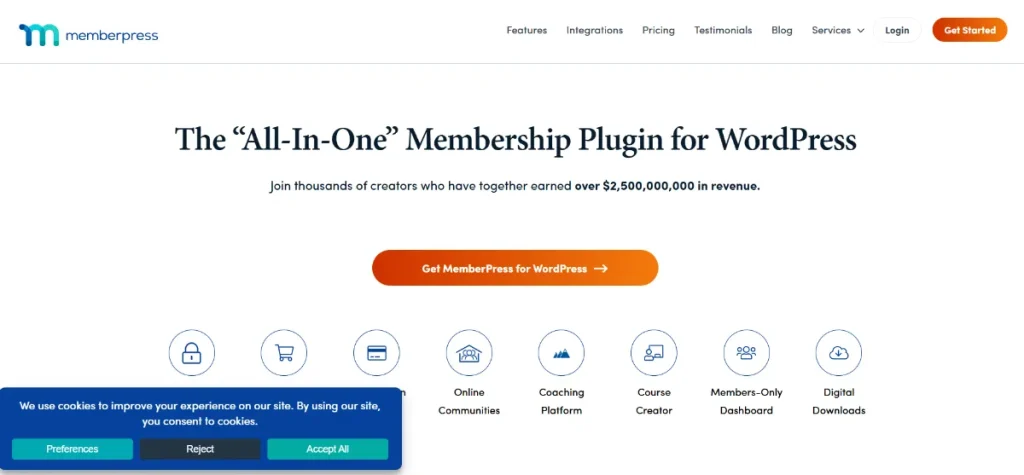
Whether a new member joins your site, a subscription expires, or a user upgrades to a higher tier, the MemberPress Campaign Monitor connection ensures your email lists are perfectly synced. This allows for hyper-targeted marketing that converts.
Key Features & Selling Points
Why should you choose the MemberPress Campaign Monitor integration for your site? Here are the top features that make it an essential tool for any membership business:
1. Real-Time Subscriber Synchronization
Gone are the days of outdated email lists. As soon as a user signs up via MemberPress, their data is instantly pushed to Campaign Monitor. This immediate sync allows you to trigger automated welcome sequences the moment a member joins.
2. Sophisticated Member Segmentation
With MemberPress Campaign Monitor, you can map different membership levels to specific lists or segments within Campaign Monitor. This means you can send tailored content to your “Premium” members while sending promotional “Upgrade” offers to your “Basic” members, all without manual intervention.
3. Automatic Subscription Management
The plugin is smart enough to handle status changes. If a member cancels their subscription or their payment fails, the integration can automatically remove them from your active mailing lists or move them to a “Churn” segment for re-engagement campaigns.
4. Custom Field Mapping
Take personalization to the next level. You can map custom MemberPress profile fields (like job title, location, or interests) directly to Campaign Monitor. This data allows you to create highly personalized email campaigns that resonate with your audience.
5. Seamless User Experience
Everything happens behind the scenes. Your members won’t notice the integration, but they will benefit from receiving the right information at the right time, leading to higher satisfaction and lower churn rates.
How to Install MemberPress Campaign Monitor
Setting up your MemberPress Campaign Monitor integration is quick and easy. Follow these steps to get started:
Step 1: Download from Pluginpro.org
First, download the MemberPress Campaign Monitor add-on .zip file from your Pluginpro.org account.
Step 2: Upload and Activate
- Log in to your WordPress Dashboard.
- Navigate to Plugins > Add New > Upload Plugin.
- Choose the .zip file you downloaded and click Install Now.
- Once installed, click Activate.
Step 3: Connect to Campaign Monitor API
- Go to MemberPress > Settings and click on the Marketing tab.
- Locate the Campaign Monitor section.
- You will need your API Key and Client ID from your Campaign Monitor account.
- Enter these details and save the settings.
Step 4: Configure Your Lists
Once connected, you can select your default list and configure per-membership list settings. Go to MemberPress > Memberships, edit a membership, and under the Advanced tab, you can specify which Campaign Monitor list this specific membership should sync with.
Why Buy from Pluginpro.org?
When it comes to sourcing the MemberPress Campaign Monitor add-on, Pluginpro.org offers unbeatable value. Here is why we are the preferred choice for thousands of WordPress users:
Save 95% of Your Budget
Premium plugins can be expensive, often requiring high annual fees. At Pluginpro.org, we provide the tools you need to succeed while helping you save 95% budget. Get the same professional functionality without the enterprise price tag.
100% Clean Code
Your website’s security is non-negotiable. Every plugin we provide, including MemberPress Campaign Monitor, is 100% clean code. We strictly verify our files to ensure they are free from malware, trackers, or backdoors.
Unlimited Website Usage
Unlike original developers who often limit you to a single license, we believe in flexibility. When you purchase from us, you can use the plugin on an unlimited website count. Whether you have one site or fifty, we’ve got you covered.
Easy to Update
We understand that keeping your site secure requires the latest updates. We make it easy to update your plugins. You can download the latest versions directly from our dashboard as soon as they are available, ensuring your site always runs smoothly.
Final Thoughts
The MemberPress Campaign Monitor integration is the ultimate solution for membership site owners who want to professionalize their email marketing. By automating your list management, you save time, reduce errors, and increase your revenue through better targeting.
Don’t wait to grow your business. Head over to Pluginpro.org today to get your copy of the MemberPress Campaign Monitor add-on. Save 95% budget, enjoy 100% clean code, and scale your business across unlimited websites with our easy to update tools!



