
Creating custom content types and fields is crucial for building advanced WordPress websites. Meta Box is a powerful and flexible plugin that allows developers and website owners to create custom fields, meta boxes, and content types quickly and efficiently.
In this article, we’ll guide you on how to install Meta Box, explore its key features, and explain why purchasing it from Pluginpro.org is the smartest choice for WordPress developers and agencies.
What is Meta Box?
Meta Box is a premium WordPress plugin that provides a framework for creating custom meta boxes, fields, and content types. It is designed for developers, agencies, and advanced users who want full control over their WordPress content structure.
With Meta Box, you can:
- Add custom fields to posts, pages, and custom post types.
- Create complex content layouts.
- Integrate with page builders and Gutenberg blocks.
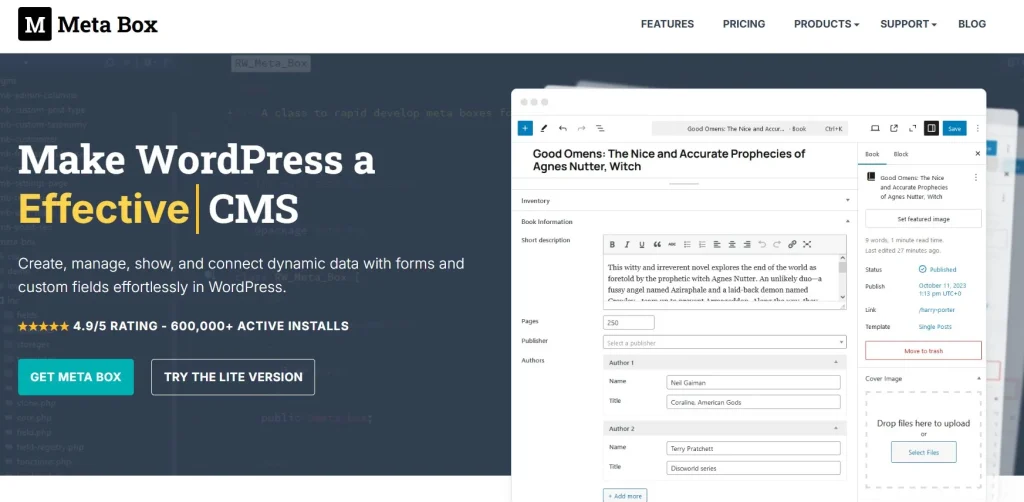
Unlike basic custom field plugins, Meta Box is developer-friendly, lightweight, and scalable for large projects.
How to Install Meta Box
Installing Meta Box is simple and user-friendly. Follow these steps:
Step 1: Purchase and Download
- Visit Pluginpro.org and search for Meta Box.
- Complete the purchase and download the plugin ZIP file.
(Tip: Pluginpro.org offers up to 95% savings compared to other marketplaces.)
Step 2: Upload to WordPress
- Log in to your WordPress dashboard.
- Navigate to Plugins > Add New > Upload Plugin.
- Click Choose File, select the downloaded ZIP file, and click Install Now.
- After installation, click Activate Plugin.
Step 3: Configure Meta Boxes and Fields
- Go to Meta Box > Settings in your WordPress admin panel.
- Create a new meta box and add custom fields.
- Assign the meta box to posts, pages, or custom post types.
- Save changes and use the fields in your content editor or templates.
Your WordPress site is now ready to use Meta Box to create advanced content structures.
Key Features of Meta Box
Meta Box is packed with features for developers and agencies:
1. Custom Fields
Add text, number, URL, image, file, date, and many other field types with ease.
2. Custom Post Types
Create and manage custom post types to organize content efficiently.
3. Developer-Friendly Framework
Meta Box includes hooks, filters, and an API for building custom solutions.
4. Gutenberg and Page Builder Integration
Works seamlessly with Gutenberg blocks, Elementor, and other page builders.
5. Conditional Logic
Show or hide fields based on conditions to create dynamic content forms.
6. Repeatable and Group Fields
Create repeatable groups of fields for complex content layouts, like product specifications or team member profiles.
7. Frontend Submission
Allow users to submit content from the frontend using Meta Box forms.
8. Performance Optimized
Lightweight and fast, even for large sites with extensive custom fields.
Selling Points: Why You Should Use Meta Box
Using Meta Box provides numerous advantages:
- Flexible Content Management: Build tailored content types and fields for any website.
- Developer-Friendly: Provides tools for custom development and advanced integrations.
- Save Time: Pre-built field types and templates accelerate development.
- Enhance Website Functionality: Extend WordPress beyond standard posts and pages.
- Scalable and Reliable: Suitable for small websites and large enterprise projects.
Why Purchase Meta Box from Pluginpro.org?
Purchasing from Pluginpro.org offers several advantages:
- Save Up to 95%
Get the plugin at a fraction of the cost compared to official sources. - 100% Clean Code
Verified plugin ensures security, performance, and WordPress compatibility. - Unlimited Website Usage
Use Meta Box on unlimited sites without additional licensing fees. - Easy Updates
Receive lifetime updates and support for hassle-free maintenance. - Trusted Source
Pluginpro.org provides verified, malware-free plugins for professional use.
Tips for Maximizing Meta Box
- Plan Your Content Structure
Define your custom post types and fields before implementation to avoid clutter. - Use Conditional Logic
Create dynamic forms that adjust based on user input for a better experience. - Leverage Repeatable Groups
Organize complex data sets like product features or team listings efficiently. - Integrate with Page Builders
Use Meta Box with Elementor or Gutenberg for advanced layouts. - Test Frontend Forms
Ensure user-submitted content is saved and displayed correctly on the frontend.
Conclusion
Meta Box is an essential plugin for WordPress developers and agencies looking to create custom content types, meta boxes, and fields efficiently. Its flexibility, performance, and developer-friendly framework make it the go-to solution for advanced WordPress sites.
Purchasing Meta Box from Pluginpro.org ensures affordability, clean code, unlimited site usage, and easy updates. For anyone seeking a powerful, reliable, and scalable custom fields solution, Meta Box is a must-have plugin.



