
Modern Events Calendar is one of the most powerful tools available for building professional event websites on WordPress. Whether you are managing conferences, workshops, festivals, webinars, or community meetups, Modern Events Calendar provides everything needed to organize, display, and monetize events efficiently.
From elegant layouts to advanced booking systems, Modern Events Calendar transforms a basic website into a complete event management platform. In this guide, you’ll learn how to install the plugin, explore its key features, and see why purchasing Modern Events Calendar from Pluginpro.org is the smartest way to save money while getting premium quality.
Introduction to Modern Events Calendar
Developed by Webnus, Modern Events Calendar is a feature-rich WordPress plugin designed for flexibility and performance. It helps users create visually impressive event pages while managing schedules, attendees, and payments in one place.
Unlike basic calendar tools, Modern Events Calendar supports single events, recurring schedules, multi-day programs, and virtual sessions. The plugin is suitable for both small organizations and large enterprises that need reliable event management.
With responsive design and SEO-friendly structure, Modern Events Calendar ensures your events look professional on all devices and rank well on search engines.
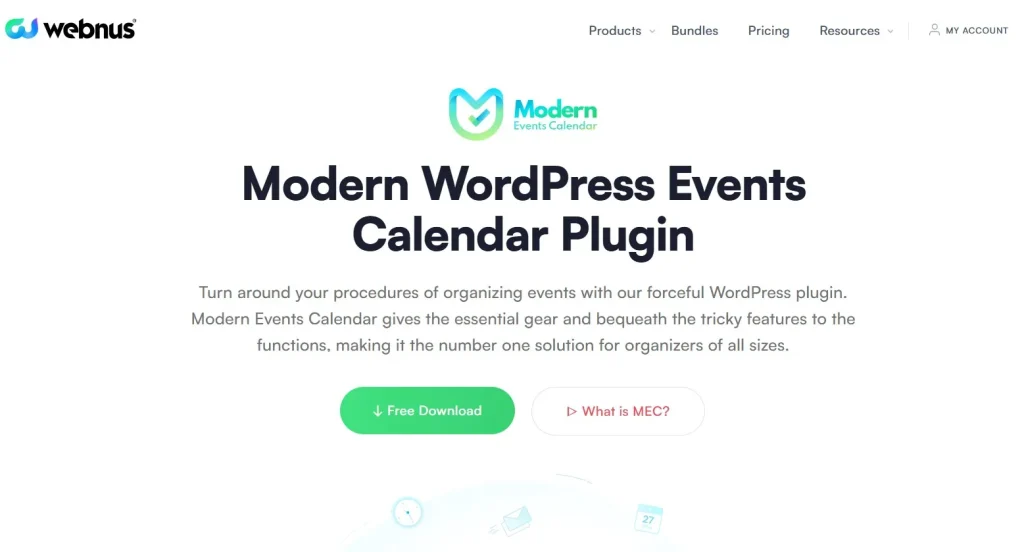
How to Install Modern Events Calendar
Installing Modern Events Calendar is simple and requires no coding knowledge.
Step 1: Download the Plugin
Purchase and download the Modern Events Calendar package from Pluginpro.org.
Step 2: Upload to WordPress
- Log in to your WordPress dashboard
- Go to Plugins → Add New
- Click Upload Plugin
- Select the ZIP file
- Click Install Now
Step 3: Activate the Plugin
After installation, click Activate Plugin. The Modern Events Calendar menu will appear in your dashboard.
Step 4: Configure Settings
Open the settings panel of Modern Events Calendar to customize:
- Date and time format
- Event page URLs
- Currency and payment options
- Booking preferences
- Display layouts
Step 5: Create Your First Event
- Navigate to Modern Events Calendar → Add Event
- Enter event title and description
- Set date and time
- Add venue and organizer
- Configure ticket pricing
- Publish
Your event will instantly appear using the stylish layouts provided by Modern Events Calendar.
Key Features and Selling Points of Modern Events Calendar
Stunning Event Display Layouts
Modern Events Calendar includes multiple professional templates that help your events stand out:
- Monthly calendar view
- Grid layout
- List format
- Masonry style
- Agenda schedule
- Timeline showcase
These ready-made designs save time and eliminate the need for custom development.
Advanced Booking and Ticketing System
The integrated booking tools make Modern Events Calendar ideal for both free and paid events:
- Online ticket sales
- Multiple ticket tiers
- Early-bird discounts
- Seat limits
- Coupon codes
- Attendee management
All booking operations run smoothly inside Modern Events Calendar without external platforms.
Flexible Recurring Event Management
Scheduling repeating events is effortless with Modern Events Calendar:
- Daily events
- Weekly schedules
- Monthly programs
- Custom recurring patterns
- Multi-day conferences
This flexibility is essential for long-term event planning.
Virtual Event Support
For digital organizers, Modern Events Calendar supports:
- Zoom integration
- Google Meet links
- Live stream embedding
- Online webinar access
This makes Modern Events Calendar perfect for remote and hybrid events.
Secure Payment Integrations
Monetizing events is seamless with Modern Events Calendar thanks to support for:
- PayPal
- Stripe
- WooCommerce checkout
- Offline payments
You can manage transactions directly from your WordPress site.
Frontend Event Submission
Modern Events Calendar allows users to submit events from the frontend, which is perfect for:
- Community portals
- University websites
- Event listing platforms
- Business directories
Submissions can be reviewed before publishing for quality control.
Smart Search and Filtering Tools
Visitors can easily find events using the powerful filters inside Modern Events Calendar:
- Category filters
- Tags
- Locations
- Organizers
- Date range search
This improves navigation and user experience.
Page Builder Compatibility
Design flexibility is another strength of Modern Events Calendar. It works smoothly with:
- Elementor
- WPBakery
- Gutenberg
- Divi Builder
You can customize event pages visually without touching code.
Calendar Sync and Export
Users can manage schedules more conveniently with Modern Events Calendar:
- Export events to personal calendars
- iCal support
- Automatic syncing
- Event reminders
This increases attendance and engagement.
SEO and Performance Optimization
Every page created with Modern Events Calendar is optimized to:
- Load quickly
- Display perfectly on mobile devices
- Follow SEO best practices
- Include structured data markup
This helps event listings rank higher in search results.
Who Should Use Modern Events Calendar?
Modern Events Calendar is suitable for:
- Event management agencies
- Schools and universities
- Corporate conference planners
- Non-profit organizations
- Religious communities
- Ticket-selling platforms
- Online course providers
If your website depends on professional scheduling and bookings, Modern Events Calendar is a must-have tool.
Why Buy Modern Events Calendar at Pluginpro.org
Choosing the right provider is just as important as choosing the right plugin.
Save Up to 95% of Your Budget
Premium plugins can be costly. Pluginpro.org offers Modern Events Calendar at a fraction of the original price, helping businesses reduce expenses while accessing full features.
100% Clean Code Guarantee
Every copy of Modern Events Calendar from Pluginpro.org is thoroughly checked:
- No malware
- No hidden scripts
- No modified core files
- Safe for professional use
You get stable and secure performance.
Unlimited Website Usage
Install Modern Events Calendar on unlimited websites without license restrictions — ideal for agencies, developers, and freelancers.
Easy and Fast Updates
Stay compatible with the latest WordPress versions. Pluginpro.org provides stable updates so your Modern Events Calendar always runs smoothly.
One-Time Payment
No recurring subscriptions. Pay once and use Modern Events Calendar long-term.
Access to a Huge Product Library
Pluginpro.org also provides thousands of premium plugins and themes, saving time and cost when building multiple websites.
Final Thoughts
Modern Events Calendar is a complete solution for creating, managing, and promoting events professionally. With powerful booking tools, elegant layouts, flexible scheduling, and strong integrations, Modern Events Calendar helps you build a reliable event platform with ease.
For maximum value, purchase Modern Events Calendar from Pluginpro.org to save up to 95% of your budget while enjoying clean code, unlimited usage, and hassle-free updates.



