MotoPress Content Editor is a powerful WordPress plugin designed to simplify the process of building and customizing web pages. It provides a visual, drag-and-drop editing experience that allows users to create professional layouts without writing a single line of code. Whether you are a beginner, blogger, business owner, or developer, MotoPress Content Editor offers an intuitive solution to design modern and responsive websites efficiently.
In today’s fast-paced digital environment, having a flexible and easy-to-use page builder is essential. Traditional WordPress editing can be limiting, especially for users who want full control over layout and design. MotoPress Content Editor solves this problem by offering a front-end editing interface where changes can be made in real time. This significantly reduces development time and improves workflow.
Another key strength of MotoPress Content Editor is its compatibility with various WordPress themes and plugins. It works seamlessly across different setups, making it a versatile choice for a wide range of websites. From simple blogs to complex business sites, MotoPress Content Editor adapts to your needs.
In this article, we will explore everything you need to know about MotoPress Content Editor, including its features, benefits, installation process, and why purchasing it from Pluginpro.org is the best decision.
What is MotoPress Content Editor?
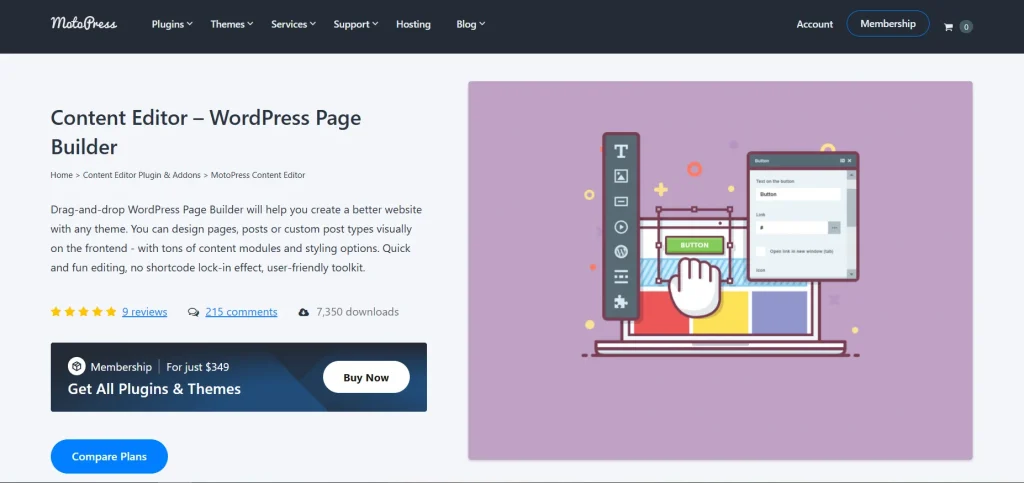
MotoPress Content Editor is a front-end page builder plugin for WordPress that allows users to create and edit website content visually. Unlike the default WordPress editor, which relies on backend editing, MotoPress Content Editor enables users to see changes in real time as they design their pages.
This plugin is designed to make website building accessible to everyone. It eliminates the need for coding knowledge by providing a drag-and-drop interface. Users can add elements such as text, images, buttons, columns, and more simply by dragging them into place.
One of the standout features of MotoPress Content Editor is its flexibility. It supports a wide range of content elements and layout options, allowing users to create unique and customized designs. Whether you want to build landing pages, service pages, or blog layouts, MotoPress Content Editor provides the tools to do so efficiently.
MotoPress Content Editor is also optimized for responsiveness. Websites created with this plugin automatically adjust to different screen sizes, ensuring a seamless experience across desktops, tablets, and mobile devices.
Additionally, the plugin is SEO-friendly. It generates clean code and supports integration with popular SEO plugins, helping improve your website’s visibility on search engines.
Overall, MotoPress Content Editor is a comprehensive solution for creating visually appealing and functional WordPress websites with ease.
Key Features of MotoPress Content Editor
MotoPress Content Editor comes with a wide range of features that make it a reliable and efficient page builder for WordPress users.
Drag-and-Drop Visual Builder
- Front-end editing interface
- Real-time design preview
- Easy drag-and-drop functionality
- No coding required
This feature allows users to design pages quickly and see changes instantly.
Pre-Designed Content Elements
- Text blocks and headings
- Images and galleries
- Buttons and call-to-action elements
- Sliders and media content
These elements help users create dynamic and engaging pages.
Responsive Design Controls
- Mobile-friendly layouts
- Device-specific customization
- Adjustable spacing and alignment
Ensures your website looks great on all devices.
Layout and Grid System
- Flexible column layouts
- Drag-and-resize grid system
- Customizable row and section settings
Provides full control over page structure and design.
Custom Styling Options
- Color customization
- Typography settings
- Background images and videos
- Padding and margin controls
Users can tailor every aspect of their website’s appearance.
SEO-Friendly Structure
- Clean and optimized code
- Compatibility with SEO plugins
- Fast loading performance
- Mobile optimization
Helps improve search engine rankings and visibility.
Third-Party Integration
- Compatible with most WordPress themes
- Works with popular plugins
- Easy integration with WooCommerce
Enhances functionality and flexibility.
Undo/Redo and Revision History
- Track changes easily
- Revert to previous versions
- Safe editing experience
This feature ensures users can experiment without risk.
Regular Updates and Support
- Frequent updates
- Bug fixes and improvements
- Compatibility with latest WordPress versions
Ensures long-term reliability and performance.
Benefits of Using MotoPress Content Editor
Using MotoPress Content Editor offers numerous advantages that make it a valuable tool for WordPress users. One of the biggest benefits is ease of use. The drag-and-drop interface allows users to create professional websites without technical expertise.
Another major benefit is time efficiency. With real-time editing and pre-designed elements, users can build pages much faster compared to traditional methods. This is especially useful for businesses that need to launch websites quickly.
Flexibility is another key advantage. MotoPress Content Editor provides a wide range of customization options, allowing users to create unique layouts that match their brand identity. From simple pages to complex designs, the plugin offers full control over every element.
Performance is also improved. The plugin generates clean and optimized code, ensuring fast loading speeds. This enhances user experience and helps reduce bounce rates.
MotoPress Content Editor also improves workflow. Its front-end editing interface allows users to make changes directly on the page, eliminating the need to switch between backend and frontend views.
Another benefit is responsiveness. Websites built with MotoPress Content Editor automatically adapt to different screen sizes, ensuring a consistent user experience across devices.
Security and reliability are also important advantages. The plugin is regularly updated to ensure compatibility with the latest WordPress versions and to address potential vulnerabilities.
Finally, MotoPress Content Editor is cost-effective. It provides a complete page-building solution, reducing the need for multiple plugins or hiring developers.
How to Install MotoPress Content Editor
Installing MotoPress Content Editor is simple and can be done in a few steps.
Step 1: Download the Plugin
- Visit Pluginpro.org
- Download the MotoPress Content Editor plugin file
- Save it to your computer
Step 2: Log in to WordPress Dashboard
- Access your WordPress admin panel
- Enter your login credentials
Step 3: Upload the Plugin
- Go to Plugins > Add New
- Click Upload Plugin
- Select the MotoPress Content Editor file
- Click Install Now
Step 4: Activate the Plugin
- After installation, click Activate
- MotoPress Content Editor will now be enabled
Step 5: Configure Settings
- Navigate to plugin settings
- Adjust preferences based on your needs
Step 6: Start Building Pages
- Open any page or post
- Launch the MotoPress Content Editor
- Begin designing using drag-and-drop elements
Step 7: Publish Your Content
- Save your changes
- Preview your page
- Click Publish when ready
Your website is now ready with MotoPress Content Editor.
Why Buy MotoPress Content Editor at Pluginpro.org
Buying MotoPress Content Editor from Pluginpro.org offers several key advantages.
- Save up to 95% cost
Get premium features at a significantly lower price. - 100% clean files
All files are scanned and verified to ensure they are safe and malware-free. - Unlimited websites usage
Use the plugin on multiple websites without restrictions. - Easy updates
Stay updated with the latest features and improvements. - Secure downloads
Download files safely without risking your website’s security.
Pluginpro.org provides a reliable and affordable solution for accessing premium WordPress plugins like MotoPress Content Editor.
Conclusion
MotoPress Content Editor is a powerful and user-friendly WordPress page builder that simplifies website creation. With its drag-and-drop interface, real-time editing, and extensive customization options, it is an excellent choice for both beginners and professionals.
Its ability to deliver fast performance, responsive design, and SEO-friendly structure makes it a valuable tool for building modern websites. Whether you are creating a blog, business site, or eCommerce platform, MotoPress Content Editor provides everything you need.
By purchasing MotoPress Content Editor from Pluginpro.org, you can enjoy premium features at a fraction of the cost, along with secure downloads and unlimited usage.
If you are looking for a reliable, flexible, and efficient WordPress page builder, MotoPress Content Editor is a smart investment for your website.