Creating a professional and visually engaging website is essential for any business, agency, or individual looking to establish a strong online presence. With the growing demand for modern design and high performance, choosing the right WordPress theme can make a significant difference. Mura is a powerful and versatile WordPress theme designed to meet the needs of users who want both aesthetic appeal and advanced functionality in one package.
Mura is known for its clean design, flexibility, and seamless user experience. It is suitable for a wide range of website types, including creative agencies, corporate businesses, portfolios, startups, and even eCommerce platforms. The theme combines modern design elements with practical tools, allowing users to build stunning websites without requiring extensive technical knowledge.
One of the key strengths of Mura is its integration with popular page builders and plugins, which makes customization easy and efficient. Whether you are building a new website from scratch or redesigning an existing one, Mura provides all the essential features needed to create a professional result. In this article, we will explore what Mura is, its key features, benefits, installation process, and why purchasing it from Pluginpro.org is a smart and cost-effective choice.
What is Mura?
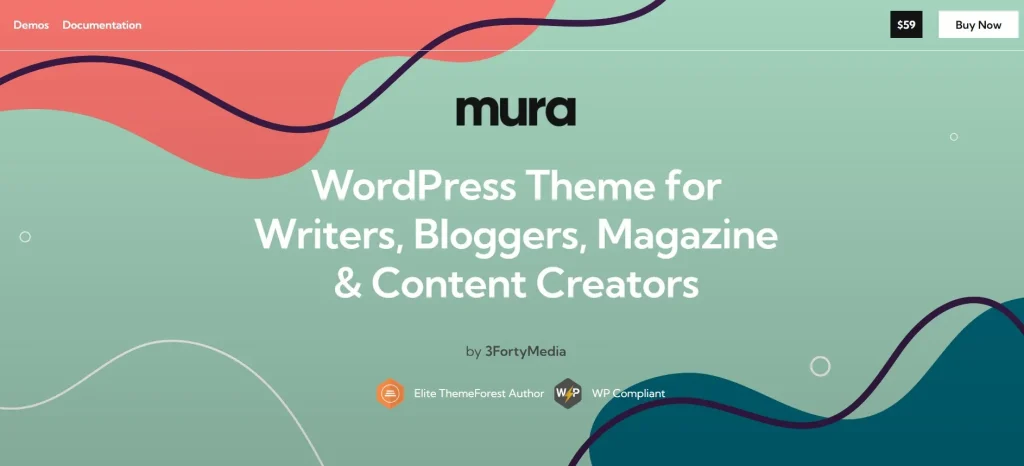
Mura is a premium multipurpose WordPress theme designed to help users create modern, responsive, and high-performing websites. It is built with flexibility in mind, making it suitable for a wide variety of industries and use cases. From creative portfolios to business websites, Mura adapts easily to different project requirements.
The theme is designed with a strong focus on user experience and visual presentation. It includes a collection of pre-built demo layouts that can be imported with a single click, allowing users to quickly set up a website and customize it according to their needs. This is particularly helpful for beginners who may not have experience in web design.
Mura also integrates seamlessly with popular page builders such as Elementor, enabling users to create and edit pages using a drag-and-drop interface. This eliminates the need for coding and allows for greater creative freedom. Users can design unique layouts, adjust content blocks, and preview changes in real time.
In addition to design flexibility, Mura is optimized for performance and SEO. It uses clean code and fast-loading structures to ensure a smooth browsing experience. This not only improves user satisfaction but also helps websites rank better on search engines. Overall, Mura is a comprehensive solution for anyone looking to build a professional WordPress website efficiently.
Key Features of Mura
Mura offers a wide range of powerful features that make it an excellent choice for building modern websites. Below are some of its key functionalities:
- Multiple Pre-Built Demo Layouts
Mura provides a variety of professionally designed demo templates that cater to different industries and purposes. Users can import these demos with one click and customize them to match their brand. This feature significantly reduces development time and simplifies the website creation process. - Elementor Page Builder Integration
The theme is fully compatible with Elementor, one of the most popular page builders for WordPress. This allows users to design pages using a drag-and-drop interface without writing any code. It also provides flexibility to create custom layouts and unique designs. - Responsive and Mobile-Friendly Design
Mura ensures that all websites built with it are fully responsive and adapt seamlessly to different screen sizes. Whether visitors access the site from a desktop, tablet, or smartphone, the experience remains consistent and visually appealing. This is essential for modern web standards. - SEO Optimization
The theme is built with clean and optimized code, making it search engine friendly. It works well with SEO plugins and helps improve website visibility on Google and other search engines. This is crucial for attracting organic traffic and growing an online presence. - WooCommerce Compatibility
Mura integrates with WooCommerce, allowing users to create online stores and sell products or services. From product pages to checkout processes, the theme supports all essential eCommerce functionalities. This makes it ideal for businesses looking to expand their sales channels. - Advanced Customization Options
Users can easily customize colors, typography, layouts, and other design elements through the theme options panel. This ensures that each website can reflect the unique identity of the brand. No coding skills are required to make these changes. - Fast Performance and Clean Code
Mura is designed for speed and efficiency, ensuring quick loading times and smooth performance. This improves user experience and contributes positively to SEO rankings.
Benefits of Using Mura
Using Mura offers several advantages that make it a valuable choice for website development. One of the main benefits is its versatility. As a multipurpose theme, Mura can be used for various types of websites, eliminating the need to search for different themes for different projects.
Another important benefit is ease of use. With its integration with Elementor and one-click demo import, even beginners can create professional websites quickly. This reduces the learning curve and allows users to focus on content and branding rather than technical details.
Mura also enhances user engagement through its modern design and smooth navigation. Visitors are more likely to stay on a website that is visually appealing and easy to use. This can lead to higher conversion rates and better business results.
Additionally, the theme supports scalability. As your website grows, Mura can handle increased content and functionality without compromising performance. This makes it a long-term solution for businesses and individuals.
Finally, Mura’s SEO-friendly structure helps improve search engine rankings, making it easier for potential customers to find your website. Combined with its speed and responsiveness, this creates a strong foundation for online success.
How to Install Mura
Installing Mura on your WordPress website is a simple and straightforward process. Follow these steps to get started:
- Download the Theme File
After purchasing Mura from Pluginpro.org, download the theme package to your computer. The file will typically be in ZIP format. - Access WordPress Dashboard
Log in to your WordPress admin panel by navigating to your website’s login page. Enter your credentials to access the dashboard. - Upload the Theme
Go to Appearance > Themes and click on “Add New”. Then select “Upload Theme” and choose the Mura ZIP file from your computer. Click “Install Now” to upload the theme. - Activate the Theme
Once the installation is complete, click “Activate” to apply Mura to your website. - Install Required Plugins
After activation, you will see notifications to install recommended or required plugins. Install and activate them to ensure full functionality of the theme. - Import Demo Content
Use the one-click demo import feature to quickly set up your website with sample content. This provides a ready-made structure that you can customize. - Customize Your Website
Navigate to Appearance > Customize or use Elementor to modify your website. Adjust colors, fonts, layouts, and content to match your brand.
By following these steps, you can successfully install and configure Mura, allowing you to build a professional website efficiently.
Why Buy Mura at Pluginpro.org
Buying Mura from Pluginpro.org provides several advantages that make it a smart investment. One of the biggest benefits is cost savings, as you can save up to 95% compared to purchasing from official marketplaces. This makes it an affordable option for individuals and businesses.
All files available on Pluginpro.org are 100% clean and free from malicious code. This ensures that your website remains secure and performs optimally. Security is a top priority when choosing digital products, and Pluginpro.org delivers reliable solutions.
Another advantage is unlimited website usage. You can use Mura on multiple projects without any restrictions, making it ideal for developers and agencies managing multiple clients.
Pluginpro.org also offers easy updates, allowing you to keep your theme up to date with the latest features and improvements. This ensures compatibility with WordPress and enhances overall performance.
Finally, secure downloads and dependable access make Pluginpro.org a trusted platform for obtaining premium WordPress themes like Mura. With these benefits, users can confidently build and manage their websites.
Conclusion
Mura is a powerful and flexible WordPress theme that combines modern design with advanced functionality. Its wide range of features, ease of use, and compatibility with popular tools make it an excellent choice for building professional websites. Whether you are creating a business site, portfolio, or online store, Mura provides the tools needed to succeed.
With its SEO optimization, responsive design, and high performance, Mura helps users create engaging and effective websites. When combined with the cost-saving and reliability benefits of Pluginpro.org, it becomes an even more attractive option for anyone looking to build a strong online presence.