
Notes for LearnDash is a powerful WordPress plugin designed to enhance the learning experience within LearnDash-powered websites. As online education continues to grow, providing students with tools that improve engagement, retention, and productivity is essential. Notes for LearnDash addresses this need by allowing learners to take personal notes directly within their courses.
Whether you are running an online academy, coaching platform, or corporate training system, Notes for LearnDash adds a valuable layer of interactivity. It enables students to write, save, and organize notes while going through lessons, quizzes, and course materials. This functionality helps learners stay focused and improves knowledge retention.
One of the biggest advantages of Notes for LearnDash is its seamless integration with the LearnDash LMS. It works directly within the course interface, ensuring a smooth and intuitive user experience. Students do not need external tools or applications to take notes, which simplifies the learning process.
Additionally, Notes for LearnDash is lightweight, fast, and compatible with most WordPress themes and plugins. It is designed to enhance functionality without affecting performance. This makes it an excellent choice for educators who want to improve their platform without adding complexity.
In this comprehensive guide, we will explore everything about Notes for LearnDash, including what it is, its key features, benefits, installation process, and why purchasing it from Pluginpro.org is the best choice.
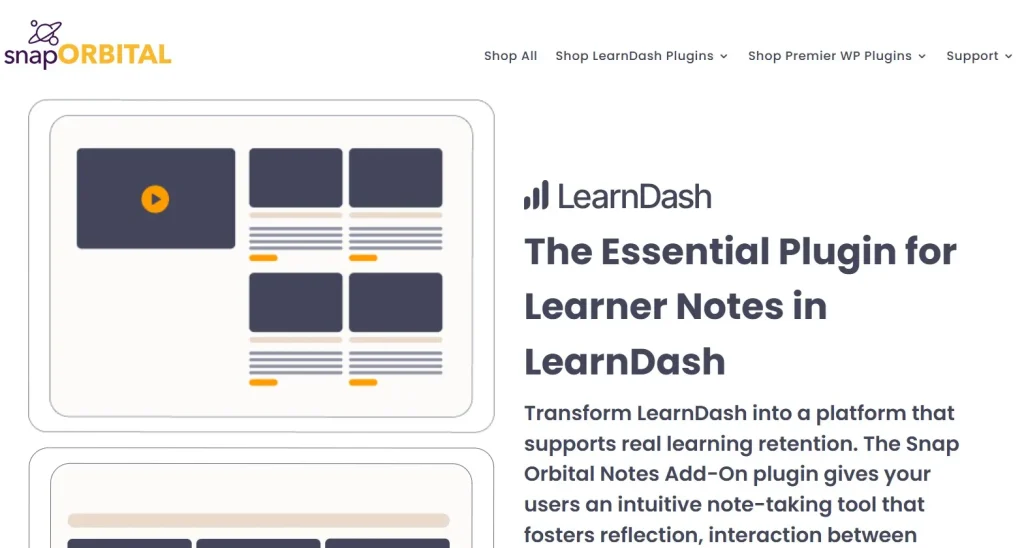
What is Notes for LearnDash?
Notes for LearnDash is a specialized WordPress plugin that allows users to create and manage personal notes within LearnDash courses. It is designed to improve the learning experience by providing an integrated note-taking system directly inside the LMS environment.
Traditionally, learners rely on external tools such as notebooks or third-party apps to take notes while studying online. This can be inconvenient and disrupt the learning flow. Notes for LearnDash eliminates this problem by allowing students to take notes without leaving the course page.
The plugin integrates seamlessly with LearnDash lessons, topics, and quizzes. Students can create notes related to specific sections of the course, making it easier to organize and review information later. This contextual note-taking approach enhances understanding and retention.
Another key feature of Notes for LearnDash is its user-friendly interface. It is simple and intuitive, allowing users to focus on learning rather than navigating complex tools. Notes are automatically saved and can be accessed anytime.
The plugin also supports responsive design, ensuring that students can take notes on desktops, tablets, and mobile devices. This flexibility is essential for modern learners who study on multiple devices.
Overall, Notes for LearnDash is a valuable addition to any LearnDash-powered website, providing a more interactive and effective learning experience.
Key Features of Notes for LearnDash
Notes for LearnDash comes with a variety of features designed to enhance the learning process and improve user engagement.
Integrated Note-Taking System
- Take notes directly within LearnDash courses
- No need for external tools
- Seamless integration with lessons and topics
- Easy access during learning
This feature ensures a smooth and uninterrupted learning experience.
Contextual Notes
- Create notes linked to specific lessons
- Organize notes by course sections
- Improve content understanding
- Easy review of important information
Helps learners stay organized and focused.
Auto-Save Functionality
- Automatically saves notes
- Prevents data loss
- Ensures continuous workflow
- No manual saving required
Provides convenience and reliability.
User-Friendly Interface
- Simple and intuitive design
- Easy navigation
- Minimal learning curve
- Focus on usability
Makes the plugin accessible for all users.
Responsive Design
- Works on desktops, tablets, and mobile devices
- Optimized for all screen sizes
- Consistent user experience
Ensures flexibility for learners.
Note Management System
- View, edit, and delete notes
- Organize notes efficiently
- Access notes anytime
- Improve study habits
Helps users manage their learning materials.
Lightweight and Fast Performance
- Minimal impact on website speed
- Optimized coding structure
- Smooth functionality
- Efficient resource usage
Maintains website performance.
Compatibility with LearnDash
- Fully integrated with LearnDash LMS
- Works with lessons, topics, and quizzes
- Compatible with LearnDash updates
Ensures seamless operation.
Customization Options
- Adjust note display settings
- Match design with your website
- Flexible layout options
Allows personalization.
Regular Updates and Support
- Frequent updates
- Bug fixes and improvements
- Compatibility with latest WordPress versions
Ensures long-term reliability.
Benefits of Using Notes for LearnDash
Using Notes for LearnDash provides numerous benefits for both learners and educators. One of the main advantages is improved learning efficiency. By allowing students to take notes directly within courses, the plugin helps them stay focused and retain information better.
Another key benefit is convenience. Students do not need to switch between different tools or applications to take notes. Everything is available within the learning platform, making the process more efficient.
Notes for LearnDash also enhances engagement. Interactive features like note-taking encourage active participation, which leads to better learning outcomes. Students become more involved in the learning process.
Organization is another major advantage. The plugin allows users to create structured notes linked to specific lessons, making it easier to review content later.
Performance is also improved. Since the plugin is lightweight, it does not slow down the website. This ensures a smooth user experience for both learners and administrators.
Flexibility is another benefit. Students can access their notes from any device, making it easier to study on the go.
The plugin also supports scalability. Whether you have a small course or a large online academy, Notes for LearnDash can handle your needs.
Additionally, it improves user satisfaction. Providing a built-in note-taking feature enhances the overall learning experience, which can lead to higher retention rates and positive feedback.
Finally, Notes for LearnDash is cost-effective. It adds valuable functionality without requiring additional tools or complex integrations.
How to Install Notes for LearnDash
Installing Notes for LearnDash is simple and can be completed in a few steps.
Step 1: Download the Plugin
- Visit Pluginpro.org
- Download the Notes for LearnDash plugin file
- Save it to your computer
Step 2: Log in to WordPress Dashboard
- Access your WordPress admin panel
- Enter your login credentials
Step 3: Upload the Plugin
- Go to Plugins > Add New
- Click Upload Plugin
- Select the plugin file
- Click Install Now
Step 4: Activate the Plugin
- After installation, click Activate
- Notes for LearnDash will now be enabled
Step 5: Configure Settings
- Adjust note display options
- Customize layout and appearance
- Set user permissions
Step 6: Test the Feature
- Open a LearnDash course
- Create a test note
- Ensure functionality works correctly
Step 7: Launch and Use
- Allow students to start using the feature
- Monitor usage and feedback
- Optimize settings if needed
Your note-taking system is now ready.
Why Buy Notes for LearnDash at Pluginpro.org
Buying Notes for LearnDash from Pluginpro.org offers several important advantages.
- Save up to 95% cost
Access premium features at a significantly reduced price. - 100% clean files
All files are verified and free from malware. - Unlimited websites usage
Use the plugin on multiple websites without restrictions. - Easy updates
Stay updated with the latest features and improvements. - Secure downloads
Download files safely without risk.
Pluginpro.org provides a reliable and affordable way to access premium WordPress plugins like Notes for LearnDash.
Conclusion
Notes for LearnDash is a powerful and user-friendly WordPress plugin that enhances the learning experience by adding an integrated note-taking system. With its seamless integration, intuitive interface, and performance optimization, it is an excellent addition to any LearnDash-powered website.
Its ability to improve engagement, organization, and knowledge retention makes it a valuable tool for both learners and educators. Whether you are running an online course, training program, or educational platform, Notes for LearnDash provides everything you need to enhance your system.
By purchasing Notes for LearnDash from Pluginpro.org, you can enjoy premium features at a fraction of the cost, along with secure downloads and unlimited usage.
If you are looking for a reliable, feature-rich, and cost-effective way to improve your LearnDash platform, Notes for LearnDash is definitely worth considering.



