
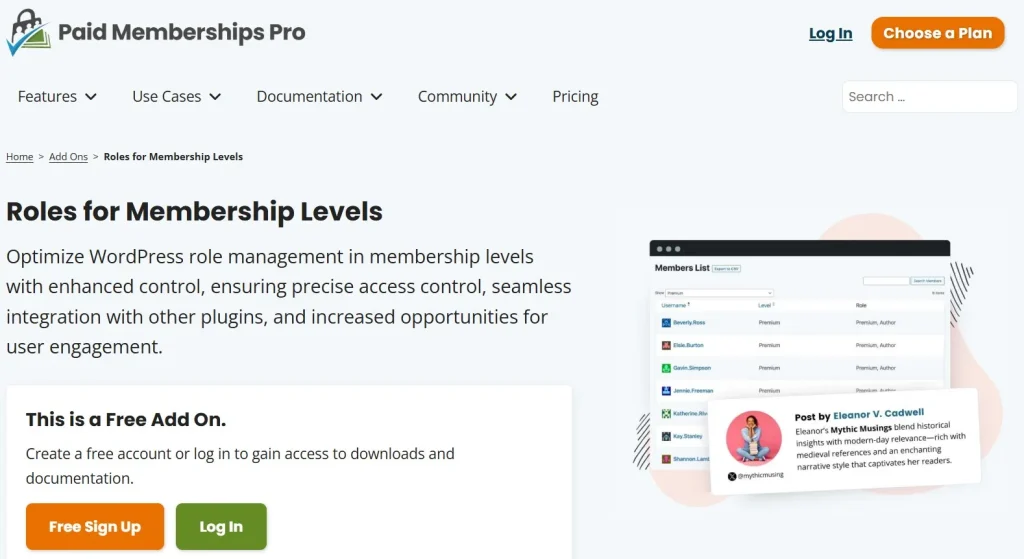
Managing user permissions is one of the most important aspects of a membership website. If you want to control what members can access, edit, or manage, you need a flexible role system. Paid Memberships Pro – Roles Add On is designed to give you full control over user roles based on membership levels.
In this article, we’ll explore how Paid Memberships Pro – Roles Add On works, its key features, installation steps, and why you should download it from PluginPro.org.
Introduction to Paid Memberships Pro – Roles Add On
Paid Memberships Pro – Roles Add On is an extension for the Paid Memberships Pro plugin that allows you to assign and manage WordPress user roles based on membership levels.
Instead of giving all members the same permissions, this add-on enables you to create custom role structures. For example:
- Basic members → Subscriber role
- Premium members → Author role
- VIP members → Editor role
This ensures that each membership level has the appropriate permissions and access.
The add-on works seamlessly with WordPress roles and integrates directly with your membership system, making it easy to manage user capabilities without coding.
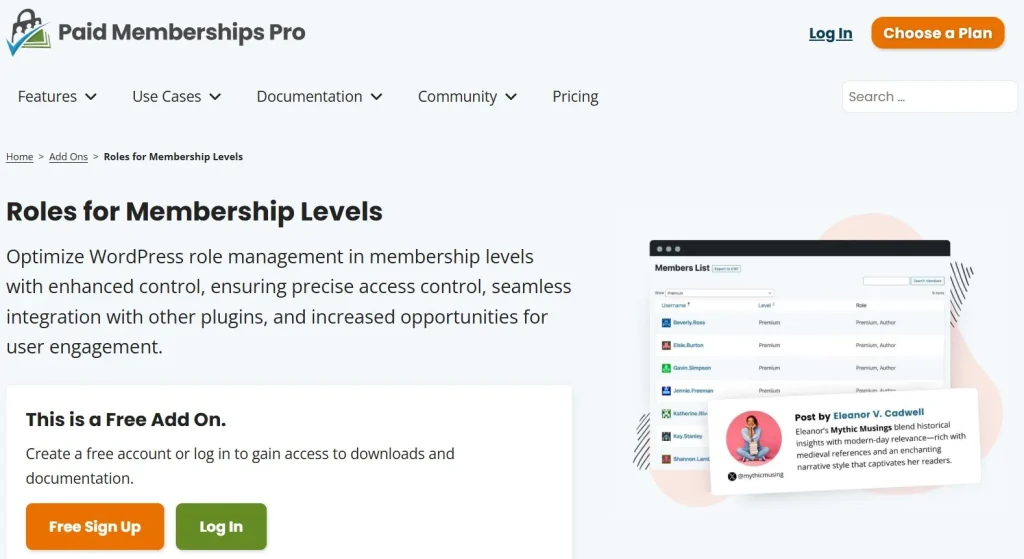
Why Use Paid Memberships Pro – Roles Add On
By default, Paid Memberships Pro assigns a standard role (usually Subscriber) to all users. However, many websites require more flexibility.
With Paid Memberships Pro – Roles Add On, you can:
- Assign different roles to different membership levels
- Automatically update roles when users upgrade or downgrade
- Control access to content, features, and capabilities
This is especially useful for:
- Membership communities
- Online courses (LMS)
- Multi-author blogs
- Subscription-based platforms
Key Features of Paid Memberships Pro – Roles Add On
Below are the core features that make this add-on essential for advanced membership sites.
1. Assign Roles Based on Membership Levels
The plugin allows you to map specific WordPress roles to each membership level.
For example:
- Free members → Subscriber
- Paid members → Contributor
- Premium members → Author
This gives you full control over what each user can do on your site.
2. Automatic Role Assignment
Roles are automatically assigned when users:
- Register or purchase a membership
- Upgrade or downgrade their plan
- Renew or cancel subscriptions
This automation ensures your system always stays updated without manual work.
3. Role Sync with Membership Changes
When a user changes their membership level, their role is updated accordingly.
For example:
- Upgrade → Gain more permissions
- Downgrade → Lose advanced access
- Cancel → Role can be removed or changed
This dynamic syncing keeps your permission system accurate at all times.
4. Support for Multiple Roles
You can assign multiple roles to a single user.
This is useful for:
- Hybrid membership systems
- Team-based access
- Advanced permission setups
5. Custom Role Creation per Membership Level
The add-on can create custom roles for each membership level automatically.
Each role can have specific capabilities depending on your needs.
6. Fine-Grained Permission Control
With role-based access, you can control:
- Content visibility
- Custom post types
- Menus and widgets
- Plugin features
This allows you to build complex membership systems without coding.
7. Works with Other Plugins
The add-on is compatible with role management plugins and other WordPress tools.
You can combine it with:
- LMS plugins
- Community platforms
- WooCommerce
This ensures flexibility for different types of websites.
8. No-Code Configuration
Everything can be managed through the WordPress admin dashboard.
You don’t need programming knowledge to assign roles or configure permissions.
How to Install Paid Memberships Pro – Roles Add On
Installing Paid Memberships Pro – Roles Add On is simple.
Step 1: Install Paid Memberships Pro
Before installing the add-on, make sure the core plugin is installed and activated.
Step 2: Download the Add-on
Download the Roles Add On file from PluginPro.org.
Step 3: Upload the Plugin
Go to:
Plugins → Add New → Upload Plugin
Upload the ZIP file and click Install Now.
Step 4: Activate the Plugin
After installation, click Activate Plugin.
Step 5: Configure Role Settings
Navigate to membership settings and assign roles to each membership level.
Step 6: Test Role Behavior
Create test users and verify:
- Role assignment on signup
- Role updates on upgrade/downgrade
- Role removal on cancellation
Benefits of Using Paid Memberships Pro – Roles Add On
Using this add-on provides several advantages.
Better Access Control
You can define exactly what each member can access or manage.
Automated User Management
Roles update automatically, saving time and reducing errors.
Scalable Membership System
Perfect for growing platforms with multiple membership tiers.
Improved User Experience
Users get permissions that match their membership level.
Why Buy Paid Memberships Pro – Roles Add On at PluginPro.org
Buying from PluginPro.org offers great value and flexibility.
Save Up to 95% Budget
Get the add-on at a much lower cost compared to official pricing.
100% Clean and Safe Code
All files are carefully checked to ensure:
- No malware
- Clean code
- Secure usage
Unlimited Website Usage
Use the plugin on unlimited websites without restrictions.
Easy Updates
Download the latest version anytime to stay compatible with WordPress updates.
Instant Download
Get immediate access after purchase and start using it right away.
Final Thoughts
Paid Memberships Pro – Roles Add On is a powerful tool for anyone building a membership website with advanced permission control. By linking WordPress roles to membership levels, it allows you to create a flexible and scalable system tailored to your needs.
Whether you are running an online course, community platform, or subscription service, this add-on helps you manage users more efficiently and securely.
If you want full control over user roles and permissions, Paid Memberships Pro – Roles Add On is an essential upgrade.
Get it today from PluginPro.org and enjoy benefits like saving up to 95% of your budget, clean code, unlimited usage, and easy updates.



