
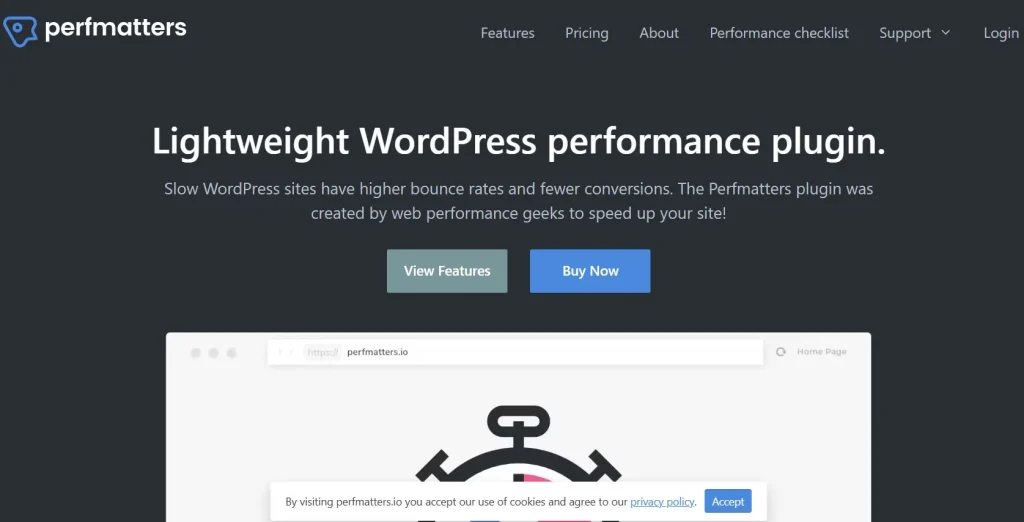
In the fast-paced digital world, website speed is more than just a convenience—it’s a necessity. Slow websites lead to poor user experience, lower engagement, and even decreased search engine rankings. Perfmatters is a lightweight WordPress plugin designed to optimize your site’s performance, reduce load times, and improve overall user experience.
In this article, we’ll introduce Perfmatters, explore its key features, guide you through installation, and explain why purchasing it from PluginPro.org is a smart choice for your WordPress site.
What Is Perfmatters?
Perfmatters is a performance optimization plugin for WordPress that allows you to disable unnecessary scripts, reduce HTTP requests, and fine-tune site behavior for maximum speed. Unlike bulky caching plugins, Perfmatters focuses on lightweight optimizations that make your website faster without compromising functionality.
The plugin is perfect for:
- Bloggers and content creators
- E-commerce websites using WooCommerce
- Agencies and freelancers managing multiple client sites
- Membership and online course platforms
By combining speed optimization with a user-friendly interface, Perfmatters ensures your website performs efficiently across all devices.
Key Features and Selling Points of Perfmatters
Perfmatters is packed with features designed to enhance website speed and performance:
1. Script Manager
The Script Manager lets you disable unnecessary scripts and styles on specific pages, reducing bloat and improving load times:
- Disable unused plugin scripts on pages where they are not needed
- Reduce CSS and JavaScript files loaded on each page
- Minimize HTTP requests to speed up your website
This granular control ensures your website loads faster without affecting functionality.
2. Performance Optimizations
Perfmatters includes several built-in optimizations:
- Disable emojis, embeds, and heartbeat API
- Remove query strings from static resources
- Enable lazy loading for images and videos
These optimizations improve page speed and contribute to higher Google PageSpeed scores.
3. Database Optimization
The plugin helps you maintain a clean database by:
- Removing post revisions, trashed items, and spam comments
- Scheduling automatic database cleanup
- Optimizing tables for faster queries
A clean database reduces server load and ensures smooth website performance.
4. CDN and Asset Loading Control
Perfmatters allows precise control over how assets are loaded:
- Defer JavaScript or load scripts asynchronously
- Manage CSS and font loading for faster rendering
- Integrate easily with Content Delivery Networks (CDNs)
These controls improve load speed, particularly on global websites.
5. WooCommerce Optimization
For online stores, Perfmatters offers WooCommerce-specific enhancements:
- Disable cart fragments on non-cart pages
- Reduce unnecessary WooCommerce scripts
- Improve checkout speed and user experience
This ensures your WooCommerce store loads quickly, even under heavy traffic.
6. Lightweight and Easy to Use
Perfmatters is designed to be lightweight, avoiding unnecessary server load:
- Minimal impact on website resources
- Clean, intuitive dashboard for managing settings
- No coding required
Even beginners can implement performance improvements without technical expertise.
7. Regular Updates and Support
The plugin is actively maintained, with updates to ensure compatibility with WordPress and popular plugins:
- Stay compatible with the latest WordPress releases
- Receive performance improvements and bug fixes
- Access dedicated support for setup and troubleshooting
This ensures your website stays fast and secure over time.
How to Install Perfmatters
Installing Perfmatters is simple and can be done in a few steps:
Step 1: Download the Plugin
Purchase Perfmatters from PluginPro.org and download the plugin ZIP file.
Step 2: Upload to WordPress
- Log in to your WordPress dashboard
- Navigate to Plugins → Add New → Upload Plugin
- Click Choose File and select the Perfmatters ZIP file
- Click Install Now
Step 3: Activate the Plugin
After installation, click Activate Plugin. The Perfmatters menu will now appear in your WordPress dashboard.
Step 4: Configure Settings
Navigate to Perfmatters → Settings to:
- Enable script and style management
- Activate database cleanup schedules
- Apply performance optimizations such as lazy loading and deferred scripts
- Optimize WooCommerce assets if applicable
Once configured, your website will benefit from faster load times and improved performance.
Why You Should Use Perfmatters
Using Perfmatters offers several advantages:
- Improved Page Speed – Reduce load times and enhance user experience.
- Better SEO – Faster websites rank higher on search engines.
- Enhanced User Experience – Quick-loading pages increase engagement and reduce bounce rates.
- Reduced Server Load – Lightweight optimizations decrease server resource usage.
- Cost-Effective – Achieve premium performance improvements without expensive hosting upgrades.
These benefits make Perfmatters essential for WordPress site owners who want a faster, more efficient website.
Why Buy Perfmatters from PluginPro.org?
Purchasing Perfmatters from PluginPro.org provides additional advantages:
Save Up to 95% on Your Budget
PluginPro offers premium plugins at massive discounts, making it affordable for small businesses, freelancers, and agencies.
100% Clean Code
Plugins from PluginPro are guaranteed 100% clean code, free from malware, hidden ads, or malicious scripts, ensuring secure and reliable performance.
Unlimited Website Usage
Unlike many plugin licenses, Perfmatters from PluginPro can be used on unlimited websites, ideal for developers managing multiple client projects.
Easy Updates
PluginPro ensures seamless plugin updates, keeping your WordPress site compatible with the latest releases and performance improvements.
Reliable Support
PluginPro provides dependable support to help with installation, configuration, and optimization, ensuring smooth operation for your website.
Benefits of Using Perfmatters
Implementing Perfmatters on your WordPress site delivers multiple benefits:
- Faster Website Load Times – Optimize scripts, styles, and assets to reduce page load.
- Better User Experience – Improved performance leads to higher engagement and lower bounce rates.
- SEO Advantages – Google favors fast-loading sites, improving search rankings.
- Easy Management – Lightweight and user-friendly plugin requires no coding.
- Cost Efficiency – Get premium performance optimization at a fraction of the cost via PluginPro.org.
These benefits make Perfmatters a must-have plugin for WordPress websites of all sizes.
Conclusion
For WordPress site owners seeking superior performance, faster load times, and enhanced user experience, Perfmatters is the ideal solution. Its lightweight optimizations, WooCommerce-specific improvements, and intuitive dashboard simplify website speed enhancement without the need for coding knowledge.
Purchasing Perfmatters from PluginPro.org guarantees unlimited website usage, 100% clean code, easy updates, and significant cost savings—up to 95% off the original price.
If you want to maximize your WordPress website’s speed, improve SEO, and deliver a better user experience, Perfmatters is the plugin you need.



