
In today’s competitive eCommerce landscape, attracting new customers is important—but keeping them is even more valuable. A loyalty program is one of the most effective ways to increase repeat purchases and customer engagement. Points and Rewards For WooCommerce Pro is a powerful plugin that helps you create a complete reward system for your online store.
This article will cover everything you need to know about Points and Rewards For WooCommerce Pro, including its features, installation steps, and why you should download it from PluginPro.org.
Introduction to Points and Rewards For WooCommerce Pro
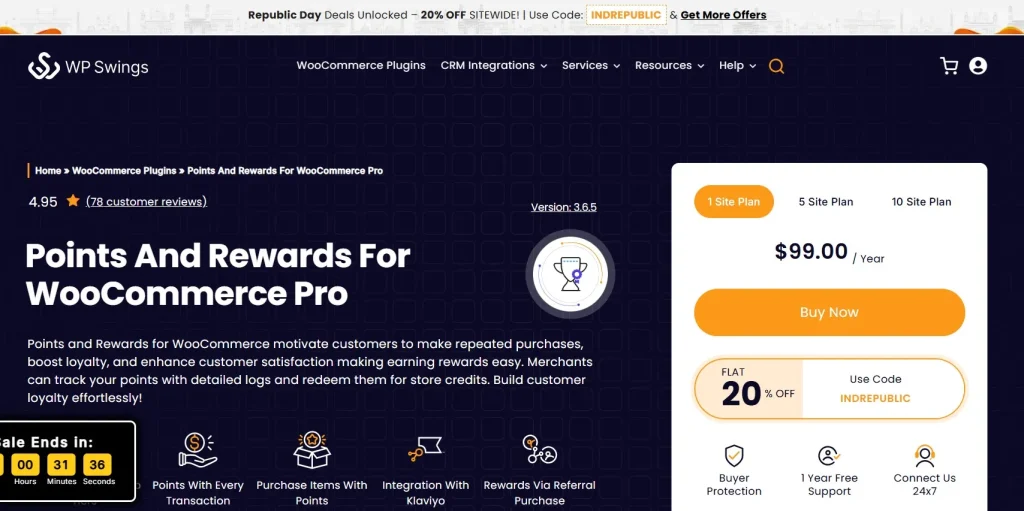
Points and Rewards For WooCommerce Pro is a premium WooCommerce plugin that allows store owners to reward customers with points for various actions. These points can later be redeemed for discounts, coupons, or special offers.
With this plugin, you can easily build a loyalty system that encourages users to interact more with your store. Instead of one-time purchases, customers are motivated to return and accumulate more rewards.
This type of system is widely used by successful eCommerce businesses to increase customer lifetime value and build long-term relationships.
Why Use Points and Rewards For WooCommerce Pro
Standard WooCommerce stores do not include a built-in loyalty system. Points and Rewards For WooCommerce Pro fills this gap by offering flexible reward options.
By using this plugin, you can:
- Encourage repeat purchases
- Reward customer engagement
- Increase average order value
- Build brand loyalty
Customers are more likely to return when they know they can earn and redeem points.
Key Features of Points and Rewards For WooCommerce Pro
1. Earn Points for Multiple Actions
Customers can earn points through different activities, such as:
- Purchasing products
- Creating an account
- Writing reviews
- Referring friends
- Logging in regularly
This encourages users to interact more with your store.
2. Flexible Redemption System
The plugin allows you to define how points are converted into rewards.
You can:
- Set conversion rates (e.g., points to discount value)
- Allow full or partial payment using points
- Limit how many points can be used per order
This gives you full control over your loyalty program.
3. Membership Levels and Gamification
You can create a tier-based reward system with levels such as:
- Bronze
- Silver
- Gold
Each level can offer different benefits and earning rates. This gamification approach keeps customers engaged and motivated.
4. Referral Reward System
Encourage users to invite others by offering referral rewards.
- Points for successful referrals
- Bonus rewards when referred users make purchases
This helps grow your customer base organically.
5. Points Expiration Control
To maintain balance, you can set expiration rules for points.
- Expire unused points after a specific time
- Limit redemption conditions
This prevents misuse and keeps your system optimized.
6. Coupon Generation from Points
Customers can convert their points into discount coupons automatically.
This simplifies the redemption process and encourages purchases.
7. Detailed Points Tracking
Admins can track all point activities, including:
- Points earned
- Points redeemed
- Customer activity history
You can also manually adjust points when needed.
8. Email Notifications and Alerts
Keep customers informed with automated messages such as:
- Points earned notifications
- Reward reminders
- Expiration alerts
This increases engagement and keeps users active.
9. Product and Category-Based Rewards
You can assign different reward values to specific products or categories.
This helps promote targeted products and boost sales in specific areas.
10. Advanced User Role Control
Set rules based on user roles or membership levels.
This allows you to create exclusive reward programs for VIP customers or premium members.
How to Install Points and Rewards For WooCommerce Pro
Installing Points and Rewards For WooCommerce Pro is simple and beginner-friendly.
Step 1: Download the Plugin
Download the plugin ZIP file from PluginPro.org after purchase.
Step 2: Upload the Plugin
Go to your WordPress dashboard:
Plugins → Add New → Upload Plugin
Upload the ZIP file and click Install Now.
Step 3: Activate the Plugin
After installation, click Activate Plugin.
Step 4: Configure Settings
Navigate to:
WooCommerce → Points & Rewards
Set up:
- Earning rules
- Redemption system
- Membership levels
- Notifications
Step 5: Test the System
Create test actions such as placing an order or signing up to ensure points are calculated correctly.
Benefits of Using Points and Rewards For WooCommerce Pro
Increase Customer Retention
Reward programs encourage repeat purchases.
Boost Revenue
Customers are motivated to spend more to earn rewards.
Improve Engagement
Gamification makes shopping more interactive.
Strengthen Brand Loyalty
Customers feel valued when rewarded for their actions.
Why Buy Points and Rewards For WooCommerce Pro at PluginPro.org
Save Up to 95% Budget
Get the plugin at a significantly lower price compared to official sources.
100% Clean and Safe Code
- No malware
- Clean files
- Secure installation
Unlimited Website Usage
Use the plugin on unlimited websites without restrictions.
Easy Updates
Stay compatible with the latest WordPress and WooCommerce versions.
Instant Download
Download immediately after purchase and start using it right away.
Final Thoughts
Points and Rewards For WooCommerce Pro is an essential plugin for any WooCommerce store that wants to build a strong loyalty program. With flexible reward rules, referral systems, and gamification features, it helps increase customer engagement and drive repeat sales.
If you want to grow your eCommerce business and create long-term customer relationships, this plugin is a smart investment.
Get Points and Rewards For WooCommerce Pro today from PluginPro.org and enjoy benefits like saving up to 95% of your budget, clean code, unlimited usage, and easy updates.



