
Every WordPress website needs flexibility, whether you’re building a blog, portfolio, directory, or online store. Post Type Builder (PTB) is a powerful plugin that allows you to create custom post types, taxonomies, and templates without coding. It transforms WordPress into a fully dynamic content management system tailored to your needs.
In this guide, we’ll show you how to install PTB, explore its key features, and explain why purchasing it from Pluginpro.org is the smartest choice for WordPress users.
What is Post Type Builder (PTB)?
Post Type Builder (PTB) is a WordPress plugin designed to extend the native functionality of WordPress. With PTB, you can create unlimited custom post types, custom taxonomies, and custom templates to display content exactly how you want.
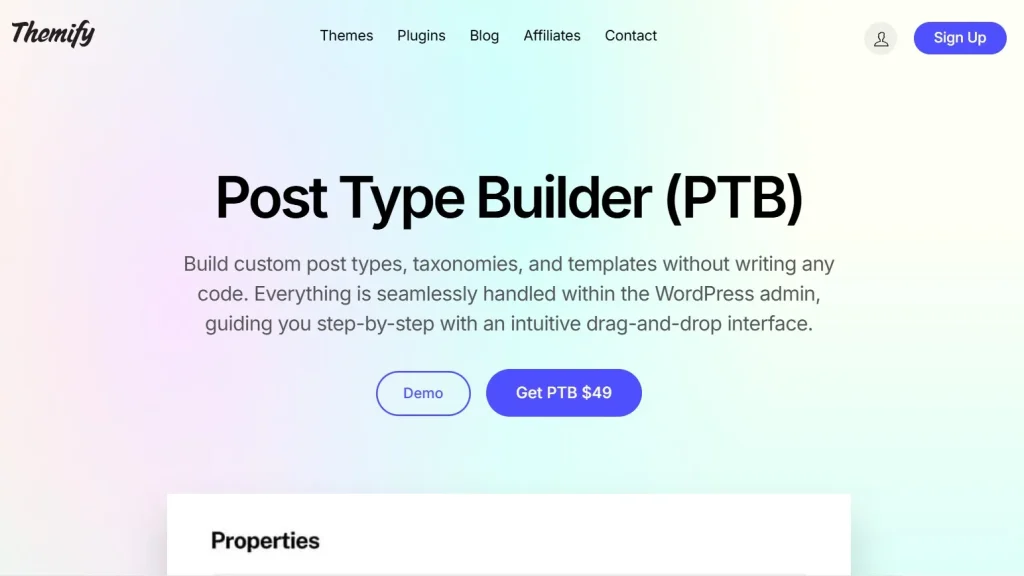
It’s perfect for developers, agencies, and website owners who want to create complex websites with dynamic content, such as directories, real estate listings, portfolios, or product catalogs.
PTB allows you to control not just the data structure but also the front-end display using an intuitive drag-and-drop interface.
How to Install Post Type Builder (PTB)
Installing PTB is straightforward and beginner-friendly:
Step 1: Purchase and Download
Buy PTB from Pluginpro.org to get a fully licensed version at a discounted price. You’ll receive clean code, unlimited website usage, and easy updates.
Step 2: Upload to WordPress
- Log in to your WordPress dashboard.
- Navigate to Plugins > Add New > Upload Plugin.
- Select the PTB plugin file and click Install Now.
Step 3: Activate the Plugin
Click Activate Plugin after installation. You will now see a PTB menu in your WordPress dashboard.
Step 4: Configure Settings
Go to PTB > Settings to configure global options like custom fields, post types, taxonomies, and templates.
Step 5: Create Your First Custom Post Type
- Navigate to PTB > Post Types and click Add New Post Type.
- Name your post type (e.g., Portfolio, Listings, Services).
- Add custom fields for each post type (text, image, select, checkbox, etc.).
- Configure custom templates to control how the post type displays on your site.
Once configured, your new post type is ready to use, and content can be added just like standard WordPress posts.
Key Features of Post Type Builder (PTB)
PTB is packed with features that make it one of the most flexible custom post type plugins:
1. Unlimited Custom Post Types
Create as many post types as your website needs, from portfolios and testimonials to directories and product catalogs.
2. Custom Taxonomies
Organize content efficiently with custom categories, tags, or hierarchical taxonomies specific to each post type.
3. Custom Fields
Add text, images, selects, checkboxes, and more to each post type for complete content flexibility.
4. Template Builder
Design templates for listing pages, single posts, and archives using an intuitive drag-and-drop editor. No coding required.
5. Front-End Submission
Allow users or clients to submit content directly from the front-end, perfect for directories or marketplaces.
6. Dynamic Content Display
Display content dynamically on any page using shortcodes or Elementor integration, creating flexible layouts.
7. Compatible with Page Builders
Works seamlessly with Elementor, WPBakery, and other popular WordPress page builders.
8. Performance Optimized
Lightweight and coded for speed, ensuring large websites with many post types remain fast and responsive.
Benefits of Using Post Type Builder (PTB)
Here’s why PTB is essential for any WordPress website that requires dynamic content:
- Flexibility: Create custom post types, fields, and taxonomies tailored to your site’s needs.
- Time-Saving: Pre-built templates and an easy interface speed up development.
- No Coding Required: Manage post types and templates without touching a line of code.
- Scalable: Perfect for small websites and enterprise-level projects alike.
- Enhanced UX: Users interact with custom content types, improving website experience.
Selling Points: Why Choose Post Type Builder (PTB)
PTB is more than just a custom post type plugin. Its standout advantages include:
- Intuitive Interface: Manage complex post types using a simple drag-and-drop interface.
- Dynamic Design: Create unique layouts for archives and single posts.
- Front-End Management: Let users submit content without backend access.
- Developer Friendly: Extendable with hooks and shortcodes for advanced customization.
- Cross-Compatibility: Works with major themes and WordPress plugins.
Why Buy Post Type Builder (PTB) from Pluginpro.org?
Purchasing PTB from Pluginpro.org comes with unique benefits:
1. Save Up to 95%
Get the premium plugin at a fraction of the original cost without losing any features.
2. 100% Clean Code
All plugins are verified for security and performance, ensuring your site remains safe and fast.
3. Unlimited Website Usage
Use PTB on unlimited websites, ideal for agencies, freelancers, or developers managing multiple clients.
4. Easy Updates
Receive regular updates to keep your plugin compatible with WordPress and other extensions.
5. Expert Support
Access dedicated support for installation, configuration, and troubleshooting from Pluginpro.org professionals.
Real-Life Use Cases
1. Portfolio Websites
Showcase projects using custom post types, unique templates, and dynamic fields.
2. Real Estate Sites
Create property listings with custom fields like price, location, area, and features, displayed dynamically.
3. Directories
Build business directories, service listings, or event directories with front-end submission options.
4. Agencies
Manage multiple client projects using separate custom post types and templates.
5. E-Commerce Extensions
Display product catalogs or additional content types integrated with WooCommerce using PTB templates.
Frequently Asked Questions
Q: Can I use PTB with Elementor?
Yes, PTB integrates seamlessly with Elementor and other page builders.
Q: Does it allow front-end submissions?
Absolutely. PTB allows users to submit content from the front-end.
Q: Can I create unlimited post types?
Yes, PTB allows unlimited post types, taxonomies, and custom fields.
Q: Is it performance-friendly for large sites?
Yes, PTB is lightweight and optimized for fast load times.
Conclusion
Post Type Builder (PTB) is the ultimate solution for creating dynamic, custom WordPress websites. Whether you are building portfolios, directories, real estate listings, or any other custom content, PTB gives you complete control over post types, taxonomies, custom fields, and templates.
Purchasing PTB from Pluginpro.org ensures you get a fully licensed, clean-coded plugin at a discounted price with unlimited website usage, easy updates, and expert support.



