
Offering customizable products can significantly boost sales and customer satisfaction. Product Designer for WooCommerce is a premium WordPress plugin that allows your customers to personalize products online, giving them a unique shopping experience.
This article will cover everything about Product Designer for WooCommerce, including installation, features, benefits, and why purchasing it from Pluginpro.org is the smart choice for your WooCommerce store.
Introduction to Product Designer for WooCommerce
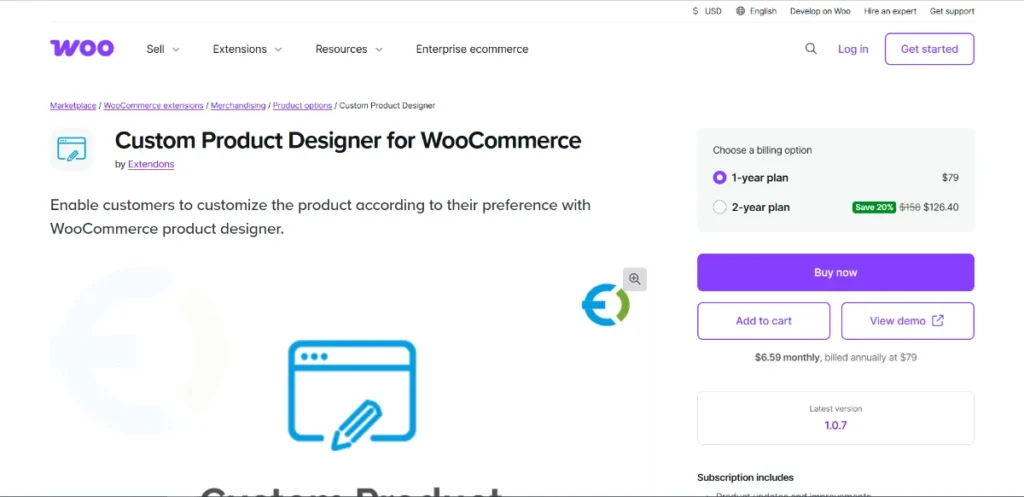
Product Designer for WooCommerce is a powerful plugin that enables businesses to provide online product customization tools. Customers can design their own products, add text, images, and cliparts, or modify colors and layouts before placing an order.
It is ideal for:
- E-commerce stores selling customizable products (t-shirts, mugs, phone cases)
- Gift shops allowing personalized orders
- Print-on-demand businesses
- Agencies managing client WooCommerce stores
With this plugin, you can offer interactive product customization, increase engagement, and drive sales by letting customers create their unique products.
Key Features and Selling Points
1. Live Product Customization
Allow customers to personalize products in real time:
- Add and edit text with multiple fonts, sizes, and colors
- Upload images or logos
- Add shapes, stickers, or clipart
Customers can see exactly how their product will look before buying.
2. Multiple Product Types Supported
Supports various product types including:
- Simple products
- Variable products
- WooCommerce bundles
This flexibility ensures compatibility with most online stores.
3. User-Friendly Interface
- Drag-and-drop editor for easy customization
- Real-time preview of the final design
- Intuitive layout for desktop and mobile users
No coding is required, making it accessible for all users.
4. Print-Ready Output
Generate high-resolution, print-ready files for manufacturing:
- Export designs in PDF, PNG, or SVG formats
- Ensure precise production quality
- Streamline workflow for print-on-demand businesses
5. Conditional Logic and Restrictions
- Limit product customization options based on product or category
- Set minimum or maximum text length
- Restrict image size or format
This ensures customers can only create valid and producible designs.
6. Pricing Rules for Customization
Automatically calculate prices based on customization options:
- Add extra charges for text, images, or colors
- Dynamic price updates in real time
- Combine with WooCommerce discount rules
7. Integration with WooCommerce
Seamlessly works with WooCommerce:
- Supports shopping cart, checkout, and orders
- Stores design data with customer orders
- Compatible with popular WooCommerce extensions
8. Mobile-Friendly and Responsive
The plugin is fully responsive, allowing customers to design products on smartphones, tablets, or desktops without issues.
How to Install Product Designer for WooCommerce
Installing Product Designer for WooCommerce is simple and fast:
Step 1: Download
- Purchase and download the plugin from Pluginpro.org
- Save the ZIP file to your computer
Step 2: Upload to WordPress
- Log in to your WordPress dashboard
- Navigate to Plugins → Add New → Upload Plugin
- Select the ZIP file and click Install Now
Step 3: Activate
- Click Activate Plugin
- The plugin is ready for configuration
Step 4: Configure Product Designer
- Open the Product Designer settings panel
- Enable customization options for desired products
- Configure text, images, clipart, and pricing rules
- Test product design functionality before going live
With these steps, your WooCommerce store can offer fully interactive product customization.
Benefits of Using Product Designer for WooCommerce
Boost Sales
Offering customization increases product value and encourages higher purchase rates.
Enhance Customer Satisfaction
Customers enjoy the ability to create personalized products, improving loyalty and repeat purchases.
Reduce Errors
Real-time preview and restrictions ensure customers create valid designs, reducing mistakes in production.
Flexible for Any Store
Supports multiple product types and pricing rules, making it suitable for diverse business models.
Scalable for Agencies
Manage product customization across multiple client websites efficiently using one plugin.
Why Buy from Pluginpro.org
Purchasing premium plugins from Pluginpro.org ensures affordability, security, and convenience.
Save Up to 95%
Get premium plugins like Product Designer for WooCommerce at a fraction of the original price.
100% Clean Code
All plugins are verified to ensure:
- No malware
- No hidden scripts
- Safe WordPress installation
Unlimited Website Usage
Install the plugin on unlimited WooCommerce websites without license restrictions.
Easy Updates
Receive regular updates for compatibility with WooCommerce and WordPress.
Perfect for Agencies and Developers
Create product customization solutions for multiple clients while saving money and time.
Who Should Use Product Designer for WooCommerce?
- WooCommerce store owners selling customizable products
- Print-on-demand businesses
- Gift shops and merchandise stores
- Agencies managing client stores
The plugin is suitable for beginners and advanced users alike.
Best Practices
- Offer a limited but intuitive set of customization options
- Ensure design restrictions are clear to prevent errors
- Use high-quality clipart and image upload guidelines
- Test customization on multiple devices for responsive design
- Use pricing rules carefully to maintain profit margins
Final Thoughts
Product Designer for WooCommerce is a must-have plugin for WooCommerce stores wanting to offer personalized products. Its live customization, print-ready output, pricing rules, and seamless WooCommerce integration make it perfect for increasing engagement, sales, and customer satisfaction.
Purchasing from Pluginpro.org allows you to save up to 95%, ensures 100% clean code, provides unlimited website usage, and enables easy updates. For any online store seeking to offer interactive product customization, Product Designer for WooCommerce is the ultimate solution.



