Website security is critical in today’s digital landscape. WordPress, while powerful, is a frequent target for hackers, malware, and vulnerabilities. Security Ninja (Premium) is a comprehensive WordPress security plugin designed to protect your site, detect vulnerabilities, and provide actionable solutions to keep your website safe.
In this article, we’ll guide you on how to install Security Ninja (Premium), highlight its key features, and explain why purchasing it from Pluginpro.org is the smartest choice for WordPress site owners.
What is Security Ninja (Premium)?
Security Ninja (Premium) is a WordPress plugin that provides advanced security measures to protect websites from hacking attempts, malware, and vulnerabilities. Unlike basic security plugins, it combines proactive protection, scanning, and monitoring tools to ensure comprehensive security.
With Security Ninja, you can:
- Perform in-depth security scans.
- Apply automatic fixes to vulnerabilities.
- Monitor your website for potential threats.
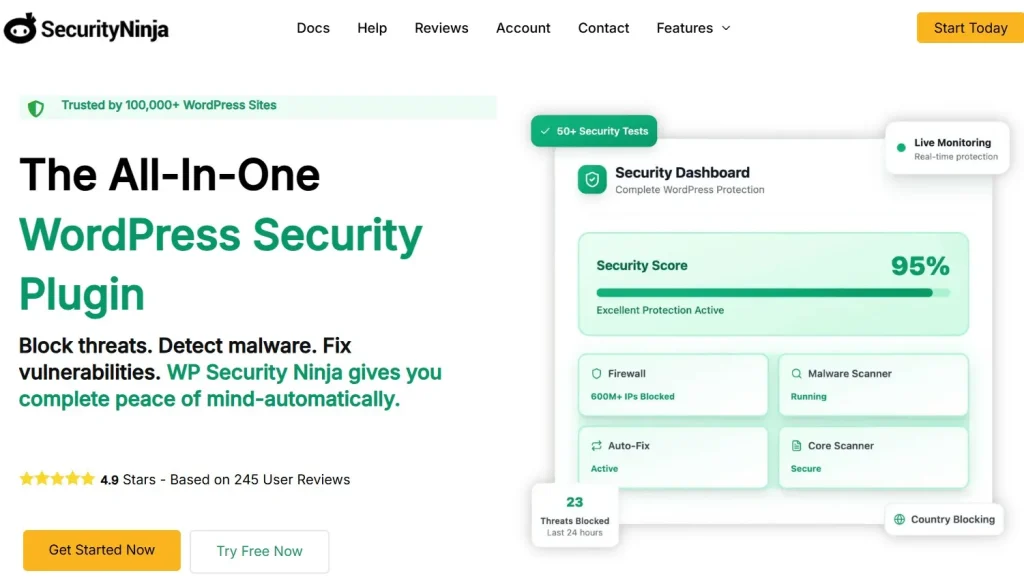
This premium version includes all advanced features, making it ideal for business websites, e-commerce stores, and agencies managing multiple client sites.
How to Install Security Ninja (Premium)
Installing Security Ninja (Premium) is simple and user-friendly. Follow these steps:
Step 1: Purchase and Download
- Visit Pluginpro.org and search for Security Ninja (Premium).
- Complete the purchase and download the plugin ZIP file.
(Tip: Pluginpro.org offers up to 95% savings compared to other marketplaces.)
Step 2: Upload to WordPress
- Log in to your WordPress dashboard.
- Navigate to Plugins > Add New > Upload Plugin.
- Click Choose File, select the downloaded ZIP file, and click Install Now.
- After installation, click Activate Plugin.
Step 3: Configure Security Settings
- Go to Security Ninja > Dashboard in the WordPress admin menu.
- Run a full security scan to detect potential vulnerabilities.
- Apply automatic fixes or manual solutions as suggested by the plugin.
- Enable advanced protection features like firewall rules, brute-force attack prevention, and malware monitoring.
Your WordPress site is now actively protected by Security Ninja (Premium).
Key Features of Security Ninja (Premium)
Security Ninja (Premium) comes packed with features to provide complete WordPress security:
1. Full Security Scans
Perform thorough scans for malware, code vulnerabilities, file changes, and potential security issues.
2. Automatic Vulnerability Fixes
Fix detected issues automatically with one click or apply manual recommendations.
3. Firewall Protection
Block malicious traffic and unauthorized login attempts to secure your site against hackers.
4. Malware Monitoring
Scan for malware and receive alerts if suspicious files or activities are detected.
5. Brute-Force Protection
Prevent automated login attacks by limiting login attempts and enforcing strong password policies.
6. Activity Logging
Track changes, user activities, and plugin modifications to maintain accountability and detect suspicious behavior.
7. Scheduled Scans
Set up automatic scans to regularly check your site’s security without manual intervention.
8. WooCommerce and Multi-Site Compatibility
Secure e-commerce stores and multi-site installations with full compatibility.
Selling Points: Why You Should Use Security Ninja (Premium)
Using Security Ninja (Premium) provides significant advantages:
- Proactive Security: Identify and fix vulnerabilities before hackers can exploit them.
- Time-Saving Automation: Automatic fixes, scheduled scans, and alerts reduce manual work.
- Enhanced User Protection: Secure customer data and maintain trust for your business.
- Developer-Friendly: Provides logs, hooks, and advanced tools for developers and agencies.
- Comprehensive Coverage: Combines malware scanning, firewall protection, and activity monitoring in a single plugin.
Why Purchase Security Ninja (Premium) from Pluginpro.org?
Purchasing the plugin from Pluginpro.org offers unique advantages:
- Save Up to 95%
Get Security Ninja (Premium) at a fraction of the cost compared to official sources. - 100% Clean Code
Verified plugin ensures security, performance, and compatibility with WordPress. - Unlimited Website Usage
Use the plugin on unlimited sites without extra licensing costs. - Easy Updates
Receive lifetime updates and support for hassle-free security management. - Trusted Source
Pluginpro.org provides verified, malware-free plugins for safe and reliable use.
Tips for Maximizing Security Ninja (Premium)
- Run Regular Scans
Schedule weekly or monthly scans to ensure your site remains secure. - Monitor Activity Logs
Keep an eye on user activity, plugin changes, and file modifications. - Enable Firewall and Brute-Force Protection
Block unauthorized access attempts and protect login pages. - Backup Before Fixes
Always backup your site before applying automatic fixes to avoid accidental data loss. - Combine with Other Security Measures
Use SSL, strong passwords, and secure hosting alongside Security Ninja for maximum protection.
Conclusion
Security Ninja (Premium) is an essential plugin for any WordPress website owner seeking robust protection against hacks, malware, and vulnerabilities. With full security scans, automatic fixes, firewall protection, and activity monitoring, it offers peace of mind for business owners, agencies, and developers.
Purchasing Security Ninja (Premium) from Pluginpro.org guarantees affordability, clean code, unlimited site usage, and easy updates. For anyone serious about WordPress security, Security Ninja (Premium) is a must-have plugin.