
Monetizing a WordPress website doesn’t have to be complicated. Whether you’re running a blog, magazine site, or niche content platform, displaying ads in the right places can generate steady revenue. However, managing ads manually often becomes messy and time-consuming.
The Simple Ads plugin is designed to solve this problem by offering an easy, lightweight, and efficient way to manage advertisements inside WordPress. It helps you create, display, and control ads without complex configurations or technical skills.
In this SEO guide, we’ll explore everything about Simple Ads, including its features, installation steps, use cases, and why buying it from PluginPro.org is the best decision.
What is Simple Ads?
Simple Ads is a WordPress plugin that allows you to manage and display advertisements on your website with minimal effort. It focuses on simplicity, making it ideal for users who want a straightforward ad management system without advanced setup complexity.
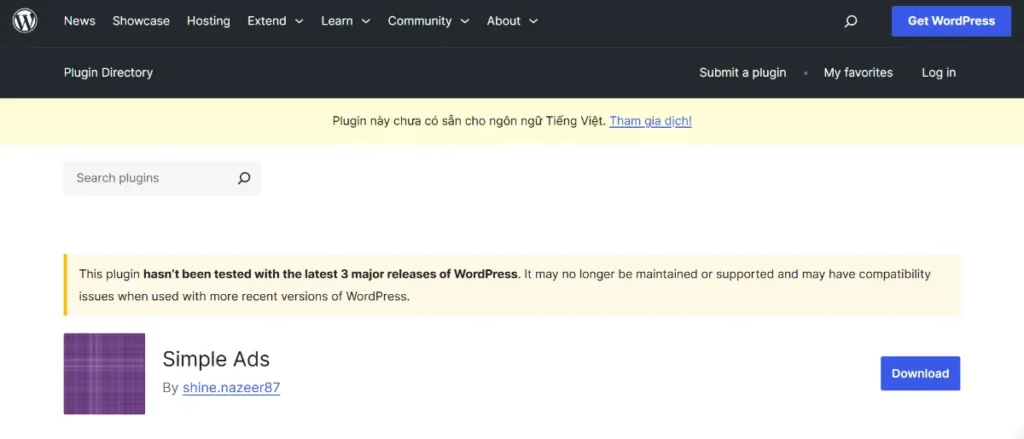
You can easily add banner ads, affiliate ads, or custom HTML ads and display them in different parts of your website.
Ideal for:
- Bloggers
- Affiliate marketers
- News and magazine websites
- Content creators
- Small business websites
With Simple Ads, monetizing your website becomes fast and stress-free.
Why Use Simple Ads?
Many ad management plugins are overloaded with features that beginners rarely use. Simple Ads takes a different approach by focusing on simplicity and performance.
Key Benefits:
- Easy ad creation and management
- Lightweight and fast performance
- No coding required
- Flexible ad placement options
- Beginner-friendly interface
Key Features of Simple Ads
The Simple Ads plugin provides essential tools to manage ads efficiently without unnecessary complexity.
1. Easy Ad Creation
Create ads quickly using a simple interface without technical knowledge.
2. Multiple Ad Types
Supports various ad formats including:
- Banner ads
- Image ads
- HTML ads
- Affiliate ads
3. Flexible Placement Options
Display ads in different locations such as:
- Sidebar
- Header
- Footer
- Inside content
4. Rotation System
Rotate multiple ads in the same position to increase visibility and performance.
5. Scheduling System
Schedule ads to run during specific time periods or campaigns.
6. Click Tracking
Monitor basic ad performance by tracking clicks and impressions.
7. Lightweight Performance
Optimized to ensure ads do not slow down your website.
8. Easy Admin Interface
Simple dashboard designed for beginners and non-technical users.
How to Install Simple Ads
Installing Simple Ads is quick and straightforward.
Step 1: Download the Plugin
- Purchase and download Simple Ads from PluginPro.org
Step 2: Upload to WordPress
- Go to your WordPress dashboard
- Navigate to Plugins → Add New → Upload Plugin
- Upload the ZIP file
Step 3: Install and Activate
- Click Install Now
- Then click Activate
Step 4: Configure Ads
- Open Simple Ads settings
- Create your first advertisement
- Choose placement and display rules
Step 5: Publish Ads
- Save settings
- View ads on your website
How Simple Ads Helps You Monetize Your Website
Easy Monetization
Start earning from your website without complex setups.
Better Ad Management
Organize all ads in one simple dashboard.
Increased Revenue Opportunities
Place ads in multiple strategic locations.
Improved User Experience
Keep ads clean and non-intrusive for visitors.
Use Cases for Simple Ads
1. Blogging Websites
Display banner ads within articles or sidebars.
2. Affiliate Marketing Sites
Promote affiliate products with embedded ads.
3. News Portals
Run multiple ad campaigns across different sections.
4. Small Business Websites
Promote services or partner offers.
Tips for Using Simple Ads Effectively
Place Ads Strategically
Focus on high-visibility areas like above content or sidebar.
Avoid Overloading Pages
Too many ads can reduce user experience.
Use Relevant Ads
Match ads with your content niche for better conversion.
Monitor Performance
Track clicks and optimize placements regularly.
Common Issues and Troubleshooting
Ads Not Displaying
- Check placement settings
- Ensure plugin is activated
Layout Issues
- Adjust ad size
- Test with different themes
Low Click Rates
- Improve ad positioning
- Use more relevant creatives
Why Buy Simple Ads from PluginPro?
PluginPro.org offers premium WordPress plugins at unbeatable value.
1. Save Up to 95% Budget
Get Simple Ads at a fraction of official pricing.
2. 100% Clean Code
All plugins are carefully verified for safety and performance.
3. Unlimited Website Usage
Use the plugin on unlimited WordPress sites.
4. Easy Updates
Stay compatible with the latest WordPress versions effortlessly.
5. Instant Download
Get immediate access after purchase.
6. Trusted Platform
PluginPro is trusted by thousands of WordPress users worldwide.
Conclusion
The Simple Ads plugin is a lightweight and beginner-friendly solution for managing advertisements in WordPress. With its easy setup, flexible placement options, and clean interface, it is perfect for users who want to monetize their website without complexity.
Whether you are a blogger, affiliate marketer, or small business owner, Simple Ads helps you start earning quickly and efficiently.
And when you purchase from PluginPro.org, you benefit from huge savings, clean code, unlimited usage, and hassle-free updates.



