
Sunlux is a modern WordPress plugin designed to enhance website design, layout flexibility, and visual performance through advanced customization tools. From the moment it is installed, Sunlux enables users to create visually engaging pages without relying heavily on custom development or multiple design plugins.
Many WordPress users face limitations when trying to build unique layouts or maintain consistent design systems across pages. Sunlux addresses this challenge by providing a structured yet flexible environment where design elements, sections, and visual components can be controlled with precision. This allows both beginners and experienced developers to streamline their design workflows.
In practice, Sunlux becomes especially useful when websites need to scale visually. A business website may start with a few pages, but as it grows, maintaining design consistency becomes more complex. Sunlux simplifies this by allowing reusable components and centralized styling control.
For example, an agency building multiple landing pages can use Sunlux to standardize layouts while still customizing specific sections for different campaigns. An eCommerce store can highlight products with dynamic design elements that adapt to seasonal promotions. Instead of redesigning each page manually, Sunlux provides a systemized approach.
For anyone aiming to create visually consistent, scalable, and high-performing WordPress websites, Sunlux offers a practical and efficient solution.
Another important aspect is how Sunlux supports rapid iteration. Designers can quickly adjust layouts, spacing, and visual hierarchy without affecting the entire site structure. This makes it easier to test new design ideas and optimize user experience over time.
It also helps reduce dependency on multiple plugins. By combining layout control and styling features in one tool, Sunlux minimizes conflicts and improves overall site performance.
A further advantage appears in collaborative environments. Teams working on the same project can follow a shared design system powered by Sunlux, reducing inconsistencies between pages created by different contributors.
In real-world workflows, Sunlux also supports design scalability for multilingual or multi-region websites. Instead of redesigning layouts for each version, users can reuse structures and only adjust content, significantly reducing production time.
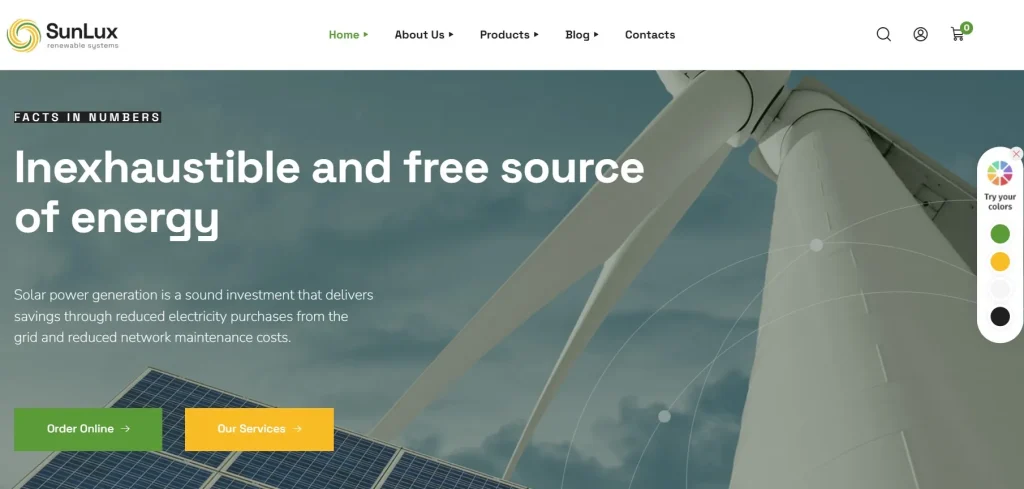
What is Sunlux?
Sunlux is a WordPress design and layout enhancement plugin that provides advanced tools for building visually structured and customizable web pages. At its core, Sunlux functions as a design framework that extends the default capabilities of WordPress, enabling users to control layout elements, spacing, and visual components more efficiently.
The plugin is designed for users who want greater control over how their website looks and behaves without writing extensive code. Instead of relying solely on themes or basic page builders, Sunlux introduces a more refined system for managing design consistency and flexibility.
A common example is a business website that needs multiple landing pages with different layouts but consistent branding. With Sunlux, users can create reusable design blocks and apply them across pages while adjusting specific elements as needed. This reduces repetitive work and ensures visual consistency.
Sunlux is also highly relevant for agencies and freelancers. When working on multiple client projects, maintaining a consistent workflow is essential. Sunlux allows designers to standardize their approach while still delivering unique designs for each client.
Another use case involves content-heavy websites. Blogs or media platforms often require structured layouts for articles, categories, and featured sections. Sunlux enables better control over these elements, improving readability and user engagement.
From a usability perspective, Sunlux is built with an intuitive interface that allows users to adjust layouts visually. At the same time, developers can extend its capabilities for more advanced customization.
For anyone building professional WordPress websites, Sunlux provides a scalable and efficient design solution.
Another key strength is its adaptability. As design trends evolve, Sunlux allows websites to be updated without a complete redesign. This ensures long-term usability and reduces maintenance costs.
It also supports modular design thinking. Instead of treating pages as isolated units, Sunlux encourages a system-based approach where components can be reused and adapted across the site.
In more advanced workflows, Sunlux can serve as the foundation for a full design system. Teams can define typography scales, spacing rules, and component libraries that ensure visual consistency across hundreds of pages.
Additionally, Sunlux enables better collaboration between designers and marketers. While designers focus on layout structure, marketers can adjust content within predefined sections without breaking design integrity.
Key Features of Sunlux
- Advanced Layout Control
Sunlux allows precise control over page layouts, including spacing, alignment, and section structure. Users can create complex layouts without writing code.
In practice, this enables designers to build unique page structures tailored to specific content needs.
For example, a landing page can feature multiple sections with varying layouts while maintaining a cohesive design.
This also helps when redesigning existing pages, as layouts can be adjusted without rebuilding content from scratch.
In real scenarios, this feature is often used to create conversion-focused layouts where elements such as testimonials, pricing tables, and CTAs are positioned strategically. - Reusable Design Components
The plugin supports reusable blocks that can be applied across different pages. This reduces duplication and ensures consistency.
A real-world use case is an agency creating standardized headers, footers, and call-to-action sections for multiple client projects.
Over time, this builds a library of components that speeds up future development significantly.
For example, updating a CTA block once can instantly reflect across dozens of pages. - Dynamic Styling Options
Sunlux provides flexible styling controls that allow users to adjust colors, typography, and spacing dynamically.
This is particularly useful for maintaining brand consistency across large websites.
For example, updating a primary color can automatically reflect across all pages using that style.
This feature is often used during rebranding, where visual updates need to be applied quickly across the entire site. - Responsive Design Tools
The plugin ensures that layouts adapt seamlessly across devices. Users can customize how elements appear on desktop, tablet, and mobile.
This improves user experience and ensures accessibility.
In practice, designers can fine-tune layouts for mobile users without affecting desktop versions.
This is especially important for eCommerce sites where mobile traffic dominates. - Integration with Page Builders
Sunlux works alongside popular page builders, enhancing their capabilities rather than replacing them.
This allows users to extend existing workflows without starting from scratch.
For example, a designer using Elementor can integrate Sunlux to gain additional layout control.
This compatibility ensures that teams do not need to abandon existing tools. - Performance Optimization Features
Despite its advanced capabilities, Sunlux is designed to maintain efficient performance. It minimizes unnecessary code and optimizes rendering.
This ensures that websites remain fast and responsive.
Faster load times directly impact SEO and user engagement.
In practice, this allows visually rich pages to load quickly without sacrificing quality. - Custom Section Management
Users can create and manage sections independently, allowing for greater flexibility in page design.
For example, a promotional section can be updated globally across all pages where it appears.
This reduces repetitive edits and ensures consistency.
It is particularly useful for seasonal campaigns or announcements. - Scalable Design System
Sunlux supports structured design systems that grow with your website.
This is essential for large projects where consistency and scalability are critical.
Teams can maintain a unified design language even as content expands.
This becomes increasingly valuable for enterprise-level websites.
Benefits of Using Sunlux
Sunlux offers significant advantages for both designers and developers. One of the main benefits is improved workflow efficiency. By centralizing design control, it reduces the time required to build and maintain pages.
Another benefit is design consistency. With reusable components and structured layouts, websites maintain a cohesive appearance even as they grow.
From a performance perspective, Sunlux helps reduce reliance on multiple plugins, minimizing potential conflicts and improving load times.
User experience also improves. Well-structured layouts and responsive design ensure that visitors can navigate the site easily and engage with content effectively.
Flexibility is another key advantage. Users can quickly adapt layouts and styles to meet changing requirements without rebuilding entire pages.
Sunlux also supports collaboration within teams. Designers and developers can work within the same framework, ensuring alignment between visual design and technical implementation.
Additionally, it simplifies long-term maintenance. Updates can be applied globally, reducing the need for repetitive adjustments.
Another benefit is faster prototyping. Designers can create and test new page layouts quickly, allowing for continuous optimization based on user behavior.
It also supports branding consistency across multiple projects. Agencies can reuse design systems for different clients while maintaining efficiency.
Real Use Cases of Sunlux
Sunlux is widely used across various industries. In eCommerce, it helps create visually appealing product pages and promotional layouts that drive conversions.
Agencies use Sunlux to standardize design workflows while delivering customized solutions for clients. This improves efficiency and scalability.
Bloggers and content creators benefit from improved layout control, allowing them to present content in a more engaging way.
Corporate websites use Sunlux to maintain consistent branding across multiple pages and sections.
Another practical use case involves landing page optimization. Marketers can quickly adjust layouts to test different variations and improve conversion rates.
It is also useful for portfolio websites, where visual presentation is critical. Designers can create structured layouts that highlight their work effectively.
Another scenario involves event websites. Organizers can quickly build event pages with consistent layouts while customizing specific sections for each event.
It is also valuable for SaaS landing pages where different features need to be highlighted dynamically across multiple pages.
Additionally, Sunlux is used in educational platforms where course pages need consistent layouts but different content structures. This ensures clarity for users while maintaining design standards.
How to Install Sunlux
Installing Sunlux is a straightforward process within WordPress.
First, download the Sunlux plugin file from Pluginpro.org. Ensure that you are using the latest version.
Next, log in to your WordPress dashboard and navigate to the Plugins section. Click on “Add New” and then “Upload Plugin.” Upload the ZIP file and click “Install Now.”
Once installed, activate the plugin. You will then see Sunlux options available in your dashboard.
After activation, configure the basic settings according to your design needs. This may include layout preferences and styling options.
It is recommended to test the plugin on a staging environment before applying changes to a live site.
Once everything is set up, you can start building and customizing your pages using Sunlux.
In practice, setting up a few reusable components early can significantly speed up the design process later.
Another useful step is documenting your design system. This ensures consistency when multiple team members work on the same project.
Additionally, testing responsive behavior across devices ensures that layouts perform well in real-world conditions.
Why Buy Sunlux at Pluginpro.org
Purchasing Sunlux at Pluginpro.org offers a more flexible and cost-effective solution compared to traditional licensing models.
One of the main advantages is cost savings. Instead of paying high fees for individual licenses, users can access Sunlux at a significantly reduced price.
Unlimited website usage is another key benefit. You can install Sunlux on multiple domains without additional costs, making it ideal for agencies and freelancers.
Pluginpro.org also ensures that files are clean and secure. This reduces the risk of vulnerabilities and ensures safe usage.
Updates are easy to manage, allowing users to keep their websites compatible with the latest WordPress versions.
In real-world workflows, this simplifies plugin management. Agencies can maintain consistency across projects without tracking multiple licenses.
Another practical advantage is scalability. As your portfolio grows, you can continue using Sunlux without increasing costs.
It also improves efficiency in project deployment. Developers can quickly install and configure the plugin across multiple environments without delays.
For example, an agency managing ten client websites can deploy Sunlux across all projects without worrying about additional licensing fees. This directly improves profitability while maintaining consistent quality.
Another advantage is workflow standardization. Teams can rely on the same plugin setup across projects, reducing onboarding time for new team members.
It also supports rapid development cycles. When deadlines are tight, having immediate access to Sunlux allows teams to move faster without waiting for approvals or purchases.
Additionally, Pluginpro.org simplifies long-term maintenance. Instead of tracking multiple subscriptions, everything is centralized, making updates and management more efficient.
Another important benefit is predictable cost structure. Businesses can plan budgets more effectively without worrying about recurring license fees.
It also enables experimentation. Developers can test different design approaches across multiple projects without additional investment.
Is Sunlux Worth It?
Yes, Sunlux is worth it for anyone looking to improve website design, layout flexibility, and workflow efficiency on WordPress.
It is particularly useful for designers, agencies, and businesses that need consistent and scalable design systems.
For example, an agency can use Sunlux to standardize layouts across multiple client projects, reducing development time and improving consistency.
For long-term growth, Sunlux provides a flexible and reliable solution that adapts to evolving design needs.
Another strong reason is its ability to replace multiple design tools. Instead of combining several plugins for layout, styling, and responsiveness, Sunlux consolidates these functions into one system.
It is also ideal for teams that prioritize efficiency. Designers can implement changes quickly without relying on developers for every adjustment.
For businesses focused on user experience, Sunlux enables continuous improvement. Layouts can be refined based on user behavior, leading to better engagement and conversions.
It becomes especially valuable as projects scale. Managing design across dozens of pages is significantly easier when using a structured system like Sunlux.
Additionally, it provides long-term value. Instead of rebuilding websites when design needs change, Sunlux allows continuous evolution within the same framework.
It also supports competitive advantage. Websites that adapt quickly to user behavior and design trends are more likely to perform better in search rankings and conversions.
Conclusion
Sunlux offers a practical approach to building visually consistent and scalable WordPress websites. By combining advanced layout control with flexible design tools, it simplifies the process of creating professional web pages.
Its ability to integrate with existing workflows makes it suitable for a wide range of users, from beginners to experienced developers.
When combined with the cost efficiency and convenience of Pluginpro.org, Sunlux becomes a strong choice for anyone looking to enhance their WordPress design capabilities.
As websites continue to evolve, having a reliable design system is essential. Sunlux provides the tools needed to maintain consistency, improve performance, and adapt to future requirements.
For teams aiming to balance creativity with efficiency, Sunlux delivers a structured yet flexible solution that supports long-term success.
It ultimately enables businesses to scale design operations without increasing complexity, making it a valuable asset in modern WordPress development.
Sunlux is a modern WordPress plugin designed to enhance website design, layout flexibility, and visual performance through advanced customization tools. From the moment it is installed, Sunlux enables users to create visually engaging pages without relying heavily on custom development or multiple design plugins.
Many WordPress users face limitations when trying to build unique layouts or maintain consistent design systems across pages. Sunlux addresses this challenge by providing a structured yet flexible environment where design elements, sections, and visual components can be controlled with precision. This allows both beginners and experienced developers to streamline their design workflows.
In practice, Sunlux becomes especially useful when websites need to scale visually. A business website may start with a few pages, but as it grows, maintaining design consistency becomes more complex. Sunlux simplifies this by allowing reusable components and centralized styling control.
For example, an agency building multiple landing pages can use Sunlux to standardize layouts while still customizing specific sections for different campaigns. An eCommerce store can highlight products with dynamic design elements that adapt to seasonal promotions. Instead of redesigning each page manually, Sunlux provides a systemized approach.
For anyone aiming to create visually consistent, scalable, and high-performing WordPress websites, Sunlux offers a practical and efficient solution.
Another important aspect is how Sunlux supports rapid iteration. Designers can quickly adjust layouts, spacing, and visual hierarchy without affecting the entire site structure. This makes it easier to test new design ideas and optimize user experience over time.
It also helps reduce dependency on multiple plugins. By combining layout control and styling features in one tool, Sunlux minimizes conflicts and improves overall site performance.
A further advantage appears in collaborative environments. Teams working on the same project can follow a shared design system powered by Sunlux, reducing inconsistencies between pages created by different contributors.
What is Sunlux?
Sunlux is a WordPress design and layout enhancement plugin that provides advanced tools for building visually structured and customizable web pages. At its core, Sunlux functions as a design framework that extends the default capabilities of WordPress, enabling users to control layout elements, spacing, and visual components more efficiently.
The plugin is designed for users who want greater control over how their website looks and behaves without writing extensive code. Instead of relying solely on themes or basic page builders, Sunlux introduces a more refined system for managing design consistency and flexibility.
A common example is a business website that needs multiple landing pages with different layouts but consistent branding. With Sunlux, users can create reusable design blocks and apply them across pages while adjusting specific elements as needed. This reduces repetitive work and ensures visual consistency.
Sunlux is also highly relevant for agencies and freelancers. When working on multiple client projects, maintaining a consistent workflow is essential. Sunlux allows designers to standardize their approach while still delivering unique designs for each client.
Another use case involves content-heavy websites. Blogs or media platforms often require structured layouts for articles, categories, and featured sections. Sunlux enables better control over these elements, improving readability and user engagement.
From a usability perspective, Sunlux is built with an intuitive interface that allows users to adjust layouts visually. At the same time, developers can extend its capabilities for more advanced customization.
For anyone building professional WordPress websites, Sunlux provides a scalable and efficient design solution.
Another key strength is its adaptability. As design trends evolve, Sunlux allows websites to be updated without a complete redesign. This ensures long-term usability and reduces maintenance costs.
It also supports modular design thinking. Instead of treating pages as isolated units, Sunlux encourages a system-based approach where components can be reused and adapted across the site.
In more advanced workflows, Sunlux can serve as the foundation for a full design system. Teams can define typography scales, spacing rules, and component libraries that ensure visual consistency across hundreds of pages.
Key Features of Sunlux
- Advanced Layout Control
Sunlux allows precise control over page layouts, including spacing, alignment, and section structure. Users can create complex layouts without writing code.
In practice, this enables designers to build unique page structures tailored to specific content needs.
For example, a landing page can feature multiple sections with varying layouts while maintaining a cohesive design.
This also helps when redesigning existing pages, as layouts can be adjusted without rebuilding content from scratch. - Reusable Design Components
The plugin supports reusable blocks that can be applied across different pages. This reduces duplication and ensures consistency.
A real-world use case is an agency creating standardized headers, footers, and call-to-action sections for multiple client projects.
Over time, this builds a library of components that speeds up future development significantly. - Dynamic Styling Options
Sunlux provides flexible styling controls that allow users to adjust colors, typography, and spacing dynamically.
This is particularly useful for maintaining brand consistency across large websites.
For example, updating a primary color can automatically reflect across all pages using that style. - Responsive Design Tools
The plugin ensures that layouts adapt seamlessly across devices. Users can customize how elements appear on desktop, tablet, and mobile.
This improves user experience and ensures accessibility.
In practice, designers can fine-tune layouts for mobile users without affecting desktop versions. - Integration with Page Builders
Sunlux works alongside popular page builders, enhancing their capabilities rather than replacing them.
This allows users to extend existing workflows without starting from scratch.
For example, a designer using Elementor can integrate Sunlux to gain additional layout control. - Performance Optimization Features
Despite its advanced capabilities, Sunlux is designed to maintain efficient performance. It minimizes unnecessary code and optimizes rendering.
This ensures that websites remain fast and responsive.
Faster load times directly impact SEO and user engagement. - Custom Section Management
Users can create and manage sections independently, allowing for greater flexibility in page design.
For example, a promotional section can be updated globally across all pages where it appears.
This reduces repetitive edits and ensures consistency. - Scalable Design System
Sunlux supports structured design systems that grow with your website.
This is essential for large projects where consistency and scalability are critical.
Teams can maintain a unified design language even as content expands.
Benefits of Using Sunlux
Sunlux offers significant advantages for both designers and developers. One of the main benefits is improved workflow efficiency. By centralizing design control, it reduces the time required to build and maintain pages.
Another benefit is design consistency. With reusable components and structured layouts, websites maintain a cohesive appearance even as they grow.
From a performance perspective, Sunlux helps reduce reliance on multiple plugins, minimizing potential conflicts and improving load times.
User experience also improves. Well-structured layouts and responsive design ensure that visitors can navigate the site easily and engage with content effectively.
Flexibility is another key advantage. Users can quickly adapt layouts and styles to meet changing requirements without rebuilding entire pages.
Sunlux also supports collaboration within teams. Designers and developers can work within the same framework, ensuring alignment between visual design and technical implementation.
Additionally, it simplifies long-term maintenance. Updates can be applied globally, reducing the need for repetitive adjustments.
Another benefit is faster prototyping. Designers can create and test new page layouts quickly, allowing for continuous optimization based on user behavior.
It also supports branding consistency across multiple projects. Agencies can reuse design systems for different clients while maintaining efficiency.
Real Use Cases of Sunlux
Sunlux is widely used across various industries. In eCommerce, it helps create visually appealing product pages and promotional layouts that drive conversions.
Agencies use Sunlux to standardize design workflows while delivering customized solutions for clients. This improves efficiency and scalability.
Bloggers and content creators benefit from improved layout control, allowing them to present content in a more engaging way.
Corporate websites use Sunlux to maintain consistent branding across multiple pages and sections.
Another practical use case involves landing page optimization. Marketers can quickly adjust layouts to test different variations and improve conversion rates.
It is also useful for portfolio websites, where visual presentation is critical. Designers can create structured layouts that highlight their work effectively.
Another scenario involves event websites. Organizers can quickly build event pages with consistent layouts while customizing specific sections for each event.
It is also valuable for SaaS landing pages where different features need to be highlighted dynamically across multiple pages.
How to Install Sunlux
Installing Sunlux is a straightforward process within WordPress.
First, download the Sunlux plugin file from Pluginpro.org. Ensure that you are using the latest version.
Next, log in to your WordPress dashboard and navigate to the Plugins section. Click on “Add New” and then “Upload Plugin.” Upload the ZIP file and click “Install Now.”
Once installed, activate the plugin. You will then see Sunlux options available in your dashboard.
After activation, configure the basic settings according to your design needs. This may include layout preferences and styling options.
It is recommended to test the plugin on a staging environment before applying changes to a live site.
Once everything is set up, you can start building and customizing your pages using Sunlux.
In practice, setting up a few reusable components early can significantly speed up the design process later.
Another useful step is documenting your design system. This ensures consistency when multiple team members work on the same project.
Why Buy Sunlux at Pluginpro.org
Purchasing Sunlux at Pluginpro.org offers a more flexible and cost-effective solution compared to traditional licensing models.
One of the main advantages is cost savings. Instead of paying high fees for individual licenses, users can access Sunlux at a significantly reduced price.
Unlimited website usage is another key benefit. You can install Sunlux on multiple domains without additional costs, making it ideal for agencies and freelancers.
Pluginpro.org also ensures that files are clean and secure. This reduces the risk of vulnerabilities and ensures safe usage.
Updates are easy to manage, allowing users to keep their websites compatible with the latest WordPress versions.
In real-world workflows, this simplifies plugin management. Agencies can maintain consistency across projects without tracking multiple licenses.
Another practical advantage is scalability. As your portfolio grows, you can continue using Sunlux without increasing costs.
It also improves efficiency in project deployment. Developers can quickly install and configure the plugin across multiple environments without delays.
For example, an agency managing ten client websites can deploy Sunlux across all projects without worrying about additional licensing fees. This directly improves profitability while maintaining consistent quality.
Another advantage is workflow standardization. Teams can rely on the same plugin setup across projects, reducing onboarding time for new team members.
It also supports rapid development cycles. When deadlines are tight, having immediate access to Sunlux allows teams to move faster without waiting for approvals or purchases.
Additionally, Pluginpro.org simplifies long-term maintenance. Instead of tracking multiple subscriptions, everything is centralized, making updates and management more efficient.
Is Sunlux Worth It?
Yes, Sunlux is worth it for anyone looking to improve website design, layout flexibility, and workflow efficiency on WordPress.
It is particularly useful for designers, agencies, and businesses that need consistent and scalable design systems.
For example, an agency can use Sunlux to standardize layouts across multiple client projects, reducing development time and improving consistency.
For long-term growth, Sunlux provides a flexible and reliable solution that adapts to evolving design needs.
Another strong reason is its ability to replace multiple design tools. Instead of combining several plugins for layout, styling, and responsiveness, Sunlux consolidates these functions into one system.
It is also ideal for teams that prioritize efficiency. Designers can implement changes quickly without relying on developers for every adjustment.
For businesses focused on user experience, Sunlux enables continuous improvement. Layouts can be refined based on user behavior, leading to better engagement and conversions.
It becomes especially valuable as projects scale. Managing design across dozens of pages is significantly easier when using a structured system like Sunlux.
Conclusion
Sunlux offers a practical approach to building visually consistent and scalable WordPress websites. By combining advanced layout control with flexible design tools, it simplifies the process of creating professional web pages.
Its ability to integrate with existing workflows makes it suitable for a wide range of users, from beginners to experienced developers.
When combined with the cost efficiency and convenience of Pluginpro.org, Sunlux becomes a strong choice for anyone looking to enhance their WordPress design capabilities.
As websites continue to evolve, having a reliable design system is essential. Sunlux provides the tools needed to maintain consistency, improve performance, and adapt to future requirements.
For teams aiming to balance creativity with efficiency, Sunlux delivers a structured yet flexible solution that supports long-term success.



