
In the competitive world of eCommerce, giving your customers the ability to save their favorite products for later can significantly improve engagement and conversion rates. The Wishlists for WooCommerce plugin allows your store to add a fully-featured wishlist system, enabling users to create, manage, and share wishlists. This enhances user experience, encourages repeat visits, and increases overall sales.
In this guide, we’ll walk you through installing the plugin, its features, and why purchasing through Pluginpro.org is a smart choice.
What is Wishlists for WooCommerce?
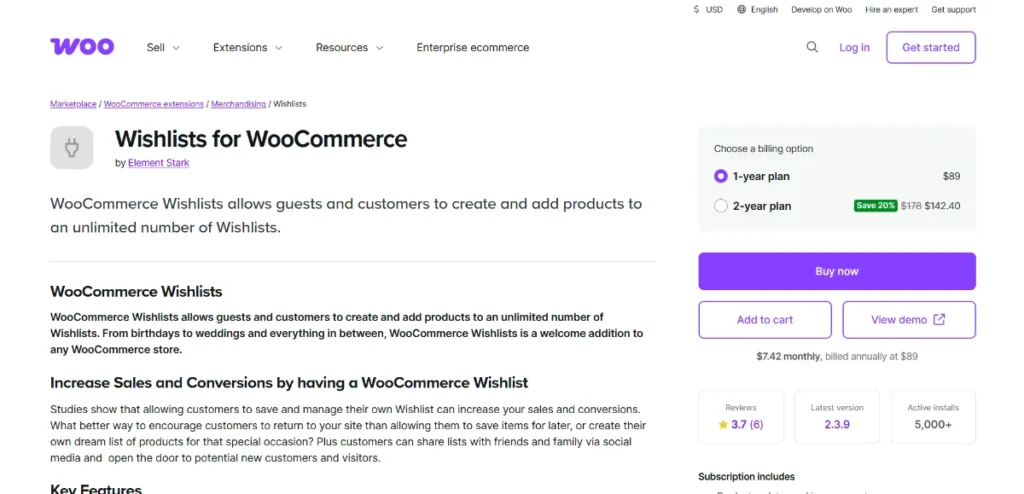
The Wishlists for WooCommerce plugin is a WordPress extension designed to add wishlist functionality to your WooCommerce store. It allows customers to save products for future purchase, create multiple wishlists, and even share them with friends and family.
By providing a convenient way for users to remember products, you not only improve their shopping experience but also drive more traffic, increase conversions, and encourage social sharing of your products.
How to Install Wishlists for WooCommerce
Installing the Wishlists for WooCommerce plugin is straightforward and can be completed in a few simple steps:
- Download the Plugin
Purchase the plugin from Pluginpro.org and download the.zipfile. - Upload to WordPress
- Go to your WordPress dashboard → Plugins → Add New → Upload Plugin.
- Select the
.zipfile and click Install Now.
- Activate the Plugin
Click Activate Plugin. Your WooCommerce store is now ready to start using the wishlist functionality. - Configure Wishlist Settings
Navigate to WooCommerce → Wishlists to configure display settings, sharing options, and notifications. - Enable Wishlist Buttons
Add wishlist buttons on product pages, category pages, and shop pages for easy customer access.
After completing these steps, your store will have a fully functional wishlist system that enhances customer experience.
Key Features of Wishlists for WooCommerce
The Wishlists for WooCommerce plugin provides a variety of powerful features:
- Multiple Wishlists: Customers can create more than one wishlist for different occasions.
- Shareable Wishlists: Allow users to share their lists via email or social media.
- Save for Later: Products can be saved without requiring immediate purchase.
- Wishlist Management: Users can easily add, remove, or move products between lists.
- Customizable Buttons and Icons: Adapt the appearance to match your store’s theme.
- Guest Wishlist Option: Non-registered users can also create temporary wishlists.
- Wishlist Analytics: Track which products are most frequently added to wishlists.
- Email Notifications: Notify users when wishlist items go on sale or are low in stock.
These features make it easy for store owners to improve engagement, encourage repeat visits, and increase sales.
Why Choose Wishlists for WooCommerce?
Implementing a wishlist system can have a major impact on your WooCommerce store:
- Increase Conversions: Wishlists remind customers of items they intend to buy later.
- Enhance Customer Engagement: Users spend more time on your site creating and managing wishlists.
- Encourage Social Sharing: Shared wishlists drive new traffic to your store.
- Promote Repeat Purchases: Notify users when wishlist items are discounted or back in stock.
This plugin is ideal for stores looking to boost sales, improve user experience, and build customer loyalty.
Why Buy Wishlists for WooCommerce from Pluginpro.org?
Purchasing through Pluginpro.org offers several advantages:
- Save 95% Budget
Get premium plugins at a fraction of the cost, freeing up resources for marketing or store development. - 100% Clean Code
Verified, secure, and optimized plugins ensure your WooCommerce store remains fast and reliable. - Unlimited Website Usage
Use the plugin across multiple sites or client stores without additional fees. - Easy Updates
Receive timely updates to maintain compatibility with WooCommerce and WordPress. - Premium Support
Get expert assistance for installation, configuration, and troubleshooting whenever you need it.
These benefits make Pluginpro.org the perfect platform for purchasing the Wishlists for WooCommerce plugin.
How Wishlists for WooCommerce Can Transform Your Store
Adding a wishlist system can significantly improve your store’s performance:
- Enhance User Experience: Customers can easily save and organize their favorite products.
- Boost Sales: Reminders and notifications help convert saved items into purchases.
- Gather Valuable Insights: Wishlist analytics reveal which products are most desired.
- Increase Engagement: Shared wishlists attract new users and encourage social interactions.
By implementing wishlists, you provide a better shopping experience, increase engagement, and drive more conversions.
Conclusion
The Wishlists for WooCommerce plugin is essential for WooCommerce store owners who want to enhance customer engagement, increase sales, and improve user experience. With easy installation, robust features, and seamless WooCommerce integration, it allows users to save, manage, and share their favorite products effortlessly.
Purchasing through Pluginpro.org provides added value: cost savings, clean code, unlimited site usage, hassle-free updates, and reliable support. Install the Wishlists for WooCommerce plugin today to enhance your store and delight your customers.



