
Secure Your Transactions with WooCommerce Authorize.Net AIM Gateway: The Ultimate Guide for Pluginpro.org
In the competitive world of e-commerce, the checkout process is where you either win a customer for life or lose them to a “broken” experience. For professional store owners, security and reliability aren’t just features—they are requirements. This is where the WooCommerce Authorize.Net AIM Gateway shines.
This guide will walk you through the power of this integration, how to get it running, and why getting your version from Pluginpro.org is the most strategic choice for your business.
What is the WooCommerce Authorize.Net AIM Gateway?
The Authorize.Net AIM (Advanced Integration Method) gateway is a high-performance payment solution that allows you to accept credit cards and eChecks directly on your WooCommerce store. Unlike older methods that redirect users to a different website to pay, AIM keeps the customer on your site for the entire checkout process.
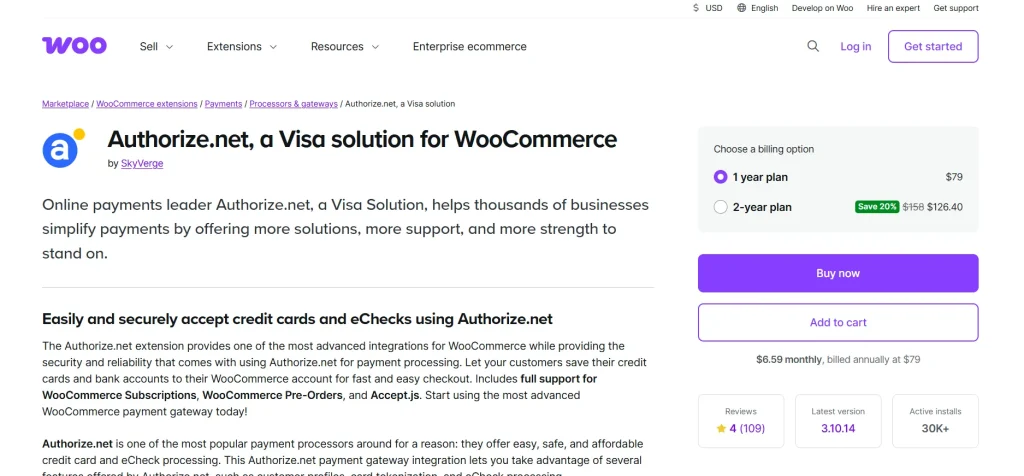
As of 2026, modern versions of this gateway utilize advanced encryption technology. This means that while the customer stays on your site, their sensitive card data is sent directly to Authorize.Net’s secure servers. You get the professional look of an on-site checkout with a significantly reduced PCI compliance burden.
Feature Highlights and Selling Points
Why is this gateway the industry standard for WooCommerce?
1. Seamless On-Site Checkout
Keep your branding consistent. Customers never see a “Redirecting…” screen. By keeping users on your site, you build trust and significantly reduce cart abandonment.
2. Full Support for Subscriptions and Pre-Orders
Are you running a membership site or selling products before they launch? This gateway is fully compatible with WooCommerce Subscriptions and WooCommerce Pre-Orders. It handles recurring billing and automatic charges with ease.
3. Secure Tokenization
Through the Customer Information Manager (CIM), customers can securely save their payment methods to their account. They can return and check out with a single click in the future, without you ever having to store a single credit card number on your own server.
4. Detailed Decline Messages
Stop losing sales to “Generic Error” messages. This plugin can show customers specific reasons why a card was declined (e.g., “Incorrect CVV” or “Insufficient Funds”), allowing them to fix the issue and complete the purchase.
5. Refund and Capture from Dashboard
Efficiency is key. You can process full or partial refunds and capture previously authorized funds directly from the WooCommerce Edit Order screen. No need to log into your Authorize.Net merchant interface.
Why Buy from Pluginpro.org?
Building a high-converting store shouldn’t cost a fortune. Pluginpro.org provides the tools you need with a focus on value and security.
Save 95% of Your Budget
Official payment gateway extensions can cost upwards of $79–$199 per year. At Plugin Pro, we believe in accessible technology. We provide the same premium functionality at a 95% discount, allowing you to spend your budget on what really matters: growing your traffic.
100% Clean Code
Security is paramount when handling money. Every file on Pluginpro.org is 100% clean, original, and verified. We do not use “nulled” scripts. You receive the authentic plugin code, ensuring your checkout remains a fortress against hackers.
Unlimited Website Usage
Most official licenses limit you to one store. When you buy from us, you can use the gateway on unlimited websites. It’s the perfect solution for developers building multiple stores for clients or entrepreneurs with a fleet of niche shops.
Easy to Update
E-commerce moves fast. We provide regular updates to ensure your gateway remains compatible with the latest versions of WordPress and WooCommerce, keeping your checkout smooth and secure year-round.
How to Install WooCommerce Authorize.Net AIM Gateway
Setting up a professional payment gateway is simpler than you think. Follow these steps:
Step 1: Download from Plugin Pro
Download the plugin .zip file from your Pluginpro.org dashboard.
Step 2: Upload and Activate
- Log in to your WordPress dashboard.
- Go to Plugins > Add New > Upload Plugin.
- Choose your file and click Install Now, then Activate.
Step 3: Connect to Authorize.Net
- Navigate to WooCommerce > Settings > Payments.
- Click on Authorize.Net AIM.
- Enter your API Login ID and Transaction Key (found in your Authorize.Net account settings).
- Ensure you have an SSL Certificate active on your site (required for secure payments).
Step 4: Test Your Gateway
Enable “Sandbox Mode” in the plugin settings to run a few test transactions using Authorize.Net’s test card numbers. Once confirmed, uncheck Sandbox Mode to start accepting real payments!
Conclusion: Professional Payments Made Affordable
The WooCommerce Authorize.Net AIM Gateway is the gold standard for secure, professional, and high-converting checkouts. By choosing this gateway, you provide your customers with a world-class experience and yourself with a powerful set of management tools.
Don’t let high license fees hold your business back. Visit Pluginpro.org today to get the Authorize.Net AIM Gateway with 100% clean code, unlimited site usage, and massive savings.



