
In the world of online retail, checkout friction is the enemy of profit. To convert visitors into customers, you need a payment system that is fast, secure, and flexible. The WooCommerce Braintree Gateway (powered by PayPal) is widely considered the “gold standard” for professional stores that want to offer a high-end, integrated payment experience.
This guide explores the features that make Braintree a powerhouse, how to set it up, and why Pluginpro.org is your best partner for professional e-commerce tools.
What is the WooCommerce Braintree Gateway?
The Braintree Gateway is a premium, all-in-one payment solution that allows you to accept credit cards, PayPal, and even digital wallets like Apple Pay and Google Pay through a single integration.
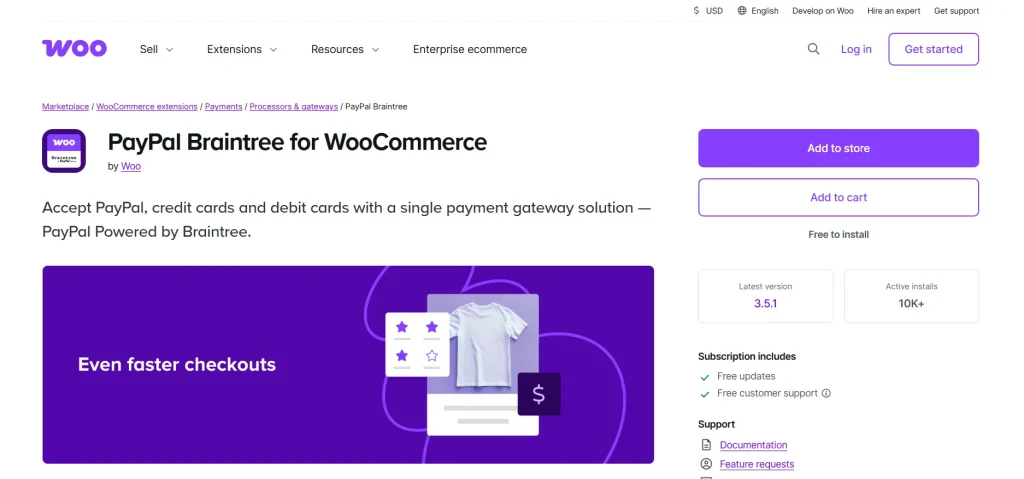
Unlike basic gateways that redirect users to a separate page to pay, Braintree uses Hosted Fields. This technology allows you to host the payment form directly on your site while the sensitive data is securely captured by Braintree’s servers. You get the professional look of a custom checkout with the security of a global financial leader.
Key Features and Selling Points
Why do high-volume stores choose Braintree? Here are the standout benefits:
1. Unified PayPal & Credit Card Processing
Braintree is a PayPal company, meaning you can manage both your credit card sales and PayPal transactions from one single dashboard. This streamlines your accounting and gives your customers the flexibility they crave.
2. Frictionless “One-Click” Checkouts
Braintree supports Tokenization, which allows customers to securely save their payment methods. Returning shoppers can check out with a single click, a feature proven to significantly boost conversion rates, especially on mobile devices.
3. Full Subscriptions & Pre-Orders Support
Building a recurring revenue stream? This gateway is fully compatible with WooCommerce Subscriptions and WooCommerce Pre-Orders. It handles complex billing cycles and automatic card updates seamlessly.
4. Enterprise-Grade Security (PCI SAQ-A)
By using Hosted Fields, your store qualifies for the simplest level of PCI compliance (SAQ-A). You never “touch” the raw credit card data, which protects you from liability and ensures your customers’ information is safe.
5. Advanced Fraud Protection
Access Braintree’s sophisticated fraud tools, which help detect and block suspicious transactions before they impact your business. You can choose basic verification or scale up to advanced protection for high-volume stores.
Why Buy from Pluginpro.org?
At Pluginpro.org, we believe that every entrepreneur deserves access to the best tools.
Save 95% of Your Budget
Official premium licenses for Braintree integrations annually. We provide the exact same high-performance functionality at a 95% discount. We help you keep your startup costs low so you can grow faster.
100% Clean Code
Security is non-negotiable when dealing with money. Every file on Pluginpro.org is 100% clean, original, and verified. We do not use “nulled” scripts. You receive the authentic code, ensuring your checkout remains a fortress.
Unlimited Website Usage
Most official licenses restrict you to one site. With Pluginpro.org, you can typically use your purchased tools on unlimited websites. Whether you’re a developer with 50 clients or an entrepreneur with 10 niche stores, one purchase from us covers it all.
Easy to Update
Payment technology moves fast. We provide regular updates to ensure your Braintree gateway remains compatible with the latest versions of WordPress and WooCommerce, keeping your store online and earning 24/7.
How to Install WooCommerce Braintree Gateway
Ready to upgrade your checkout? Follow these steps:
Step 1: Download from Plugin Pro
Download the plugin .zip file from your Pluginpro.org dashboard.
Step 2: Upload and Activate
- Log in to your WordPress dashboard.
- Go to Plugins > Add New > Upload Plugin.
- Choose your file and click Install Now, then Activate.
Step 3: Connect to Braintree
- Navigate to WooCommerce > Settings > Payments.
- Click on Braintree (or “PayPal Braintree”).
- Enter your Merchant ID, Public Key, and Private Key (found in your Braintree account under Account > API Keys).
Step 4: Go Live
Enable Sandbox Mode first to run a few test transactions. Once you’ve confirmed that orders are processing correctly, uncheck Sandbox Mode to start accepting real payments from customers worldwide.
Conclusion: The Professional Choice for E-commerce
The WooCommerce Braintree Gateway is more than just a payment method; it’s a conversion engine. It offers the security, speed, and flexibility required by modern shoppers and the powerful management tools needed by serious store owners.
Don’t let high license fees hold your business back. Visit Pluginpro.org today to get the Braintree Gateway with 100% clean code, unlimited site usage, and massive budget savings.



