
Effective communication is a crucial part of running a successful WooCommerce store. Transactional emails such as order confirmations, invoices, and shipping notifications are essential touchpoints with your customers. WooCommerce Email Attachments is a powerful plugin that allows you to attach files to WooCommerce emails, improving professionalism and customer experience.
In this article, we will explore how to install the plugin, its key features, selling points, and why purchasing it from Pluginpro.org is the best choice for your business.
What is WooCommerce Email Attachments?
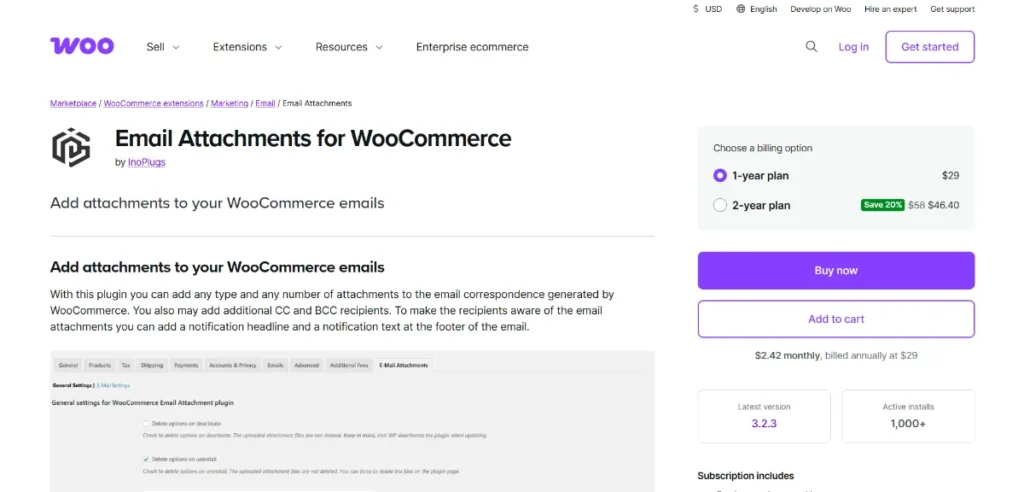
WooCommerce Email Attachments is a premium plugin that enables store owners to include file attachments in WooCommerce emails automatically. These attachments can include invoices, PDFs, user guides, warranty documents, licenses, or any other important files related to customer orders.
Instead of sending separate emails or requiring customers to download files manually, this plugin ensures that all necessary documents are delivered directly to the customer’s inbox along with their order emails.
This not only saves time but also improves the overall customer experience and builds trust in your brand.
How to Install WooCommerce Email Attachments
Installing WooCommerce Email Attachments is quick and easy. Follow these steps:
1. Download the Plugin
Purchase and download the plugin from Pluginpro.org. You will receive a zip file containing the plugin files.
2. Upload to WordPress
- Log in to your WordPress dashboard
- Navigate to Plugins → Add New → Upload Plugin
- Select the zip file and click Install Now
3. Activate the Plugin
After installation, click Activate Plugin to enable the plugin on your website.
4. Configure Email Attachment Settings
Go to WooCommerce → Settings → Emails → Attachments (or plugin-specific settings panel) to configure:
- Which emails should include attachments
- File types and sizes
- Conditions for attaching files
5. Upload Attachment Files
Add the files you want to attach, such as PDFs, images, or documents. You can assign them to specific products or order types.
6. Test Email Delivery
Place a test order and verify that the correct attachments are included in the email notifications.
After completing these steps, your WooCommerce store will automatically send emails with attachments to customers.
Key Features of WooCommerce Email Attachments
WooCommerce Email Attachments comes with a wide range of features designed to enhance your email communication:
1. Automatic File Attachments
Attach files to order emails automatically without manual intervention.
2. Support for Multiple File Types
Upload and send PDFs, images, documents, and other file formats.
3. Conditional Attachments
Attach files based on specific conditions such as product type, order status, or customer role.
4. Product-Specific Attachments
Assign unique files to individual products, ideal for digital goods or instructions.
5. Multiple Email Support
Attach files to different WooCommerce emails like:
- Order confirmation
- Completed order
- Invoice emails
- Customer notifications
6. Customizable Settings
Control which attachments are sent and when they are delivered.
7. Lightweight and Fast
Optimized for performance to ensure emails are sent quickly without slowing down your site.
8. Improved Customer Experience
Provide customers with all necessary documents in one email, reducing confusion and support requests.
Selling Points of WooCommerce Email Attachments
Using WooCommerce Email Attachments offers several benefits for your online store:
Professional Communication
Sending invoices and documents as attachments makes your business appear more professional.
Time-Saving Automation
Eliminate the need to manually send files after each order.
Better Customer Satisfaction
Customers receive all important information instantly, improving their experience.
Reduced Support Requests
Providing clear documentation reduces customer inquiries and complaints.
Flexible Use Cases
Perfect for digital downloads, warranties, manuals, licenses, and more.
These advantages make the plugin an essential tool for WooCommerce store owners who want to streamline communication.
Why Purchase WooCommerce Email Attachments from Pluginpro.org?
Pluginpro.org is the best place to purchase WooCommerce Email Attachments thanks to its outstanding benefits:
Save Up to 95%
Get premium plugins at a fraction of the original price, saving your budget.
100% Clean Code
All plugins are tested and verified to ensure secure, high-quality performance.
Unlimited Website Usage
Use the plugin on multiple websites without any restrictions.
Easy Updates
Stay up to date with the latest features and improvements effortlessly.
Instant Download
Access your plugin immediately after purchase and start using it right away.
Reliable Support
Receive professional support whenever you need assistance.
Choosing Pluginpro.org ensures you get a high-quality product with maximum value.
Tips for Optimizing WooCommerce Email Attachments
To maximize the effectiveness of WooCommerce Email Attachments, follow these best practices:
- Use Relevant Files Only: Avoid overwhelming customers with unnecessary attachments
- Optimize File Size: Keep files small to ensure fast email delivery
- Use Clear File Names: Make it easy for customers to identify attachments
- Test Email Functionality: Regularly test emails to ensure attachments are working correctly
- Keep Documents Updated: Ensure all attached files contain the latest information
Conclusion
WooCommerce Email Attachments is a must-have plugin for WooCommerce store owners who want to improve communication and provide a better customer experience. By automatically attaching important documents to emails, it saves time, reduces manual work, and enhances professionalism.
With features like conditional attachments, product-specific files, and multiple email support, WooCommerce Email Attachments offers everything you need to streamline your email workflow.
By purchasing from Pluginpro.org, you benefit from significant cost savings, clean code, unlimited usage, and easy updates.
If you want to upgrade your WooCommerce store’s email system and deliver a more professional experience to your customers, WooCommerce Email Attachments is the perfect solution. Start using it today and take your eCommerce communication to the next level.



