
Efficient shipping is critical for the success of any e-commerce business. WooCommerce FedEx Shipping is a premium WordPress plugin designed to integrate FedEx shipping services directly into your WooCommerce store, providing accurate rates, labels, and tracking for every order.
In this article, we’ll guide you on how to install WooCommerce FedEx Shipping, explore its key features, and explain why purchasing it from Pluginpro.org is the smartest choice for online store owners.
What is WooCommerce FedEx Shipping?
WooCommerce FedEx Shipping is a plugin that connects your WooCommerce store with FedEx’s shipping services. It automates rate calculations, shipping label generation, and tracking updates, saving time and reducing errors.
Key benefits include:
- Real-time FedEx shipping rates.
- Automatic label generation.
- Shipment tracking notifications.
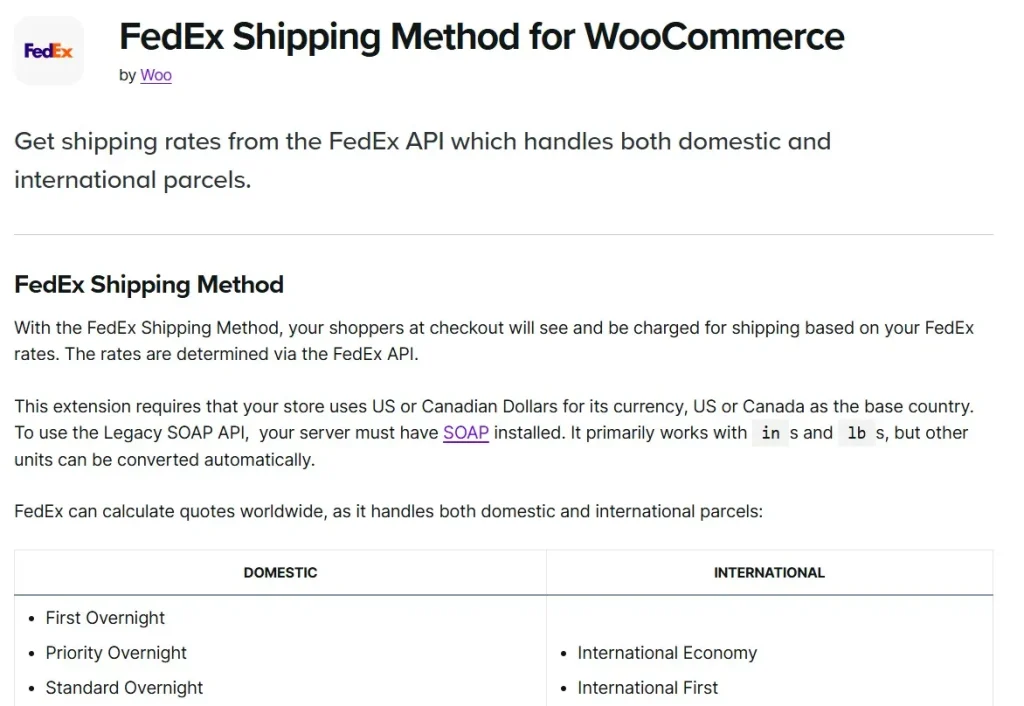
This plugin is ideal for online retailers who want a seamless shipping workflow, whether shipping domestically or internationally.
How to Install WooCommerce FedEx Shipping
Installing WooCommerce FedEx Shipping is straightforward. Follow these steps:
Step 1: Purchase and Download
- Visit Pluginpro.org and search for WooCommerce FedEx Shipping.
- Complete the purchase and download the plugin ZIP file.
(Tip: Pluginpro.org offers up to 95% savings compared to other marketplaces.)
Step 2: Upload to WordPress
- Log in to your WordPress dashboard.
- Navigate to Plugins > Add New > Upload Plugin.
- Click Choose File, select the downloaded ZIP file, and click Install Now.
- After installation, click Activate Plugin.
Step 3: Configure FedEx Settings
- Go to WooCommerce > Settings > Shipping > FedEx.
- Enter your FedEx account credentials (Account Number, Meter Number, API Key).
- Configure shipping options such as services, packaging, and handling fees.
- Enable automatic tracking and notifications for customers.
- Save changes to start using FedEx shipping seamlessly.
Your WooCommerce store is now ready to calculate FedEx shipping rates and generate labels automatically.
Key Features of WooCommerce FedEx Shipping
WooCommerce FedEx Shipping comes packed with essential features for online retailers:
1. Real-Time Shipping Rates
Calculate accurate FedEx rates for domestic and international orders at checkout.
2. Automatic Shipping Labels
Generate FedEx shipping labels directly from WooCommerce for every order.
3. Shipment Tracking
Provide tracking numbers to customers and allow them to track shipments from your site.
4. Multiple Shipping Methods
Offer a range of FedEx services including overnight, 2-day, ground, and express shipping.
5. Handling Fees
Add handling fees, packaging costs, or surcharges automatically to orders.
6. Address Validation
Verify shipping addresses to prevent delivery errors and returns.
7. Developer-Friendly
Use hooks and filters to customize shipping workflows or integrate with other plugins.
8. Compatibility
Works seamlessly with WooCommerce, popular payment gateways, and other shipping plugins.
Selling Points: Why You Should Use WooCommerce FedEx Shipping
Using WooCommerce FedEx Shipping provides several advantages:
- Save Time: Automate shipping rate calculation, label generation, and tracking.
- Accurate Shipping Rates: Ensure customers are charged correct FedEx shipping costs.
- Enhance Customer Experience: Provide live tracking and notifications for all shipments.
- Flexible Shipping Options: Offer multiple FedEx shipping services to meet customer needs.
- Reduce Errors: Automatic address validation and label generation prevent mistakes.
Why Purchase WooCommerce FedEx Shipping from Pluginpro.org?
Purchasing from Pluginpro.org ensures multiple benefits:
- Save Up to 95%
Get the plugin at a fraction of the cost compared to other marketplaces. - 100% Clean Code
Verified plugin ensures performance, security, and WooCommerce compatibility. - Unlimited Website Usage
Use WooCommerce FedEx Shipping on unlimited websites without extra licensing fees. - Easy Updates
Receive lifetime updates and support for hassle-free shipping management. - Trusted Source
Pluginpro.org provides verified, malware-free plugins for professional use.
Tips for Maximizing WooCommerce FedEx Shipping
- Enable Multiple Shipping Services
Offer customers a variety of FedEx shipping options to increase satisfaction. - Test Label Printing
Verify that FedEx labels print correctly before fulfilling large orders. - Monitor Rates
Regularly check shipping rates and adjust handling fees if needed. - Use Address Validation
Prevent failed deliveries by validating shipping addresses at checkout. - Integrate Tracking Emails
Automate emails with FedEx tracking links to improve post-purchase experience.
Conclusion
WooCommerce FedEx Shipping is an essential plugin for WooCommerce store owners who want to streamline shipping operations. With real-time FedEx rates, automatic label generation, tracking, and flexible shipping options, it enhances both store efficiency and customer experience.
Purchasing WooCommerce FedEx Shipping from Pluginpro.org guarantees affordability, clean code, unlimited site usage, and hassle-free updates. For online stores aiming to simplify shipping and provide reliable service, WooCommerce FedEx Shipping is a must-have plugin.



