
If you want to transform your WooCommerce store into a full-featured multi-vendor marketplace, WooCommerce Product Vendors is the plugin you need. This powerful tool allows you to manage multiple vendors, sell products efficiently, and scale your business without the hassle of custom coding. In this guide, we will show you how to install the plugin, explore its core features, and explain why buying it from Pluginpro.org can save you both money and effort.
What is WooCommerce Product Vendors?
WooCommerce Product Vendors is an official WooCommerce extension designed to turn a standard WooCommerce store into a multi-vendor marketplace. Instead of selling only your products, you can allow multiple vendors to register, sell their products, and manage their own orders. It’s perfect for online marketplaces like Amazon, Etsy, or eBay but powered directly within WordPress.
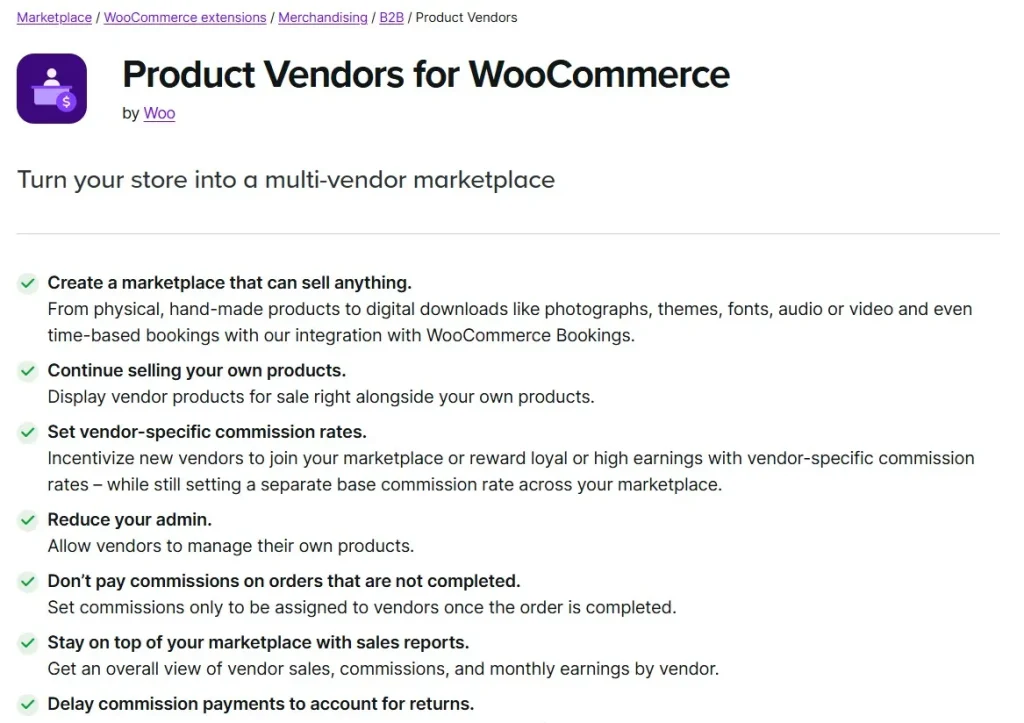
This plugin simplifies the management of commissions, vendor dashboards, product approvals, and payouts. With a robust set of features, it’s suitable for small marketplaces and large-scale e-commerce platforms alike.
How to Install WooCommerce Product Vendors
Installing WooCommerce Product Vendors is simple and straightforward. Here’s a step-by-step guide:
Step 1: Purchase and Download
First, purchase the plugin from Pluginpro.org. By buying here, you’ll save up to 95% compared to other sources. You’ll also get a clean code version, unlimited website usage, and easy updates.
Step 2: Upload to WordPress
- Log in to your WordPress dashboard.
- Go to Plugins > Add New > Upload Plugin.
- Choose the plugin file you downloaded and click Install Now.
Step 3: Activate the Plugin
Once the plugin is installed, click Activate Plugin. You will see a new menu in your dashboard labeled Product Vendors, which gives access to vendor management and settings.
Step 4: Configure Settings
Navigate to WooCommerce > Settings > Product Vendors. Here, you can:
- Set vendor commission rates
- Enable or disable vendor registration
- Configure payout options
- Customize vendor capabilities
Step 5: Add Vendors
Go to Product Vendors > Vendors and add your first vendor. You can assign products, set commission rates, and monitor sales reports.
Features and Benefits of WooCommerce Product Vendors
The real strength of WooCommerce Product Vendors lies in its features. Here’s why it’s a must-have for any multi-vendor marketplace:
1. Multi-Vendor Support
Allow multiple vendors to sell products in your store. Each vendor gets their own dashboard to manage products, track orders, and view earnings.
2. Commission Management
Set individual commission rates for each vendor. You can use percentage-based or flat-rate commissions. Automatic commission calculation ensures hassle-free vendor payouts.
3. Vendor Registration and Management
Vendors can register directly on your site. You can approve or reject vendor applications and control which users can sell.
4. Product Approval System
Maintain quality control by reviewing vendor products before they appear in your store. This ensures that your marketplace maintains consistent standards.
5. Payout Options
Easily pay your vendors through PayPal or other supported methods. The plugin handles calculations automatically, saving time and reducing errors.
6. Reports and Analytics
Track sales by vendor, product, or category. The detailed reports help you optimize your marketplace and identify top-performing vendors.
7. Compatible with WooCommerce Extensions
WooCommerce Product Vendors integrates seamlessly with other WooCommerce extensions, including subscriptions, bookings, and shipping solutions.
Selling Points: Why Choose WooCommerce Product Vendors
WooCommerce Product Vendors is not just a plugin; it’s a complete solution for building marketplaces. Here’s why it stands out:
- Ease of Use: Intuitive vendor dashboards make management simple for both admins and vendors.
- Flexible Commissions: Automatically calculate earnings based on different rules for each vendor.
- Secure and Reliable: Built by WooCommerce, it follows best coding practices and ensures compatibility with updates.
- Scalable: Supports any number of vendors and products, making it suitable for growing marketplaces.
Why Buy WooCommerce Product Vendors from Pluginpro.org?
Buying the plugin from Pluginpro.org gives you unique benefits you won’t find elsewhere:
1. Save Up to 95%
Pluginpro.org offers the plugin at a fraction of the original cost, letting you save significantly while getting the full features.
2. 100% Clean Code
All plugins from Pluginpro.org are free of malware and unnecessary bloat, ensuring your website remains fast and secure.
3. Unlimited Website Usage
Use the plugin on multiple websites without extra licensing costs, perfect for developers or agencies managing several client stores.
4. Easy Updates
Receive updates quickly and hassle-free. Pluginpro.org ensures you always get the latest versions for security and compatibility.
5. Dedicated Support
Access reliable support from experts who understand WooCommerce inside and out.
How WooCommerce Product Vendors Improves Your Business
With WooCommerce Product Vendors, your online store can become a thriving marketplace. Here’s what you gain:
- New Revenue Streams: Earn commissions on every vendor sale.
- Time Savings: Automate vendor payouts and product approvals.
- Market Expansion: Attract multiple sellers and a larger customer base.
- Professional Marketplace: Maintain a polished, trustworthy storefront that rivals major marketplaces.
By enabling multiple vendors and managing all operations from one dashboard, your WooCommerce store transforms from a simple e-commerce site into a full-featured marketplace, ready to compete with big players like Etsy or Amazon.
Frequently Asked Questions
Q: Can I limit vendors to certain product categories?
Yes, WooCommerce Product Vendors allows you to restrict vendors to specific categories for better control.
Q: Is it compatible with WooCommerce Subscriptions?
Absolutely. Vendors can sell subscription products if your store uses the WooCommerce Subscriptions plugin.
Q: How are payouts calculated?
Payouts are calculated automatically based on the commission rates you define. You can set percentages or flat fees per vendor.
Q: Can vendors view their sales reports?
Yes, vendors have access to detailed dashboards showing sales, orders, and earnings.
Conclusion
WooCommerce Product Vendors is the ultimate solution for anyone looking to build a multi-vendor marketplace on WordPress. Its features, ease of use, and scalability make it perfect for small startups and large e-commerce platforms alike.
By purchasing the plugin from Pluginpro.org, you enjoy substantial savings, clean code, unlimited website usage, and hassle-free updates. Transform your WooCommerce store into a thriving marketplace today and start generating commissions from multiple vendors effortlessly.



