
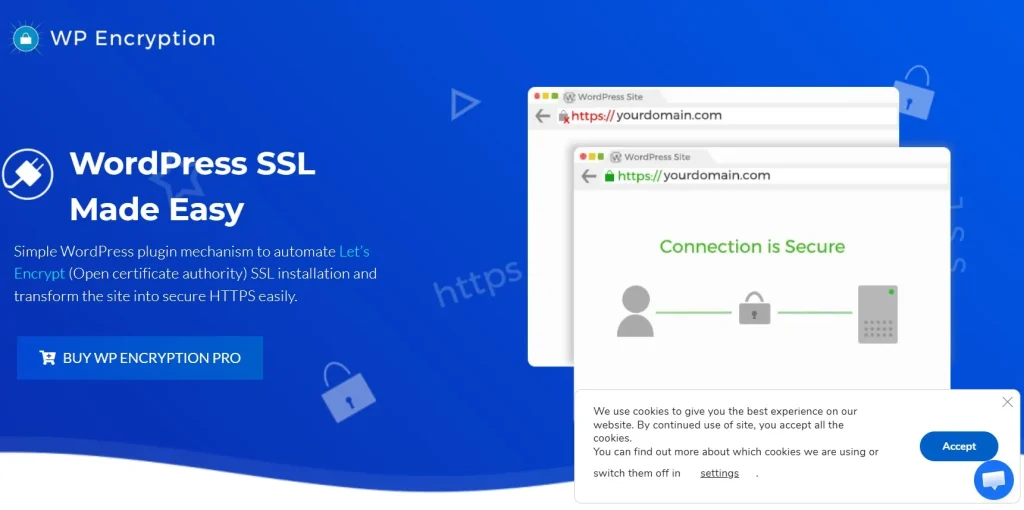
Website security has become a basic expectation, not an advanced feature. Whether you run a personal blog, a local business website, a WooCommerce store, a membership platform, or a client project, users expect the site to load securely through HTTPS. Modern browsers reinforce this expectation by warning visitors when a website is not secure, and search engines increasingly treat HTTPS as a standard requirement rather than a bonus. For WordPress site owners, this creates a very practical challenge: SSL and HTTPS must be configured properly, maintained consistently, and renewed on time. This is exactly where WP Encryption – One Click SSL & Force HTTPS (Premium) becomes extremely useful.
For many WordPress users, SSL setup sounds simple in theory but becomes technical very quickly in practice. Installing a certificate is only one part of the job. Site owners also need to force HTTPS correctly, prevent certificate expiration, avoid mixed content issues, and make sure redirects do not create broken pages or endless loops. If any part of that process goes wrong, the result can be warning messages, inaccessible pages, or even loss of trust from visitors. A plugin that simplifies this process can save both time and stress.
WP Encryption is designed to make SSL management much easier inside WordPress. Instead of relying fully on manual server work or separate hosting tools, the plugin brings certificate installation, HTTPS enforcement, and renewal handling into a more manageable WordPress workflow. This is especially valuable for users who are not comfortable working with server configuration files or command-line tools.
This matters in real-world scenarios. A small business website may lose credibility immediately if a browser marks it as “Not Secure.” An eCommerce store handling customer checkout pages needs HTTPS not just for trust, but as a baseline requirement for secure transactions. A blog or media website may want HTTPS because it supports stronger SEO and better browser compatibility. A freelancer or agency managing several client sites may want a more repeatable and less technical SSL setup process across multiple projects.
Another important issue is certificate renewal. SSL is not a one-time setup task. Certificates expire, and if renewal is missed, the site can suddenly display security warnings or become inaccessible. This can damage traffic, trust, and revenue. WP Encryption addresses this by helping automate renewals, reducing the risk of disruption caused by expired certificates.
In this article, we will take a detailed look at WP Encryption – One Click SSL & Force HTTPS (Premium), including what it is, its key features, the practical benefits it offers, how to install it, and why buying it from Pluginpro.org can be a smart choice for WordPress users who want premium SSL management functionality at a more affordable cost.
What is WP Encryption – One Click SSL & Force HTTPS (Premium)?
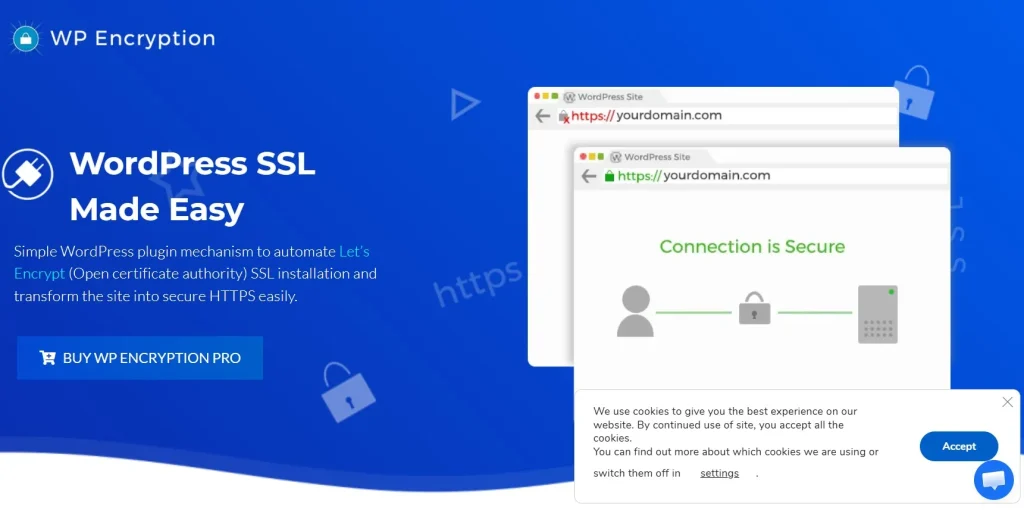
WP Encryption – One Click SSL & Force HTTPS (Premium) is a WordPress plugin designed to simplify the process of securing a website with SSL and ensuring that all traffic uses HTTPS. In practical terms, it helps site owners install an SSL certificate, configure secure access properly, fix common HTTPS-related issues, and maintain certificate renewals over time.
At its core, the plugin exists to solve a very common WordPress problem: many users know their websites should be secure, but the SSL setup process can be confusing or inconsistent. Some hosting providers offer their own SSL tools, but not every environment handles HTTPS in the same way. Some users still need to manage redirects manually. Others run into mixed content warnings because images, scripts, or stylesheets still load over HTTP. WP Encryption gives WordPress users a more centralized way to deal with these security basics.
The plugin is often associated with one-click SSL generation and management because it reduces the technical complexity involved. Instead of forcing users to leave WordPress and work through server-side certificate setup manually, it provides a more guided process through the dashboard. This makes it especially valuable for non-technical users, small business owners, bloggers, and freelancers who want security without turning SSL into a server administration project.
One of the most important parts of what WP Encryption does is force HTTPS consistently. Installing a certificate alone is not enough. A website can still have insecure access paths if the site does not redirect all HTTP requests to HTTPS. That means some users could still land on old insecure versions of pages, or browsers could detect a mixed environment. The plugin helps address that by ensuring the secure protocol is used throughout the website.
Another major role of the plugin is certificate renewal. SSL certificates, especially automated ones such as those associated with free certificate authorities, expire on a regular cycle. If renewal is not handled properly, the site can go from secure to broken very quickly. WP Encryption helps automate this renewal cycle, which is one of its most valuable real-world features. For site owners, this reduces the need to remember certificate deadlines or manually repeat configuration work every few months.
The plugin can also help with mixed content issues. These happen when a page loads under HTTPS but still pulls some assets, such as images or scripts, through HTTP. Browsers may display warnings or fail to show the secure padlock properly when this happens. A plugin that addresses mixed content helps keep the site consistently secure and avoids confusing browser behavior.
From a practical perspective, WP Encryption is suitable for many types of WordPress users. A local service business can use it to secure lead forms and improve trust. An eCommerce store can use it to protect customer checkout and account pages. A publisher can use it to maintain browser trust and SEO standards. A web professional can use it as part of a repeatable security setup across multiple sites.
In simple terms, WP Encryption is a tool that helps WordPress users install, manage, maintain, and enforce SSL and HTTPS more easily, with less manual technical work and fewer security-related mistakes.
Key Features of WP Encryption – One Click SSL & Force HTTPS (Premium)
- One-click SSL certificate setup
One of the main features of WP Encryption is its ability to simplify certificate installation into a much more manageable process. Instead of asking users to work through server files or external control panels manually, the plugin provides a guided workflow from inside WordPress. This matters because SSL is often delayed not because it is unimportant, but because it feels too technical. A simpler setup path helps site owners secure their websites faster and with fewer configuration errors. - Automatic SSL certificate renewal
Renewal is one of the most critical parts of SSL management. An SSL certificate that expires can cause browser warnings, lost user trust, and even temporary inaccessibility. WP Encryption helps automate certificate renewal so that the website remains secure over time without constant manual intervention. This is especially useful for busy business owners or agencies that cannot afford to monitor certificate expiration dates constantly. - Force HTTPS across the entire site
Installing an SSL certificate is only part of the job. All traffic also needs to be redirected properly so visitors use the secure version of the site. WP Encryption helps enforce HTTPS site-wide. This means old HTTP links, bookmarks, or direct access attempts can be redirected to the secure version automatically. In practical terms, it helps ensure visitors always use the protected connection rather than falling into an outdated insecure version. - Mixed content handling
One of the most common problems after enabling HTTPS is mixed content. This happens when some assets on the page, such as images, scripts, or stylesheets, still load over HTTP. Browsers may mark the page as only partially secure or remove the padlock icon altogether. WP Encryption helps address these issues so the entire page behaves consistently under HTTPS. This is especially important for older WordPress sites that were originally built under HTTP and later migrated to SSL. - Dashboard-based SSL management
For many users, the real benefit of a plugin like this is centralization. Instead of handling security setup through several disconnected hosting or server tools, WP Encryption gives users a WordPress-based interface where they can manage key SSL-related actions. This improves visibility and makes SSL less intimidating, especially for non-technical site owners. - Compatibility with different WordPress use cases
WP Encryption is useful across many website types. A business site can use it to secure inquiry forms and service pages. An online store can use it for checkout and customer accounts. A membership site can protect private content access. A blog can support stronger browser trust and SEO signals. This wide applicability makes the plugin more valuable than a niche-only solution. - Reduced dependence on manual server configuration
A major feature, even if it is not always marketed as such, is that the plugin reduces how much direct server work many users need to do. While some advanced environments may still require technical review, many standard WordPress users benefit from not having to edit configuration files or work with terminal commands. This can save time and reduce the chance of misconfiguration. - Improved browser trust and padlock consistency
A properly configured HTTPS environment helps browsers show the secure padlock, avoid security warnings, and improve user confidence. WP Encryption supports that outcome by helping users complete not just certificate generation, but also the broader HTTPS setup process. This matters because visitors often react immediately to browser trust indicators, especially on forms, login pages, and payment-related pages. - Helpful for multi-site and professional workflows
For developers, freelancers, and agencies, SSL work can become repetitive across multiple projects. A plugin that streamlines the process can help build a more repeatable workflow. Instead of reinventing the process every time, professionals can use WP Encryption as part of their standard site setup stack. - Regular compatibility and security maintenance potential
Because WordPress evolves and hosting environments differ, a plugin in this category becomes more useful when it remains updated and compatible over time. SSL and HTTPS are too important to leave unmanaged. A maintained premium plugin helps reduce future friction as WordPress and related technologies change.
Benefits of Using WP Encryption – One Click SSL & Force HTTPS (Premium)
One of the most obvious benefits of using WP Encryption is improved website security. SSL encrypts the connection between the visitor and the website, which is essential for protecting data such as login credentials, contact form submissions, payment-related activity, and account information. Even websites that do not process payments directly benefit from secure data transfer because users increasingly expect it everywhere.
Another major benefit is stronger trust. When a website loads securely, browsers show visual trust indicators such as the padlock icon. When it does not, browsers may show warnings like “Not Secure,” which can make users leave immediately. This matters a great deal for lead generation websites, online stores, membership sites, and service businesses. A plugin that helps keep HTTPS working correctly directly supports that user trust.
The plugin also saves time. SSL can be one of those tasks that sounds quick but turns into a frustrating technical process. By simplifying installation, renewals, and HTTPS enforcement, WP Encryption reduces the amount of manual work needed. For non-technical users, this can remove a significant barrier. For developers and agencies, it can improve efficiency across multiple builds.
Another important benefit is continuity. Expired SSL certificates can create sudden problems that site owners do not always catch in time. Automatic renewal reduces that risk. This is particularly valuable for business-critical websites where downtime, browser warnings, or checkout disruption would be costly.
From an SEO perspective, HTTPS is also beneficial. Search engines have long treated HTTPS as a positive trust and ranking factor. While SSL alone does not guarantee rankings, an insecure site can create disadvantages. WP Encryption helps users maintain a technical baseline that aligns better with modern SEO expectations.
The plugin also helps with migration-related issues. Many older sites were built on HTTP first and later upgraded. Those sites often suffer from mixed content warnings or incomplete redirect logic. WP Encryption can help smooth that transition, making it easier to move from insecure to secure browsing without leaving behind broken elements.
In real-world scenarios, the benefits become clear very quickly. A small law firm website can protect lead form submissions and improve trust among potential clients. A WooCommerce store can secure checkout pages and customer accounts. A blog or publisher can avoid browser warnings that weaken credibility. A freelancer managing client websites can use the plugin to standardize SSL setup and reduce maintenance problems later.
Overall, WP Encryption offers a combination of security, trust, convenience, and technical consistency. It helps site owners move beyond the idea that SSL is “something to deal with later” and turns it into a manageable part of everyday WordPress maintenance.
How to Install WP Encryption – One Click SSL & Force HTTPS (Premium)
Installing WP Encryption on a WordPress website is usually a straightforward process, especially compared to manual SSL workflows. The first step is to download the plugin ZIP file from a trusted source. Once you have the file, log in to your WordPress dashboard and go to the Plugins section.
Click Add New, then select Upload Plugin. Choose the WP Encryption ZIP file from your computer, upload it, and click Install Now. After the installation finishes, click Activate. At this point, the plugin becomes available inside your dashboard, usually through its own settings area or security-related menu.
After activation, the next step is configuration. This is where the plugin’s real value appears. Instead of manually generating certificates outside WordPress, you can begin working through the SSL setup from inside the plugin interface. Depending on the hosting environment, you may need to provide or confirm domain-related details so the certificate can be issued correctly.
Once the certificate process is complete, review the HTTPS enforcement settings. Make sure the plugin is configured to redirect HTTP traffic to HTTPS consistently. This is important because without full redirection, users may still access insecure versions of pages through old links or bookmarks.
Then test the site carefully. Visit the homepage, internal pages, contact forms, login pages, and if relevant, cart and checkout pages. Make sure the padlock appears and that the browser does not report mixed content warnings. If the site previously ran under HTTP, check whether older media assets or scripts are still loading insecurely. The plugin may help with those issues, but it is important to verify the results.
Next, review the renewal settings. Confirm that the certificate renewal process is configured correctly so the site does not depend on manual reminders later. This is especially important if you run multiple websites or client projects and do not want renewal deadlines to become a maintenance risk.
If you manage a more complex environment, such as a CDN, proxy, caching layer, or unusual hosting setup, you should also test redirects and secure asset delivery carefully after installation. The plugin can simplify the SSL process significantly, but good testing remains essential in any security-related change.
Finally, treat SSL setup as part of ongoing maintenance rather than a one-time checkbox. Once installed, WP Encryption helps make that maintenance much easier, but it is still smart to review the site periodically, especially after migrations, major plugin changes, or hosting adjustments.
Why Buy WP Encryption – One Click SSL & Force HTTPS (Premium) at Pluginpro.org
Buying WP Encryption at Pluginpro.org can be a smart move for WordPress users who want premium SSL management functionality while keeping costs under control. One of the strongest reasons is affordability. Users can often save up to 95% compared to standard pricing, which can be especially useful for freelancers, agencies, small businesses, and anyone managing several WordPress sites.
Another important reason is access to 100% clean files. This matters a great deal with a security-related plugin. A plugin responsible for SSL and HTTPS should be safe, reliable, and stable. Clean files reduce the risk of malware, corruption, or hidden issues that could compromise site trust or security.
Unlimited website usage is another major benefit. Many official premium licenses limit installation to one or a small number of sites. That can become expensive quickly for agencies and developers. More flexible usage offers stronger long-term value and makes it easier to include WP Encryption in a repeatable site setup process across multiple projects.
Easy updates also matter. SSL and HTTPS are not the kind of features site owners want to leave outdated. WordPress evolves, hosting environments change, and compatibility matters. Access to updates helps keep the plugin functioning properly as the broader ecosystem changes over time.
Secure downloads are another practical advantage. Users want a smooth path from purchase to setup, especially when dealing with a plugin tied to site security. Reliable access helps speed up deployment and reduces setup friction, which is particularly useful when working on time-sensitive projects.
There is also a broader cost-efficiency benefit. Most WordPress sites use multiple premium tools, not just one. A business site may also need plugins for SEO, forms, performance, backups, or eCommerce. Paying full price for every premium tool can significantly increase total project cost. Pluginpro.org helps make a stronger plugin stack more financially manageable.
In practical terms, a small business can secure its site more affordably. A freelancer can standardize SSL setup for client projects. An agency can roll out HTTPS management across multiple websites more efficiently. These are real operational benefits that go beyond simple upfront savings.
For users who care about affordability, clean files, unlimited usage, updates, and secure delivery, Pluginpro.org offers a compelling option for getting WP Encryption – One Click SSL & Force HTTPS (Premium).
Conclusion
WP Encryption – One Click SSL & Force HTTPS (Premium) is a highly practical WordPress plugin for users who want to secure their websites without turning SSL management into a complicated technical process. It helps simplify certificate installation, enforce HTTPS, reduce mixed content issues, and support automatic renewals, all of which are essential for maintaining a trustworthy modern website.
Its main value lies in turning a technically sensitive task into a more manageable WordPress workflow. That makes it useful not only for non-technical site owners, but also for professionals who want a faster and more repeatable SSL process across multiple projects.
The plugin is especially valuable because HTTPS is no longer optional. It affects security, user trust, SEO expectations, and browser behavior. A site that handles SSL poorly can lose credibility quickly, while a site that handles it correctly feels more professional and reliable.
When purchased through Pluginpro.org, WP Encryption becomes even more attractive from a value standpoint. The combination of major cost savings, clean files, unlimited website usage, easy updates, and secure downloads gives users strong overall value.
If you want a simpler and more reliable way to manage SSL and HTTPS in WordPress, WP Encryption – One Click SSL & Force HTTPS (Premium) is well worth considering.



