
WPForms is one of the most popular WordPress form builder plugins available today. Designed to help website owners create professional forms without coding, WPForms makes it easy to collect information, generate leads, accept payments, and improve communication with visitors. For users who need more advanced functionality, WPForms Pro expands the core features with powerful integrations, automation tools, payment options, and enhanced customization capabilities.
Forms are essential for almost every website. Businesses use them to collect inquiries, online stores use them for customer requests, and bloggers rely on them to build email lists and engage audiences. Choosing a reliable form builder can have a direct impact on user experience and conversion rates.
One reason WPForms has become a favorite among WordPress users is its balance between simplicity and flexibility. Beginners can create forms within minutes using a visual drag-and-drop builder, while experienced users can take advantage of advanced features to build complex workflows. Whether you need a simple contact form or a sophisticated multi-step application process, WPForms offers the tools required to get the job done.
As websites continue to evolve, having a form solution that is both powerful and easy to manage becomes increasingly important. WPForms provides exactly that, making it a valuable addition to business websites, blogs, membership platforms, educational portals, and eCommerce stores alike.
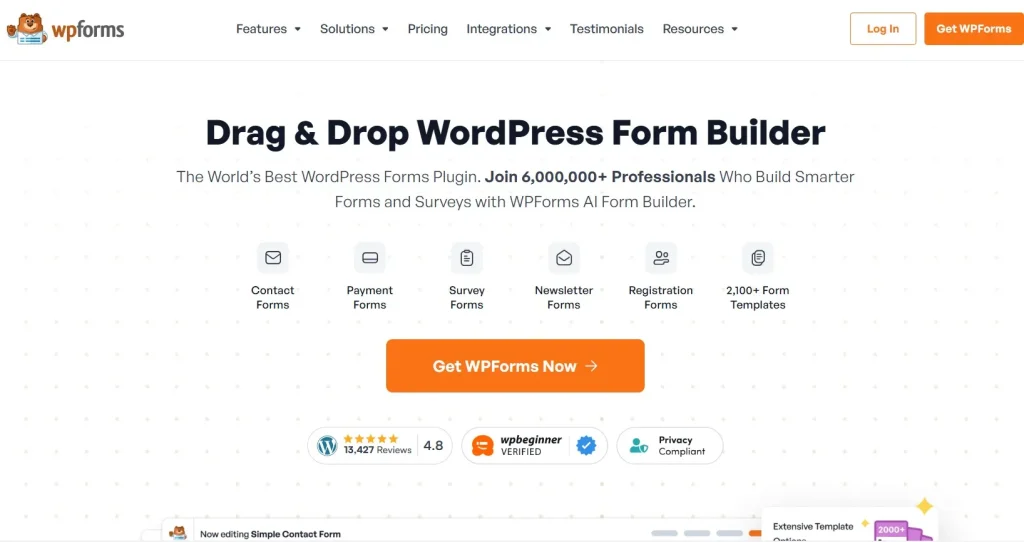
What is WPForms?
WPForms is a WordPress form builder plugin that allows users to create custom forms through a user-friendly drag-and-drop interface. Instead of writing code or hiring a developer, website owners can build forms visually and publish them anywhere on their WordPress site.
The plugin was created to simplify form building for users of all skill levels. From basic contact forms to advanced surveys and payment forms, WPForms offers a wide range of capabilities that can support virtually any website requirement.
The free version includes essential functionality, making it suitable for simple websites. However, many businesses choose WPForms Pro because it unlocks advanced features such as payment integrations, marketing automation, user registration, surveys, conversational forms, and conditional logic.
WPForms is ideal for:
- Small businesses
- Freelancers
- Marketing agencies
- Bloggers
- Online stores
- Educational websites
- Nonprofit organizations
- Membership communities
For example, a local service company can use WPForms to collect quote requests and customer inquiries. A blogger may use it to build newsletter signup forms and reader surveys. An online course creator can create student registration forms and collect payments directly from visitors.
What makes WPForms particularly useful is its versatility. Rather than installing multiple plugins for different form-related tasks, users can manage everything through a single platform. This not only simplifies website management but also improves efficiency.
Because WPForms integrates smoothly with WordPress and many popular third-party services, it has become one of the most trusted form-building solutions in the WordPress ecosystem.
Key Features of WPForms
WPForms includes a powerful collection of features that help users create effective forms while improving website functionality and business workflows.
Drag-and-Drop Form Builder
- Build forms visually without coding.
- Add, remove, and rearrange fields easily.
- Preview changes instantly.
This feature allows users to create professional forms in minutes rather than spending hours on custom development.
Ready-Made Form Templates
- Access hundreds of pre-built templates.
- Cover common business and marketing needs.
- Customize every template to match specific goals.
For example, businesses can launch contact forms, event registrations, appointment requests, and customer feedback forms almost immediately.
Smart Conditional Logic
- Display fields based on user responses.
- Personalize the form experience.
- Reduce unnecessary questions.
A customer selecting “Business Services” can automatically see different fields than someone selecting “Personal Services.”
Multi-Page Forms
- Split lengthy forms into manageable sections.
- Improve completion rates.
- Enhance user experience.
This feature is especially useful for applications, surveys, and onboarding processes.
Payment Collection
WPForms Pro supports popular payment gateways, allowing users to:
- Accept online payments.
- Process donations.
- Sell products and services.
- Collect registration fees.
Organizations can create payment forms without needing a full eCommerce platform.
Email Marketing Integrations
- Connect forms with marketing platforms.
- Automatically add subscribers to mailing lists.
- Improve lead nurturing workflows.
A common use case is sending new subscribers directly into automated email campaigns.
File Upload Capability
- Allow visitors to upload documents and images.
- Accept resumes and applications.
- Collect project files from clients.
This functionality is valuable for recruitment, support requests, and customer onboarding.
User Registration Forms
WPForms Pro enables:
- Front-end user registration.
- Custom login forms.
- Membership management.
- Profile creation workflows.
Membership sites and online communities frequently rely on this feature.
Survey and Poll Tools
- Create customer surveys.
- Build interactive polls.
- Generate visual reports.
- Analyze user feedback.
Businesses can gain valuable insights into customer preferences and satisfaction levels.
Conversational Forms
- Present forms one question at a time.
- Create a more engaging experience.
- Increase form completion rates.
Many marketers prefer conversational forms because they feel more natural than traditional forms.
Form Abandonment Tracking
- Capture partially completed submissions.
- Recover lost leads.
- Understand visitor behavior.
This can help businesses identify friction points in their forms and improve conversion performance.
Entry Management
All submissions can be managed directly within WordPress.
Benefits include:
- Easy access to form entries.
- Export capabilities.
- Improved organization.
- Centralized data management.
Spam Protection
WPForms includes multiple anti-spam features to reduce unwanted submissions and improve data quality.
Mobile Responsiveness
Every form created with WPForms is designed to work smoothly across desktop, tablet, and mobile devices.
Since mobile traffic represents a significant portion of website visits, responsive forms are essential for maintaining high conversion rates.
Workflow Automation
Advanced automation features help businesses:
- Route submissions automatically.
- Notify team members instantly.
- Trigger follow-up actions.
- Improve operational efficiency.
These capabilities can save significant time while ensuring important inquiries never go unnoticed.
Benefits of Using WPForms
WPForms delivers numerous benefits that extend far beyond basic form creation.
One major advantage is simplicity. The intuitive drag-and-drop builder allows users to create forms quickly without technical expertise. This reduces development costs and speeds up website management tasks.
Another significant benefit is improved lead generation. Well-designed forms make it easier for visitors to contact businesses, request information, or subscribe to email lists. Features such as conversational forms and conditional logic can help increase submission rates.
WPForms also supports workflow automation. Instead of manually handling every submission, businesses can automate notifications, assign leads, and integrate form data with other systems. This reduces administrative work and improves productivity.
User experience is another area where WPForms excels. Responsive design, fast loading times, and intuitive layouts help visitors complete forms with minimal frustration.
Data collection becomes more organized as well. Businesses can store, review, analyze, and export form entries from a centralized dashboard. This simplifies customer management and reporting.
Performance is equally important. WPForms is built with efficiency in mind, helping websites maintain fast loading speeds while providing advanced functionality.
Whether the goal is generating leads, collecting payments, gathering feedback, or managing registrations, WPForms provides a reliable and scalable solution.
Real Use Cases of WPForms
WPForms can be used in a wide variety of real-world situations.
An eCommerce store may use WPForms to collect custom order requests, customer feedback, warranty registrations, and support inquiries. These forms help improve communication and customer satisfaction.
Marketing agencies often rely on WPForms to collect project inquiries, qualification questionnaires, and lead generation information. Automated notifications ensure that inquiries reach the correct team members quickly.
Bloggers frequently use WPForms for newsletter subscriptions, content submissions, and audience surveys. These forms support community growth and engagement.
Educational institutions can manage course registrations, student applications, event signups, and feedback collection using WPForms.
Service-based businesses such as consultants, accountants, legal professionals, and coaches often create appointment requests, onboarding questionnaires, and quote forms to streamline client interactions.
These examples demonstrate how flexible WPForms can be across different industries and business models.
How to Install WPForms
Installing WPForms is a straightforward process that can be completed in just a few minutes.
Step 1: Obtain WPForms
Download the WPForms plugin package from your preferred source.
Step 2: Log Into WordPress
Access your WordPress admin dashboard using an account with administrator privileges.
Step 3: Upload the Plugin
Navigate to:
Plugins → Add New → Upload Plugin
Select the WPForms ZIP file from your computer.
Step 4: Install WPForms
Click the Install Now button and wait for WordPress to complete the installation.
Step 5: Activate the Plugin
Once installation is complete, click Activate Plugin.
You will now see the WPForms menu in your dashboard.
Step 6: Configure Your License
If you are using WPForms Pro, navigate to:
WPForms → Settings → License
Enter your license key and activate it.
Step 7: Install Desired Addons
WPForms Pro includes several addons that extend functionality.
Popular options include:
- Payment integrations
- Marketing integrations
- Survey tools
- User registration features
Install only the addons required for your website.
Step 8: Create Your First Form
Go to:
WPForms → Add New
Choose a template or start from scratch.
Add fields, customize settings, and configure notifications.
Step 9: Publish the Form
Insert the form using the WPForms block, shortcode, or widget.
You can place forms on pages, posts, sidebars, or landing pages.
Step 10: Test Form Functionality
Before launching, submit test entries to ensure that notifications, integrations, and workflows function correctly.
Following these steps helps ensure a smooth setup and optimal performance.
Why Buy WPForms at PluginPro.org
Choosing WPForms through PluginPro.org can be a practical option for WordPress users who want premium functionality while keeping project costs under control.
One of the biggest advantages is cost efficiency. Website owners often require multiple premium tools to build professional websites. Purchasing individual licenses for every plugin can become expensive, especially when managing multiple projects.
For agencies and freelancers, software expenses can quickly accumulate. A web design agency may manage dozens of client websites, each requiring forms, page builders, SEO tools, and additional functionality. Accessing WPForms through PluginPro can help reduce overhead costs while maintaining professional capabilities.
Another benefit is flexibility. Entrepreneurs frequently launch new projects, test business ideas, and create niche websites. Instead of investing heavily in software licenses for every new venture, they can gain access to premium tools more economically.
PluginPro.org also provides access to a broad range of WordPress plugins, themes, and extensions. This allows users to build complete website solutions from a single source rather than purchasing products from multiple vendors.
Consider a small business launching a new website. The company may require WPForms for lead generation, Elementor Pro for page design, and Rank Math Pro for SEO optimization. Acquiring these tools through PluginPro can simplify the process and reduce overall expenses.
Developers also benefit from having access to premium products for testing, staging, and client development environments. This flexibility can significantly improve workflow efficiency.
The financial savings achieved through PluginPro can be redirected toward advertising, content creation, website improvements, customer acquisition, or business expansion initiatives.
For startups, agencies, freelancers, bloggers, and small businesses, PluginPro.org provides a practical way to access powerful WordPress solutions without excessive software costs.
Is WPForms Worth It?
Yes, WPForms is absolutely worth considering for anyone who needs a reliable and user-friendly WordPress form builder.
The plugin successfully combines simplicity with advanced functionality, making it suitable for beginners and experienced professionals alike. Users can create everything from basic contact forms to sophisticated payment, registration, and survey systems.
WPForms Pro becomes particularly valuable for businesses that rely on lead generation, automation, customer communication, and online transactions. Features such as conditional logic, payment integrations, marketing automation, and conversational forms can significantly improve business processes.
For example, a consulting firm can automate client inquiries, collect detailed project information, and route submissions directly to the appropriate team members. This saves time while improving customer experience.
Whether you manage a personal blog, an online store, or a growing business website, WPForms provides the flexibility and scalability needed to support long-term growth.
Conclusion
WPForms has established itself as one of the leading form builder plugins in the WordPress ecosystem. Its intuitive drag-and-drop interface, extensive feature set, and strong focus on usability make it an excellent choice for website owners who want professional forms without the complexity of custom development.
From contact forms and surveys to payment processing and user registration, WPForms can support a wide range of business and marketing objectives. The plugin helps improve communication, streamline workflows, enhance user experience, and increase operational efficiency.
For users who require advanced capabilities, WPForms Pro unlocks powerful tools that can transform forms into valuable business assets. Organizations looking to automate processes, generate more leads, and collect data more effectively will find significant value in the premium version.
WPForms is particularly well suited for small businesses, agencies, freelancers, bloggers, membership sites, educational platforms, and eCommerce stores. Its flexibility ensures that it can adapt as website requirements grow over time.
If you are building a WordPress website and need a dependable form solution, WPForms is certainly worth considering. You may also find Elementor Pro, Fluent Forms Pro, Gravity Forms, Rank Math Pro, and Advanced Custom Fields PRO useful for creating a more powerful and feature-rich WordPress website.



