
Video content has become a core part of modern digital marketing, online education, eCommerce, and brand communication. Businesses use videos to explain products, bloggers use them to make content more engaging, and educators rely on them to deliver lessons in a clearer and more memorable format. On WordPress websites, embedding a video is relatively easy. The real challenge begins after that. If the video is not properly optimized for search engines, it may never reach its full traffic potential.
This is where Yoast SEO: Video, often searched as Yoast Video SEO, becomes especially useful. While many website owners focus on optimizing written content with titles, headings, keywords, and meta descriptions, video content requires its own SEO structure. Search engines need help understanding that a page contains a video, what that video is about, how long it is, what thumbnail represents it, and whether it is important enough to show in rich search features. Without proper video SEO, even high-quality videos can remain underexposed.
For example, a business may publish a detailed product demonstration video on a sales page. The video might answer common customer questions, reduce hesitation, and improve conversion rates. But if Google does not interpret that page as video-rich content, it may miss opportunities to appear in video search, rich snippets, or enhanced listings. The same issue affects tutorial blogs, recipe sites, review websites, real estate businesses, and training platforms that depend on video for user engagement.
Yoast SEO: Video helps solve these problems by adding video-specific optimization features to WordPress. It strengthens the technical SEO layer behind your videos, helps search engines process them more effectively, and improves the odds of your video pages being discovered in relevant searches. Instead of treating video like a simple embed, the plugin turns it into a more strategic SEO asset.
Another major advantage is workflow simplicity. Website owners who already use Yoast SEO often want an extension that fits naturally into their current setup rather than forcing them into a separate and complicated system. Yoast SEO: Video does exactly that. It integrates into the broader Yoast ecosystem and gives users a more complete SEO setup for multimedia content.
In this article, we will explore Yoast SEO: Video in detail, including what it is, how it works, its key features, the practical benefits it offers, how to install it, and why buying it from Pluginpro.org can be a cost-effective option for WordPress users who want premium plugin access.
What is Yoast SEO: Video?
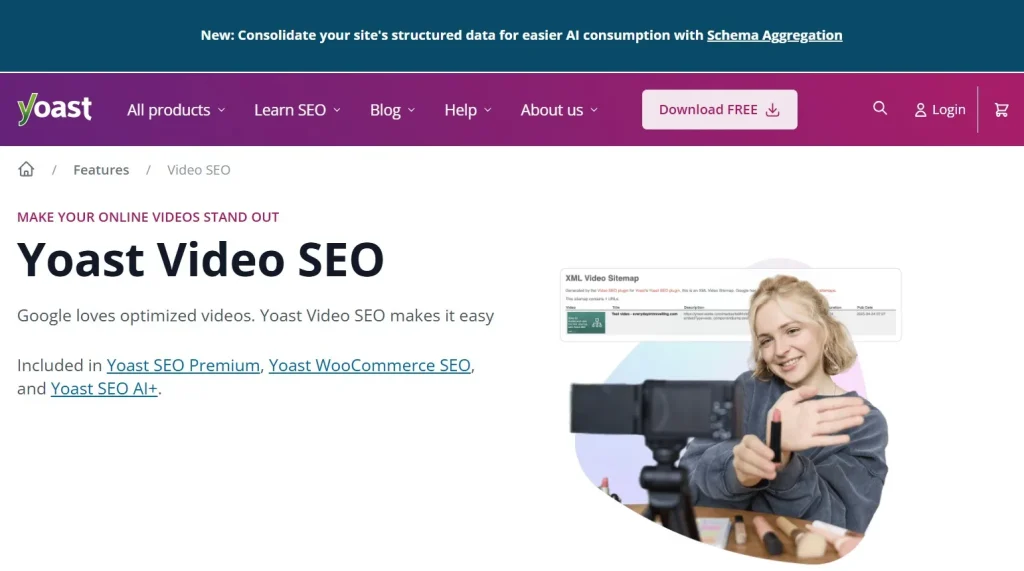
Yoast SEO: Video is a premium add-on for the main Yoast SEO plugin that focuses specifically on optimizing video content for search engines. Its purpose is to help WordPress websites improve how videos are indexed, understood, and displayed by search engines such as Google. While Yoast SEO handles the broader SEO structure of pages and posts, Yoast SEO: Video extends that system by addressing the unique requirements of video SEO. Many WordPress users also refer to this plugin as Yoast Video SEO because its primary purpose is improving video visibility in search engines. Whether you publish tutorials, product demonstrations, online courses, or marketing videos, Yoast Video SEO helps search engines understand and index video content more effectively.
At a basic level, search engines do not interpret videos the same way they interpret written text. A search engine crawler can read headings, paragraphs, alt text, and metadata fairly easily. Video, however, is more complex. Without supporting data, a search engine may not fully understand what the video contains or how important it is on the page. That creates a visibility problem. Even if the video is valuable to users, it may not be highlighted in search results unless the page sends stronger SEO signals.
Yoast SEO: Video helps provide those signals. It adds structured video data, improves the way videos are represented in sitemaps, and supports the technical information that search engines use to identify video content. In practical terms, this means your pages have a better chance of appearing with enhanced search features such as video thumbnails or video-rich results.
The plugin is especially useful for websites that rely heavily on video in their content strategy. For example, a cooking blog that publishes recipe videos can use Yoast SEO: Video to strengthen the SEO value of those video posts. A software company that publishes product walkthroughs can use it to make those pages more visible in search. A coach or course creator can optimize lesson pages so that their instructional content becomes easier to discover.
It is also valuable for mixed-content websites. Not every site is entirely video-focused, but many businesses now include videos on landing pages, service pages, FAQ pages, and support documentation. In these cases, Yoast SEO: Video helps ensure that embedded or hosted videos do not become invisible from an SEO perspective.
Another important detail is that the plugin works with different video sources, including externally hosted videos and self-hosted content, depending on the site setup. This flexibility matters because WordPress users often rely on platforms like YouTube or Vimeo while also embedding their own videos in certain cases.
In short, Yoast SEO: Video is not just a plugin for displaying videos better. It is a plugin for helping videos perform better in search. It turns video from a visual page element into a structured part of your SEO strategy.
Key Features of Yoast SEO: Video
- Automatic video schema markup
One of the most important features of Yoast SEO: Video is automatic schema markup generation for video content. Schema markup helps search engines understand the content and context of a page, and video schema specifically tells them that a page includes a video worth evaluating for search features. This markup can include details such as title, description, thumbnail, duration, and embed information. In practice, this is essential because it improves the chance that your page will appear with enhanced video presentation in search results rather than looking like a standard plain listing. - Video XML sitemap support
Yoast SEO: Video helps generate video-specific sitemap data so search engines can discover your video content more effectively. A sitemap acts like a guide that tells search engines what content exists on your site and where it can be found. For websites with multiple video pages, this becomes especially useful because it improves crawl efficiency and helps ensure that important video content is not overlooked. For example, a tutorial website with dozens of lessons can benefit from better indexing coverage when videos are properly listed. - Support for popular video platforms
Many WordPress users do not host all videos directly on their own servers. They often rely on YouTube, Vimeo, or other external platforms for streaming and performance reasons. Yoast SEO: Video supports common video embed setups, allowing users to optimize externally hosted videos without losing key SEO opportunities. This matters because businesses can keep their preferred hosting workflow while still improving on-site video SEO. - Better eligibility for video-rich results
The plugin helps pages become more eligible for enhanced search appearances such as video thumbnails or rich video snippets. These results stand out more clearly in search listings and can improve click-through rates. A page with a visible video indicator often attracts more attention than a standard blue-link result. This feature is especially valuable in competitive niches where visual differentiation in search results can directly affect traffic performance. By improving eligibility for enhanced search results, Yoast Video SEO helps websites gain more visibility and attract higher click-through rates from Google search. - Control over video metadata
Yoast SEO: Video helps website owners manage the metadata associated with video pages more effectively. While automation is useful, having control matters because titles and descriptions should often align with keyword strategy and user intent. For example, a product tutorial page may need a title that targets both brand-related keywords and instructional search phrases. Strong metadata improves the relevance of the page for both users and search engines. - Detection of video content on pages
A practical feature of the plugin is its ability to identify video presence on content pages and help associate those pages with video SEO improvements. This may sound basic, but it matters because some WordPress pages contain a mix of text, media, and custom design elements. Without a plugin designed to detect and structure video information properly, the SEO value of the video could be weakened. - Improved integration with Yoast SEO workflows
For users already working with Yoast SEO, this add-on fits into an existing and familiar system. That means less time learning a separate plugin and less risk of workflow confusion. Content teams can optimize text SEO and video SEO in a more coordinated way. This is particularly useful for publishers and businesses that want one consistent process for managing on-page optimization. - Support for self-hosted videos
Some websites prefer to host their own videos for branding, control, or platform independence. Yoast SEO: Video can help support those setups by ensuring that self-hosted content is also structured properly for search engines. This flexibility gives users more freedom in how they manage media assets while still protecting SEO performance. This makes Yoast Video SEO suitable for businesses that prefer complete control over their video hosting environment. - Improved crawlability of video pages
Video content can sometimes be present on a page without being clearly signaled to search engines. The plugin improves crawlability by giving search engines more structured entry points into the video content. This is useful for any site where videos are central to user engagement but may otherwise remain under-indexed. - Ongoing compatibility updates
Search engine standards, structured data practices, and WordPress ecosystems continue to evolve. A plugin like Yoast SEO: Video becomes more valuable when it is maintained for compatibility over time. Regular updates help users keep their video SEO setup aligned with current search requirements and WordPress changes.
This feature is one of the reasons many WordPress users choose Yoast Video SEO when managing large libraries of video content.
Benefits of Using Yoast Video SEO for WordPress
One of the biggest benefits of using Yoast SEO: Video is stronger search visibility for pages that include video content. Many websites already invest time and resources into producing videos, but without technical optimization, those videos may contribute less organic value than expected. This plugin helps bridge that gap by making video pages easier for search engines to interpret and potentially feature more prominently.
Another important benefit is improved click-through potential. Search results that include video enhancements often stand out more than plain results. If your page becomes eligible for a video thumbnail or richer search display, users are more likely to notice it. That visual advantage can be especially useful in competitive sectors such as software tutorials, online courses, product reviews, fitness coaching, and eCommerce.
Yoast SEO: Video also helps users get more value from existing content. A business may already have helpful videos embedded on service pages or blog posts, but those videos may not be doing much for organic search. By improving the technical SEO around them, the plugin increases the chance that those existing assets contribute more directly to visibility and traffic.
A practical benefit is workflow efficiency. Instead of manually adding structured data or trying to build video sitemap logic through code, users can rely on the plugin to simplify the process. This is useful for non-technical site owners, marketers, and agencies who want reliable video SEO improvements without spending large amounts of time on implementation.
Another benefit is stronger alignment between content strategy and SEO strategy. If your team produces written articles supported by explainer videos, tutorial demos, or product showcases, Yoast SEO: Video helps ensure that the video side of that strategy is not neglected. This creates a more complete optimization approach across the page.
The plugin can also support better user experience indirectly. While its main role is SEO, improved visibility often leads to better discovery of helpful video content. Users landing on a page that matches their intent and includes a useful video are more likely to stay engaged. This can support stronger on-page performance, including longer time on site and better interaction with conversion elements.
In real-world terms, an online store can use the plugin to optimize product demonstration videos. A recipe site can strengthen visibility for cooking videos. A course creator can improve discovery of lesson pages. A SaaS company can support ranking for how-to videos that help users understand the product. In each case, the benefit is not just technical. It supports traffic, engagement, and business goals. One reason why Yoast Video SEO is popular among WordPress users is that it simplifies technical video optimization. Instead of manually creating structured data and video sitemaps, website owners can rely on the plugin to handle much of the process automatically while maintaining SEO best practices.
How to Install Yoast SEO: Video
Installing Yoast SEO: Video is usually straightforward, but the process works best when handled in the proper sequence. Since it is an add-on rather than a standalone SEO solution, the main Yoast SEO plugin must already be installed and activated on your WordPress website before you install the Video extension.
The first step is to confirm that Yoast SEO is active. In your WordPress admin dashboard, go to the Plugins area and check whether Yoast SEO is already installed. If it is not, install and activate it first. This is essential because the Video add-on depends on the main plugin’s infrastructure.
Next, install Yoast SEO: Video. If you have the plugin as a ZIP file, go to Plugins, click Add New, then select Upload Plugin. Choose the ZIP file from your device, upload it, and click Install Now. After installation, activate the plugin. Once activated, it should integrate with your existing Yoast SEO setup and begin adding video-specific optimization capabilities.
After activation, spend some time reviewing the settings rather than assuming everything is fully optimized automatically. While the plugin handles much of the technical work, it is still smart to test how it behaves with your actual content. Add a video to a page or post, then inspect whether the video is being recognized correctly. Check whether the page is appearing in relevant sitemap structures and whether the video content is represented accurately.
A good practical approach is to start with one or two high-priority pages. For example, if you run an eCommerce site, test a product page with an embedded product demo video. If you run a blog, test one tutorial article with a strong embedded explainer video. This helps you verify that your setup is working as intended before relying on it across all video content.
You should also pay attention to performance and display. Confirm that the video still loads correctly on desktop and mobile devices, that the page layout remains intact, and that the plugin is not conflicting with your theme or page builder. WordPress sites often use multiple plugins, so testing is an important part of installation.
Another recommended step is to use external validation tools after setup. Structured data testing and rich result testing tools can help you confirm whether the video markup is being generated properly. This gives you a more concrete understanding of whether search engines are likely to interpret the page correctly.
Finally, keep the plugin updated. Video SEO requirements may shift over time, and WordPress environments change frequently. Regular updates help maintain compatibility, reduce bugs, and support continued performance.
Why Buy Yoast SEO: Video at Pluginpro.org
Buying Yoast SEO: Video at Pluginpro.org can be an attractive option for WordPress users who want premium plugin functionality without paying full official pricing. One of the clearest advantages is the opportunity to save up to 95% of the cost. For freelancers, agencies, small business owners, and marketers managing multiple tools, that level of savings can make premium plugins much more accessible.
Another major reason is access to 100% clean files. When installing any premium WordPress plugin, file integrity matters. A plugin that is incomplete, modified improperly, or unsafe can create technical and security risks for the website. Clean files reduce those risks and give users more confidence when deploying the plugin on important business pages.
Unlimited website usage is also a strong benefit. Many official premium plugin licenses restrict usage to one site or a limited number of domains. That can become expensive quickly for agencies or developers who manage several client websites. With unlimited website usage, the overall value of the plugin increases significantly because it can be applied more flexibly across different projects.
Easy updates are another practical advantage. A premium plugin is not a one-time purchase in terms of value. It needs to stay compatible with WordPress core, themes, search engine requirements, and related SEO tools. A source that makes updates straightforward helps users maintain long-term plugin usefulness. This matters even more for SEO plugins because search visibility often depends on keeping technical standards current.
Secure downloads also improve the buying experience. When professionals purchase a plugin, they want fast, reliable access without unnecessary delay or friction. A dependable download process is especially valuable for agencies working against client timelines or businesses making time-sensitive website improvements.
There is also a broader budget benefit. Many WordPress websites rely on more than one premium plugin. A site may need SEO tools, video optimization, multilingual features, form builders, performance enhancements, and eCommerce add-ons all at once. Paying full retail price for every premium extension can add up quickly. Pluginpro.org becomes useful in that context because it helps reduce total plugin costs across the website stack.
In practical terms, a marketing agency can use Yoast SEO: Video across multiple client websites that publish explainer videos. An online educator can optimize course pages more affordably. An eCommerce store owner can improve video product pages without stretching the website budget too far. These are direct operational advantages, not just theoretical savings.
For users who want lower costs, clean files, flexible usage, easy updates, and a more efficient way to access premium WordPress plugins, Pluginpro.org offers a compelling option for buying Yoast SEO: Video. If you have been searching for Yoast Video SEO to improve video rankings and rich results, Pluginpro.org offers an affordable way to access this premium WordPress extension without paying the full retail price.
Conclusion
Yoast SEO: Video is a valuable add-on for WordPress users who want their video content to achieve better search visibility and generate more organic traffic. By adding structured video data, improving video sitemap functionality, and helping search engines understand multimedia content more effectively, the plugin transforms ordinary video pages into stronger SEO assets.
Whether you manage a blog, online course platform, business website, or eCommerce store, Yoast Video SEO can help maximize the value of your video content while improving the chances of appearing in video-rich search results. Its seamless integration with the Yoast SEO ecosystem also makes implementation simple and efficient for both beginners and experienced WordPress users.
When purchased through Pluginpro.org, users can enjoy significant savings, clean files, unlimited website usage, easy updates, and secure downloads. This makes Yoast SEO: Video an excellent investment for anyone looking to strengthen their WordPress SEO strategy.
If you’re building a complete SEO-focused WordPress website, you may also want to explore other powerful plugins available at Pluginpro.org, including Yoast SEO Premium, Rank Math Pro, WP Rocket, Schema Pro, and All in One SEO Pro. These tools work alongside Yoast SEO: Video to create a more comprehensive optimization strategy that can improve rankings, user experience, and overall website performance.



