Pitch is a powerful WordPress plugin designed to help businesses, startups, agencies, and creators present ideas, products, and services in a compelling and structured way. Pitch focuses on transforming ordinary website content into persuasive, high-converting presentations that guide visitors toward taking action.
The core purpose of Pitch is simple: help users communicate value clearly. Whether you are introducing a new product, showcasing a service, or presenting a business proposal, Pitch provides the tools needed to organize information in a way that feels both professional and engaging. Instead of relying on static pages, it allows users to build dynamic, visually structured content that tells a story.
In practice, many websites struggle with conversion because their messaging is scattered or unclear. Pitch solves this by offering structured sections such as problem statements, solutions, benefits, and calls to action. This creates a natural flow that mirrors how successful sales presentations are built.
For startups launching new products, agencies pitching services, or freelancers showcasing expertise, Pitch becomes a critical asset. It reduces the gap between content and persuasion, ensuring that visitors not only understand what is being offered but also feel confident taking the next step.
Another important aspect is scalability. As businesses grow and refine their messaging, Pitch allows them to update and optimize their presentations without rebuilding entire pages. This makes it a long-term solution rather than a one-time tool.
In real-world workflows, Pitch also helps align internal teams. Marketing, sales, and product teams often work with different messaging structures. By using a standardized framework, everyone can contribute to a unified narrative. This reduces inconsistencies and ensures that every page communicates the same core value proposition.
Additionally, Pitch supports faster campaign execution. When launching a new offer or campaign, teams can reuse existing structures and adapt them quickly. This shortens the time between idea and execution, which is critical in competitive markets where speed matters.
What is Pitch?
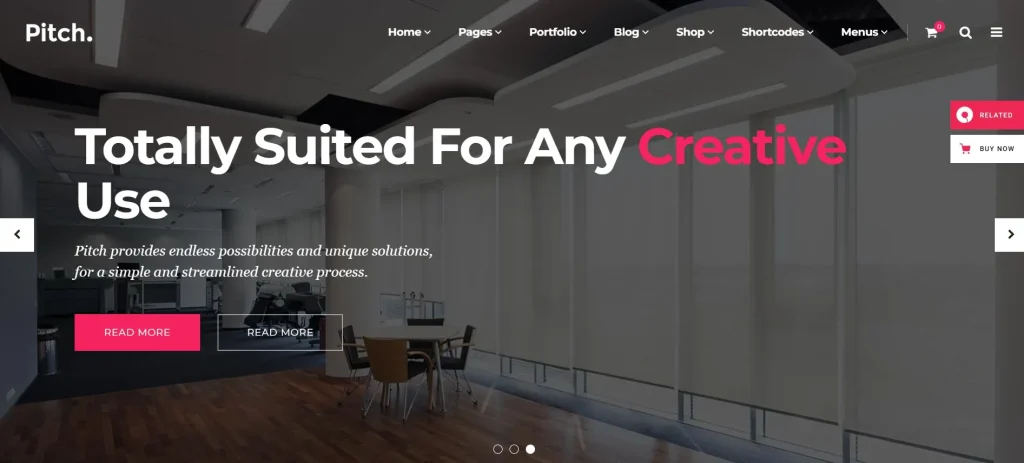
Pitch is a WordPress plugin that enables users to create structured, presentation-style content directly within their website. It provides predefined sections and layout systems designed to guide visitors through a clear narrative, from introduction to conversion.
At its core, Pitch replaces traditional page-building approaches with a storytelling framework. Instead of simply adding text and images, users can organize content into logical segments such as value propositions, feature highlights, testimonials, and calls to action. This ensures that every page serves a specific purpose.
Pitch is particularly useful for:
- Startups presenting products or ideas
- Agencies pitching services to clients
- SaaS businesses explaining complex solutions
- Freelancers showcasing their expertise
- Marketers building landing pages
A common real-world example involves a SaaS company launching a new tool. Instead of creating a generic landing page, they can use Pitch to structure the page into sections that explain the problem, introduce the solution, highlight features, and present pricing or demos. This structured approach improves clarity and conversion rates.
Another example is a digital agency presenting its services. With Pitch, they can create dedicated pages that guide potential clients through their process, case studies, and results. This makes the agency appear more organized and professional.
In practice, Pitch also supports iterative improvement. Businesses can test different messaging structures, adjust sections, and refine their presentation over time without redesigning the entire page. This flexibility is essential for optimizing performance.
Another important use case involves internal presentations that are published publicly. Some companies use Pitch to turn internal sales decks into web-based presentations. This allows prospects to review information asynchronously, reducing the need for multiple meetings while still delivering a structured message.
Pitch also helps bridge the gap between content and design. Many businesses have strong ideas but struggle to present them visually. By providing predefined layouts, Pitch ensures that even non-designers can create polished pages that reflect professional standards.
Key Features of Pitch
- Structured Presentation Blocks
Pitch provides predefined content blocks designed for storytelling. These blocks include sections for introductions, problem statements, solutions, and calls to action. Instead of building pages from scratch, users can assemble these blocks to create a logical flow. For example, a startup can quickly build a product page that walks users through the value proposition step by step.
In real workflows, this reduces the time spent planning page structure. Teams can focus on refining messaging rather than deciding how to organize content. It also ensures consistency across multiple pages, which is important for brand coherence.
- Conversion-Focused Layouts
The plugin includes layouts specifically optimized for conversion. These layouts are designed based on proven marketing principles, ensuring that visitors are guided toward taking action. For instance, placing a call to action after explaining benefits increases the likelihood of engagement.
In practice, this means that even users without marketing expertise can create effective landing pages. Businesses can rely on these layouts to avoid common mistakes such as overwhelming users with too much information at once.
- Drag-and-Drop Compatibility
Pitch integrates seamlessly with popular page builders, allowing users to customize layouts using drag-and-drop functionality. This eliminates the need for coding and makes the plugin accessible to non-technical users.
Agencies can also use this feature to create custom designs while maintaining the structured framework provided by Pitch. This balance between flexibility and structure is particularly valuable in client work.
- Dynamic Content Sections
Users can easily add, remove, or rearrange sections to match their messaging strategy. This flexibility allows for continuous optimization. For example, a business can test different sequences of content to see which performs better.
This adaptability is particularly useful for A/B testing campaigns. Teams can quickly adjust content flow based on performance data without rebuilding the entire page.
- Built-in Call-to-Action Elements
Pitch includes customizable call-to-action components that can be placed strategically throughout the page. These elements are designed to capture user attention and encourage interaction.
In real-world scenarios, placing multiple calls to action across a page can significantly improve conversion rates. For example, adding a CTA after each major section ensures that users always have a clear next step.
- Responsive Design
All Pitch layouts are fully responsive, ensuring that content looks professional on all devices. This is essential for maintaining user engagement, especially as mobile traffic continues to grow.
A responsive design ensures that users have a consistent experience regardless of how they access the site. This directly impacts conversion rates and user satisfaction.
- Integration with Marketing Tools
Pitch works well with email marketing platforms, CRM systems, and analytics tools. This allows businesses to track performance and optimize campaigns based on real data.
For example, integrating with a CRM enables businesses to capture leads directly from their pitch pages and follow up efficiently.
- Lightweight Performance
The plugin is optimized for speed, ensuring that pages load quickly even with multiple content sections. This improves both user experience and SEO performance.
Fast-loading pages are critical for retaining visitors and reducing bounce rates, especially in competitive markets.
- Custom Styling Options
Users can customize colors, fonts, and layouts to match their brand identity. This ensures that each pitch page aligns with the overall website design.
Maintaining visual consistency across pages helps build trust and reinforces brand recognition.
- Reusable Templates
Pitch allows users to save and reuse templates for different projects. This is particularly useful for agencies and marketers who need to create multiple pages with similar structures.
In practice, this feature significantly reduces production time and ensures consistent quality across campaigns.
Benefits of Using Pitch
Pitch offers clear benefits for businesses that want to improve how they present ideas and convert visitors into customers. One of the most immediate advantages is improved clarity. By structuring content into logical sections, Pitch ensures that visitors can easily understand the value being offered without confusion.
Another key benefit is increased conversion efficiency. Instead of relying on generic layouts, users can create pages that guide visitors toward specific actions. For example, a SaaS company can use Pitch to explain its product step by step, reducing friction and increasing sign-ups.
From a workflow perspective, Pitch simplifies content creation. Teams no longer need to spend time designing page structures from scratch. Instead, they can use predefined blocks and focus on crafting compelling messaging. This reduces production time and improves consistency across campaigns.
Cost savings are also significant. Businesses can avoid hiring designers or developers for every new landing page. A small startup, for instance, can build multiple campaign pages internally using Pitch, saving thousands in development costs over time.
Pitch also improves collaboration between teams. Marketing teams can define the structure, while content teams focus on messaging and designers refine visuals. This division of responsibilities makes the workflow more efficient and scalable.
Another benefit is faster testing and optimization. Businesses can launch campaigns quickly, gather performance data, and make adjustments without rebuilding pages. This agility is essential for improving ROI in digital marketing.
Real Use Cases of Pitch
Pitch is highly adaptable and can be used across various industries and workflows. In eCommerce, businesses use it to create product launch pages that highlight features, benefits, and customer reviews in a structured format. This improves product understanding and increases sales.
Startups often rely on Pitch to present their ideas to potential investors or customers. By organizing content into clear sections, they can communicate their vision more effectively. For example, a startup can create a page outlining the problem, solution, and market opportunity in a way that mirrors a professional pitch deck.
Agencies use Pitch to present services and case studies. Instead of sending static proposals, they can create interactive pages that guide clients through their offerings. This often leads to higher engagement and faster decision-making.
Freelancers also benefit from Pitch by using it to showcase their expertise. A copywriter, for example, can create a page that explains their process, highlights results, and includes testimonials, making it easier to convert visitors into clients.
Content marketers use Pitch to build campaign landing pages designed to capture leads and promote offers. These pages are structured to guide users toward a specific action, such as signing up for a webinar or downloading a resource.
Another practical use case involves internal sales teams. Instead of sending PDF presentations, they can share Pitch-based pages with prospects. This allows clients to explore information at their own pace while maintaining a structured narrative.
Pitch is also valuable for service-based businesses launching new offerings. For example, a consulting firm can create a dedicated page for a new service, explaining its value, process, and outcomes in a clear and persuasive way.
How to Install Pitch
Installing Pitch is a straightforward process that can be completed in a few steps.
First, download the Pitch plugin file from a trusted source. Then, log in to your WordPress dashboard and navigate to the Plugins section. Click on “Add New” and select “Upload Plugin.”
Upload the ZIP file and click “Install Now.” Once the installation is complete, activate the plugin. After activation, Pitch will appear in your dashboard menu.
Next, configure the basic settings. Start by selecting a template or creating a new page using Pitch blocks. Add content sections such as introductions, features, and calls to action.
In practice, most users can set up their first pitch page within a short time. The intuitive interface ensures that even beginners can create professional layouts without difficulty.
For better results, it is recommended to connect Pitch with analytics and marketing tools. This allows users to track performance and optimize their pages based on real data.
After installation, users should also create a workflow for content creation. For example, defining a standard structure for all pitch pages ensures consistency across campaigns. Teams can then reuse templates and focus on improving messaging rather than rebuilding layouts.
Another useful step is testing the page across devices and browsers. This ensures that the presentation remains effective regardless of how users access the site.
Why Buy Pitch at Pluginpro.org
Purchasing Pitch at Pluginpro.org provides a strong advantage, particularly for users managing multiple websites or projects. One of the most significant benefits is cost efficiency. Instead of paying high recurring fees for individual licenses, users can access Pitch at a much lower cost.
For example, an agency creating landing pages for multiple clients would normally need separate licenses for each project. If each license costs a significant amount annually, the total expense quickly adds up. By purchasing through Pluginpro.org, the agency can use Pitch across all projects without additional costs, saving a substantial amount over time.
Another key advantage is unlimited website usage. This allows freelancers and agencies to scale their operations without worrying about licensing restrictions. As new projects come in, they can deploy Pitch immediately without additional expenses, improving operational efficiency.
From a cost-saving perspective, this model is particularly beneficial for long-term use. A marketer running ongoing campaigns can reuse the plugin across multiple landing pages and websites without increasing expenses. Over time, this leads to a much higher return on investment compared to traditional licensing.
Security is also a priority. Files provided are clean and safe, ensuring that websites remain protected. This is essential for businesses that rely on their websites for lead generation and sales, where downtime or vulnerabilities can result in lost revenue.
Ease of access is another important factor. Pluginpro.org simplifies the process of downloading and updating the plugin. Users can quickly implement updates without dealing with complex licensing systems, saving both time and effort.
A practical scenario involves a freelancer managing multiple client campaigns. By using Pitch from Pluginpro.org, they can standardize their workflow, reduce development time, and offer competitive pricing while maintaining strong profit margins.
Is Pitch Worth It?
Yes, Pitch is worth it for anyone who needs to present ideas, products, or services in a structured and persuasive way.
It is particularly valuable for startups, agencies, marketers, and freelancers. For example, a startup launching a new product can use Pitch to create a compelling landing page that explains the product clearly and encourages users to sign up or purchase.
From a cost perspective, Pitch reduces the need for external design and development resources. Instead of hiring a developer for every new page, businesses can build high-quality presentations internally. This results in significant savings over time, especially for companies running frequent campaigns.
Pitch is also worth it for teams that need flexibility. Marketing strategies often evolve, and being able to update content quickly without rebuilding pages is a major advantage. This allows businesses to respond to market changes and optimize performance continuously.
Another practical scenario involves agencies working with multiple clients. By using Pitch, they can create consistent, high-quality pages across projects while reducing production time. This improves efficiency and allows them to handle more clients without increasing workload.
Overall, Pitch delivers value by combining structure, flexibility, and efficiency. It is not just a design tool but a strategic asset for improving communication and conversion.
Conclusion
Pitch provides a practical and effective solution for creating structured, high-converting content on WordPress websites. By combining storytelling frameworks with flexible design tools, it helps users communicate value clearly and guide visitors toward action.
Its strength lies in simplifying complex processes. Instead of struggling with page design and content organization, users can focus on delivering strong messages that resonate with their audience.
In real-world applications, Pitch improves clarity, enhances user experience, and increases conversion rates. Whether used for product launches, service presentations, or marketing campaigns, it offers a reliable and scalable solution.
For businesses aiming to improve how they present ideas and convert visitors into customers, Pitch stands out as a tool that delivers both efficiency and measurable results.