If you’re comparing ACF Pro vs Pods WordPress, you’re likely looking for the best way to build dynamic content without choosing the wrong plugin. Both solutions let you create custom fields, Custom Post Types, and taxonomies, but they differ significantly in features, flexibility, and long-term development workflow.
While ACF Pro and Pods share many core capabilities, each plugin is designed for different types of users and projects. Understanding these differences will help you choose the solution that best fits your website.
In this comparison, we’ll examine ACF Pro vs Pods WordPress across features, ease of use, integrations, pricing, and real-world use cases to help you make an informed decision.
1. Key Differences Between ACF Pro and Pods
Although both plugins extend WordPress by adding structured content capabilities, they are designed with different priorities in mind.
Advanced Custom Fields Pro (ACF Pro) is primarily a custom fields framework. While recent versions also include built-in tools for creating Custom Post Types and Taxonomies, its greatest strength lies in managing structured content through an extensive collection of advanced field types and developer-friendly APIs.
Pods, meanwhile, is positioned as an all-in-one content development framework. Besides custom fields, it includes native support for creating Custom Post Types, Custom Taxonomies, relationships, and even custom database tables without requiring premium features.
The biggest difference lies in their approach to building dynamic WordPress websites. ACF Pro prioritizes usability, developer experience, and ecosystem compatibility, while Pods offers greater architectural flexibility through its open-source framework and support for custom database tables.
Pods is often preferred by users who want a capable free solution that combines multiple content management features within a single plugin.
ACF Pro vs Pods At a glance:
| Feature | ACF Pro | Pods |
| Best For | Professional websites, agencies, and developers | Budget-conscious users and open-source enthusiasts |
| Custom Fields | 30+ advanced field types | Core field types |
| Custom Post Types | ✅ Built-in | ✅ Built-in |
| Advanced Features | Repeater, Flexible Content, Clone Fields, Conditional Logic | Relationships and custom database tables |
| Ease of Use | ⭐⭐⭐⭐⭐ | ⭐⭐⭐⭐☆ |
| Third-Party Integrations | Excellent | Good |
| Documentation & Support | Extensive documentation and premium support | Community documentation and forums |
While both plugins help you build dynamic WordPress websites, ACF Pro focuses on providing a streamlined development experience, whereas Pods offers greater flexibility through its open-source framework. The right choice depends on your project’s complexity, budget, and preferred workflow.
2. Overview of ACF Pro and Pods WordPress
Before comparing their features and performance, it’s helpful to understand what each plugin is designed to do. While both extend WordPress with dynamic content capabilities, they take different approaches to custom field management and content modeling.
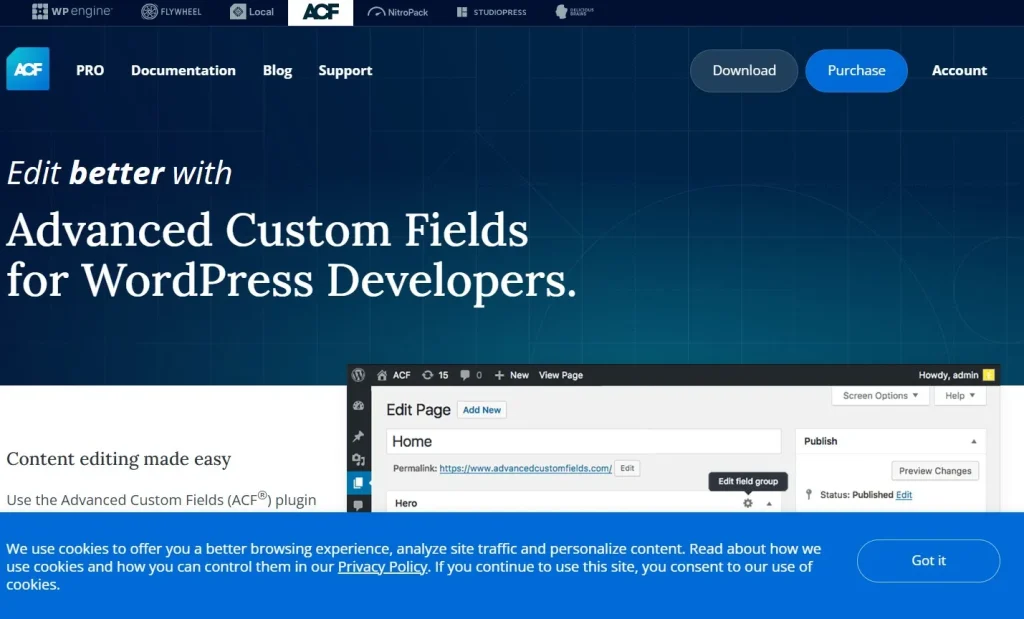
2.1 Advanced Custom Fields Pro (ACF Pro)
Advanced Custom Fields Pro (ACF Pro) is a premium WordPress plugin for creating and managing custom fields, Custom Post Types, and Taxonomies. It helps developers structure content and display dynamic data across pages, posts, products, and custom templates without modifying WordPress core.
Beyond its 30+ field types, ACF Pro includes advanced features such as Repeater Fields, Flexible Content, Clone Fields, Relationship Fields, Options Pages, Conditional Logic, and custom Gutenberg Blocks. Its excellent compatibility with WooCommerce, Elementor, Bricks Builder, and other popular WordPress tools makes ACF Pro one of the most trusted solutions for building scalable, dynamic websites.
2.2 Pods WordPress
Pods is a free, open-source WordPress plugin that combines custom fields, Custom Post Types, Taxonomies, and content relationships into a single framework. Unlike ACF Pro, Pods also supports custom database tables, making it a flexible option for developers building more specialized content structures.
Now that you’ve seen what each plugin offers, this ACF Pro vs Pods WordPress comparison moves on to a detailed feature comparison to help you identify the right solution for your website. However, compared with ACF Pro, it offers a smaller ecosystem, fewer third-party integrations, and a steeper learning curve, particularly for beginners.
3. ACF Pro vs Pods WordPress: Feature Comparison
The table below highlights the key differences in this ACF Pro vs Pods WordPress comparison, making it easier to evaluate which plugin best suits your website.
| Feature | ACF Pro | Pods |
| Custom Fields | ✅ 30+ field types | ✅ Core field types |
| Custom Post Types | ✅ | ✅ |
| Custom Taxonomies | ✅ | ✅ |
| Repeater Fields | ✅ | Limited |
| Flexible Content | ✅ | ❌ |
| Clone Fields | ✅ | ❌ |
| Conditional Logic | ✅ | Basic |
| Relationship Fields | ✅ | ✅ |
| Gutenberg Blocks | ✅ | Limited |
| Custom Database Tables | ❌ | ✅ |
| Elementor Integration | Excellent | Good |
| WooCommerce Compatibility | Excellent | Good |
| Documentation | Extensive | Community-based |
As this ACF Pro vs Pods WordPress feature comparison shows, both plugins provide the essential tools for building dynamic WordPress websites, but they target different development needs.
ACF Pro stands out with advanced field types, a polished user interface, and strong compatibility with popular WordPress plugins and page builders. These advantages make it a popular choice for agencies, freelancers, and businesses building long-term projects.
Pods, on the other hand, delivers impressive functionality at no cost. Its support for custom database tables and flexible content modeling makes it a capable solution for developers who need greater control over their data structure.
Overall, this ACF Pro vs Pods WordPress comparison shows that ACF Pro is better suited to professional websites, while Pods remains an excellent option for users seeking a flexible, free solution.
4. Choosing Between ACF Pro and Pods
After exploring the key differences in this ACF Pro vs Pods WordPress comparison, the next step is deciding which plugin best matches your website’s requirements. While both are capable solutions, they are designed for different types of users and development workflows.
4.1 When ACF Pro Is the Better Choice
Advanced Custom Fields Pro is the better option for most professional WordPress projects. Its advanced field types, intuitive interface, and broad compatibility with page builders, WooCommerce, and SEO plugins make it ideal for websites that require flexible content management and long-term scalability.
Advanced Custom Fields Pro is best suited to websites that require advanced content management, long-term scalability, and seamless integration with other WordPress tools. It is particularly suitable for:
- Agency and freelance client projects
- WooCommerce stores with custom product layouts
- Business websites with dynamic content
- Directories, listing websites, and membership platforms
- Websites built with Elementor Pro, Bricks Builder, or Oxygen
- Projects that require advanced field types like Repeater Fields and Flexible Content
If you expect your website to grow over time or need a streamlined development workflow, ACF Pro is generally the more practical long-term investment.
4.2 When Pods Is the Better Choice
Pods is an excellent choice for developers who want a powerful custom fields solution without purchasing a premium plugin. It combines Custom Post Types, Taxonomies, relationships, and custom fields in a single open-source framework, making it suitable for a wide range of projects.
Pods is best suited to developers and website owners who prioritize flexibility and affordability. It works particularly well for:
- Personal or hobby websites
- Small business websites with straightforward content structures
- Developers who prefer open-source software
- Budget-conscious users looking for a free solution
- Projects that benefit from custom database tables or specialized content relationships
While Pods offers impressive flexibility, it generally requires a steeper learning curve and has a smaller ecosystem than ACF Pro. For larger commercial websites or agency workflows, many developers find ACF Pro easier to maintain and extend. Ultimately, the right choice between ACF Pro vs Pods WordPress depends on your project’s complexity, budget, and long-term development needs.
5. Build a Complete WordPress Workflow with ACF Pro or Pods
Choosing the right custom fields plugin is only one part of building a dynamic WordPress website. Whether you decide on ACF Pro or Pods, you’ll often combine it with additional tools for page building, SEO, advanced search, data management, and forms.
The following plugins integrate well with both solutions and can help you build a more complete, scalable, and user-friendly WordPress workflow.
5.1 Elementor Pro
If you’re designing pages visually, Elementor Pro is one of the best companions for both ACF Pro and Pods.
Its Theme Builder allows you to display dynamic custom field data across templates without manually editing PHP files. You can build custom blog layouts, WooCommerce product pages, team profiles, property listings, and many other dynamic templates using a drag-and-drop interface.
When paired with ACF Pro, Elementor offers native Dynamic Tags support, making it particularly easy to display custom field values throughout your website.
5.2 Rank Math SEO
Creating structured content is only valuable if search engines can properly understand and index it.
Rank Math SEO helps optimize Custom Post Types by allowing you to configure metadata, schema markup, XML sitemaps, breadcrumbs, and indexing settings for dynamic content.
Whether your website is powered by ACF Pro or Pods, Rank Math ensures your custom content has a stronger foundation for organic search visibility.
5.3 FacetWP
As your website grows, visitors need efficient ways to search and filter content.
FacetWP adds advanced filtering capabilities for custom fields, taxonomies, WooCommerce products, directories, and listing websites.
It integrates particularly well with ACF Pro but also works effectively with Pods, making it an excellent solution for websites containing large amounts of dynamic content.
If you’re building property listings, job boards, business directories, or product catalogs, FacetWP can dramatically improve the user experience.
5.4 WP All Import
Managing large datasets manually quickly becomes time-consuming.
WP All Import simplifies the process by allowing you to import or update Custom Post Types, taxonomies, and custom fields from CSV or XML files.
Whether you’re migrating an existing website or importing thousands of products, listings, or directory entries, it can save countless hours of manual work while reducing the risk of data entry errors.
5.5 Fluent Forms Pro
Collecting structured data from visitors is another common requirement for dynamic websites.
Fluent Forms Pro enables you to build advanced forms that integrate with custom fields, allowing submitted data to populate your content automatically.
This combination works well for applications such as business directories, property listings, event submissions, member profiles, and customer portals, reducing manual administration while keeping your content consistently organized.
6. Frequently Asked Questions
1 Is ACF Pro better than Pods?
For most professional WordPress websites, ACF Pro is generally the better choice. It offers advanced field types, a more intuitive interface, excellent documentation, and seamless integration with popular tools like Elementor Pro, WooCommerce, and Rank Math SEO. Pods remains a strong free alternative for developers who prefer an open-source solution or are building smaller projects.
2 Can ACF Pro replace Pods?
Yes, in many cases. Recent versions of ACF Pro include built-in support for Custom Post Types and Taxonomies, allowing many websites to manage their content structure without an additional plugin. However, if your project relies on Pods-specific features such as custom database tables, migrating may require extra planning.
3 Which plugin is better for beginners?
For beginners, ACF Pro is generally easier to use. Its intuitive interface, extensive documentation, and large community make it simpler to learn and implement. Pods offers more flexibility in certain scenarios, but its workflow is better suited to users with some WordPress development experience.
4 Is Pods completely free?
Yes. Pods is a free, open-source WordPress plugin that includes support for Custom Fields, Custom Post Types, Taxonomies, and Relationships without requiring a premium license. It’s a great option for personal websites, smaller projects, or anyone looking to build dynamic content on a limited budget.
5 Where can I download ACF Pro at an affordable price?
If you’re looking for a more affordable way to use Advanced Custom Fields Pro, PluginPro offers the latest GPL version at a lower price than the official license. For even better value, you can choose a PluginPro Membership to access ACF Pro along with many other premium WordPress plugins and themes under a single subscription, making it a cost-effective option for freelancers, agencies, and website owners.
7. Conclusion
After comparing ACF Pro vs Pods WordPress, the right choice ultimately depends on your project’s requirements, budget, and development workflow.
If you’re looking for a free solution that combines custom fields, Custom Post Types, and content relationships in a single plugin, Pods offers impressive value and remains a solid choice for smaller websites or developers who prefer open-source software.
However, for most professional WordPress projects, Advanced Custom Fields Pro provides a more complete long-term solution. Its advanced field types, intuitive interface, extensive documentation, and broad compatibility with modern WordPress tools make it easier to build scalable, maintainable, and highly customized websites.
Whether you’re building a WooCommerce store, business website, directory, or membership platform, choosing the right custom fields plugin will make your website easier to manage and expand as your project grows.
If you’ve decided that Advanced Custom Fields Pro is the right fit for your project, you can download the latest GPL version from PluginPro or choose a PluginPro Membership for convenient access to ACF Pro and many other premium WordPress plugins and themes. Whether you’re still researching ACF Pro vs Pods WordPress or you’re ready to choose a plugin, selecting the right solution now will make your WordPress website easier to manage and scale in the future.