If you’re comparing Avada vs Divi, the short answer is this: Avada is a better choice for users who want advanced customization, stronger WooCommerce features, and greater control over their website, while Divi is ideal for beginners, designers, and agencies that prioritize an intuitive visual builder and a faster design workflow.
Both are among the most popular premium WordPress themes, offering drag-and-drop page builders, extensive customization options, and professionally designed starter templates. However, they take different approaches to website building, making each theme better suited to different types of users and projects.
In this Avada vs Divi comparison, we’ll look at ease of use, performance, design flexibility, WooCommerce support, and overall value.
1. How We Compared Avada and Divi
To compare Avada and Divi fairly, we focused on the factors that matter most when building and managing a WordPress website: ease of use, design flexibility, performance, WooCommerce support, and starter templates.
These criteria help show not only what each theme offers, but also which types of users and projects it is best suited for.
2. Avada vs Divi at a Glance
If you’re looking for a quick overview before diving into the details, the table below highlights the biggest differences between the two themes.
| Feature | Avada | Divi |
| Ease of Use | Powerful but requires learning | Beginner-friendly visual builder |
| Design Flexibility | Extensive customization | Highly flexible visual editing |
| Performance | Optimized asset loading and dynamic CSS | Significantly improved, but slightly heavier |
| Starter Templates | 100+ complete websites | 2,000+ layouts and website packs |
| WooCommerce | Advanced shop builder and product layouts | Good WooCommerce Builder |
| SEO Compatibility | Excellent | Excellent |
| Pricing | One-time purchase | Annual or Lifetime membership |
If you only need a quick recommendation, choose Avada for advanced customization and WooCommerce projects, or Divi if you prefer a beginner-friendly visual builder and support for multiple websites.
PluginPro also offers premium WordPress themes and plugins for users who want compatible tools beyond their chosen theme.
3. Avada
Avada is an all-in-one WordPress theme built for complex websites, business projects, and online stores. Rather than relying on multiple third-party tools, it provides an integrated website-building ecosystem with its own visual builder, theme options, layout builder, header builder, form builder, and WooCommerce tools. This makes Avada a strong choice for business websites, agencies, and online stores that require extensive customization.
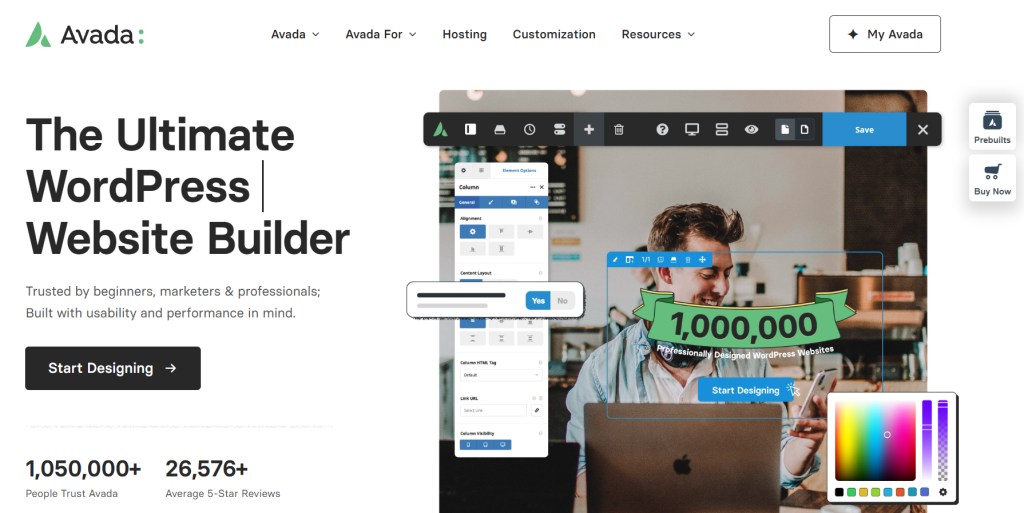
First released in 2012, Avada has remained one of the most popular premium WordPress themes thanks to its comprehensive feature set, regular updates, and large collection of professionally designed starter websites.
3.1 Key Features
One of Avada’s biggest strengths is the breadth of features available without requiring additional page builder plugins. Some of its most notable capabilities include:
- Drag-and-drop Avada Builder
- Header and Footer Builder
- Layout Builder for custom templates
- Global design options
- Dynamic Content support
- Mega Menu Builder
- Form Builder
- WooCommerce Builder
- More than 100 professionally designed website demos
- One-click demo import
Together, these tools allow users to customize nearly every part of their website without writing code, making Avada suitable for everything from corporate websites to complex WooCommerce stores.
3.2 Performance
Recent versions of Avada include a range of performance improvements to reduce unnecessary CSS and JavaScript and improve loading efficiency. These optimizations include:
- Dynamic CSS generation
- Dynamic JavaScript loading
- Lazy loading for images
- Optimized asset loading
- CSS and JavaScript compression
Rather than loading every available asset across the entire website, Avada conditionally loads many resources based on the features used on each page. Combined with quality hosting, caching, and image optimization, these improvements can help create faster-loading WordPress websites and a better overall user experience.
3.3 Who Should Choose Avada?
Pros
- Comprehensive all-in-one website builder
- Advanced WooCommerce customization
- Extensive design and layout controls
- Large library of professionally designed starter websites
- Regular feature updates and improvements
Cons
- The large number of settings may feel overwhelming for beginners.
- Learning the full feature set takes longer than simpler visual builders.
Best For
Avada is best suited for business websites, corporate websites, WooCommerce stores, digital agencies, freelance developers, and users who prefer an integrated website-building toolkit.
4. Divi
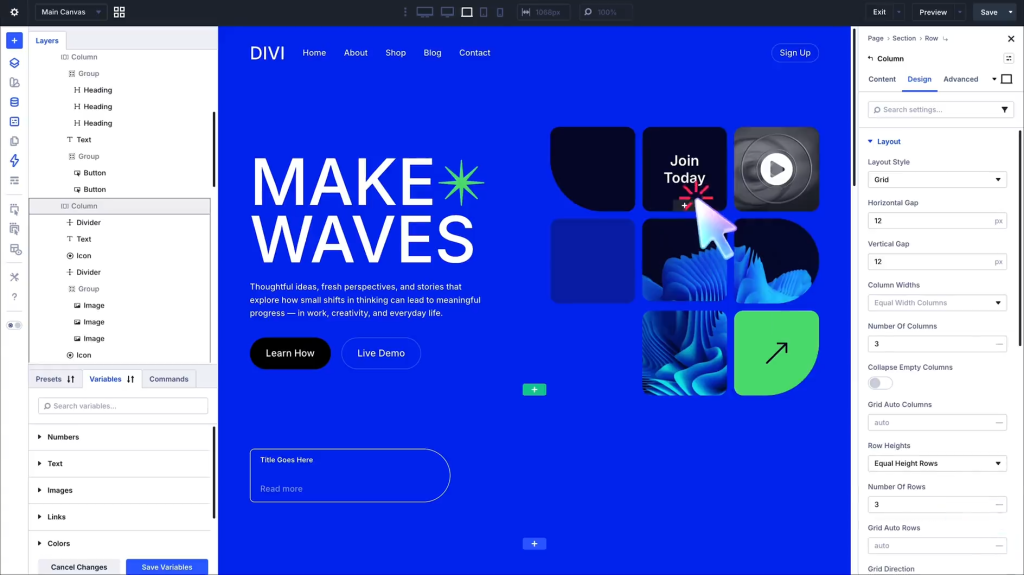
Divi is built for users who want an intuitive and efficient website-building experience. Its front-end visual editor lets you design pages in real time, making it especially appealing to users who value a fast, straightforward workflow.
Developed by Elegant Themes, Divi has grown into one of the most widely used premium WordPress themes. Beyond the theme itself, it offers a complete website-building platform with visual editing, reusable design elements, Theme Builder functionality, and WooCommerce integration. Another key advantage is its membership model, which allows installation on unlimited websites, making it a cost-effective choice for users managing multiple projects.
4.1 Key Features
Divi provides a comprehensive collection of tools for building and customizing WordPress websites. Some of its standout features include:
- Drag-and-drop Divi Builder
- Front-end visual editing
- Responsive editing controls
- Global elements and styles
- Theme Builder
- WooCommerce Builder
- Dynamic Content
- Split testing tools
- More than 2,000 professionally designed layouts
- Hundreds of complete website packs
4.2 Performance
Recent versions of Divi include several performance enhancements that reduce unnecessary CSS and JavaScript and improve page load efficiency. These optimizations include:
- Dynamic Module Framework
- Critical CSS
- Smart Style generation
- Optimized JavaScript loading
- Improved caching mechanisms
Although older versions of Divi were often criticized for generating heavier pages, recent updates have significantly improved its performance. When combined with reliable hosting, image optimization, and caching plugins, Divi can deliver fast loading times for most WordPress websites.
4.3 Who Should Choose Divi?
Pros
- Beginner-friendly visual builder
- Intuitive front-end editing experience
- Extensive library of layouts and website packs
- Unlimited website usage through membership plans
- Large community and comprehensive learning resources
Cons
- Some websites may generate heavier pages than lightweight themes if not properly optimized.
- Switching to another builder may require additional cleanup because of builder-specific shortcodes.
Best For
Divi is best suited for beginners, bloggers, freelancers, creative professionals, designers, and agencies that build and manage multiple WordPress websites.
5. How Avada and Divi Compare
This Avada vs Divi comparison highlights the key differences between these two popular multipurpose WordPress themes, helping you decide which one better matches your experience level, website requirements, and long-term goals.
5.1 Ease of Use
Divi has the advantage in terms of ease of use. Its front-end visual editor lets users see changes instantly as they design pages, making it especially beginner-friendly. Avada also offers a visual builder, but its broader range of settings and customization options creates a steeper learning curve. If you value simplicity and a faster onboarding experience, Divi is the better choice.
5.2 Design Flexibility
Avada provides more comprehensive customization options for users who want complete control over their website. From headers and footers to layouts, forms, and WooCommerce pages, almost every element can be customized without relying heavily on additional plugins. Divi also offers excellent design flexibility, but its primary strength lies in making visual editing easy rather than providing the same level of granular control.
5.3 Performance
Both themes now include built-in optimizations that reduce unnecessary assets and improve loading efficiency. Avada provides more visible performance controls within its theme settings, while Divi has improved substantially through features such as Critical CSS and its Dynamic Module Framework. In practice, either theme can perform well when paired with quality hosting and proper optimization.
5.4 WooCommerce Support
If you’re planning to build an online store, both themes integrate well with WooCommerce. However, Avada offers more built-in WooCommerce design elements and store customization options, making it a stronger choice for complex eCommerce projects. Divi is well-suited to users who want a simpler visual editing experience while still creating professional WooCommerce stores.
5.5 Templates and Starter Websites
Both themes include extensive collections of professionally designed templates. Avada focuses on complete website demos that can be imported and customized quickly. At the same time, Divi offers a larger library of layouts and website packs that are particularly useful for designers and agencies creating multiple client websites.
5.6 Which Theme Fits Your Needs?
After comparing Avada vs Divi, it’s clear that both are capable multipurpose WordPress themes designed for different workflows. If you value advanced customization, built-in tools, and greater control over your website, Avada is likely the better fit. If your priority is an intuitive visual builder, a shorter learning curve, and a solution for managing multiple websites, Divi may be the more suitable choice.
6. Frequently Asked Questions
1. Is Avada faster than Divi?
Not necessarily. Avada offers more built-in performance controls, but both themes can achieve good loading speeds when properly configured. Hosting quality, image size, page complexity, caching, and plugin usage often have a greater impact on performance than the theme alone.
2. Is Divi easier to use than Avada?
Yes. Divi is generally easier for beginners because its front-end editor provides a more immediate visual design experience. Avada also includes visual editing tools, but its broader range of settings usually takes longer to learn.
3. Which theme is better for WooCommerce?
In the Avada vs Divi comparison for WooCommerce, Avada is generally the stronger choice for complex online stores because it includes more built-in store customization options. Divi remains a good option for simpler shops and users who prefer its visual editing workflow.
4. Can I build any website with Avada or Divi?
Yes. Both Avada and Divi are multipurpose WordPress themes that can be used to build business websites, blogs, portfolios, WooCommerce stores, landing pages, agency websites, educational platforms, and more. The better choice depends on your design workflow and customization requirements.
5. Where can I get Avada or Divi for my WordPress website?
If you’re looking for premium WordPress themes at affordable GPL prices, PluginPro offers individual GPL downloads starting at $4.5 per item, along with flexible membership plans for users who regularly need multiple premium themes and plugins. Whether you’re building a single website or managing multiple WordPress projects, you can choose the option that best fits your workflow and budget.
7. Conclusion
After comparing Avada vs Divi, it’s clear that both themes are reliable choices for building professional WordPress websites. The better option depends on your preferred workflow, customization needs, and the type of website you plan to create. Whether you choose Avada for its advanced customization or Divi for its beginner-friendly visual builder, both provide a solid foundation for long-term website development.
Once you’ve selected the right theme, PluginPro makes it easier to find additional premium WordPress tools for SEO, performance, security, backups, and WooCommerce, helping you build and manage your website from one convenient source.