If you’re deciding between Avada and Elementor Pro, you’re choosing between two different approaches to building a WordPress website. Avada is a complete premium theme with its own built-in visual builder, while Elementor Pro is a standalone page builder plugin that works with many popular WordPress themes.
Both solutions provide visual editing, theme-building tools, WooCommerce customization, and dynamic content features. However, they differ in ease of use, design flexibility, performance, compatibility, and long-term scalability. This Avada vs Elementor Pro comparison explores those differences to help you choose the solution that best fits your workflow and website requirements.
1. Evaluation Criteria
Although Avada and Elementor Pro both allow users to build WordPress websites visually, they are designed for different workflows. Avada combines a premium theme and an integrated builder, while Elementor Pro adds visual website-building capabilities to a compatible WordPress theme.
To provide a practical comparison, we’ll evaluate both solutions based on ease of use, design flexibility, performance, WooCommerce support, ecosystem, compatibility, and long-term value.
2. Avada vs Elementor Pro at a Glance
Before exploring each solution in detail, here’s a quick overview of how Avada vs Elementor Pro compares across the most important categories.
| Feature | Avada | Elementor Pro |
| Product Type | Premium WordPress Theme | Premium Page Builder Plugin |
| Visual Builder | Avada Builder | Elementor Editor |
| Theme Included | ✔ Yes | ✘ No |
| Works with Other Themes | ✘ No | ✔ Yes |
| Theme Builder | ✔ Built-in | ✔ Included |
| WooCommerce Builder | ✔ Included | ✔ Included |
| Popup Builder | ✘ No | ✔ Yes |
| Form Builder | ✔ Yes | ✔ Yes |
| Dynamic Content | ✔ Yes | ✔ Yes |
| Template Library | 110+ Prebuilt Websites | 300+ Templates & Kits |
| Third-Party Extensions | Limited | Extensive |
| Pricing Model | One-time Purchase | Annual Subscription |
| Best For | Complete Website Solution | Flexible Website Building |
Although both products serve similar purposes, they are designed for different workflows.
Avada is an all-in-one premium WordPress theme that includes nearly everything you need to build a complete website. You don’t need to install an additional page builder, as Avada Builder is already integrated into the theme.
Elementor Pro takes a more modular approach. Instead of replacing your theme, it enhances it with a powerful visual builder, allowing you to combine Elementor with lightweight themes like Hello Elementor, Astra, or GeneratePress.
While both platforms can build professional WordPress websites, they target different user types. The following sections compare their strengths across usability, customization, performance, WooCommerce, and long-term flexibility to help you decide which solution better matches your needs.
3. Detailed Comparison
3.1 Which Builder Is Easier to Use?
Avada
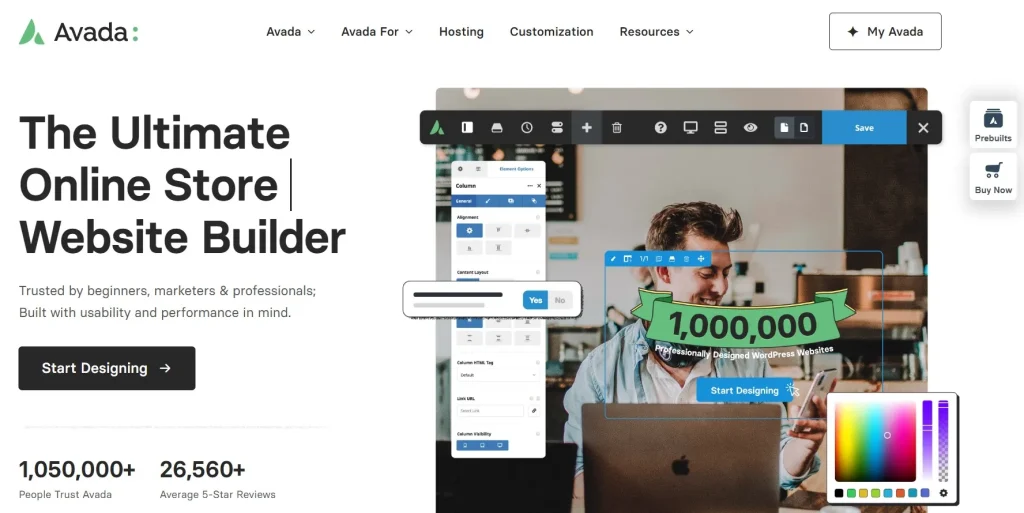
Avada includes Avada Builder directly within the theme, so you don’t need to install a separate page builder. Everything from page editing to header, footer, and layout customization is managed from a single interface, creating a consistent workflow.
However, because Avada includes so many built-in features and settings, new users may need more time to become familiar with the builder. It offers excellent flexibility, but the learning curve is slightly steeper than Elementor Pro.
Elementor Pro
Elementor Pro is widely recognized for its intuitive drag-and-drop interface. The visual editor is clean, responsive, and easy to navigate, allowing beginners to build professional pages with minimal learning.
Since Elementor works independently of your theme, users can also switch themes without changing their editing experience, making it particularly attractive for freelancers and agencies.
For beginners, Elementor Pro is generally easier to learn thanks to its intuitive interface and straightforward workflow. Avada requires more time to explore because it includes a broader range of theme and builder settings. Still, its integrated environment can become efficient once users are familiar with the system.
3.2 Which Offers More Design Flexibility?
Avada
Avada offers a fully integrated design system that includes Theme Builder, Header Builder, Footer Builder, Layout Builder, Form Builder, and WooCommerce Builder. Global Design options let you manage colors, typography, spacing, and reusable elements from a single centralized location.
With more than 100 professionally designed website demos, Avada provides a strong starting point for many industries.
Elementor Pro
Elementor Pro provides exceptional design flexibility through its Theme Builder, Popup Builder, Loop Builder, Motion Effects, Dynamic Content, and extensive widget library. It also supports hundreds of professionally designed templates and works seamlessly with lightweight themes such as Hello Elementor, Astra, and GeneratePress.
Its compatibility with a wide range of third-party add-ons further expands its design capabilities beyond the built-in features.
Avada provides a comprehensive design system within one integrated platform. Elementor Pro offers greater freedom to combine different themes, widgets, templates, and third-party extensions. For users who regularly work on different types of websites, Elementor Pro generally provides more room to adapt the design workflow to each project.
3.3 Which Performs Better?
Avada
Performance has become one of Avada’s biggest strengths in recent years. Features such as Dynamic CSS, Dynamic JavaScript, conditional asset loading, lazy loading, and the Performance Wizard help reduce unnecessary resource usage and improve load time.
Because the same team develops both the theme and the builder, compatibility issues are relatively uncommon.
Elementor Pro
Elementor Pro has also introduced significant performance improvements, including optimized DOM output, better CSS generation, lazy loading, and improved asset management.
However, overall speed depends on the active theme, hosting environment, and installed plugins. Pairing Elementor Pro with a lightweight theme generally delivers the best results.
Both solutions can deliver strong performance when paired with suitable hosting, caching, and image optimization. Elementor Pro gives users more freedom to choose a lightweight theme, while Avada provides a more controlled environment where the theme and builder are optimized within the same platform.
3.4 Which Is Better for WooCommerce?
Avada
Avada includes WooCommerce design tools within its integrated website-building system. Users can customize product pages, shop layouts, product archives, carts, and checkout experiences without installing a separate page builder.
Because the theme, builder, and WooCommerce tools are built into the same platform, Avada provides a consistent workflow for creating and maintaining an online store.
Elementor Pro
Elementor Pro’s WooCommerce Builder lets users visually create custom single-product and product archive templates. It also provides WooCommerce widgets and dynamic content controls for displaying product information throughout a store.
Its compatibility with various WordPress themes makes Elementor Pro suitable for store owners who want greater freedom to customize their website.
Both solutions provide strong WooCommerce customization capabilities. Avada is better suited to users who want their theme and store-building tools combined in one system. At the same time, Elementor Pro offers greater flexibility for stores built with various themes and plugin combinations.
3.5 Which Has the Better Ecosystem?
Avada
Avada provides a well-integrated ecosystem where the theme, builder, WooCommerce tools, and design system are all maintained by the same development team. This reduces compatibility issues and simplifies updates.
However, the number of third-party extensions available for Avada is relatively limited.
Elementor Pro
Elementor Pro benefits from one of the largest ecosystems in the WordPress community. A large ecosystem of third-party widgets, templates, integrations, tutorials, and educational resources are available, making it easy to extend functionality without custom development.
It also works seamlessly with many popular WordPress themes and plugins.
Elementor Pro has the broader third-party ecosystem, giving users more choices when they need additional widgets, templates, integrations, or learning resources. Avada offers fewer external extensions, but its more controlled ecosystem may reduce the number of compatibility decisions users need to manage.
3.6 Which Provides Better Long-Term Value?
Avada
Avada is a practical choice if you plan to build and maintain a single website using one integrated platform. Because the builder, theme, and design tools are developed together, long-term maintenance is generally straightforward.
The main limitation is that moving away from Avada often requires rebuilding layouts after switching themes.
Elementor Pro
Elementor Pro offers greater long-term flexibility because it works with a wide range of WordPress themes. As your website evolves, you can change themes without completely changing your page-building workflow.
This flexibility makes Elementor Pro particularly valuable for freelancers, agencies, and anyone managing multiple websites with different design requirements.
For users who expect their projects to grow or change over time, Elementor Pro provides greater scalability and flexibility. Avada remains an excellent option for those who prefer an all-in-one website-building experience.
4. Who Should Choose Avada in the Avada vs Elementor Pro Comparison?
4.1 Who Should Choose Avada?
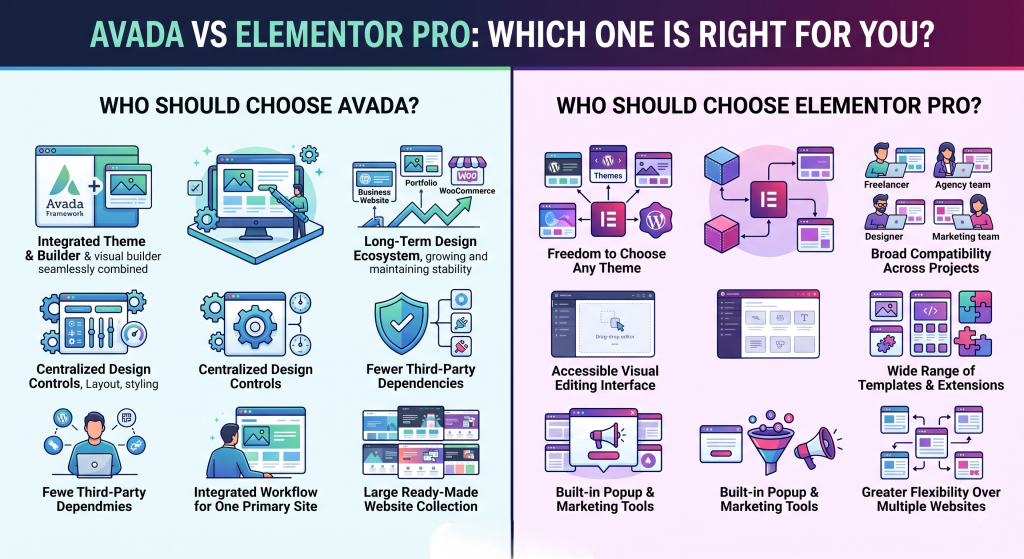
Avada is suitable for users who want a complete theme and visual builder in a single integrated platform. It is particularly practical for business websites, portfolios, and WooCommerce stores that will remain within the same design ecosystem over the long term.
Consider Avada if you prefer:
- A premium theme with a built-in builder
- Centralized design and layout controls
- Fewer dependencies on third-party design plugins
- An integrated workflow for one primary website
- A large collection of ready-made website designs
4.2 Who Should Choose Elementor Pro?
Elementor Pro is a stronger fit for users who want to choose their own WordPress theme and maintain a consistent page-building workflow across different projects. Its broad compatibility and third-party ecosystem make it especially useful for freelancers, agencies, designers, and marketing teams.
Consider Elementor Pro if you prefer:
- Compatibility with different WordPress themes
- An accessible visual editing interface
- A broad range of templates and third-party extensions
- Built-in popup and marketing design tools
- Greater flexibility across multiple websites
5. Frequently Asked Questions
1. Can I use Elementor Pro with Avada?
Yes. Elementor Pro can be installed alongside Avada, but most users prefer to use a single builder to keep their website easier to manage and avoid unnecessary complexity.
2. Which is faster: Avada or Elementor Pro?
Both have improved significantly in terms of performance. Elementor Pro paired with a lightweight theme may have a slight speed advantage, while Avada benefits from tighter integration between its theme and builder.
3. Is Avada worth using in 2026?
Avada remains a practical option for users who want a premium WordPress theme with an integrated visual builder, WooCommerce tools, prebuilt websites, and centralized design controls. Whether it is the right choice depends on whether you prefer an all-in-one ecosystem or the freedom to work with different themes.
4. How much do Avada and Elementor Pro cost?
Avada and Elementor Pro use different licensing models, so the overall cost depends on the licensing model and the number of websites you plan to build. If you’re looking for a more affordable way to access premium WordPress products, PluginPro offers individual GPL downloads starting from just $4.5 per item, along with flexible membership plans for users who regularly need multiple premium themes and plugins. Whether you’re building a single website or managing multiple WordPress projects, you can choose the option that best fits your workflow and budget.
5. Which option is better for WooCommerce?
Both platforms offer advanced WooCommerce builders that let you customize product pages, shop layouts, and checkout experiences. If you prefer an integrated solution, Avada is the way to go. If you want flexibility with different themes, Elementor Pro is the better choice.
6. Conclusion
Choosing between Avada and Elementor Pro ultimately comes down to the way you build and manage WordPress websites. Avada is a strong choice for users who want an all-in-one solution with an integrated visual builder, comprehensive design tools, and WooCommerce features, all on a single platform. Elementor Pro, on the other hand, is better suited to users who value flexibility, compatibility with different themes, and access to a large ecosystem of templates and third-party extensions.
Both platforms can build professional WordPress websites, but they are designed for different workflows. Choosing the one that aligns with your project requirements will provide a smoother experience in the long run.
Once you’ve made your decision, PluginPro makes it easy to access Avada, Elementor Pro, and a wide range of premium WordPress themes and plugins in one place. Whether you’re building your first website or managing multiple WordPress projects, you’ll find the tools you need to create, optimize, and grow your website with confidence.