Choosing the right page builder is essential for creating a WordPress website that is both visually appealing and easy to manage. Among the many options available, Divi and Bricks have become two popular choices, each offering a unique approach to website building.
In the Divi vs Bricks comparison, Divi stands out with its feature-rich visual builder, extensive template library, and beginner-friendly design experience. Bricks, on the other hand, is known for its lightweight architecture, clean code, and strong focus on performance, making it a favorite among developers and advanced users.
This comparison breaks down Divi vs Bricks across the factors that matter most, including ease of use, design flexibility, features, performance, WooCommerce support, and overall value. If you’re also looking for a convenient way to access WordPress themes and plugins, PluginPro provides additional options for extending your website. By the end of this guide, you’ll have a clearer idea of which builder is better suited to your workflow and website goals
1. What to Consider When Choosing Between Divi and Bricks
Before choosing between Divi vs Bricks, consider how each builder fits your website goals, technical experience, and long-term needs. Ease of use and design flexibility matter if you want to build websites efficiently, while performance and clean code become more important for users focused on speed and scalability. If you’re building an online store, WooCommerce support should also be part of the decision, especially when customizing product pages, shop layouts, and other store templates.
These factors provide a useful framework for comparing Divi and Bricks and understanding where each builder has an advantage.
2. Divi vs Bricks at a Glance
| Feature | Divi | Bricks |
| Developer | Elegant Themes | Bricks |
| Product Type | Premium Theme + Builder | WordPress Theme with Built-in Builder |
| Visual Drag-and-Drop Editor | ✔ | ✔ |
| Theme Builder | ✔ | ✔ |
| WooCommerce Builder | ✔ | ✔ |
| Dynamic Content | ✔ | ✔ |
| AI Features | Divi AI | No native AI |
| Template Library | Extensive | Growing |
| Third-Party Ecosystem | Large | Moderate |
| Lifetime License | ✔ | ✔ |
| Performance Focus | High | Excellent |
| Best For | Designers, Agencies, Businesses | Developers, Performance-focused Users |
Both builders offer complete website-building capabilities, but they excel in different areas. Divi focuses on delivering a polished design experience with a rich ecosystem of templates and built-in features, while Bricks stands out for its lightweight architecture and impressive performance. Your final decision depends on whether you prioritize design convenience or maximum speed and efficiency.
PluginPro Expert Tip: Can’t decide between Divi’s design flexibility and Bricks’ performance-focused approach? PluginPro offers WordPress themes and plugins for users looking to build and extend their websites with more flexibility.
3. Divi vs Bricks: Main Comparison
3.1 Divi Theme & Divi Builder
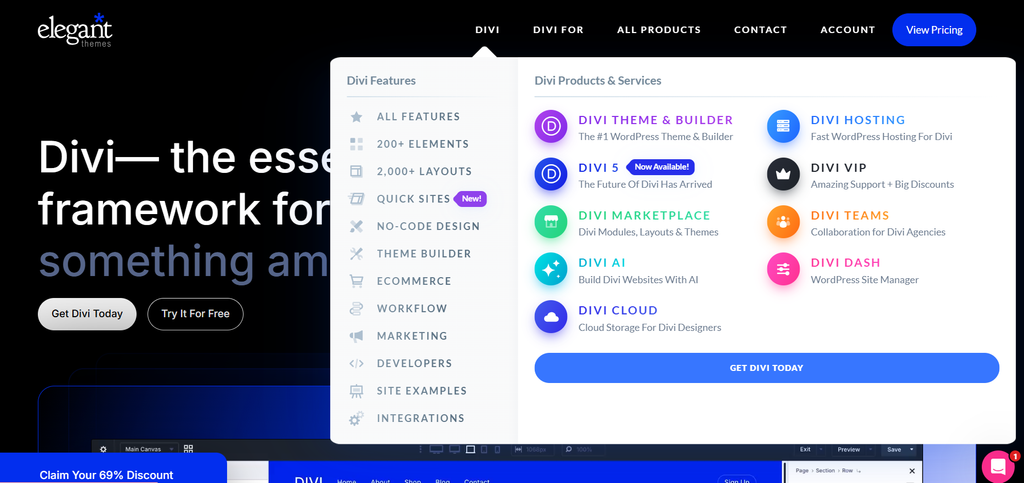
Divi (by Elegant Themes) is more than just a page builder—it’s a complete WordPress design ecosystem. If you’re a designer, agency, or business owner who loves creative freedom, wants access to hundreds of ready-to-use templates, and isn’t overly obsessed with squeezing out every last kilobyte of code, Divi is a fantastic long-term investment.
What Makes Divi Stand Out
- Visual Editing: Divi lets you adjust typography, colors, animations, spacing, and other design settings directly on the page without writing code. You can adjust typography, colors, animations, and spacing right on the page without writing a single line of code.
- Full Website Customization: Beyond basic pages, the built-in Theme Builder gives you complete control over your headers, footers, blog templates, and WooCommerce store layouts.
- Streamlined Workflow: Features like Global Presets allow you to update styles site-wide, while native Divi AI can generate text, code, and images directly inside the builder. These features can help reduce repetitive work when building and managing client websites.
- Improved Performance: Divi used to have a reputation for being a bit heavy. However, recent updates introducing dynamic CSS, critical CSS generation, and deferred JavaScript loading have made a noticeable difference. When paired with quality hosting, caching, optimized images, and a well-configured WordPress setup, Divi can achieve strong loading performance and Core Web Vitals results.
Pros & Cons
| Pros | Cons |
| – Comprehensive all-in-one website builder – Excellent visual editing experience – Powerful Theme Builder included – Thousands of professionally designed layouts – Built-in AI features – Strong WooCommerce integration | – No free version – Slightly heavier code output than lightweight builders – Larger feature set may require a longer learning period – Switching away from Divi can take additional effort |
3.2 Bricks Builder & Theme
Bricks takes a fresh, developer-first approach to WordPress building. Instead of packing the editor with hundreds of flashy pre-made templates, Bricks focuses heavily on clean HTML structure, performance, and design flexibility. This makes it particularly well suited to developers, agencies, and site owners who prioritize fast-loading websites and technical control.
What Makes Bricks Stand Out
- Strong Performance Out of the Box: Bricks is designed with performance in mind, including conditional asset loading that helps limit unnecessary CSS and JavaScript on individual pages. This lightweight approach can provide a strong starting point for fast-loading websites, although actual performance still depends on hosting, plugins, images, caching, and implementation.
- Dynamic Content and Developer-Friendly Tools: It integrates seamlessly with custom field plugins like ACF, Meta Box, and JetEngine. If you build complex, dynamic websites (like directories, real estate portals, or custom membership sites), Bricks gives you granular control over dynamic data and conditional logic.
- Modern CSS Control: With built-in support for CSS Grid, Flexbox, dynamic classes, and global styling, web creators who understand modern web development will feel right at home with Bricks’ editing interface.
- Native Theme & WooCommerce Builder: You get full visual control over custom headers, footers, single posts, and WooCommerce product pages without bloating your site structure.
Pros & Cons
| Pros | Cons |
| – Excellent performance and clean code output – Lightweight architecture – Powerful Theme Builder – Strong dynamic content capabilities – Developer-friendly workflow – Built-in WooCommerce support | – Smaller template library than Divi – Fewer third-party extensions – Steeper learning curve for beginners – No built-in AI tools |
4. Which Option Should You Choose?
Choosing between Divi vs Bricks ultimately depends on your website goals and how you prefer to work.
Divi is a strong choice if you prioritize visual design, ready-made layouts, and a broad range of built-in features. Its visual editor and extensive template library make it particularly convenient for freelancers, agencies, marketers, and beginners who want to build professional websites without a highly technical workflow.
Bricks is better suited to users who prioritize performance, technical flexibility, and clean output. Its lightweight approach, dynamic content capabilities, and developer-focused tools make it a strong option for agencies, developers, and experienced WordPress users building performance-conscious websites.
If you’re still unsure, consider your long-term workflow: choose Divi for a more design-focused and streamlined building experience, or Bricks if performance and technical control are higher priorities.
5. FAQ
1. Is Bricks faster than Divi?
Bricks generally has a performance advantage over Divi because of its lightweight approach to code and asset loading. However, actual website speed depends on factors such as hosting, plugins, images, caching, and implementation. Divi has also introduced significant performance improvements, so the difference can vary depending on how each website is built.
2. Is Divi easier to learn for beginners than Bricks?
For most beginners, yes. Divi features a highly visual, drag-and-drop editor with hundreds of pre-made layout packs, making it very forgiving for non-technical users. Bricks is quite intuitive once you get the hang of it, but it follows modern CSS concepts (like Flexbox and Grid) that are geared more toward developers and experienced creators.
3. Which builder is better suited for WooCommerce online stores?
It depends on your priorities. Divi may be the better fit if you want pre-designed shop layouts, ready-made product modules, and a straightforward visual editing experience. Bricks may be a better choice for larger stores where performance, flexible customization, and efficient code output are higher priorities.
4. How can I get the best deal on Divi and Bricks licenses?
If you’re looking for a more affordable way to access WordPress themes and plugins, PluginPro offers premium WordPress products at competitive prices, with individual products starting from $4.5. Membership plans are also available for creators, freelancers, and agencies that need access to multiple products.
5. Does Bricks support dynamic content and custom fields?
Yes. Bricks supports dynamic content and integrates with popular custom field plugins such as ACF, Meta Box, and JetEngine. This makes it well suited to developers building dynamic websites such as real estate listings, directory sites, and custom membership platforms.
6. Conclusion
The Divi vs Bricks comparison comes down to two different approaches to WordPress website building. Divi is a strong choice for users who prioritize visual design, ready-made layouts, and a broad range of built-in features, while Bricks is better suited to developers and advanced users who value performance, flexibility, and clean output.
The right choice ultimately depends on your technical experience, design workflow, and long-term website goals. Once you’ve chosen your preferred builder, you can further extend your WordPress website with the right plugins and tools.
Explore PluginPro to discover premium WordPress plugins designed to help you add more functionality and flexibility to your website.