
Choosing the best WordPress theme builder is about more than finding a tool with the most design features. The right builder should give you the flexibility to create the layouts you need while fitting your workflow, performance requirements, and long-term website goals.
However, finding the best WordPress theme builder can be challenging because each platform offers different features, performance characteristics, design tools, and workflows. Popular options such as Elementor, Divi, Bricks Builder, Beaver Builder, Breakdance, Oxygen Builder, Thrive Theme Builder, and SeedProd take different approaches to website design, performance, customization, and workflow. This guide compares 8 leading options to help you choose the right builder for your website.
1. What to Consider When Choosing the Best WordPress Theme Builder
Selecting a WordPress theme builder isn’t just about choosing the tool with the most features. It is about finding the right balance between design freedom, site performance, and your long-term workflow. A builder that works well for a beginner launching a simple blog may not provide enough control for an agency building complex business or eCommerce websites.
Before choosing a platform, evaluate each option based on the following factors.
1.1 Ease of Use & Learning Curve
Not all visual builders approach website creation in the same way. Beginners often prefer intuitive drag-and-drop editors such as Elementor or Divi, where visual controls allow them to create layouts without writing code.
However, ease of use can mean different things for different users. More advanced builders, such as Bricks and Oxygen, provide greater control over layout structures, including Flexbox, CSS Grid, responsive settings, and reusable classes or components. These workflows may take longer to learn, but they can provide more precise control when building complex websites.
1.2 Design Flexibility & Dynamic Content
A capable theme builder should go beyond styling individual pages. It should allow you to create and manage site-wide templates for elements such as headers, footers, single posts, archives, and 404 pages.
For websites with structured or frequently changing content, dynamic capabilities are equally important. Look for features such as:
- Global Design Systems: Centralized controls for typography, colors, spacing, and reusable components can make site-wide changes much easier to manage.
- Dynamic Data Integration: Support for Custom Post Types (CPTs) and custom field solutions, such as ACF or Meta Box, can help you display structured content, including portfolio projects, property listings, products, and other custom data.
- Template Conditions: Display rules can give you more control over where specific headers, footers, or templates appear across different parts of the website.
These capabilities become particularly valuable as a website grows and requires more than a collection of static pages.
1.3 Performance & Code Output
Performance should be considered alongside the builder’s design and functionality. The amount of HTML, CSS, JavaScript, and third-party resources generated by a website can affect how efficiently its pages load, especially when a site contains complex layouts or numerous extensions.
When comparing builders, look for efficient asset management, responsive output, and options that help prevent unnecessary resources from loading where they are not needed. Performance-focused builders such as Bricks and Oxygen are often attractive to users seeking greater control over their website’s structure and output.
However, the builder alone does not determine website speed. Hosting, image optimization, caching, plugins, fonts, and site architecture can all significantly impact real-world performance.
1.4 WooCommerce Integration
For an online store, a theme builder should provide more than basic page customization. Look for support for WooCommerce templates and store-specific elements that allow you to customize product pages, shop archives, cart layouts, checkout pages, and other parts of the shopping experience.
The depth of WooCommerce integration also matters. Features such as custom product layouts, add-to-cart elements, pricing displays, product filters, and reusable store templates can give you greater control over how products are presented and how customers move through the buying process.
1.5 Templates, Features & Ecosystem
Pre-built templates can significantly reduce the time required to create a website, particularly for beginners, freelancers, and agencies. However, the number of templates is less important than their quality, flexibility, and ease of adaptation to different projects.
The surrounding ecosystem is also worth considering. Established builders may offer extensive third-party extensions, integrations, template libraries, and community resources that expand what you can build without developing every feature from scratch.
At the same time, a larger ecosystem can introduce additional dependencies. Choosing a builder with the features and integrations you need helps keep your WordPress setup easier to manage as the website grows.
2. 8 Best WordPress Theme Builder Options
2.1 Elementor
Elementor is a versatile WordPress theme builder known for its intuitive visual editor and a strong balance between ease of use and customization flexibility. It allows both beginners and professionals to design entire websites visually, extending layout control beyond basic pages to include headers, footers, single-post templates, and archive layouts.
What truly sets Elementor apart is its practical feature set and massive ecosystem. Beginners can launch sites quickly using pre-built Website Kits. At the same time, advanced developers can leverage dynamic content integration with ACF or Meta Box, custom query displays via the Loop Grid, and a built-in Popup Builder. Its dedicated WooCommerce tools also allow you to fully customize product templates, cart pages, and shop archives visually.
From a performance standpoint, Elementor delivers good page speeds when built efficiently. However, using too many widgets, third-party add-ons, or complex animations can increase page complexity and affect loading performance. Performance depends heavily on clean site architecture, proper caching, image optimization, and solid hosting.
Elementor is a strong choice for beginners, freelancers, agencies, and marketers who want a powerful visual workflow with extensive design flexibility, provided they commit to basic site optimization.
2.2 Divi
Divi is a popular design-first WordPress theme builder that operates as both a standalone theme and a visual builder plugin. It gives creators extensive front-end control over page layouts, making it a go-to platform for users who prioritize creative visual styling and visual flexibility without writing code.
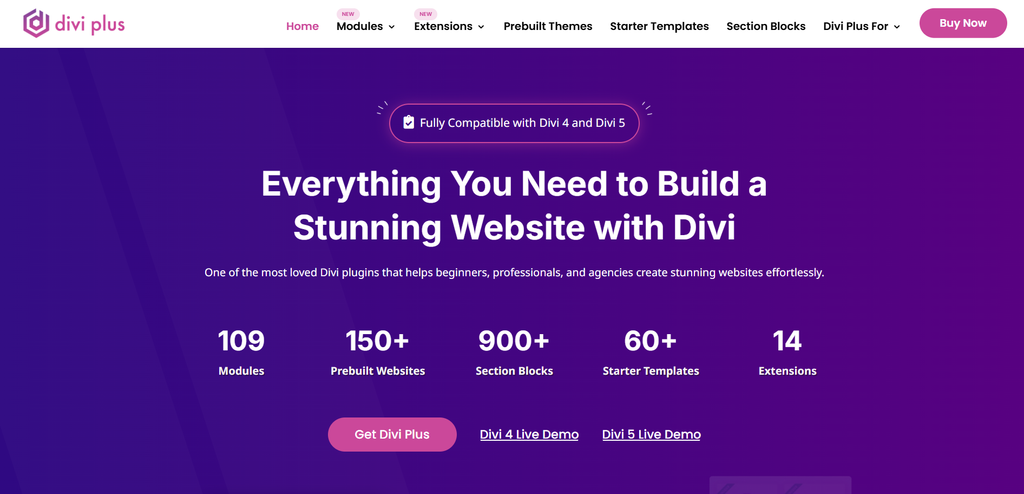
Divi’s main strength lies in its expansive design system and extensive collection of ready-made layouts. Users can leverage over 2,000 pre-designed layout packs and complete website kits to quickly assemble sites. Beyond basic layouts, Divi provides advanced visual design options, including CSS transforms, filter effects, custom hover states, and centralized global style controls, along with a dedicated visual Theme Builder for headers, footers, and WooCommerce templates.
Regarding performance, Divi includes built-in features like dynamic asset loading and critical CSS generation to streamline resource delivery. However, because its feature-rich editor relies heavily on shortcodes under the hood, unoptimized layouts, heavy image assets, or excessive third-party plugins can slow loading times.
Divi is a strong choice for visual designers, freelancers, and multi-site owners who want extensive layout options, rich visual controls, and a design-focused workflow.
2.3 Bricks Builder
Bricks Builder is a modern, performance-focused theme builder built natively into WordPress. Designed specifically for developers and agencies, it bridges the gap between visual editing and clean, standards-compliant web development.
The platform’s standout feature is its developer-grade architectural control. Unlike traditional page builders that abstract CSS away entirely, Bricks adopts modern CSS standards directly inside its visual interface. Developers can build precise layouts using native Flexbox and CSS Grid, manage reusable global CSS classes, and create complex dynamic data loops using deep integrations with ACF, Meta Box, or JetEngine.
Bricks takes a performance-focused approach, giving developers more control over the structure and assets generated by the builder. Its approach to website structure and asset management can help developers build sites with a more controlled front-end output. This can make Bricks a strong option for websites where front-end performance and clean page structure are important considerations. However, actual results still depend on hosting, images, plugins, and how the website is built.
Bricks Builder is particularly well-suited to developers, technical agencies, and experienced WordPress users who need greater control over dynamic content, website structure, and front-end performance for complex projects.
2.4 Beaver Builder
Beaver Builder is a well-established visual page and theme builder built on a foundation of stability, predictable code, and long-term reliability. It is designed for creators who prioritize site longevity and low maintenance over flashy visual gimmicks.
Its primary strength is its clean, developer-friendly execution. Using a straightforward row-and-column layout workflow, Beaver Builder allows users to construct stable pages that stay intact through major WordPress core updates. Combined with the Beaver Themer add-on, users gain full control over headers, footers, archive templates, and dynamic field connections. Its straightforward workflow and focus on maintainability make it easier for agencies to manage long-term client projects.
Beaver Builder can provide solid performance when paired with proper caching, image optimization, and reliable hosting. Its relatively straightforward workflow also makes it easier to maintain consistent performance management across client projects.
Beaver Builder is particularly suitable for agencies, developers, and business owners who value long-term stability, maintainability, and a straightforward workflow.
2.5 Breakdance
Breakdance is a modern visual website builder engineered to combine the intuitive drag-and-drop editing of Elementor with the lightweight code architecture found in newer developer tools. It provides a clean, fast editing experience designed for modern WordPress development.
One of Breakdance’s strongest selling points is its comprehensive out-of-the-box functionality. It comes equipped with over 130 built-in elements, including mega menus, form builders, and native sliders, reducing the need for third-party add-on plugins. Furthermore, its advanced WooCommerce builder offers deep visual customization for mini-carts, dynamic checkout flows, custom product filters, and shop archives.
From a performance standpoint, Breakdance includes performance-oriented features designed to reduce unnecessary front-end resources and simplify optimization. These features can help simplify front-end optimization, although actual loading performance still depends on the site’s content, hosting, plugins, and configuration.
Breakdance is a strong option for e-commerce store owners, agencies, and modern web designers who want a fast, feature-rich visual workflow with native WooCommerce depth.
2.6 Oxygen Builder
Oxygen Builder is a powerful, developer-centric builder that takes a different approach from traditional WordPress page builders. It gives users extensive control over website structure, styling, and custom code, enabling them to build highly customized websites without being constrained by a traditional theme’s structure.
Oxygen’s main strength is its developer-level control. Users can work with custom CSS, JavaScript, PHP, class-based styling, dynamic data, and advanced layout settings directly within the builder. Its theme-independent workflow also gives developers greater freedom to define how different parts of the website are structured and presented.
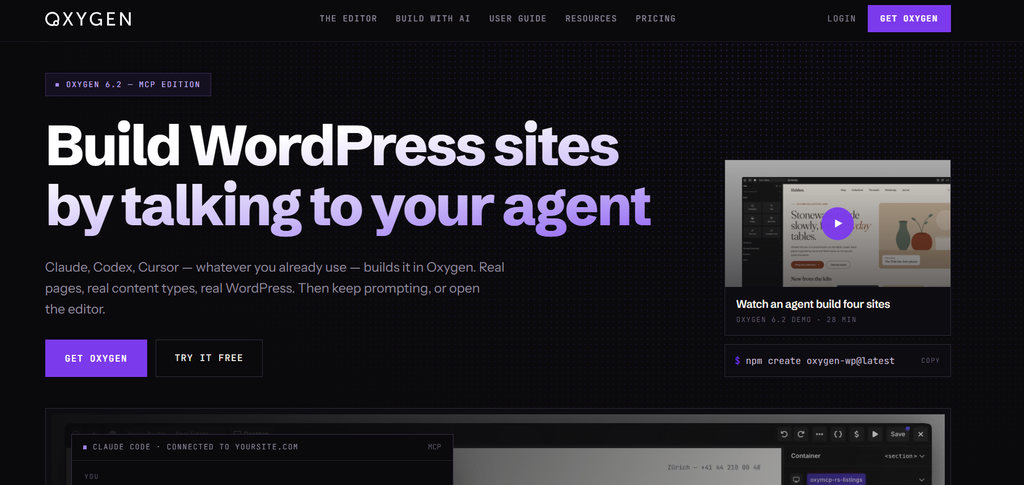
This level of control makes Oxygen particularly useful for complex projects where standard templates are not enough. However, its technical workflow can be more demanding for users unfamiliar with HTML, CSS, or WordPress development.
Oxygen Builder is particularly well-suited to experienced developers and technical agencies that need maximum control over website architecture, custom code, and advanced layouts.
2.7 Thrive Theme Builder
Thrive Theme Builder is a marketing-focused theme builder designed specifically to support conversion rate optimization (CRO), lead generation, and audience growth alongside site customization.
What sets Thrive apart is its conversion-first feature set. Rather than focusing solely on design aesthetics, it provides built-in tools tailored for business growth—such as lead capture forms, call-to-action blocks, author boxes, and countdown timers. Its guided Site Setup Wizard allows users to establish site-wide branding, headers, footers, and key templates in minutes, while seamlessly integrating with the broader Thrive Suite for A/B testing and email marketing.
Performance is generally balanced, though speed heavily depends on the number of marketing integrations, tracking scripts, and pop-ups active on a given page. Keeping third-party scripts organized is key to maintaining fast load times.
Thrive Theme Builder is particularly well-suited to bloggers, course creators, affiliate marketers, and online businesses focused on lead generation and conversions.
2.8 SeedProd
SeedProd is a lightweight drag-and-drop page and theme builder engineered for rapid website launches, promotional landing pages, and lead-generation campaigns.
SeedProd’s core strength is its simplicity and speed of deployment. Originally designed as a landing page plugin, it allows users to create high-converting sales pages, coming-soon layouts, and complete websites without having to navigate complex theme options. It includes dedicated toggles for Maintenance and Coming Soon modes, high-converting landing page templates, and domain mapping features.

SeedProd can be a good fit for lightweight landing pages because its focused workflow avoids much of the complexity associated with full-site builders.
SeedProd is a practical option for beginners, solo entrepreneurs, and marketers who need to launch landing pages, promotional campaigns, or simple websites quickly.
3. Which WordPress Theme Builder Should You Choose?
There is no single WordPress theme builder that works best for every project. The right choice depends on your technical experience, workflow, website structure, and the level of customization you need.
If you are still comparing several options, focus on the requirements that matter most to your project rather than choosing the builder with the longest list of features. Consider how much design control you need, whether your website relies on dynamic content or WooCommerce, and how comfortable you are with a more technical workflow.
For a simpler visual workflow, Elementor and Divi are strong starting points. More advanced projects may benefit from the greater structural control offered by Bricks and Oxygen, while agencies should consider how easily a builder can be maintained across multiple client websites. For WooCommerce and marketing-focused projects, the depth of store customization, integrations, and conversion tools may become more important than general design flexibility.
4. FAQ
1. What is the difference between a WordPress theme builder and a page builder?
A page builder primarily focuses on creating and customizing individual page content. In contrast, a theme builder provides control over site-wide templates such as headers, footers, single posts, archives, and other theme areas. Many modern WordPress builders combine both capabilities in a single visual platform.
2. Can I change my WordPress theme builder later?
Yes, but switching builders can require significant work depending on how your website was built. Some builders use their own templates, styling systems, or content structures, so changing platforms may require you to recreate layouts and adjust styles after migration. Always back up your website before making a major change to the builder.
3. Which WordPress theme builder is best for WooCommerce?
Breakdance and Elementor are strong options for users who want to visually create WooCommerce stores using dedicated store elements and templates. Bricks is also worth considering for more advanced eCommerce projects that require greater control over dynamic content, templates, and website structure. The right choice depends on your store’s complexity and your preferred workflow.
4. Do I need coding skills to use a WordPress theme builder?
No. Most modern theme builders allow you to create and customize websites visually without writing code. However, basic knowledge of HTML, CSS, or JavaScript can be helpful when you need advanced styling, custom layouts, or more specialized dynamic content integrations.
5. What pricing options are available on PluginPro?
PluginPro offers affordable individual downloads, with plans starting at $4.5 per item, as well as Member packages for users and agencies who need access to a broader collection of WordPress tools. The Member options can be useful for managing multiple projects while reducing the cost of purchasing individual items separately. Check the latest PluginPro pricing and Member benefits to choose the option that best fits your needs.
5. Conclusion
Choosing the best WordPress theme builder is ultimately about finding the right balance between design flexibility, performance, ease of use, and long-term maintainability. Instead of choosing a builder based only on its feature list, consider how well its workflow fits your experience, website structure, and plans.
Once you have identified the right builder for your project, you can choose the themes, plugins, and supporting tools that best complement your WordPress setup. Explore PluginPro to discover WordPress themes, plugins, templates, and other resources for your next website project.