
Building an online course website often involves more than just choosing a design theme. You may also need course management, memberships, student profiles, and community features. Many website owners also want a flexible design system that allows them to create custom pages without relying heavily on developers. Best WordPress Online Course Theme.
BuddyBoss Theme is designed for this type of project. It combines WordPress community features with online learning functionality and works with popular LMS plugins. It can help transform a basic course website into a complete learning community where students can communicate, join groups, and interact with other members. But is it the right option for everyone? In this BuddyBoss Theme review, we will look at its features, performance, pricing, pros and cons, and whether it is a good choice for building an online course website.
1. What Is BuddyBoss Theme?
BuddyBoss Theme is a premium WordPress theme designed for online communities, membership websites, and eLearning platforms. It works with the BuddyBoss Platform to add community features such as member profiles, groups, forums, activity feeds, and private messaging.
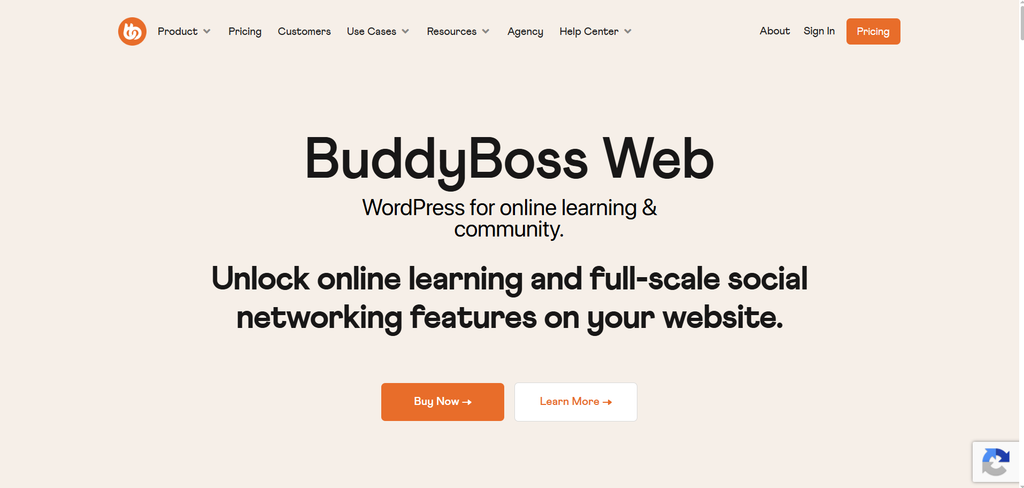
For online course websites, BuddyBoss lets you combine learning and community features in one place. It works with LMS plugins such as LearnDash, Tutor LMS, LifterLMS, and MemberPress Courses, allowing you to manage courses, lessons, quizzes, memberships, and student progress.
What sets BuddyBoss apart is its focus on community-based learning. Students can join groups, discuss course topics, connect with other members, and communicate with instructors, rather than simply completing lessons on their own. BuddyBoss also works with page builders such as Elementor and Divi, giving you more flexibility when designing your website.
2. BuddyBoss Features and Performance for Online Courses
2.1 Features That Matter for Course Websites
BuddyBoss stands out when community interaction is part of the learning experience. Instead of keeping students focused only on course lessons, you can use groups, forums, activity feeds, and member profiles to create a space where learners can ask questions, share ideas, and connect with others.
The design side is also flexible. BuddyBoss works with Elementor and Divi, so you can customize landing pages, course pages, and other parts of the site without relying entirely on custom development. This is useful for course businesses that want more control over branding and page layouts.
2.2 Performance and Setup Considerations
Performance depends largely on how your BuddyBoss site is built and how active the community becomes. A small course website may run without major performance issues, but member activity, forums, groups, media uploads, and other dynamic content can increase the server workload as the site grows.
As traffic and member activity grow, you may need better hosting and more careful WordPress optimization. Caching, image optimisation, database maintenance, and a CDN can all help keep the site responsive.
The bigger consideration is setup. A typical BuddyBoss course website may include the BuddyBoss Platform theme, an LMS, membership or payment tools, and other plugins. Setting everything up takes more work than using a simple theme for a small course site.
That extra complexity can be worthwhile if your students actively use the community features. If they only need to log in, watch lessons, and complete quizzes, a simpler setup may be a better fit.
3. BuddyBoss Theme Pros and Cons
| Pros | Cons |
| Strong community features: A good fit for courses where students need groups, discussions, and member interaction. | More complex setup: A full course website may require an LMS, membership tools, payment integrations, and other plugins. |
| Works with popular LMS plugins: LearnDash, Tutor LMS, and LifterLMS. | Higher maintenance: More plugins and integrations mean more settings and potential compatibility issues. |
| Good for membership-based courses: Useful for businesses that combine courses with private communities or subscriptions. | May be too much for small sites: A simple course website may not need BuddyBoss’s community features. |
| Flexible design: Works with Elementor and Divi to create customised pages and layouts. | Performance needs attention: Larger communities may require better hosting and ongoing optimization. |
| Scales with community growth: Suitable for businesses that plan to expand their courses into a larger learning community. | Higher overall cost: The total cost can increase when you add an LMS, membership tools, hosting, and other premium plugins. |
4. Who Should Use the BuddyBoss Theme?
BuddyBoss is a better fit for businesses that want to build a community around their courses, rather than sell online lessons.
It works well for coaches, educators, membership businesses, and organizations that want to add community features to their courses. For example, a coach could use BuddyBoss to give members access to private groups, course discussions, and ongoing support. An organization could use it to combine employee or member training with a private online community.
BuddyBoss also makes sense for businesses that already have an active community and want to add online courses to it. In this case, the community is not an extra feature; it is part of the overall learning experience.
On the other hand, BuddyBoss may be more than you need if your website is mainly focused on selling a small number of courses. If students only need to log in, watch lessons, and complete quizzes, a simpler WordPress setup can be easier to manage.
5. Recommended Plugins and Tools for BuddyBoss
BuddyBoss covers the community side of a website, but you will usually need other WordPress tools for courses, memberships, sales, or page design. These five options can work well alongside it.
5.1 LearnDash
LearnDash is one of the better-known LMS options for BuddyBoss websites. It gives you the tools to build structured courses, while BuddyBoss adds profiles, groups, and community interaction around them. This combination makes sense for businesses where the course and the community are closely connected.
5.2 Elementor
Elementor gives you more freedom when designing pages outside the standard BuddyBoss layouts. It is especially handy for landing pages, course sales pages, and other branded sections where you want more control over the design without having to write custom code.
5.3 WooCommerce
WooCommerce becomes more useful when your website sells more than courses. You can use it to handle physical and digital products, as well as services, alongside your educational content. For businesses that already run a WooCommerce store, adding BuddyBoss can bring the community side into the same WordPress site.
5.4 MemberPress
MemberPress focuses on memberships, subscriptions, and restricted content rather than course creation itself. It can complement BuddyBoss when access to courses or community areas depends on a user’s membership level.
5.5 Divi
Divi is another option for building custom pages with a visual editor. It gives you more control over the look of landing pages and other marketing content, while BuddyBoss handles the community experience. It is mainly worth considering if page design is an important part of your website.
6. FAQs
1. Is BuddyBoss Theme good for online courses?
Yes. BuddyBoss is a strong option for courses that include community features such as groups, discussions, and member interaction. It works especially well when learning and community are part of the same website.
2. Does BuddyBoss work with Elementor?
Yes. BuddyBoss works with Elementor, so you can use the page builder to create custom landing pages, sales pages, and other branded layouts.
3. Is BuddyBoss better than Divi for online courses?
They serve different purposes. BuddyBoss focuses on community, memberships, and social learning, while Divi is primarily a visual website builder. BuddyBoss is the better fit when community features are important to your course website.
4. Can I use BuddyBoss without an LMS?
Yes. You can use BuddyBoss for community and membership websites without an LMS. You will need an LMS, however, if you want structured courses with lessons, quizzes, certificates, or progress tracking.
5. How much does it cost to build a BuddyBoss website?
The total cost depends on BuddyBoss, hosting, your LMS, membership tools, and any other plugins you need. If you want to reduce the cost of premium WordPress products, you can also check PluginPro, which offers a $ 4.5-per-item plan as well as membership options for access to multiple products.
7. Conclusion
BuddyBoss is not the best choice for every online course website, but it is a strong option for businesses that want to combine courses with an active learning community. Its community features make it particularly useful for courses that rely on discussions, member interaction, and ongoing engagement.
The trade-off is a more involved setup. If you only need a simple course website, a lighter WordPress solution may be easier to manage. But if building a learning community is part of your long-term plan, BuddyBoss is worth considering.
If you are looking for an affordable way to get the WordPress themes and plugins you need, visit PluginPro to explore available plans and products.