
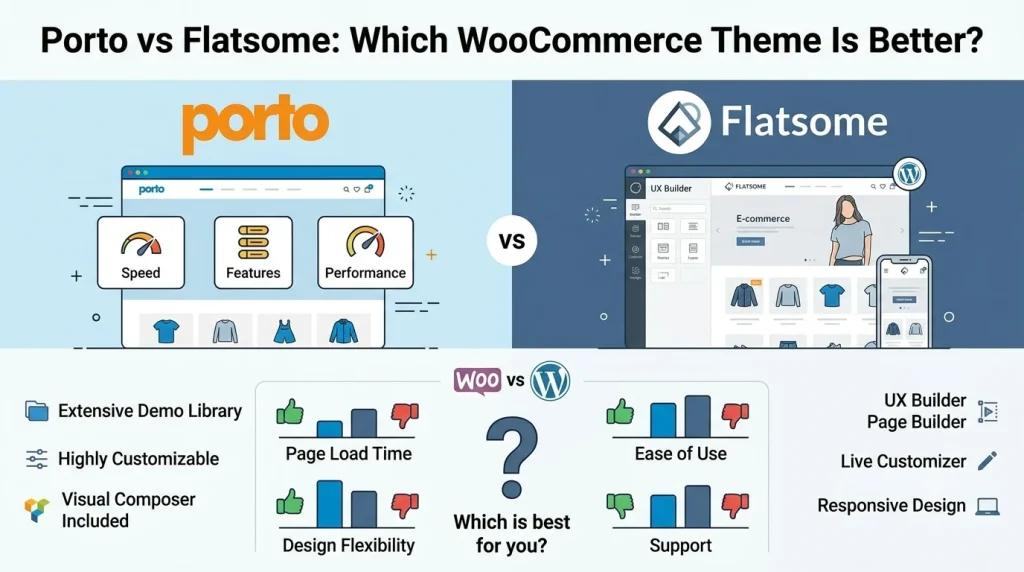
Choosing the right WooCommerce theme affects how your online store looks, works, and can be customized. Porto and Flatsome are both built for WooCommerce, but they take different approaches. Porto emphasizes broad template control, multiple page-builder options, and WooCommerce customization. Flatsome focuses on its integrated UX Builder and visual design workflow.
The comparison of Porto vs Flatsome is especially relevant for WordPress users who want a theme designed around online stores. Both themes provide tools for creating storefronts, customizing layouts, and building product-focused pages without relying entirely on custom development.
In this Porto vs Flatsome comparison, we’ll compare ease of use, design flexibility, WooCommerce features, page building, pre-built content, performance, mobile design, documentation, and practical use cases to help you choose the better fit for your store.
1. Porto vs Flatsome: Quick Comparison
| Feature | Porto | Flatsome |
| WooCommerce Integration | Extensive | Extensive |
| Beginner-Friendly Workflow | Good, but feature-rich | Strong visual workflow |
| Pre-built Content | Porto Studio | Flatsome Studio |
| Page Builder | Elementor and WPBakery support | UX Builder |
| Template Building | Advanced WooCommerce and site templates | Visual and product-page layouts |
| Product Page Customization | Advanced | Advanced |
| Shop & Archive Customization | Advanced | Flexible |
| Performance | Depends on configuration | Depends on configuration |
| Multiple Page-Builder Options | Yes | Theme-specific builder |
| Best Fit | Broad customization | Visual editing |
Porto is a strong choice when a project needs flexible template building and multiple page-builder options. Flatsome is appealing when visual editing and a streamlined theme-specific workflow are the priority.
Porto and Flatsome are not simply interchangeable themes with different visual styles. The way each handles templates and page building can affect how easy the store is to maintain after launch.
2. How Porto and Flatsome Differ
Porto and Flatsome can both be used to build professional WooCommerce stores, but their differences become clearer when you customize product pages, shop layouts, navigation, and other storefront components.
Porto provides a broader template-building system with support for Elementor and WPBakery. Flatsome keeps more of the design process inside its own UX Builder environment.
2.1 Which Theme Is Easier to Use?
Flatsome is a practical option for users who want to build pages visually with UX Builder and ready-made layouts from Flatsome Studio. This approach can make routine storefront edits more straightforward, particularly for users who don’t need extensive template changes.
Porto offers more flexibility through its template options, page-builder integrations, and WooCommerce settings. That extra control can be useful for stores with more specific design requirements, although it may take longer to learn which tools and settings to use.
The main difference is how much control you need. For standard storefront pages, Flatsome may be easier to work with. For projects that require more tailored layouts across product pages and other store sections, Porto is worth considering.
2.2 How Do Their Design and Customization Options Compare?

Porto provides tools for customizing headers, footers, product templates, shop layouts, archives, and other site components. Its Template Builder also supports different template types and display conditions.
Flatsome keeps more design work inside UX Builder and its theme-specific components. This creates a more unified editing experience, particularly for users who prefer to manage visual changes without switching between different building systems.
The main difference is therefore workflow. Porto is better suited to projects requiring broader template and builder flexibility, while Flatsome is well suited to stores that prioritize a cohesive visual editing experience.
2.3 Which Theme Has Better WooCommerce Features?
Both themes provide extensive WooCommerce functionality. Porto offers dedicated builders for single products and product archives, with controls for elements such as product images, prices, add-to-cart actions, tabs, reviews, related products, and upsells.
Flatsome also supports custom WooCommerce product-page layouts and product-focused elements through its visual workflow.
For a standard catalog, these differences may not matter much. Both themes can support common requirements such as displaying products, creating shop pages, presenting product information, and building promotional sections.
Porto has an advantage when the project requires detailed template-level control across several WooCommerce components. Flatsome is a strong choice when WooCommerce functionality needs to remain closely integrated with visual design.
2.4 Porto vs Flatsome: Which Has Better Page Building?
Flatsome uses UX Builder as its primary visual building environment. Flatsome Studio can provide pre-designed content for compatible builder areas.
Porto supports Elementor and WPBakery and adds its own template-building tools and Porto Studio content.
This makes Flatsome a natural choice for users who want one integrated visual builder. Porto is better suited to users who want more flexibility in how pages and templates are built.
A team that already uses Elementor may prefer Porto because it can continue working within a familiar builder. A team that wants to minimize the number of separate design tools may prefer Flatsome’s UX Builder approach.
2.5 Which Theme Offers Better Pre-Built Content?
Porto Studio provides website designs, sections, headers, footers, product layouts, and individual blocks that can be imported and customized.
Flatsome Studio provides pre-designed layouts that can be used within its visual editing workflow.
Neither theme is the universal winner. Porto is attractive when imported content will be heavily customized through different builders and templates. Flatsome is convenient when users want to start with a visual layout and continue editing it through UX Builder.
Pre-built content is most valuable when it reduces real production work rather than simply providing attractive demos. Consider whether the imported design matches your products, navigation, content hierarchy, and branding before choosing a demo.
2.6 Does Either Theme Perform Better?
There is no reliable universal winner. WooCommerce performance depends on hosting, images, caching, plugins, third-party scripts, WooCommerce extensions, database workload, and page complexity.
Both themes provide performance-related options, but theme-level features cannot compensate for an inefficient overall WordPress setup.
If speed is a priority, test both themes under comparable conditions rather than relying on a general claim that one is faster.
2.7 Which Theme Is Better for Mobile Shopping?
Both themes support responsive storefront design. Porto provides responsive controls in its builders, while Flatsome provides responsive controls through its visual design workflow.
The final mobile experience depends on the actual store. Product grids, navigation, filters, images, popups, and third-party scripts can all affect usability.
For most stores, this category is a tie. Choose the theme whose responsive editing workflow is easier for your team to manage.
2.8 Which Theme Offers More WooCommerce Customization?
Porto has an advantage when extensive template-level WooCommerce customization is required. Its product and template-building tools allow users to create customized layouts for products and other WooCommerce areas.
Flatsome also supports custom product-page layouts and category-specific product designs.
The difference is not that Flatsome lacks WooCommerce customization. Porto is simply a stronger fit when broader template control and multiple builder options are important.
2.9 Help, Documentation, and Support
Both themes provide documentation covering installation, customization, WooCommerce, and troubleshooting.
Flatsome’s documentation is particularly useful for learning UX Builder and its theme-specific workflow. Porto’s documentation is valuable when working with its broader set of builders and WooCommerce template tools.
Documentation should not be the deciding factor alone, but both themes provide resources for users working beyond basic setup.
3. Porto vs Flatsome: Which One Should You Choose?
| Category | Better Fit |
| Ease of Use | Flatsome |
| Visual Page Building | Flatsome |
| Multiple Page-Builder Options | Porto |
| WooCommerce Template Control | Porto |
| Product Page Customization | Porto |
| Pre-built Content | Depends on workflow |
| Performance | Tie |
| Mobile Design Workflow | Tie |
| Beginner-Friendly Workflow | Flatsome |
| Advanced Template Customization | Porto |
| Overall Flexibility | Porto |
The table is a practical decision guide rather than a universal ranking. Porto’s advantage in template flexibility does not automatically make it better for every beginner, while Flatsome’s visual workflow does not make it unsuitable for more demanding stores.
3.1 When Is Flatsome the Better Choice?
Flatsome is a strong choice if you want to build and customize your store mainly through a visual, theme-integrated workflow.
It is particularly suitable for:
- Beginners who prefer visual editing
- Store owners who want a cohesive theme-specific workflow
- Projects where storefront presentation is a major priority
- Stores where the available Flatsome product and layout tools meet the customization requirements
3.2 When Is Porto the Better Choice?
Porto is a stronger fit when a store requires extensive template customization or multiple page-building options.
It is particularly suitable for:
- Stores with complex template requirements
- Users who want Elementor or WPBakery compatibility
- Agencies and freelancers working across different project types
- WooCommerce stores that require customized product or archive templates
- Projects expected to evolve through more advanced template customization
Ultimately, Flatsome prioritizes a streamlined visual workflow, while Porto gives users more flexibility over how the storefront is built.
4. Plugins That Complement Porto or Flatsome
A theme provides the storefront foundation, while plugins can extend specific WooCommerce functions when needed. The right choices depend on your store’s requirements rather than the theme itself.
4.1 FunnelKit
FunnelKit can complement either theme when a store needs more control over checkout and conversion-focused shopping flows. It is useful for stores that want to optimize the customer journey beyond the standard WooCommerce checkout.
4.2 Variation Swatches for WooCommerce
Variation swatches can improve product selection by giving shoppers a more visual way to choose options such as colors, sizes, or styles. They are particularly useful for stores with products that have multiple variations.
4.3 Code Snippets
Code Snippets can help store owners add small PHP customizations without directly modifying theme files. It can be useful when a Porto or Flatsome store needs a specific WooCommerce behavior or site-level adjustment that is not available through the theme settings.
5. Frequently Asked Questions
5.1 Which Is Better: Porto or Flatsome?
Neither is universally better. Flatsome is a strong choice for visual editing and a streamlined workflow, while Porto is better suited to broader template customization and multiple page-builder options.
If you are still undecided, start with the workflow rather than the feature list. Ask whether you would rather build within UX Builder or have the option to use Elementor or WPBakery and Porto’s template tools.
5.2 Is Porto a Good WooCommerce Theme?
Yes. Porto provides WooCommerce-focused tools for customizing products, shops, archives, headers, footers, and other storefront components.
It is particularly suitable when a store requires detailed template control rather than relying primarily on standard WooCommerce layouts.
5.3 Is Flatsome Good for Beginners?
Yes. Its UX Builder and pre-designed content make it suitable for users who prefer visual editing, although advanced WooCommerce customization can still require a learning curve.
5.4 Which Is Faster, Porto or Flatsome?
There is no universal winner. Hosting, caching, images, plugins, WooCommerce extensions, scripts, and page structure all affect performance.
For a meaningful performance test, use the same hosting environment and comparable pages, products, images, plugins, and caching settings.
5.5 How Much Does Porto or Flatsome Cost on PluginPro.org?
Individual products on PluginPro.org are available for $4.50. For users who need multiple themes and plugins, PluginPro.org also offers membership options, including 3 months for $39.50, 12 months for $99.50, and Lifetime for $399.50.
5.6 Which Theme Should I Choose for an Agency or Client Project?
Porto can be a strong choice when projects require different templates and page-builder options. Flatsome can be a better fit when clients value a consistent visual editing experience.
For agency work, the more important question is which workflow your team can reproduce and maintain consistently across client sites.
6. Conclusion
Porto and Flatsome are both capable WooCommerce themes, but they suit different workflows.
Flatsome stands out for its integrated visual editing experience and is a strong fit for users who want a straightforward way to build and customize a storefront.
Porto is better suited to projects that need broader template control, multiple page-builder options, and extensive WooCommerce customization.
If visual simplicity is your priority, Flatsome is likely the better fit. If flexibility and deeper template control matter more, Porto is likely the stronger choice.
If you’re ready to build or upgrade your WooCommerce store, explore the premium WordPress themes and plugins available through PluginPro.org. With individual products available from $4.50 and membership options for users who need multiple products, PluginPro.org can be a practical resource for expanding your WordPress toolkit.