Building a professional WordPress website no longer requires advanced coding skills. Thanks to modern drag-and-drop website builders, anyone can create blogs, business websites, online stores, portfolios, and landing pages using an intuitive visual editor. Whether you’re a beginner launching your first website or a developer building websites for clients, choosing the best drag and drop builder can dramatically improve your workflow and website performance.
In this guide, we’ve reviewed the 10 best drag and drop website builders for WordPress based on usability, performance, flexibility, SEO, pricing, and long-term value.
1. How to Choose the Best Drag and Drop Website Builder
Before choosing a page builder, it’s worth understanding the features that separate average tools from the best drag and drop builder options on the market.
Ease of use is the first consideration. A visual editor with real-time editing, intuitive controls, and a gentle learning curve allows you to build pages quickly without writing code.
Performance is equally important. Google’s Core Web Vitals continue to influence search rankings, making lightweight code and fast loading times essential.
Design flexibility should include responsive editing, reusable templates, global styling, and complete control over layouts.
For many users, theme building is another must-have feature. The best builders allow you to customize headers, footers, archive pages, blog templates, and WooCommerce product pages without touching PHP files.
Finally, consider pricing. Some builders offer generous free versions, while others justify premium pricing with advanced features and long-term value.
2. Our Picks for the Best Drag and Drop Website Builders for WordPress
We evaluated these drag-and-drop website builders based on ease of use, performance, customization options, WooCommerce compatibility, pricing, and overall value. Whether you’re a beginner, freelancer, agency, or developer, the following builders represent the best choices for different needs.
2.1. Elementor Pro – Best Overall Drag and Drop Builder
Elementor Pro is the best overall drag-and-drop website builder for most WordPress users thanks to its intuitive visual editor, extensive customization options, and large ecosystem of templates and add-ons. Trusted by millions of website owners, it offers a user-friendly visual editor that makes website creation accessible to beginners while providing enough flexibility for professionals.
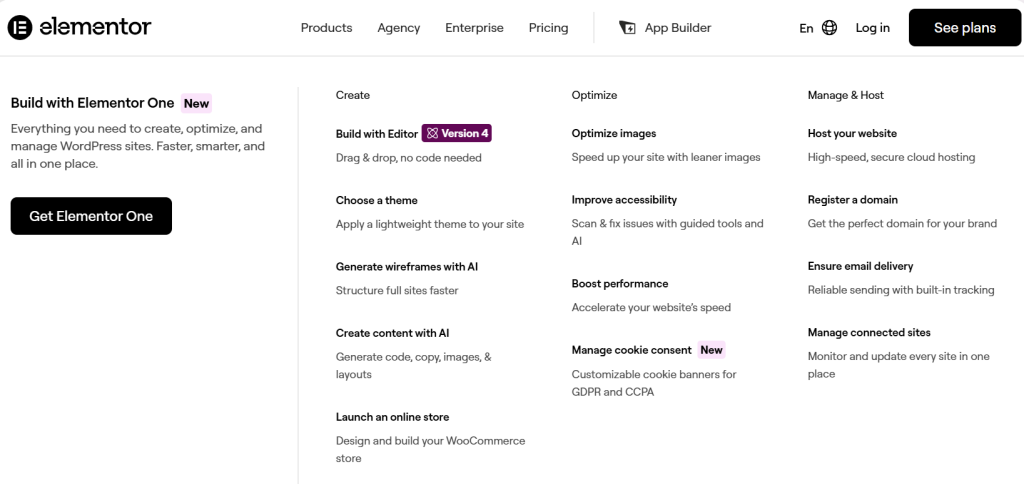
With features like Theme Builder, WooCommerce Builder, Popup Builder, and AI-powered tools, Elementor Pro enables users to build virtually any type of website without touching code. Its extensive library of templates and widgets, combined with a thriving third-party ecosystem, makes it one of the most versatile WordPress builders available.
| Pros | Cons | Best For |
| Beginner-friendly visual editor | Can generate heavier code than lightweight builders | Beginners and first-time website owners |
| Comprehensive Theme Builder and WooCommerce support | Most advanced features require the Pro version | Freelancers and agencies |
| Large template and widget library | Performance may require optimization on large websites | Business websites and online stores |
| Extensive third-party addon ecosystem | Annual subscription pricing | Users who want an all-in-one design solution |
2.2. Oxygen – Best Drag and Drop Builder for Performance and Developers
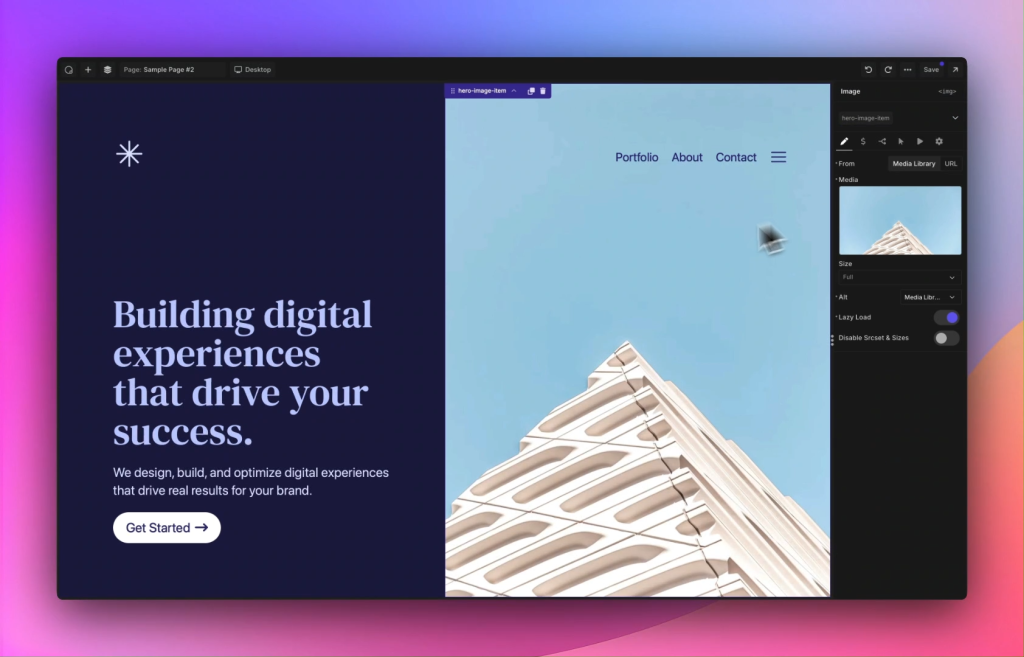
Oxygen is one of the best drag-and-drop builders for developers who prioritize clean code, fast performance, and complete design control. Unlike traditional page builders, it replaces the WordPress theme system entirely, allowing users to build every part of a website from scratch. Oxygen produces lightweight HTML and CSS, making it a favorite among developers and agencies that focus on Core Web Vitals and technical SEO. While it has a steeper learning curve than Elementor, its flexibility and performance make it one of the strongest choices for advanced WordPress users seeking the best drag and drop builder for custom development.
| Pros | Cons | Best For |
| Generates exceptionally clean and lightweight code | Steeper learning curve | Developers |
| Excellent Core Web Vitals performance | Less beginner-friendly interface | Performance-focused websites |
| Deep integration with dynamic content and custom fields | Smaller community than Elementor | Agencies building custom websites |
| Complete control over site structure | Fewer ready-made templates | Advanced WordPress users |
2.3. Bricks Builder – Best Modern Alternative
Bricks Builder is an excellent choice for users who want a modern drag-and-drop website builder that combines clean code, fast performance, and advanced design flexibility. Built with performance in mind, it delivers clean code while supporting advanced layout techniques such as CSS Grid and Flexbox. Unlike many older builders, Bricks offers an intuitive editing experience without sacrificing customization. It is particularly appealing to users looking for a modern alternative to Elementor or Oxygen.
| Pros | Cons | Best For |
| Fast editor and lightweight frontend output | Smaller template ecosystem | Designers and developers |
| Excellent performance and clean code | Fewer third-party extensions | Performance-conscious users |
| Native support for CSS Grid and Flexbox | No free version | Modern business websites |
| Powerful dynamic content capabilities | Smaller community compared to Elementor | Agencies seeking flexibility |
2.4. Breakdance – Best Balance Between Simplicity and Performance
Breakdance is an excellent choice for users who want a fast, beginner-friendly drag-and-drop builder with powerful built-in features and strong WooCommerce support. It includes more than 130 built-in elements, reducing the need for third-party plugins, and offers deep WooCommerce integration for online stores. Its clean interface and optimized code make it an excellent choice for users who want advanced functionality without the complexity of developer-focused builders.
| Pros | Cons | Best For |
| Clean code and fast performance | Subscription-only pricing | Small businesses |
| Large collection of built-in elements | Smaller ecosystem than Elementor | WooCommerce stores |
| Intuitive drag-and-drop interface | Fewer community resources | Users seeking simplicity and speed |
| Excellent WooCommerce Builder | Relatively newer platform | Freelancers |
2.5. Divi Builder – Best Value for Agencies
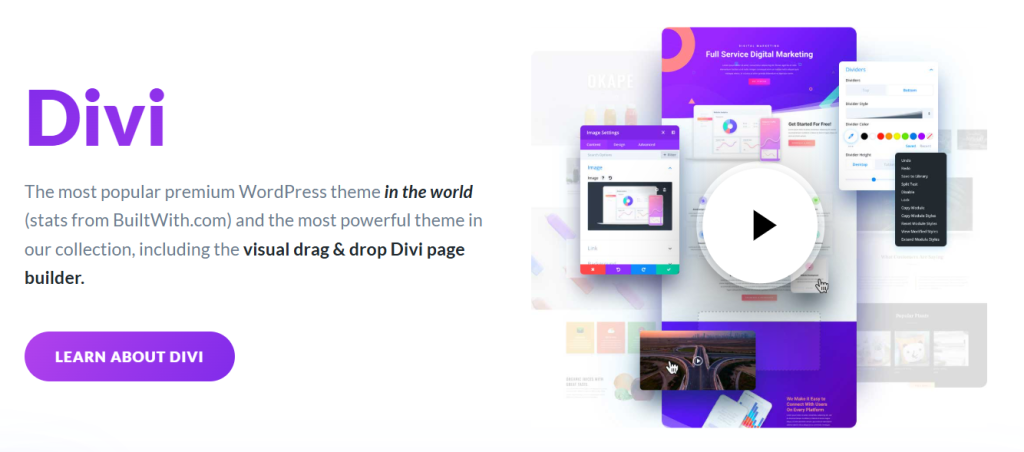
Divi Builder is one of the best drag-and-drop website builders for agencies and freelancers who manage multiple websites and want long-term value through its flexible licensing and extensive design library. It comes with hundreds of professionally designed website packs and includes advanced features such as split testing, global design settings, and responsive editing. Although Divi has improved its performance significantly in recent years, it still tends to generate more code than lightweight competitors.
| Pros | Cons | Best For |
| Huge collection of website layouts | Can produce heavier code | Agencies managing multiple websites |
| Lifetime license available | Shortcode dependency when switching builders | Designers |
| Built-in A/B testing tools | Performance lags behind Oxygen and Bricks | Users wanting long-term value |
| Powerful visual editing experience | Larger learning curve than Elementor | Marketing websites |
2.6. Beaver Builder – Best Drag and Drop Builder for Stability
Beaver Builder is a reliable drag-and-drop website builder for agencies and businesses that value stability, clean code, and long-term compatibility over flashy features. It has built a strong reputation among agencies and developers for producing stable updates, clean code, and excellent compatibility with WordPress themes. Unlike some page builders, Beaver Builder leaves behind relatively clean content if you decide to deactivate it, making future migrations easier.
| Pros | Cons | Best For |
| Extremely stable and reliable | User interface feels dated | Agencies |
| Clean code output | Smaller feature set | Corporate websites |
| Easy migration with minimal shortcode lock-in | Fewer design templates | Long-term projects |
| Developer-friendly architecture | Slower feature development | Users prioritizing stability |
2.7. SeedProd – Best for Landing Pages
SeedProd is an excellent choice for marketers and small businesses that need to build high-converting landing pages quickly without a steep learning curve. Originally evolved from a simple maintenance mode plugin, it now offers built-in integrations with popular email marketing platforms and conversion-focused design blocks. Its lightweight framework ensures fast loading speeds while keeping the editing experience straightforward.
| Pros | Cons | Best For |
| Excellent landing page templates | Limited advanced site-building features | Marketers |
| Fast and lightweight | Less suitable for large dynamic websites | Lead generation campaigns |
| Easy email marketing integrations | Fewer customization options than Elementor | Sales funnels |
| Beginner-friendly interface | Not ideal for highly complex websites | Small businesses |
2.8. Brizy – Best Drag and Drop Builder for Beginners
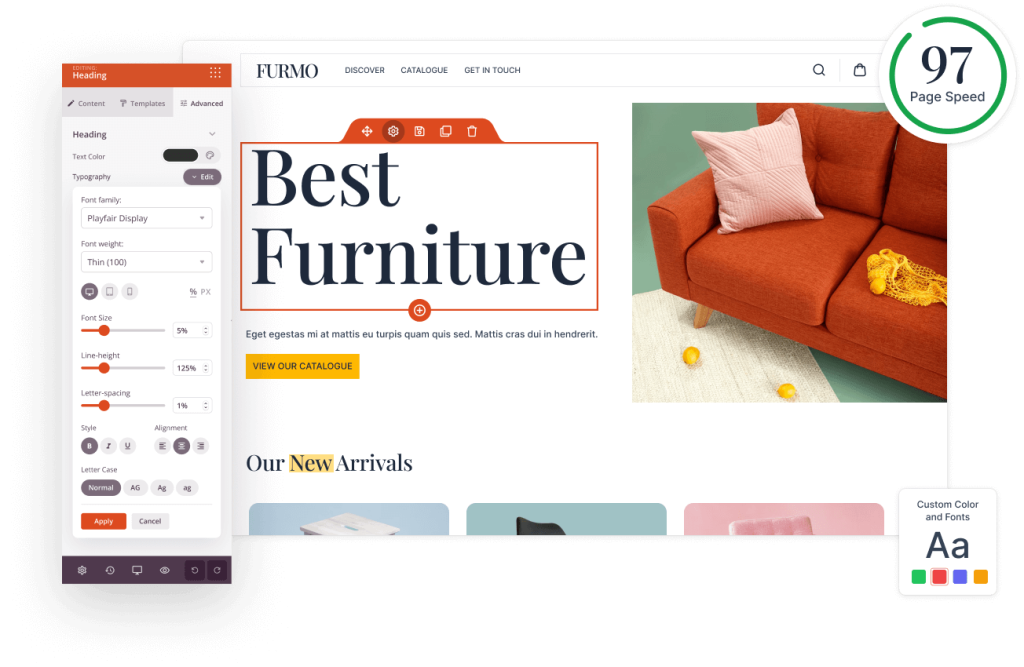
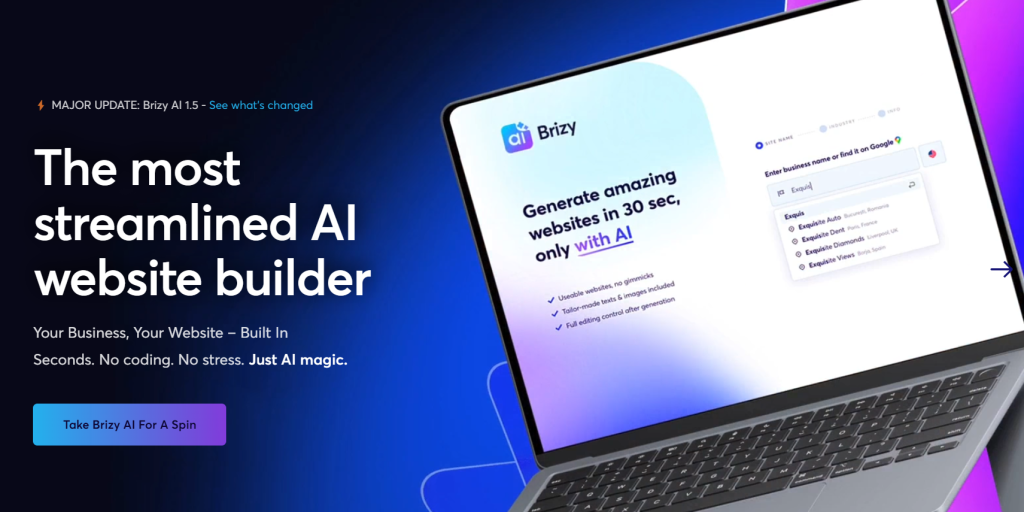
Brizy is one of the easiest drag-and-drop website builders for beginners thanks to its clean interface, intuitive editing experience, and minimal learning curve. Instead of relying on multiple side panels, most editing controls appear directly beside the selected element, making the interface clean and intuitive. It also offers both self-hosted and cloud-hosted versions, giving users additional flexibility.
| Pros | Cons | Best For |
| Clean and intuitive interface | Limited advanced developer features | Beginners |
| Easy learning curve | Smaller ecosystem | Personal websites |
| Attractive ready-made templates | Less powerful dynamic content support | Small businesses |
| Cloud hosting option available | Fewer integrations than competitors | Portfolio websites |
2.9. Thrive Architect – Best for Conversion Optimization
Thrive Architect is a powerful drag-and-drop website builder for marketers who want to create conversion-focused landing pages, sales funnels, and business websites with built-in marketing tools. Instead of focusing solely on visual design, it includes a wide range of marketing-focused elements such as countdown timers, testimonial blocks, lead generation forms, and pricing tables. When combined with other Thrive Suite products, it stands out as the best drag and drop builder platform for building conversion-focused websites.

| Pros | Cons | Best For |
| Built specifically for conversions | Interface can feel overwhelming | Digital marketers |
| Excellent lead generation tools | Works best within Thrive Suite | Sales funnels |
| Strong marketing integrations | Smaller design ecosystem | Online course creators |
| Conversion-focused elements included | Annual subscription required | Business websites |
2.10. Gutenberg + GenerateBlocks (or Kadence Blocks) – Best Native WordPress Solution
Gutenberg paired with GenerateBlocks or Kadence Blocks is an ideal native WordPress solution for users who prioritize speed, clean code, and long-term compatibility with WordPress core. While it doesn’t offer the same free-form drag-and-drop experience as dedicated page builders, it provides outstanding performance, excellent compatibility with WordPress core, and long-term stability. For users who prioritize speed and minimal plugin dependency, this combination is one of the best options available.
| Pros | Cons | Best For |
| Outstanding performance and Core Web Vitals | Less intuitive than dedicated builders | Bloggers |
| Native WordPress compatibility | Fewer visual editing capabilities | Content-focused websites |
| Lightweight and SEO-friendly | Requires additional block plugins for advanced layouts | Performance-focused users |
| Future-proof with WordPress core | Smaller design freedom compared to Elementor | Users preferring native WordPress |
3. Frequently Asked Questions
1. What is the best drag and drop website builder for beginners?
Elementor Pro is the best choice for most beginners because it combines an intuitive visual editor, a large template library, and extensive documentation. Users can build professional websites without coding while still accessing advanced features as their projects grow.
2. Which drag and drop website builder offers the best performance?
If performance is your top priority, Oxygen, Bricks Builder, and Gutenberg with GenerateBlocks are among the fastest options. They generate cleaner code and typically achieve better Core Web Vitals scores than heavier visual builders.
3. Can I build a WooCommerce store with a drag and drop builder?
Yes. Most premium builders support WooCommerce, but Elementor Pro, Breakdance, Divi, and Bricks Builder offer the most complete tools for customizing product pages, shop layouts, carts, and checkout experiences.
4. Can I switch to a different website builder later?
Yes, but the migration process depends on the builder you’re using. Some builders, such as Beaver Builder and Gutenberg, leave cleaner content behind, while others may require additional cleanup when switching to a new solution.
5. Where can I get premium drag and drop website builders at an affordable price?
If you’re looking for premium WordPress builders without paying full retail prices, PluginPro offers individual GPL downloads starting from $4.5 per item. If you regularly build or manage multiple websites, you can also choose one of PluginPro’s membership plans for access to a large collection of premium themes and plugins, including Elementor Pro, Divi, Bricks Builder, SeedProd, and many more.
4. Conclusion
he best drag-and-drop website builder ultimately depends on your website goals, technical skills, and budget. If you’re looking for the best all-around solution, Elementor Pro remains an excellent choice thanks to its ease of use, flexibility, and extensive ecosystem. Developers who prioritize performance may prefer Oxygen or Bricks Builder, while users seeking a lightweight native solution can confidently choose Gutenberg with GenerateBlocks.
Whichever builder you choose, using the premium version often unlocks advanced features, better design flexibility, and a more efficient workflow. If you’re looking for affordable access to premium WordPress plugins and themes, PluginPro offers a cost-effective way to use popular tools like Elementor Pro, Divi, Bricks Builder, SeedProd, and many others without paying full retail prices. Explore our collection to find the right plugins for your next WordPress project and start building your website with confidence.