
WPForms is a popular WordPress form builder, but it may not be the right fit for every website. Some users need more advanced forms, stronger integrations, greater flexibility, or a simpler way to create and manage forms.
In this guide, we compare the best WPForms alternatives based on features, ease of use, integrations, flexibility, and advanced form capabilities. Whether you need a basic contact form or a more specialized solution, these WordPress form plugins offer different approaches worth considering.
1. Why Consider a WPForms Alternative?
WPForms works well for many WordPress websites, but different projects have different requirements. An alternative may make more sense when a particular feature, integration, workflow, or level of customization is more important than using a general-purpose form builder.
1.1 Advanced Form Features
Basic contact forms are relatively straightforward to build, but more complex projects can require calculations, conditional logic, multi-step forms, file uploads, user registration, or more advanced submission management.
For example, a business creating quote forms may need calculated fields, while a membership website may need user registration. A plugin designed around these use cases can be a better fit when standard contact forms are not enough.
1.2 Integrations and Automation
Forms often sit at the start of a larger workflow. A submission may need to reach a CRM, email marketing platform, payment service, automation tool, or another WordPress system.
If an important integration does not fit your workflow, comparing WPForms competitors can help you find a plugin that works more naturally with the tools you already use.
1.3 Customization and Ease of Use
Not every website needs the same level of functionality. Some users want a visual builder with extensive customization, while others prefer a simpler interface with fewer settings.
The right alternative depends on whether your priority is flexibility, advanced functionality, simplicity, or keeping form creation inside an existing page-building workflow.
2. What to Consider Before Switching
The right alternative to WPForms depends on what you actually need from your forms. Instead of comparing plugins only by the number of features they offer, focus on the capabilities that will affect your website’s day-to-day workflow.
2.1 Ease of Use
A good form builder should make it straightforward to create, edit, publish, and manage forms without requiring custom code for routine tasks.
Look for an interface that makes fields easy to configure, provides useful templates, and keeps form settings understandable as your requirements become more complex.
2.2 Form Builder and Templates
Consider both the form-building experience and the types of forms you can create.
Templates can speed up setup for common use cases, while a wider selection of fields gives you more flexibility when building forms from scratch. If you regularly create different types of forms, check whether the available templates match your workflow.
2.3 Conditional Logic and Advanced Features
Conditional logic allows a form to respond to a visitor’s answers. For example, a service inquiry form can display different questions depending on the service selected.
For more complex projects, check whether the plugin provides the specific features you require, such as calculations, file uploads, multi-step forms, user registration, payment collection, or advanced submission management.
2.4 Integrations and Automation
Check whether the form plugin connects with the services your website already uses.
Depending on your workflow, this may include CRMs, email marketing platforms, payment gateways, spreadsheets, analytics tools, webhooks, or automation services. Also check whether a particular integration is included in the version you plan to use or requires an additional extension.
2.5 Payments and Form Entries
If your forms collect payments, donations, orders, or other transactions, check how the plugin handles payment processing and submissions.
Entry management, notifications, confirmations, exports, and payment integrations can all affect how efficiently you manage form-based workflows.
2.6 Spam Protection
Spam protection is important for publicly accessible forms. Depending on the plugin, available options may include reCAPTCHA, hCaptcha, Turnstile, Akismet, honeypots, or other anti-spam mechanisms.
The appropriate solution depends on your forms and audience, but spam protection should be considered before switching plugins rather than added as an afterthought.
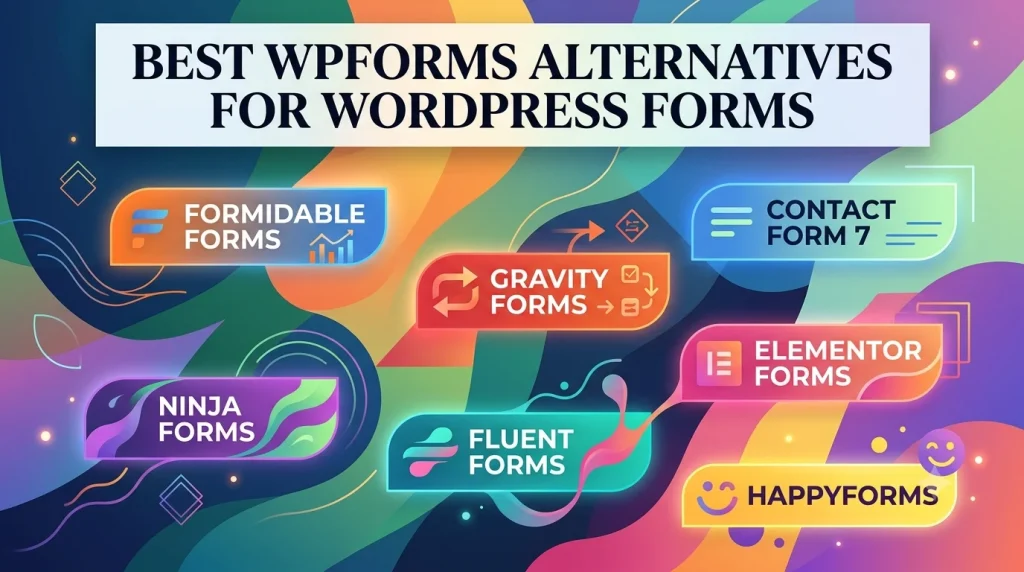
3. 7 WPForms Alternatives Worth Trying
3.1 Formidable Forms – For Advanced Forms
Formidable Forms is a strong alternative when forms need to do more than collect basic information. It provides features for calculations, conditional logic, multi-page forms, file uploads, payments, user registration, and working with submitted data.

Its data-oriented approach can be useful for projects such as calculators, directories, quote forms, applications, and other data-driven WordPress solutions.
The trade-off is that a broader feature set can make the plugin more involved than a basic contact form solution. It is best suited to businesses, agencies, and website owners who expect forms to become part of a larger workflow.
3.2 Gravity Forms – For Integrations and Workflows
Gravity Forms is a strong choice when forms need to connect with other tools or support more involved workflows. Its add-on ecosystem covers areas such as CRM systems, payment services, email marketing, automation, webhooks, and user registration.
This makes it useful for businesses and agencies that need form submissions to trigger actions beyond a standard email notification.
The main consideration is configuration. More advanced workflows can require additional setup, so Gravity Forms makes the most sense when integrations and workflow automation are important requirements.
3.3 Ninja Forms – For Flexible Form Building
Ninja Forms takes a modular approach to WordPress forms. Its core plugin provides a visual form builder, while additional extensions can add capabilities such as conditional logic, file uploads, multi-step forms, payments, and integrations.
This approach can work well if you want to start with a straightforward form and add functionality as your requirements grow.
The trade-off is that advanced requirements may involve additional extensions. As your setup grows, you may need to manage more components within the overall form system.
3.4 Fluent Forms – For Feature-Rich Form Building
Fluent Forms combines a visual form builder with a broad range of form features and integrations. Depending on the version and features you use, it can support conditional logic, conversational forms, payment-related functionality, multi-step forms, file uploads, automation, and third-party integrations.

Templates can also speed up the creation of common forms instead of requiring every form to be built from scratch.
Fluent Forms can be a good middle ground for users who want a broad feature set and a visual builder. The main consideration is that some advanced capabilities depend on the version or plan you use.
3.5 Contact Form 7 – For Simple Forms
Contact Form 7 takes a different approach from visual drag-and-drop form builders. It uses a more traditional configuration interface and gives users direct control over form markup and settings.
This can make it less approachable for beginners who expect a visual builder, but it works well for straightforward contact forms and users who are comfortable with form configuration.
Contact Form 7 can also be extended through integrations and add-ons. It is a practical choice when you want a free, open-source solution and do not need a feature-heavy visual builder.
3.6 Elementor Forms – For Elementor Users
Elementor Forms is a natural choice for websites already built with Elementor Pro. The Form widget lets users create and style forms directly inside the Elementor editor, keeping form design within the same visual workflow as the rest of the page.
It supports common form-building requirements and can connect submissions with supported actions and integrations.
This approach is particularly convenient for landing pages, lead-generation forms, and websites where visual consistency matters. However, websites with more specialized form workflows may benefit from a dedicated form plugin instead.
3.7 HappyForms – For Straightforward Forms
HappyForms focuses on a visual form-building experience with live preview. It provides templates for common use cases and can support more advanced form requirements depending on the plan and features being used.
Its straightforward workflow can be useful for contact, feedback, survey, and application forms.
HappyForms is a reasonable option for users who prioritize an approachable builder and quick form creation. Websites with highly specialized workflows should compare its available features against their specific requirements before switching.
4. WPForms Alternatives Comparison
| Plugin | Best For | Main Strength | Main Consideration |
| Formidable Forms | Advanced forms and data-driven projects | Calculations, conditional logic, and working with form data | Broader functionality can require more setup |
| Gravity Forms | Integrations and business workflows | Extensive add-ons and workflow integrations | Advanced workflows may require more configuration |
| Ninja Forms | Flexible form building | Modular approach with additional extensions | Advanced requirements may involve multiple extensions |
| Fluent Forms | Feature-rich form building | Broad functionality, templates, and integrations | Some capabilities depend on the version or plan |
| Contact Form 7 | Simple contact forms | Free, open-source, and flexible configuration | Less visual and less beginner-oriented |
| Elementor Forms | Elementor websites | Forms can be created within the Elementor editor | Best suited to Elementor-based workflows |
| HappyForms | Straightforward form creation | Visual builder and live preview | Advanced requirements may depend on the plan |
5. Which WPForms Alternative Fits Your Needs?
The best choice depends on the forms you need to build and how they fit into your website’s workflow.
- Formidable Forms is a strong choice for calculations, conditional logic, advanced submissions, and projects that make extensive use of form data.
- Gravity Forms is better suited to websites where integrations, add-ons, and business workflows are central requirements.
- Ninja Forms is useful if you prefer a modular setup and want to expand your forms with additional extensions as your needs grow.
- Fluent Forms is worth considering if you want a broad feature set, templates, and integrations alongside a visual builder.
- Contact Form 7 fits straightforward contact forms and users who prefer a free, open-source solution with a traditional configuration approach.
- Elementor Forms makes the most sense when your website already relies on Elementor and you want to manage forms within the same visual editor.
- HappyForms is a good option when an approachable visual builder and live preview are more important than highly specialized workflows.
Before switching, identify the features and integrations you actually use. A plugin with fewer features can be a better choice if it provides a simpler and more suitable workflow for your specific website.
6. Frequently Asked Questions
6.1 What Is the Best Alternative to WPForms?
There is no single best alternative for every website. Formidable Forms is a strong option for advanced and data-driven forms, Gravity Forms is well suited to integrations and business workflows, while Fluent Forms offers a broad feature set and visual builder.
6.2 What Is the Best Free Alternative to WPForms?
Contact Form 7 is one of the most straightforward free alternatives to WPForms, especially for basic contact forms. Other plugins in this list also offer free or freemium options, but the available features vary by plugin and plan.
6.3 Is WPForms Better Than Contact Form 7?
It depends on your priorities. WPForms is designed around a visual form-building experience, while Contact Form 7 uses a more traditional configuration approach and is distributed as free, open-source software.
WPForms may be more convenient for users who want a visual builder, while Contact Form 7 can suit users who prefer a simpler open-source solution and are comfortable working with form configuration and markup.
6.4 How Much Do WPForms Alternatives Cost?
The cost varies between WordPress form plugins and depends on the features and plan you need. If you need premium WordPress plugins and themes through PluginPro.org, you can choose between standalone purchases and membership plans.
PluginPro.org products are available for $4.50 as a standalone purchase. If you need multiple premium plugins and themes, you can choose a PluginPro.org membership plan:
- Monthly: $14.50/month
- Quarterly: $39.50/3 months
- Yearly: $99.50/12 months
- Lifetime: $399.50
All plans include access to over 12,000 plugins and themes, original files, unlimited website usage, and regular updates. Choose a monthly plan for occasional downloads or a longer-term plan if you regularly need multiple products.
6.5 Can I Switch From WPForms to Another Form Plugin?
Yes, but the process depends on the plugin you are moving to and the forms or entries you need to keep.
Before switching, recreate or migrate your important forms, test notifications and integrations, and verify that submissions are being processed correctly. Keep WPForms active until the replacement forms have been tested and confirmed to work as expected.
7. Conclusion
The best WPForms alternative depends on what you need your forms to do. Formidable Forms and Gravity Forms are strong choices for advanced workflows and integrations, while Ninja Forms and Fluent Forms provide flexible options for websites whose requirements may grow.
For simpler requirements, Contact Form 7 can keep form creation straightforward, Elementor Forms fits naturally into Elementor-based websites, and HappyForms offers an approachable visual workflow.
Before switching, compare the features, integrations, entry management, customization options, and workflow requirements that matter most to your website. If you are looking for WordPress form plugins and other tools for your site, explore PluginPro.org to find options that fit your WordPress setup.